Watch the overview video or keep reading the full article below
Purchase Decision
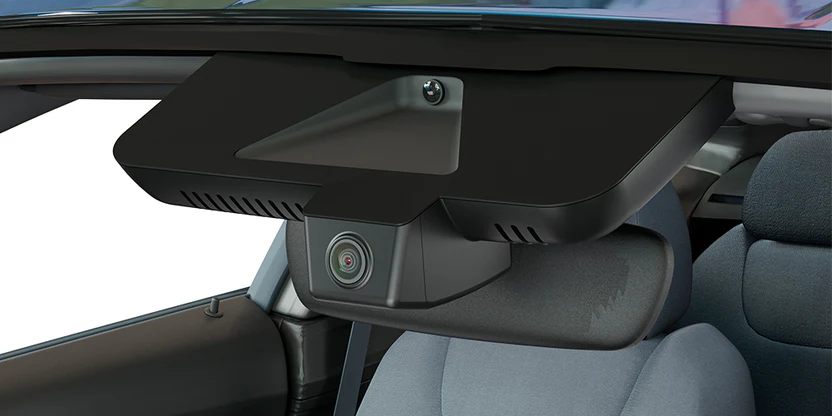
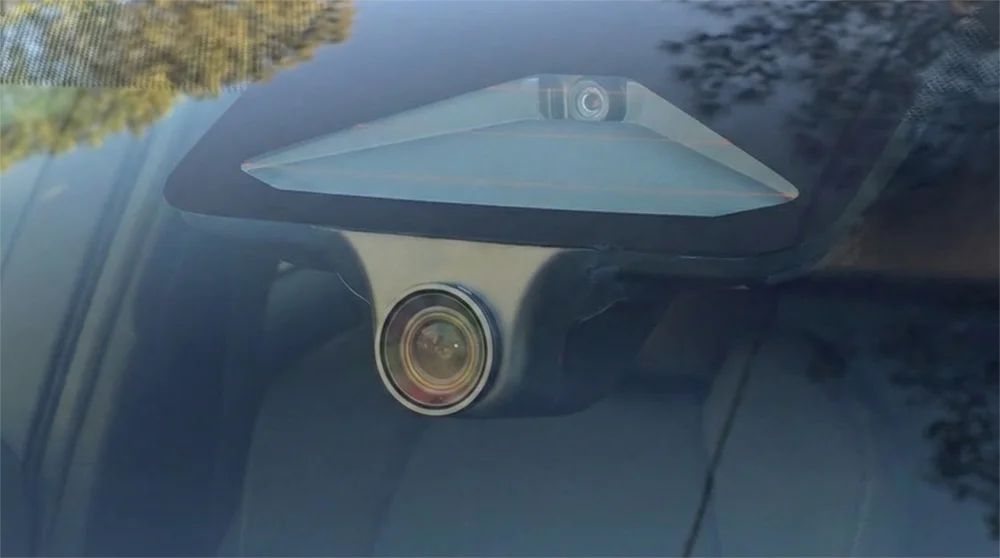
They offer an OEM-style dash cam solution that’s designed to look completely stock. Instead of sticking a camera onto your windshield, they replace the factory sensor housing with a custom one that integrates the camera directly into it.
Another big selling point on paper is 4K recording, which, combined with the OEM look and clean installation, makes this a really appealing dashcam.
Even more interesting, the camera draws power from the vehicle’s existing sensor system, things like adaptive cruise control and lane assist, which means there’s no need to route cables anywhere else in the car.
It’s a really clever and creative approach to solving one of the biggest annoyances with traditional dash cams.
Unboxing
Let’s start with the unboxing.
Right on top we’ve got the user manual, which is very much an old-school folding map style, along with a contact card.
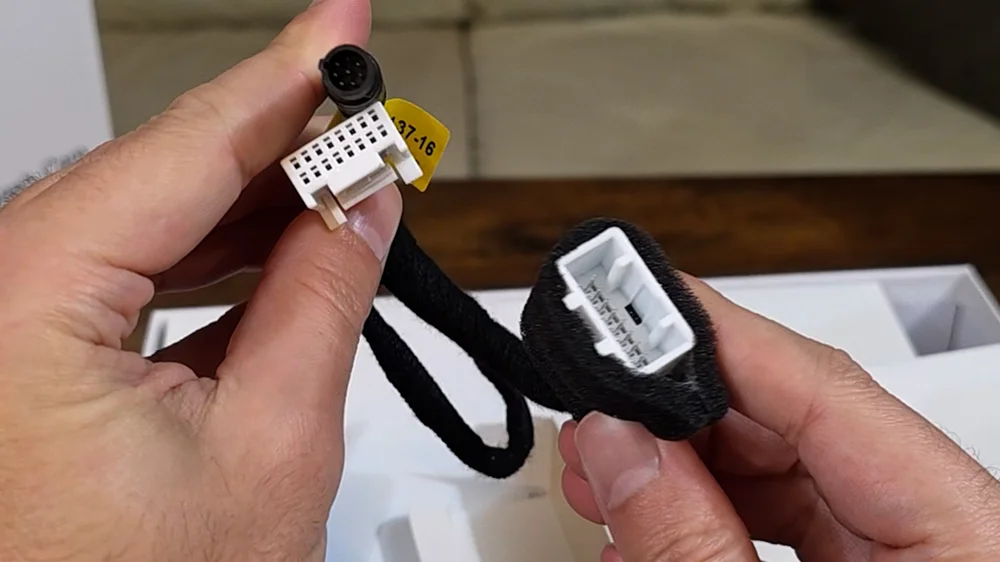
Inside the accessories box, we get an SD card reader with both USB-A and USB-C, which is a nice touch. There’s a trim removal tool and the proprietary power adapter and splitter that will tie into the vehicle’s sensor power with an interesting barrel-style power connector for the dash cam itself.
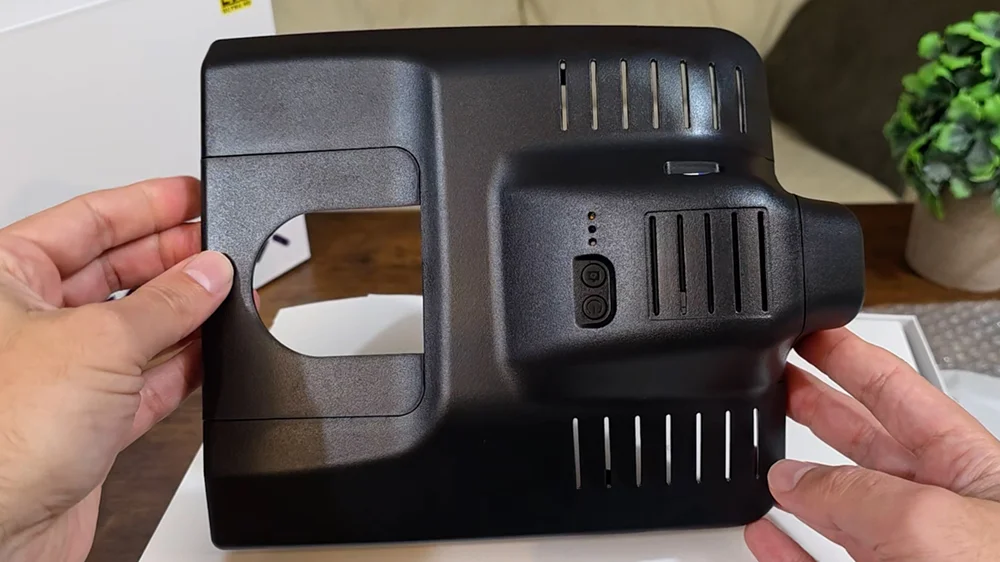
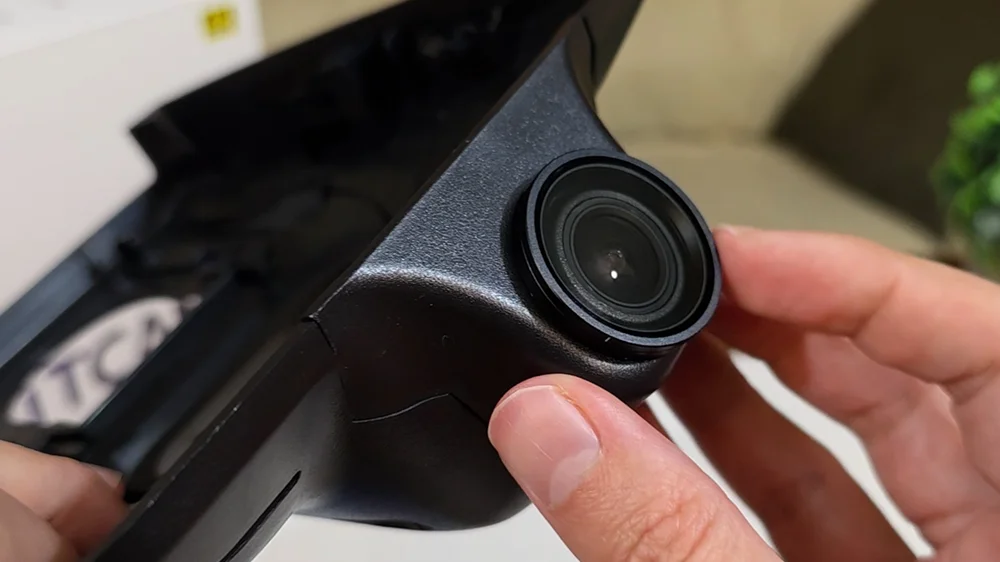
As for the main unit, this is a fairly beefy piece. The camera and housing are fully integrated, and there’s a FitcamX-branded 64-gig SD card already installed.
On the underside, we’ve got power and snapshot buttons along with indicator LEDs. The interface itself is very minimal which adds to it’s stealthiness.
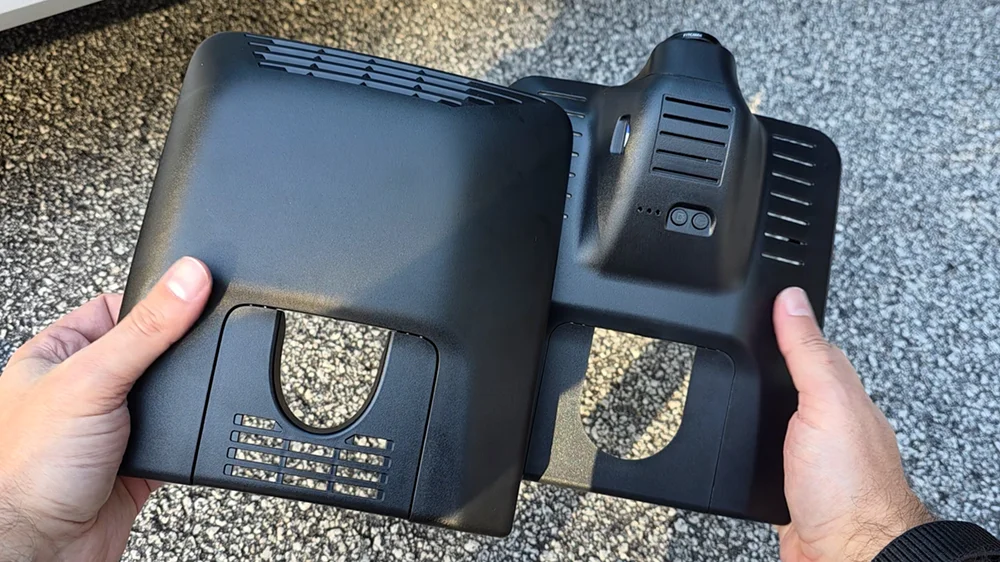
Overall, the unit feels solid. The plastic is thick and well-molded, and the finish matches the factory shroud. From a build quality standpoint, this feels very OEM
CPL Filter
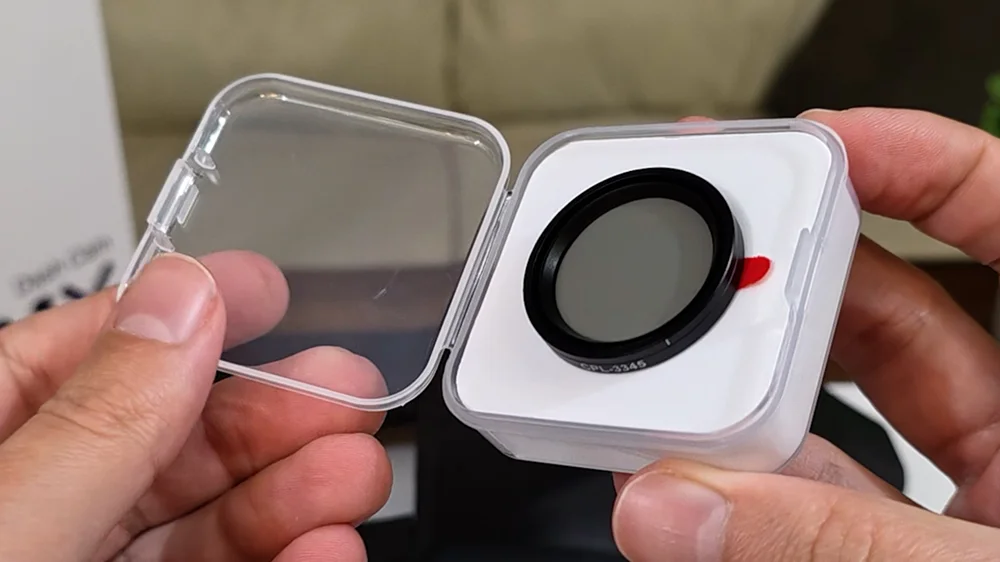
I also picked up the optional CPL filter, which is sold separately, I do wish this was included in the box.
What I like about this CPL is that it has a rotating bezel, so you can fine-tune it after installation. The downside is that it mounts using 3M double-sided tape, so once it’s on, it’s not coming off easily.
Installing it is straightforward. You remove the protective film from the adhesive, line it up over the lens, and stick it in place.
The filter itself is slightly larger than the lens, so alignment is up to you.
As you rotate the bezel, you can see the reflections being reduced, and as we’ve learned over time, a CPL filter makes a huge difference in cutting windshield reflections, even if it comes at a small cost to nighttime visibility.
Installation
How to install the FitcamX dashcam
I’m installing this in my 2023 Toyota Corolla Hatch. These cameras are purpose-built for specific makes, models, and even trim levels, so it’s very important that you choose the correct version.
Make sure you compare your factory sensor housing to the photos on the FitcamX product page. Even small trim differences can matter.
Installation here is very different from a traditional dash cam.
First, make sure the car is turned off.
Step 1 – Remove small rear cover
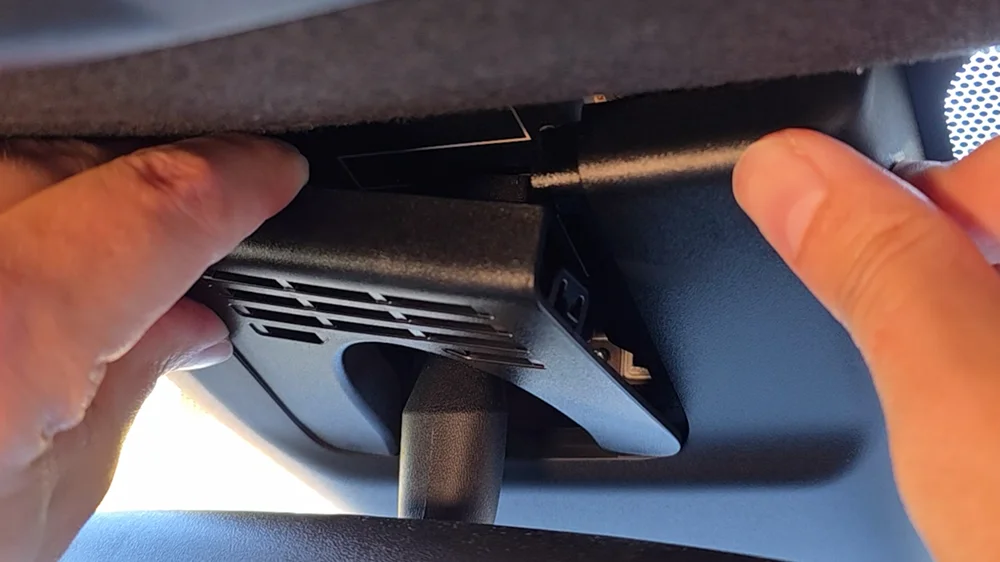
We’ll start by removing the small rear panel on the factory sensor shroud. I tried using the included trim tool, but honestly, I found it easier to just use my fingers while holding the shroud in place.
Step 2 – Remove main shroud
Next, the main shroud slides downward, parallel with the windshield. It doesn’t come off smoothly, it kind of pops off, so just be ready for that.
Once it’s off, we can directly compare the OEM shroud to the FitcamX one. In my case, the FitcamX housing actually feels more substantial than the OEM piece, and I had zero concerns replacing the stock one.
Step 3 – Transfer shroud fastners
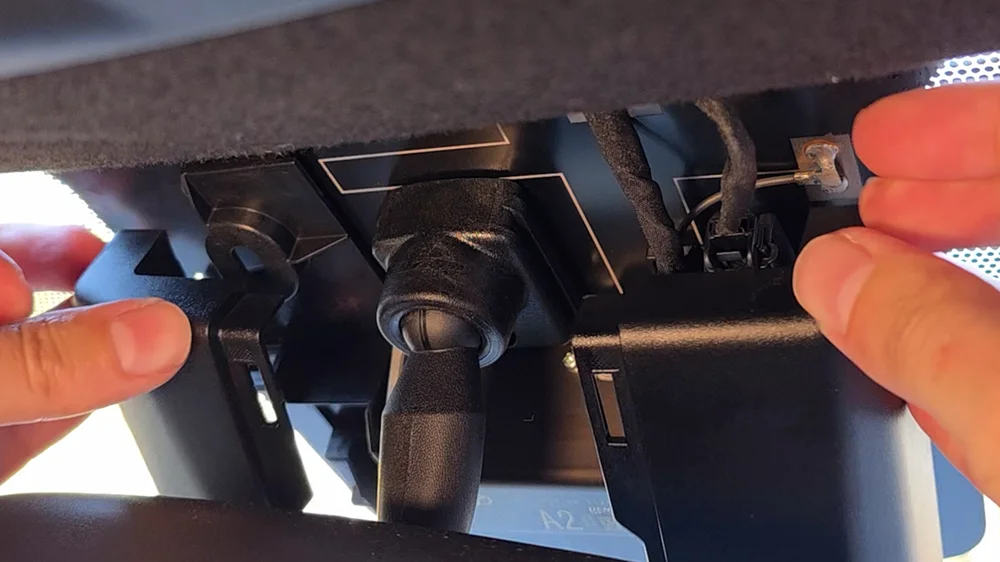
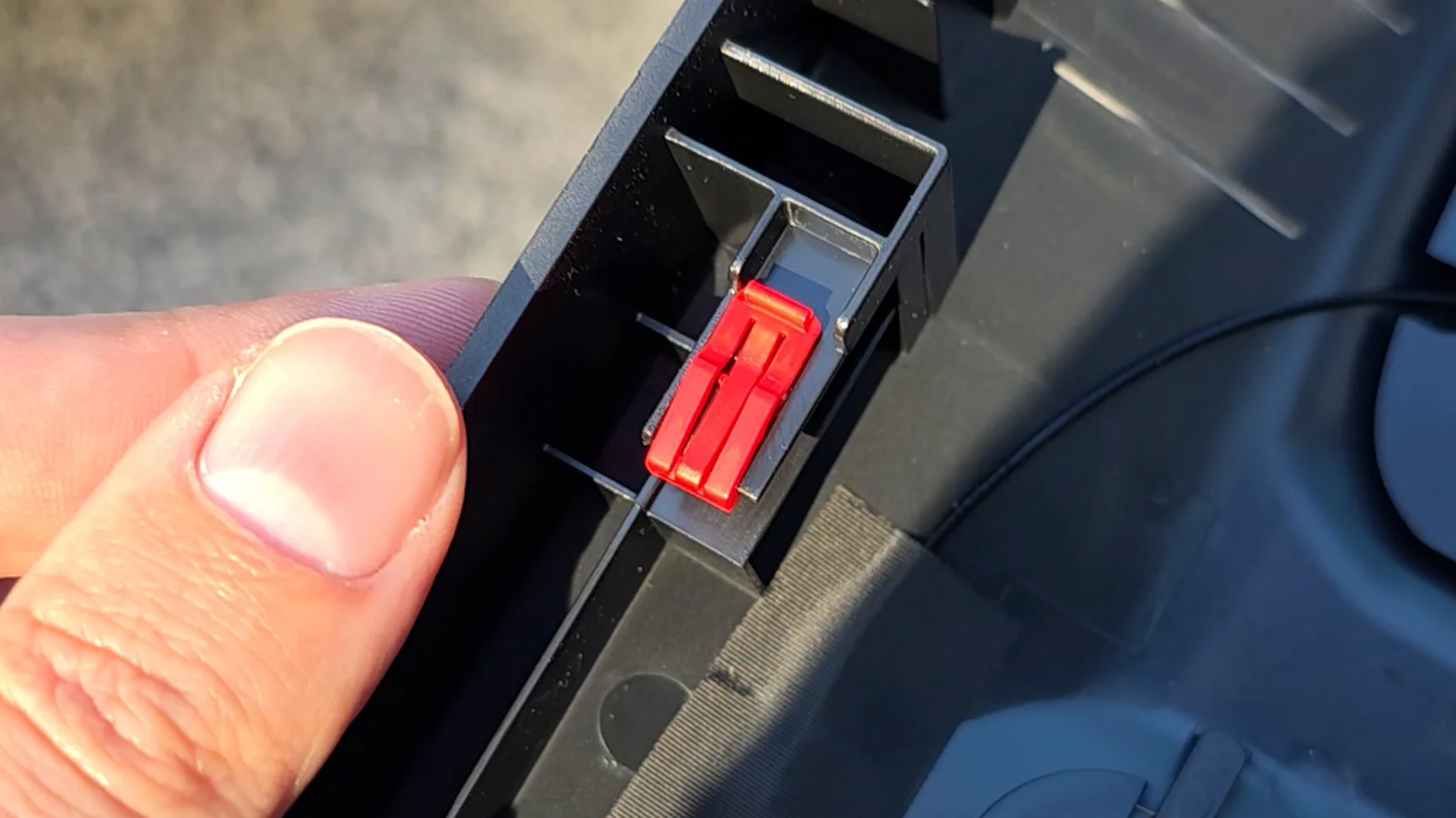
The only thing we need to transfer from the old shroud are these two fasteners, mine are red, yours may be different. I found it easiest to gently pull them from both sides to avoid breaking them. Then simply slide them onto the new shroud.
Step 4 – Connect power adapter
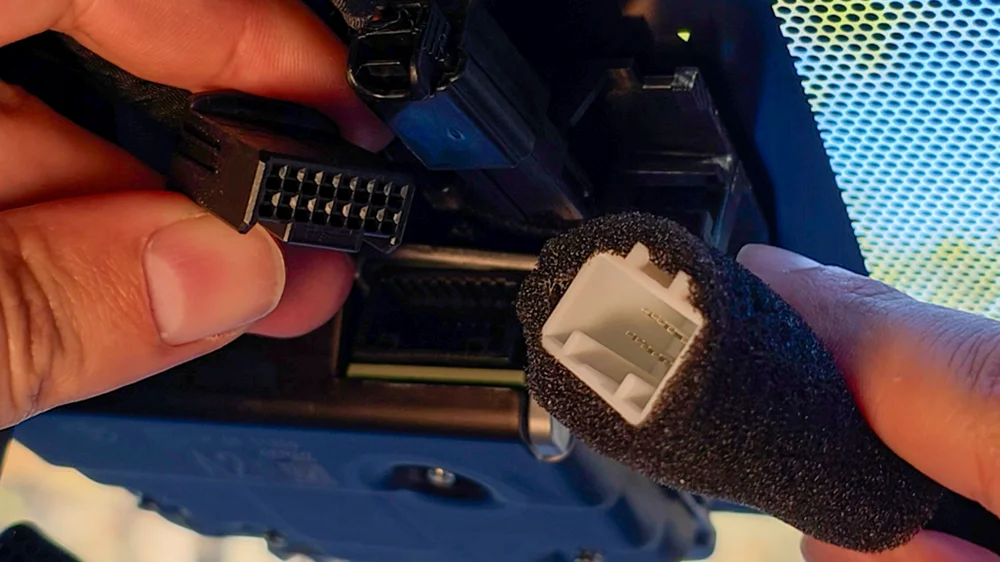
Back inside the car, unplug the factory power connector and attach the FitcamX power adapter and splitter.
Step 5 – Connect barrel connector from camera
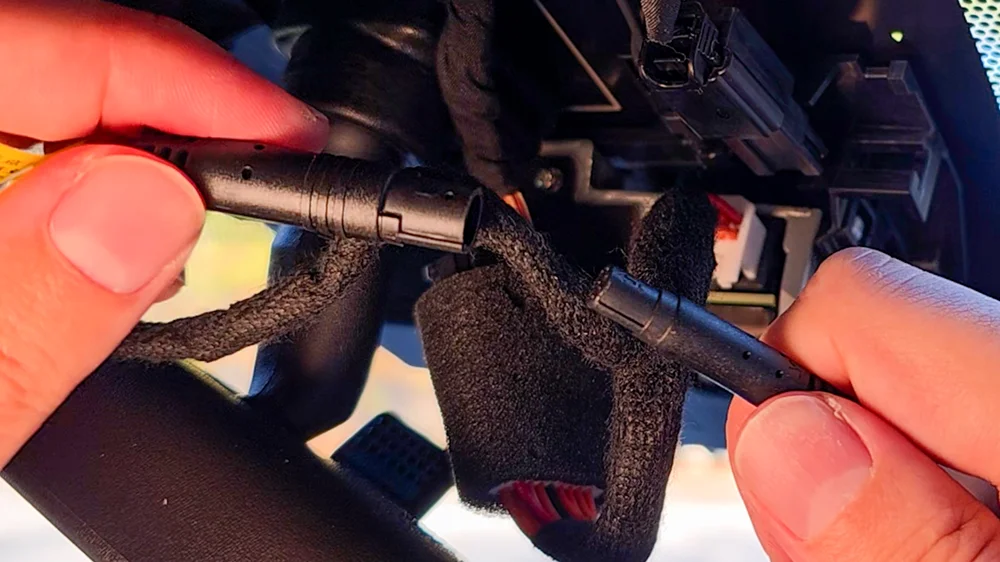
Now we can connect the barrel plug to the camera and slide the new shroud into place. This part takes a bit of patience, managing the loose cables in a tight space while also trying to line up the shroud will use all of your dexterity, but once everything is positioned correctly, it pops right in.
Step 6 – Install new rear panel
Finally, install the small rear panel.
That’s it. No routing cables, no tucking wires into the headliner, Or pulling out your glove box, nothing. The whole process takes about five minutes.
And once installed, it genuinely looks stock. If you didn’t know it was aftermarket, you’d assume it was part of the factory sensor cluster.
Post Install Setup and App
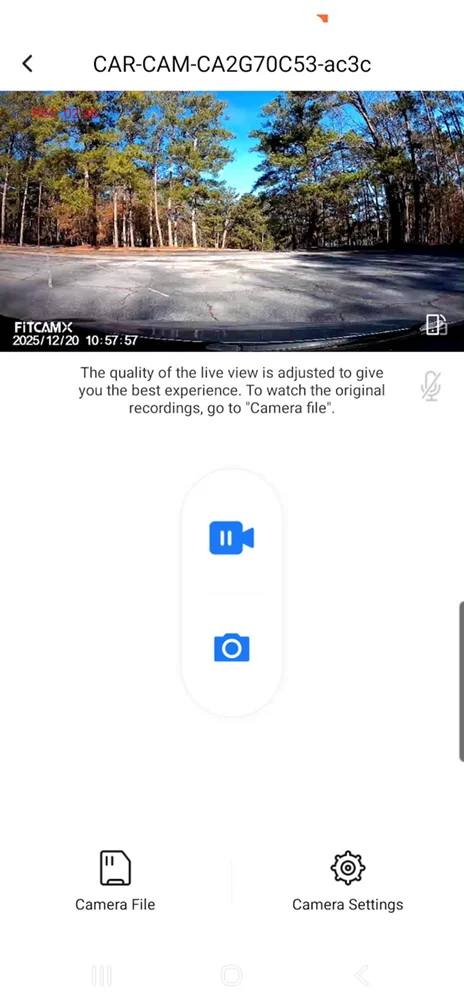
Once you turn the car on, the camera powers up automatically. The indicator LEDs aren’t very visible from the driver’s seat, but you can still confirm it’s recording by the three flashing blue and red lights.
Next, we connect to the dash cam using the FitcamX app, which you can download from the App Store or Play Store.
The first time you launch it, you’ll connect to the dash cam’s Wi-Fi network using the default password of 12345678. Just keep in mind that while you’re connected to the dash cam, your phone won’t have cellular data.
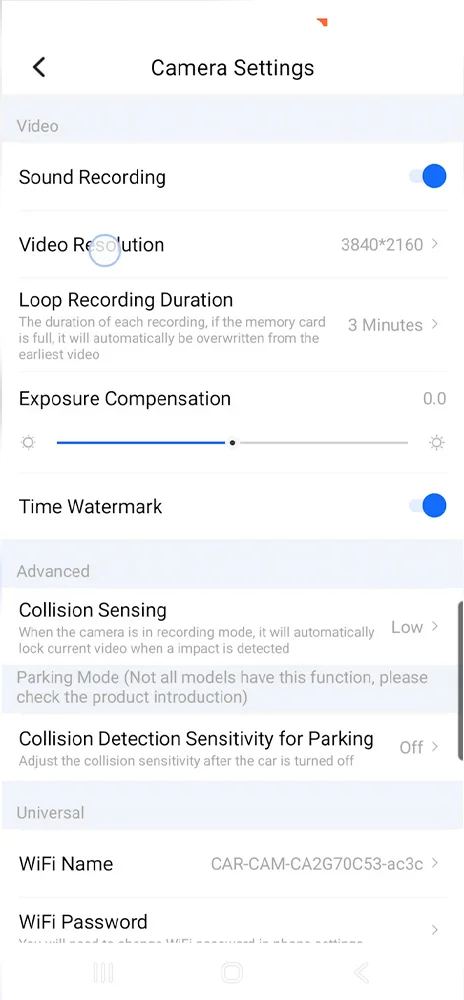
The app itself is pretty basic. There aren’t a ton of settings, and honestly, there isn’t much you need to change at this point.
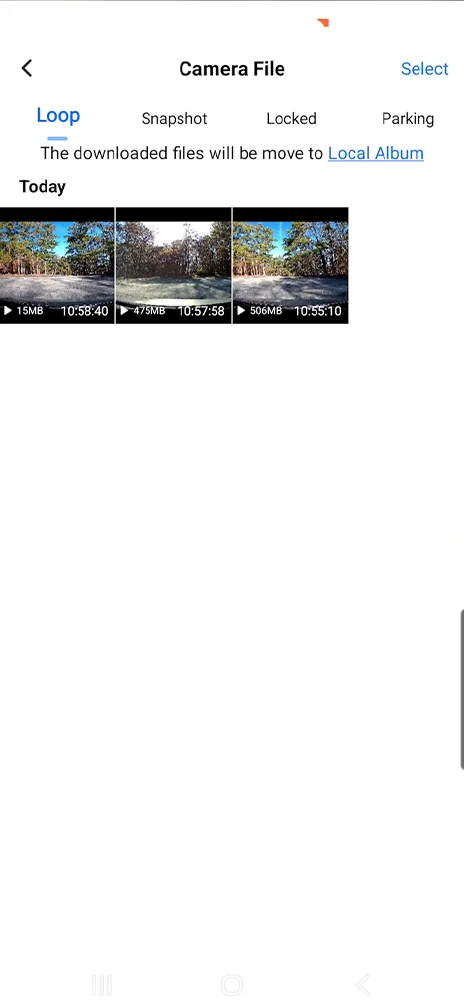
The recording duration tops out at only three minutes, which I assume is to keep file sizes manageable at the 4k resolution. You can view the live feed, which is when I adjusted the CPL filter, browse recorded clips, preview them, and download what you need.
One thing worth noting is that the Wi-Fi stays on all the time. From a security standpoint, I’m a little on the fence about that, but realistically, it would be difficult for someone to connect while you’re driving, but not impossible.
Storage Notes
The included 64-gig SD card gives you a little over five hours of footage at 4K. If you want more history, I’d recommend upgrading to a larger-capacity card, preferably a high-endurance or Pro-grade SD card.
Video Quality Review
Alright, this is where things get a little more complicated, because on paper FitcamX advertises 4K recording and that was one of the reasons I wanted to try it out in the first place.
Now, before we get into the problem areas, I do want to be fair here.
In the day, with plenty of light, the footage can actually look pretty decent. This clip here, driving through the Atlanta area, is a good example. The sky looks nice, the colors are pleasant, and at a quick glance, it looks totally serviceable.
If this is all you ever saw, you might think the video quality is just fine.
But the issues start showing up once you look a little closer… or once the lighting and motion aren’t so forgiving.
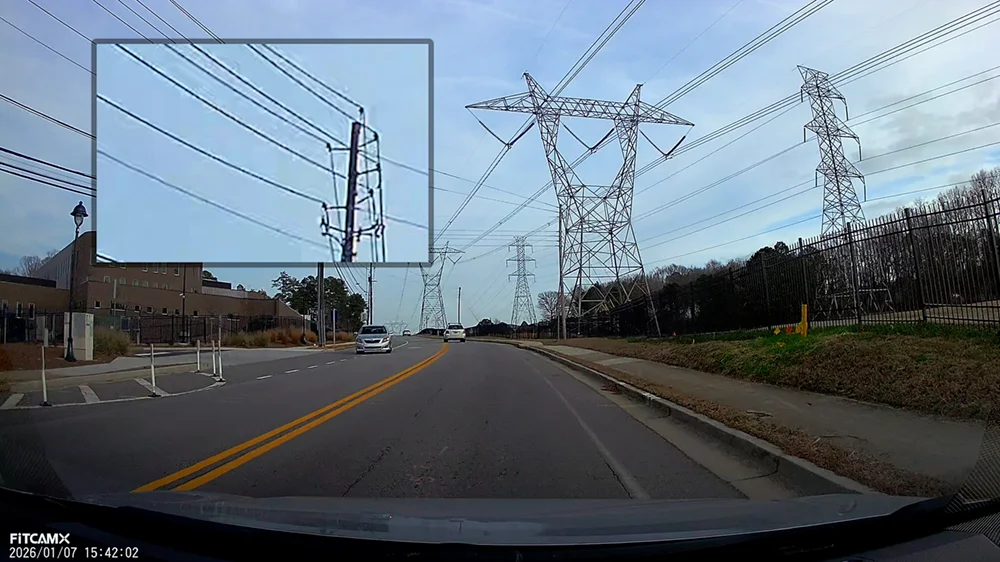
Daytime, small road (foliage + power lines)
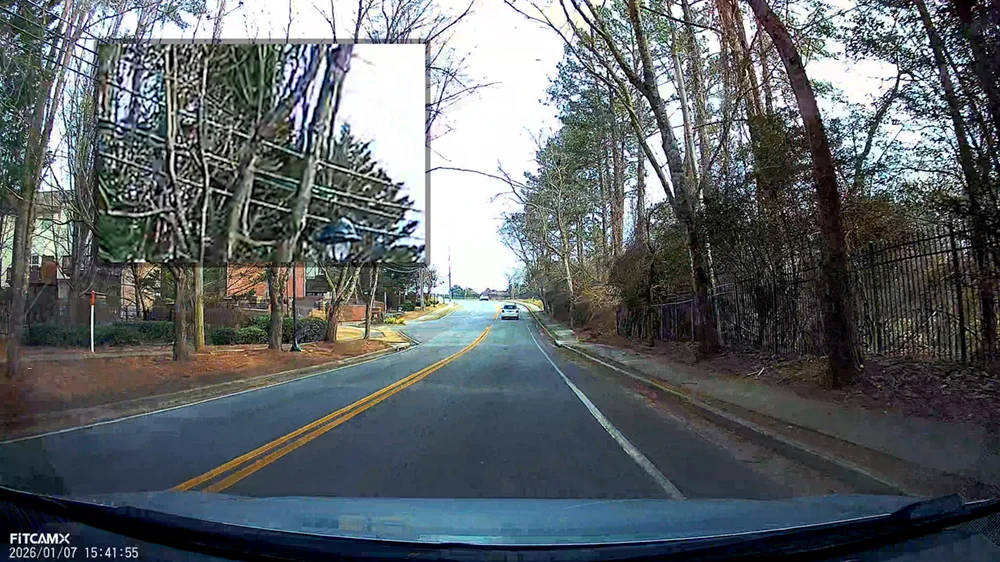
Starting in good daylight, driving down a small road, the first thing that jumps out is how aggressively this footage is processed.
If you look at the foliage, tree lines, and power lines, you can see heavy edge sharpening everywhere. There’s haloing around branches, poles, and wires, and instead of natural texture, you get this crunchy, over-processed look.
It gives the impression of sharpness, but when you zoom in, it’s not actually resolving real detail.
License plates in daylight
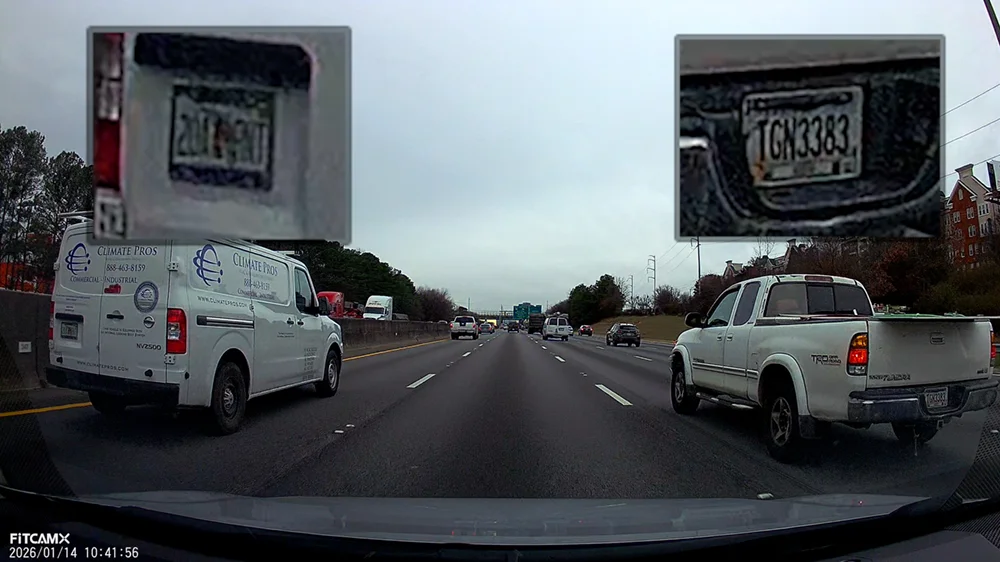
Now let’s talk about license plate readability in daylight, because this is a big one for dashcams.
Stopped at a light, the red Corvette right in front of me is clear. The white RAV4 just a little farther away you can kind of make it out, but not with confidence. And the Mercedes farther over? That plate is completely unreadable.
At highway speeds, the same thing happens. The truck is somewhat legible for a moment, but the van isn’t readable at all. While sitting under an overpass, the car directly ahead is okay, but anything off-angle or farther away quickly falls apart.
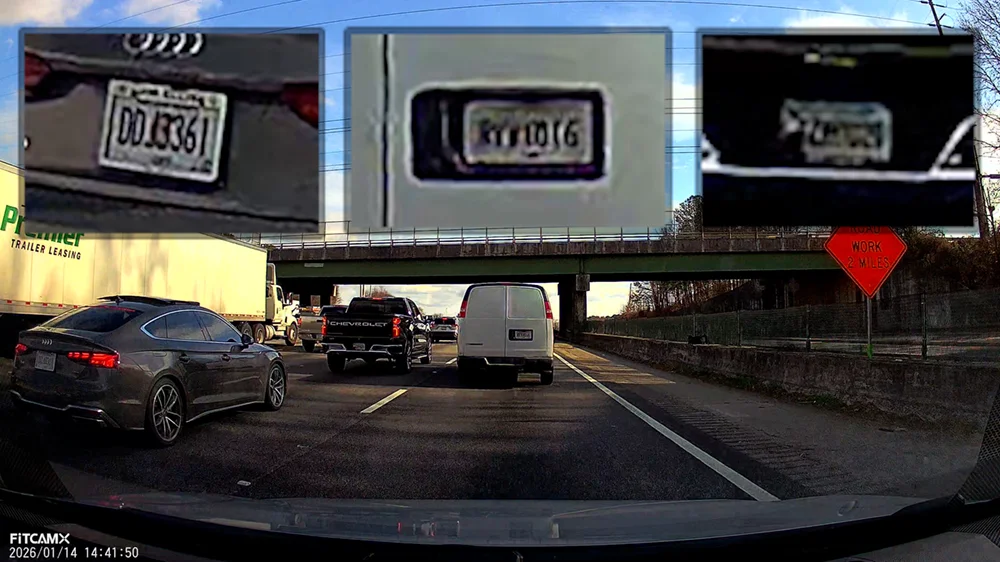
Slow traffic, daytime highway
Even moving slowly in traffic, you start to see the limits. The Audi on the left is mostly readable, but the van in front and the truck next to it lose detail very quickly.
This is where it becomes clear that resolution alone isn’t the issue it’s how the image is being processed.
Night Footage
And honestly, if the daytime footage already looks like this, night footage is where dashcams either prove themselves… or don’t.
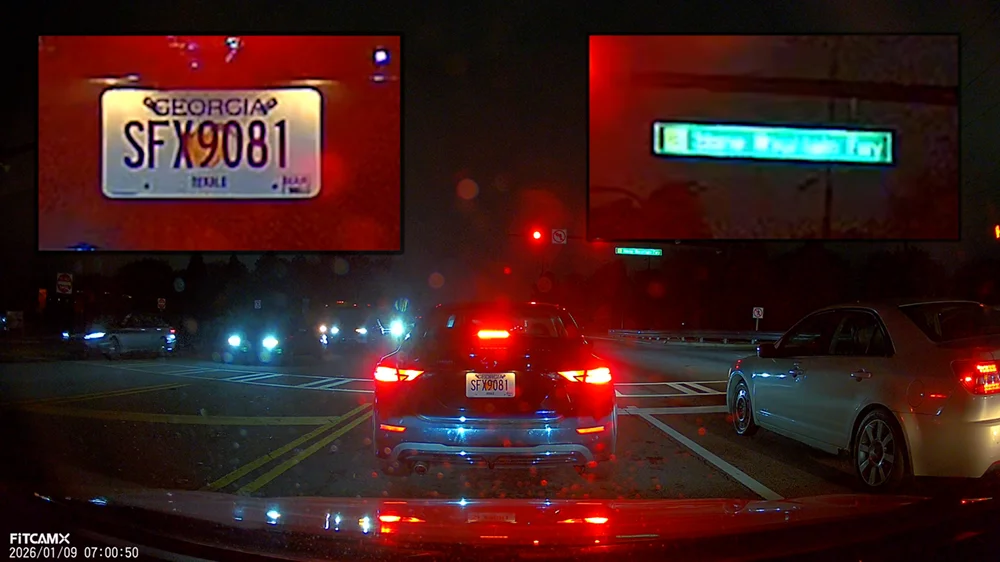
Night, stopped and on-ramp
Stopped at a traffic light at night, I can read the license plate of the car directly in front of me. But notice the lighted street signs they’re blown out and unreadable.
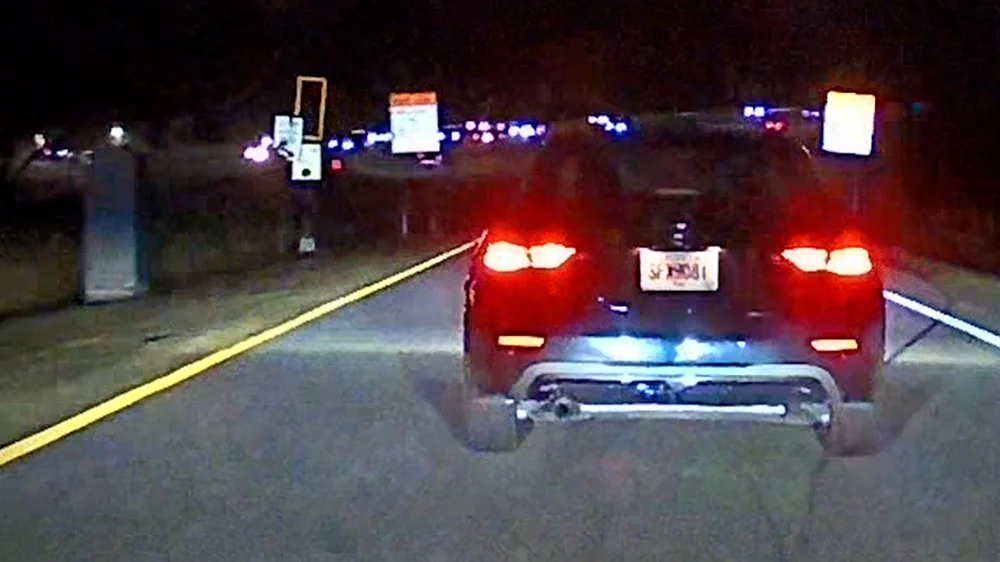
Getting onto the on-ramp with the same car about ten feet ahead, the plate is already blurry. There’s no clean detail to work with.
Night highway speeds
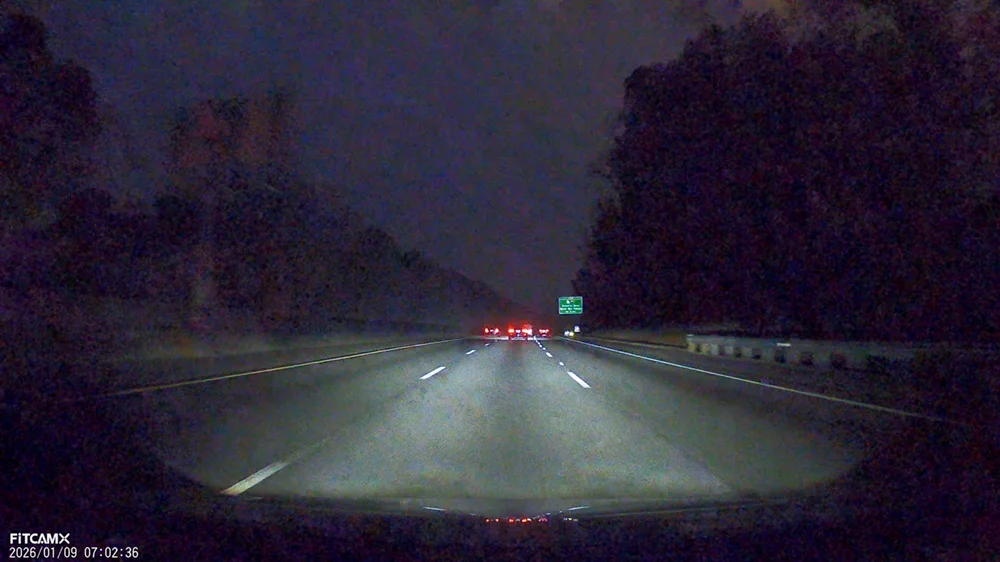
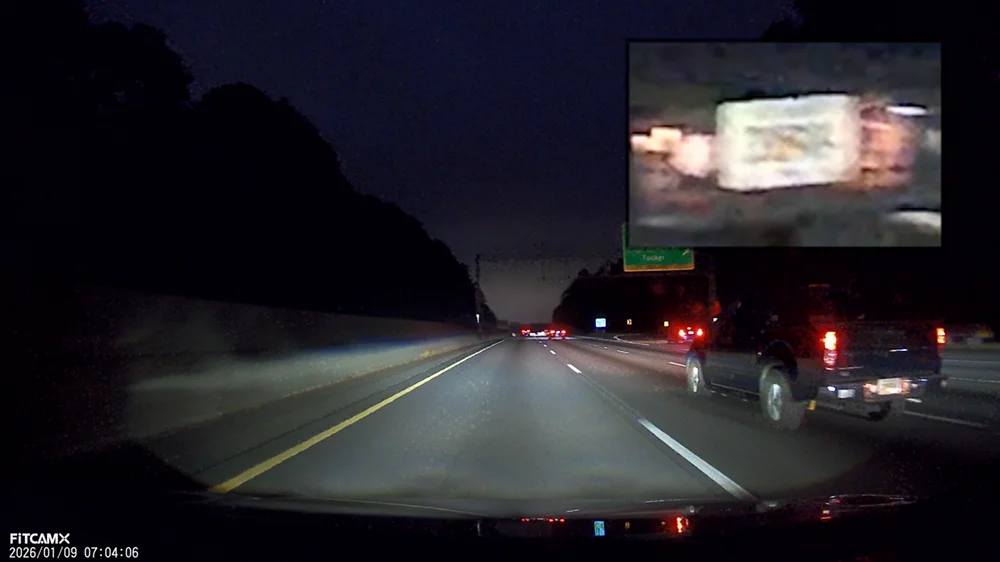
Once you’re up to highway speeds at night, things really fall apart. The image fills with noise, and fine detail is completely wiped away.
Trying to read license plates here just isn’t realistic, like on this truck ahead, I can’t make anything out at all.
Night, controlled slower driving
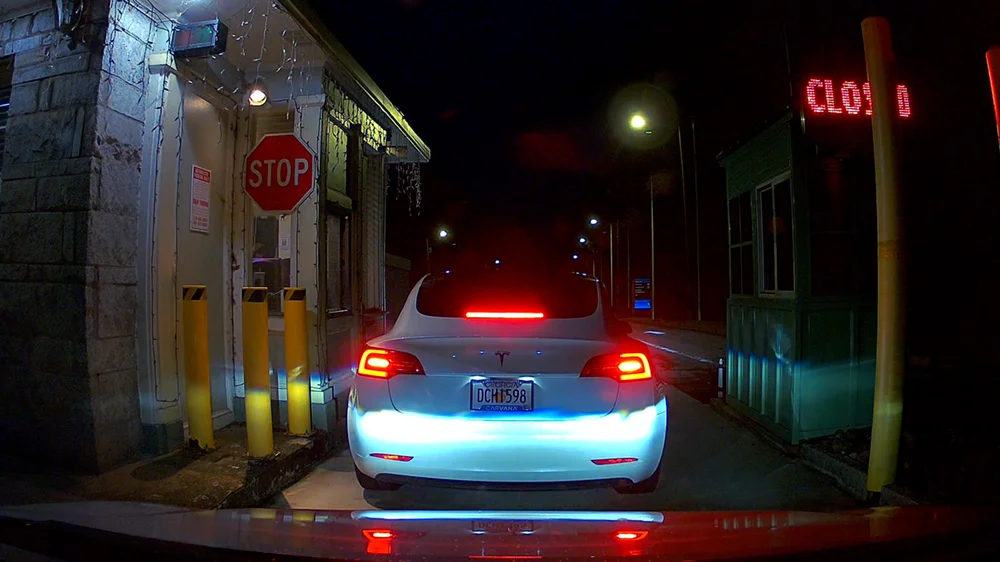
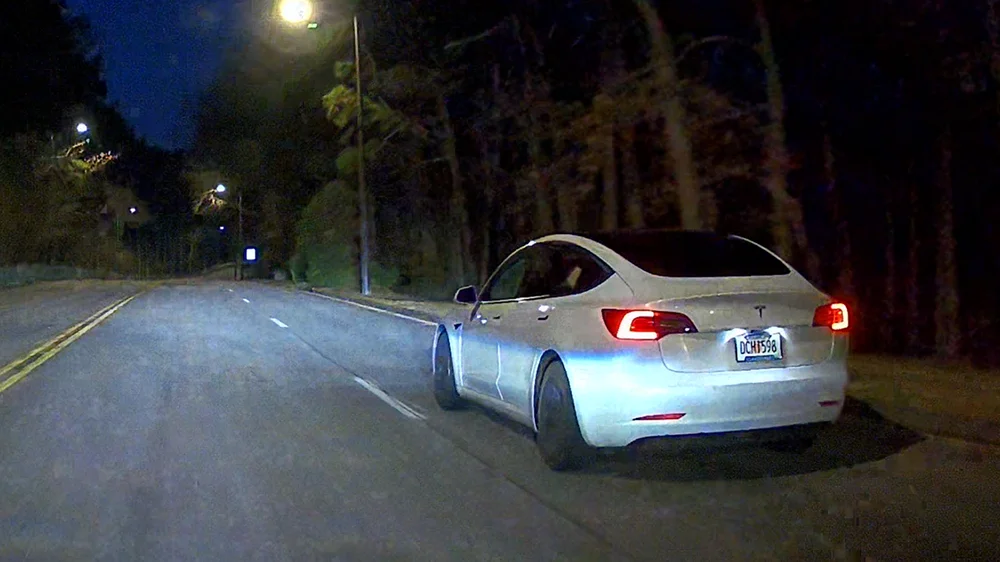
When conditions are ideal, stopped, close, well-lit the camera can do better. The Tesla’s plate here is mostly readable.
But you still see haloing around the overhead light, and once you start moving again, even slowly, motion blur and light bloom come right back.
Depending on the lighting, you might get lucky and be able to read the Tesla’s plate even while driving slowly alongside it.
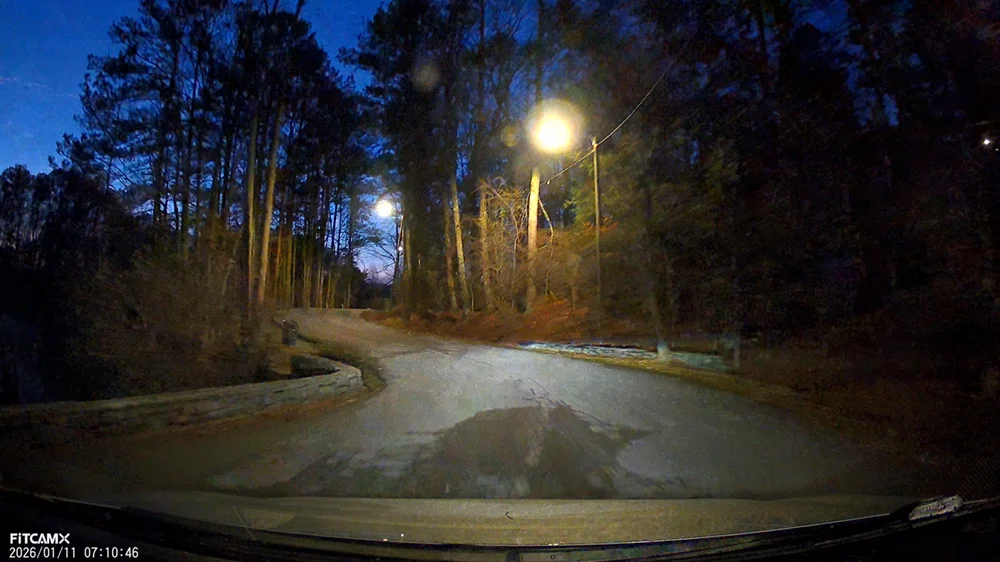
And finally, driving down a side road just as the dawn starts to break, the image just turns into noise and smear. There’s no usable detail left here.
Wrap-up on Video Quality Review
I went back and forth with FitcamX on this. We tried different settings, different resolutions, even updating the firmware but the underlying image processing never really changed. I want to show my appreciation to FitCamp X for trying to help troubleshoot this issue. They always responded quickly and answered all my questions.
In good conditions, the footage can look acceptable. But as soon as you introduce motion, distance, or low light, the video quality just doesn’t hold up. And for a dashcam, that’s kind of the whole point.
Conclusion
So to wrap this up, the FitcamX dash cam is a really interesting product.
From a design and installation standpoint, this is one of the cleanest dash cam solutions I’ve ever used. The OEM-style fit is excellent, the install is fast, and once it’s in, it genuinely looks like it came from the factory.
If your top priority is a stealthy setup with no visible wiring and no clutter on the windshield, FitcamX absolutely delivers on that.
Where it falls short is video quality. Despite advertising 4K recording, the footage is heavily processed, and real-world detail just doesn’t hold up well, especially at night.
So this really comes down to your priorities. That I’ll leave up to you.