
Aukey DRS2 Dual Dash Cam Review
A dual-camera dash cam with one clever trick: the second camera detaches, so you can point it wherever you need. Here is the full review and a hidden install.

Plays via YouTube. Google may set cookies when the player loads. Privacy policy
The short version
The Aukey DRS2 packs two true 1080p Sony-sensor cameras into a well-built body, and its party trick is a detachable second camera you can mount for an interior or rear view. Supercapacitors instead of a battery mean it shrugs off heat, the mount never drifts, and footage is sharp day and night. A great-value dual cam in its day. My rating: 4.5/5.
Verdict: a versatile, well-built dual camUpdate: Aukey no longer makes dash cams. If you are shopping today, I have since reviewed the VIOFO A229 Plus, a modern dual 2K cam with HDR, 60FPS, and STARVIS 2 sensors, and it is where the buy links point. This DRS2 review stands as my honest experience with it.
What is the Aukey DRS2?
Aukey reached out to ask if I would take a look at their dual-camera dash cam, the DRS2, and the moment I saw the design I was intrigued by its potential. It is a 3-in-1 1080p cam with IR night vision, a 170 degree wide angle, WDR, motion detection, and a G-sensor, and there is more to this little camera than meets the eye.
Disclosure: Aukey sent me the DRS2 free of charge to review; they had no approval or editorial control over this review. This post also contains affiliate links, and as an Amazon Associate I earn from qualifying purchases, at no extra cost to you. Affiliate links like these and my YouTube channel are what keep the site running.
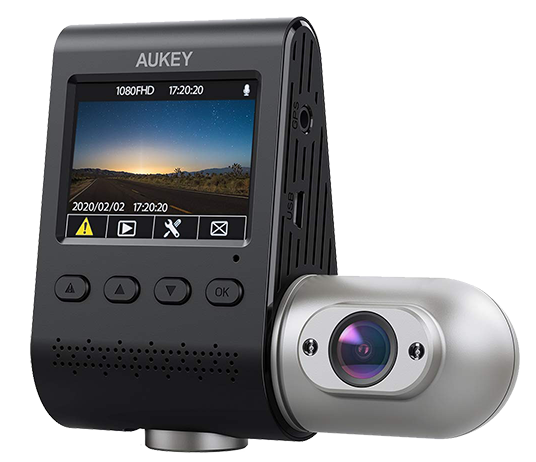
The cam reviewed
Aukey DRS2
The dual-camera cam in this review, with its signature detachable second camera. Aukey has discontinued it, so the button points to my current pick, the VIOFO A229 Plus.
What comes with the DRS2
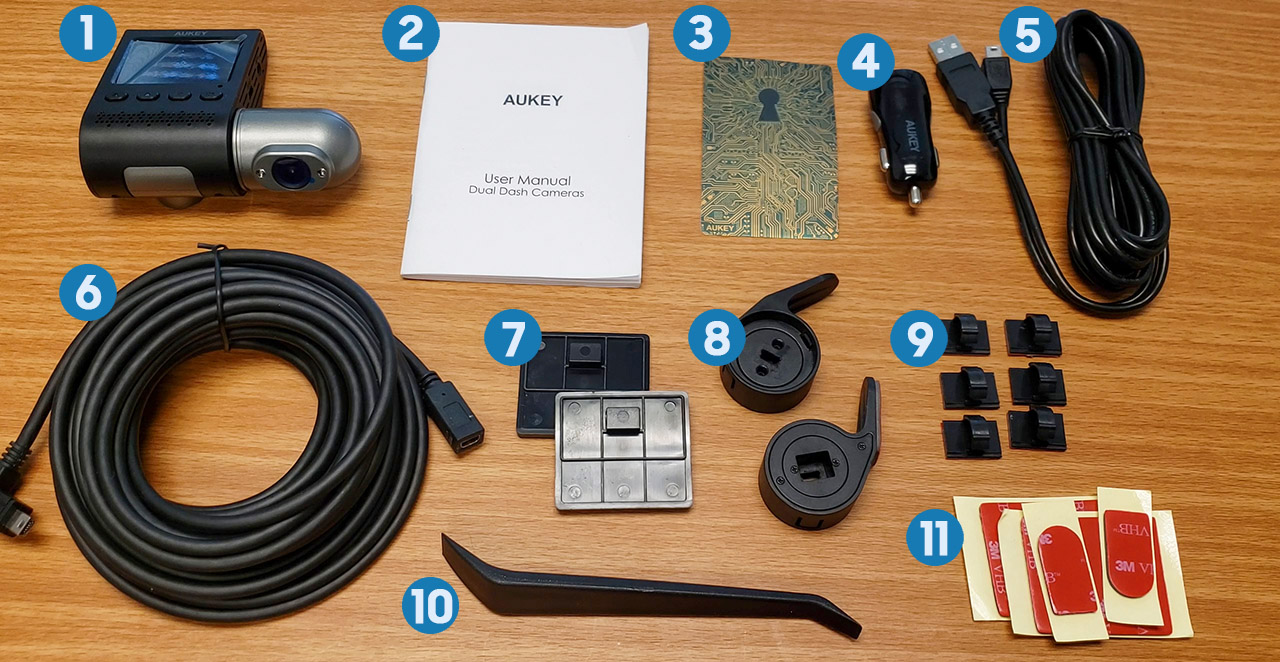
The packaging is beefy, not the usual flimsy cardboard. Inside you get the dash cam, a 13 foot mini-B USB power cable, a 2 amp dual-USB car adapter (so it does not hog the whole outlet), the manual, and the signature Aukey warranty card that doubles as a sticker, backing a two-year warranty. You also get two dash cam mounts (one with 3M tape), six cable loops with tape, spare tape, and a trim removal tool, a genuinely useful addition for the install. Three more items hint at the DRS2's best feature: a 23 foot proprietary male-to-female mini-B cable and two mounts of a different shape for the second camera. I love that Aukey includes spares of both mount types.
Build quality, sensors, and ports
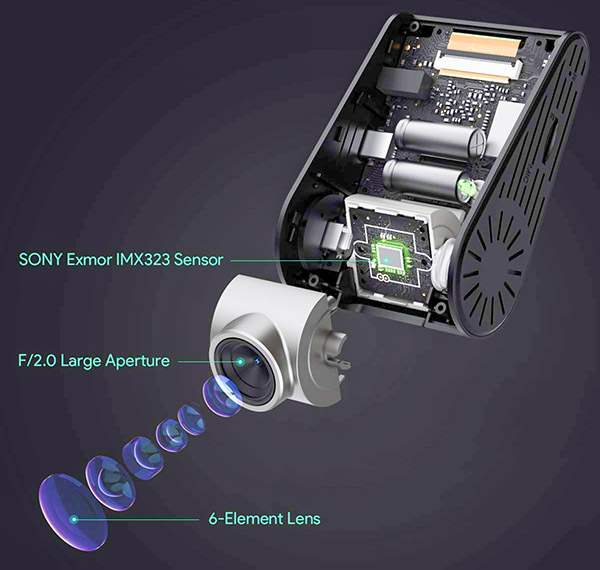
My first impression is that this is a quality piece of engineering, clean and subtle, though the gray housing around the cameras nudges my OCD; I would have preferred all black like my DR02. It should last, too, which matters because I live in Georgia and now drive a black car, and heat is the killer of car electronics. Cleverly, the DRS2 uses supercapacitors instead of a battery, so it handles extreme heat and cold far better and longer than the batteries most cams use.
On the left are the micro-SD slot (up to 128GB), the microphone, and a reset button. The bottom holds the 2 inch LCD and tactile buttons. On the right, behind the second camera, sit the mini-B USB power port and a port for a compatible GPS antenna like the Aukey GM32. Both cameras use the Sony Exmor IMX323 sensor and record 1080p at 30fps (or 720p at 30 or 60fps). The front covers 170 degrees and the rear 152, for 322 degrees of combined coverage, and the second camera adds two infrared LEDs for dark interiors. Both cameras rotate on their axis to dial in the view: the front up to 90 degrees in 15-degree steps, the rear a smoother 135 degrees.
The detachable second camera
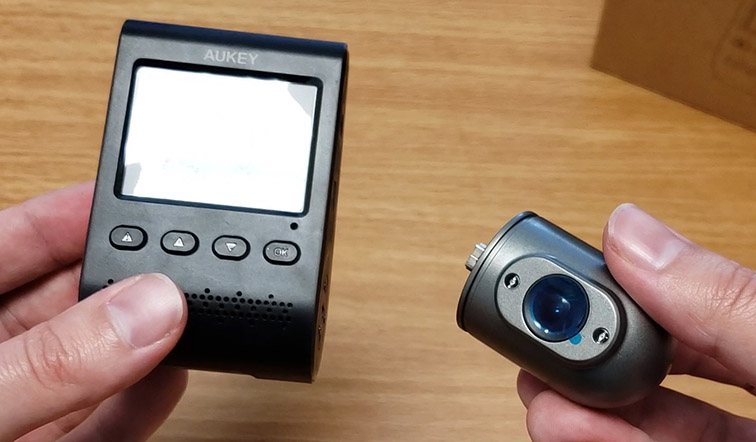
Here is where it gets interesting, and what I think defines this cam: the second camera is detachable. With a little pull it pops right off the main body, and now those extra cables and mounts make sense. It is such a simple idea, but it takes the DRS2 to another level. Whether you detach the camera to mount it elsewhere or leave it in place, you get a ton of flexibility, and I used that to build a setup that some of you might want to copy.
How to install the DRS2
Installation is fairly straightforward, with a few details worth knowing if you have not wired something into a car before. I installed mine in a 2017 Honda Fit.
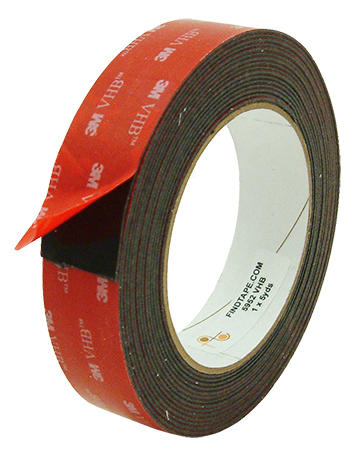
- Optional: swap the gray tape on the mounts and cable loops for black 3M VHB. The gray sticks out; black blends in.
- Insert the micro-SD card contacts facing the screen. It is spring-loaded, so it clicks in and pushes out.
- Clean and dry the mounting area on the windshield.
- Attach the mount to the camera first (and remove the second camera so it balances), then adhere the unit level, just below the rear-view mirror to hide it.
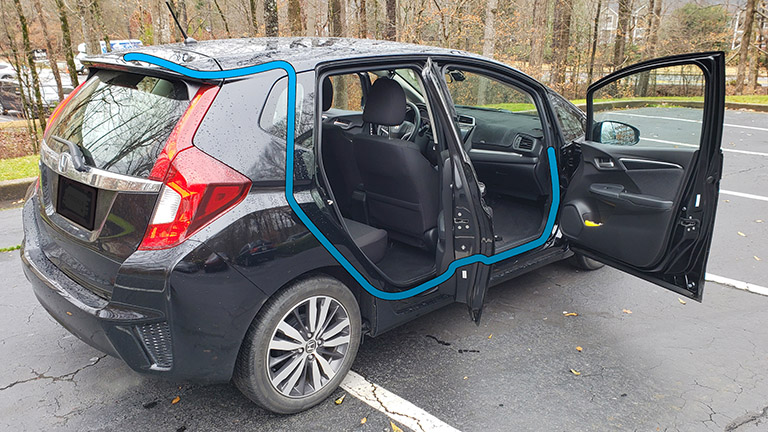
- Run the power cable over the headliner edge across the passenger side, using the trim tool to open a gap if needed.
- Bring it down the A-pillar with the cable loops, then behind the flipped-down glove box and under the dash to the charger.
- Plug in and tidy the slack, bundling the extra cable into the space beside the glove box.
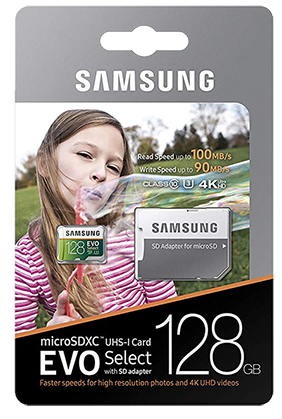
For the SD card I used a Samsung 128GB EVO Select, which has been reliable and inexpensive. If you want to size a card for any cam, my dash cam storage calculator works it out.
Placing the second camera
Because I mounted the main body behind the mirror, I put the second camera above the rear-view mirror for an interior view, technically upside down on purpose so the cable exits the right side, then flip the video in software. An interior view is a smart idea for anyone, and especially for rideshare drivers, since it can protect both driver and passengers. Many people will instead put the second camera on the rear window for a view behind, which just means running the cable to the back.
Safety first when running a cable to the rear: route it low, under the door kick plates and side trims, never tucked into the headliner along the sides. Most modern cars have side curtain airbags that deploy from up there, so keep cables well clear. The same rule applies across the dash: when I installed a CarPlay screen in a 2013 Honda Fit I had to route the power cable completely around the passenger airbag rather than over it.
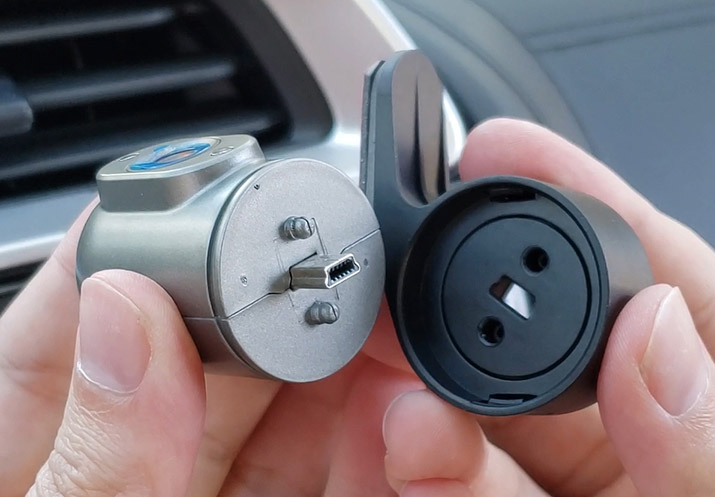
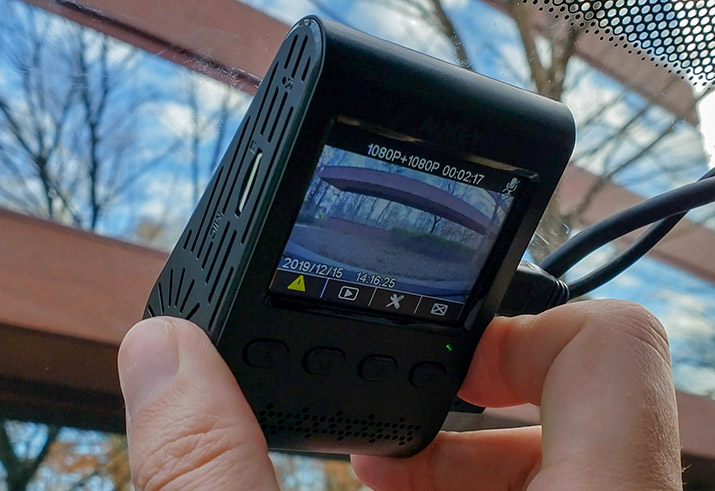
The only nitpick is the proprietary cable: I only needed about seven inches for my interior setup and had to tuck the rest into the headliner, where a standard cable would have let me buy a shorter run. Still, the mounting system itself is simple and immensely effective. Unlike suction-cup mounts, it does not budge over potholes or drift out of position with everyday driving.
The screen, buttons, and parking mode
Turning on the car powers the cam automatically. Setup asks for a language, the date and time, and to format the card. Worth using a card you trust for that: I bench them on CKBench, and one sold as 128 GB turned out to hold 34. The 2 inch screen is sharp, and the menu and buttons are intuitive: back, up, down, and OK. Outside the menus, the first button triggers Emergency recording (saving the clip to a protected folder), holding up toggles audio, holding down takes a screenshot (a tap opens the menu), and OK cycles between the three view modes.
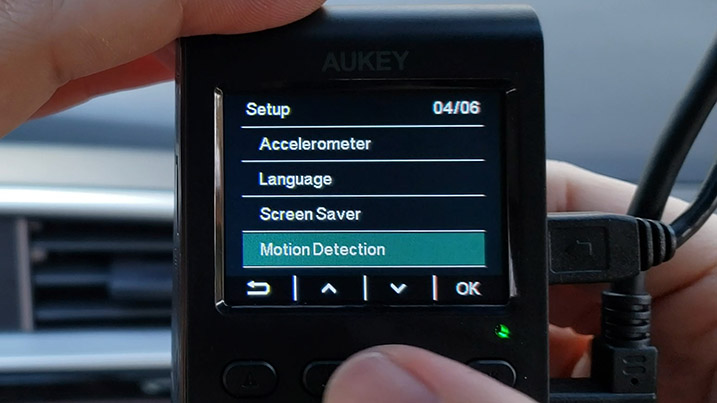
The DRS2 also has a parked motion-detection mode, but it needs constant power, which most cars cut when off. You can solve that with a power bank or a hardwire kit such as Aukey's own OBD-II adapter. There is more to parking modes than it seems, so that is a topic for its own guide.
How does the DRS2 footage look?
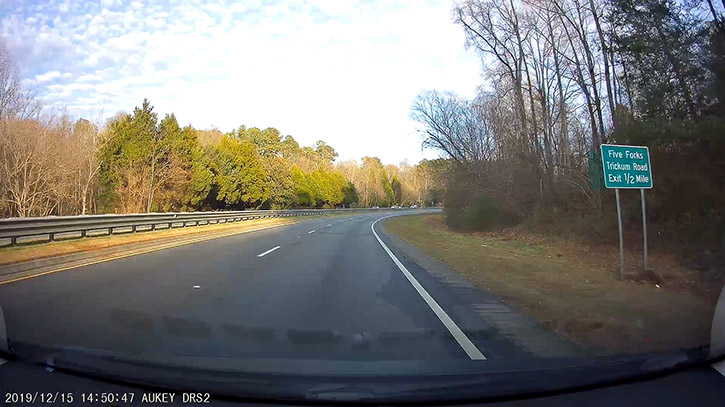
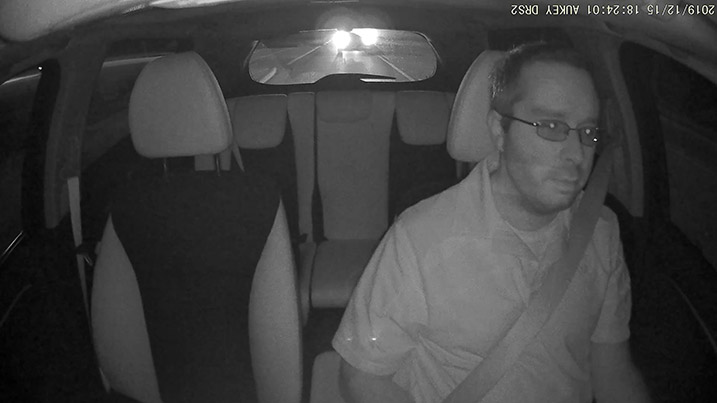
To pull footage I pop the SD card into a reader; the front and rear clips save into the same folder, alternating. The processing leans a little aggressive on sharpening, but not to a harmful degree. The second camera's color is noticeably off thanks to those infrared LEDs, which I found funny more than annoying. Switching the second camera to black-and-white mode fixed it, and it actually looks better in the dark that way.
Keep in mind
- The proprietary second-camera cable limits custom cable lengths.
- Gray camera housing and stock adhesive stand out a little.
- Second camera's IR color cast needs black-and-white mode.
- Parked motion detection needs a power bank or hardwire kit.
- Discontinued: Aukey no longer makes dash cams.
What it nailed
- Detachable second camera for a flexible interior or rear view.
- Two true 1080p Sony sensors, 322 degrees of coverage.
- Supercapacitor build that shrugs off heat and cold.
- Solid no-drift mount and a generous, spare-filled kit.
- Sharp, readable footage plus a two-year warranty.
Frequently Asked Questions
What makes the Aukey DRS2 different from other dash cams?
Its second camera is detachable. You can pop it off and mount it separately for an interior or rear view using the included extra cables and mounts, which is unusually flexible for a dual cam.
Does the Aukey DRS2 use a battery?
No. It uses supercapacitors instead, which tolerate the extreme heat and cold of a parked car far better and longer than the batteries most dash cams use.
What is the DRS2's total field of view?
The front camera covers 170 degrees and the rear 152, for 322 degrees of combined coverage. Both use Sony Exmor sensors recording 1080p at 30fps.
Can the DRS2 record while parked?
It has motion detection for parking, but that needs constant power. Since most cars cut power when off, you will need a power bank or a hardwire or OBD-II kit to use it.
Why is the DRS2 second camera footage discolored?
The infrared LEDs tint the image. Switching the second camera to black-and-white mode removes the color cast and actually looks better in the dark.
Was the DRS2 worth it?
Even with a couple of small niggles, the video quality is superb: you can read signs and plates day, night, and everything in between, and the viewing angles give you so much to work with. For two true 1080p cameras, great build, an innovative detachable design, and a two-year warranty, it was strong value and hard to match at the time.
Since Aukey has left the dash cam market, the cam I would point you to today is the VIOFO A229 Plus. My thanks to Aukey for sending the DRS2 to review back when it was current.