
My X-REALs Broke, So I Switched to the VITURE Luma Pro
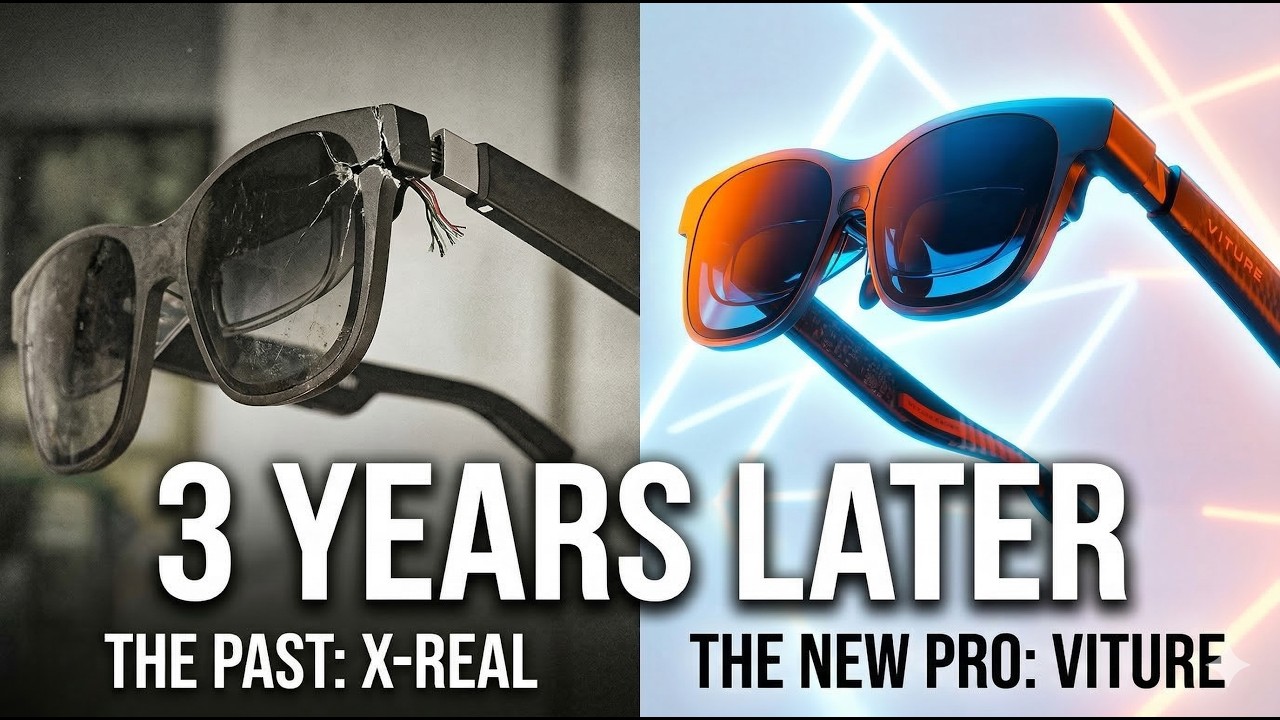
After nearly three years of daily use, my X-REAL Airs finally cracked at the hinge. This honest VITURE Luma Pro review covers why it replaced them, what the upgrade actually feels like, and the one setup where it still fights back.
Plays via YouTube. Google may set cookies when the player loads. Privacy policy
The short version
After three years of daily wear, my X-REAL Airs failed at the hinge. The VITURE Luma Pro is a clear step up: a sharper 1200p image, better-tuned Harman audio, a magnetic breakaway connector, and noticeably lower battery draw. It is genuinely plug and play on a phone with Samsung DeX and on a laptop with USB-C DisplayPort Alt Mode. The one real headache is driving it from a desktop GPU, which turned into weeks of adapter troubleshooting.
Verdict: a real upgradeThree years of XREAL, then the switch to the VITURE Luma Pro
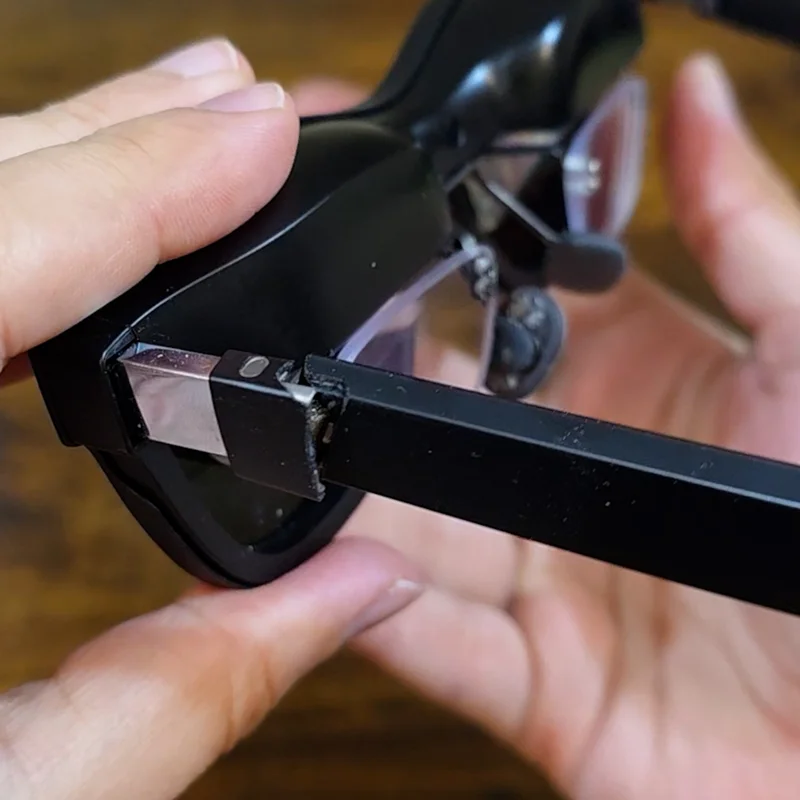
After nearly three years of almost daily service, my original X-REAL Airs have officially hit the end of the road. I did not abuse them. This was not a drop or an accident. It was a slow, structural failure.
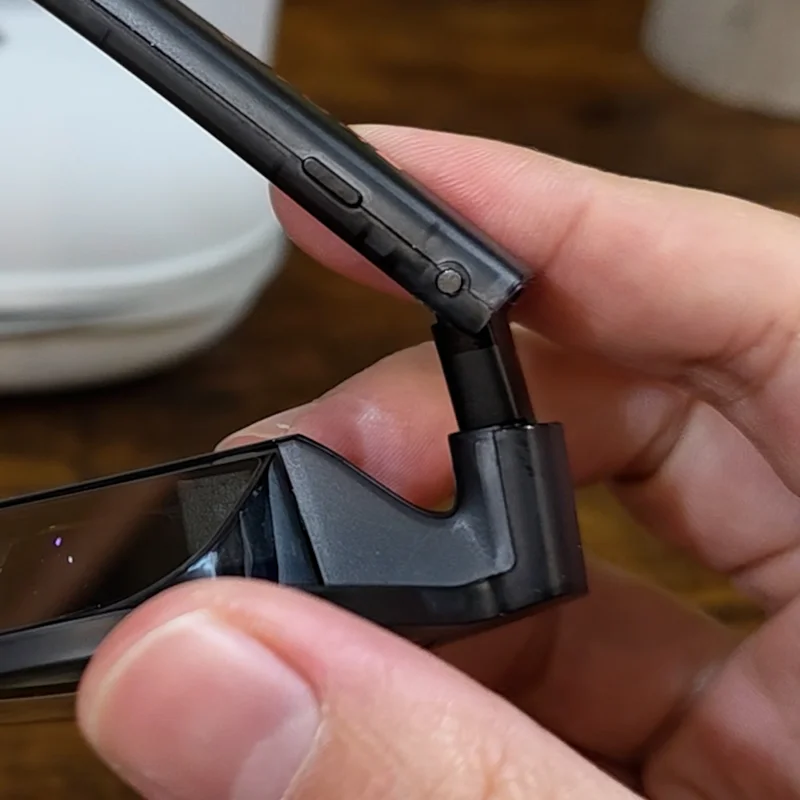
Look closely at the hinges and you can see exactly what happened. The constant mechanical stress of folding and unfolding eventually fatigued the ABS plastic right past the metal reinforcement. The only thing still holding the frame together are the cables that run to the speakers and controls. They no longer sit right on my face and keep sliding off. I could hot glue them back together, but they would just come apart again. It was time for an upgrade, and that is where the VITURE Luma Pro comes in.
Disclosure: I bought the VITURE Luma Pro and the clip-on shades with my own money. This is not a sponsored review. This post does contain affiliate links, and as an Amazon Associate I earn from qualifying purchases, at no extra cost to you.
The glasses I upgraded to
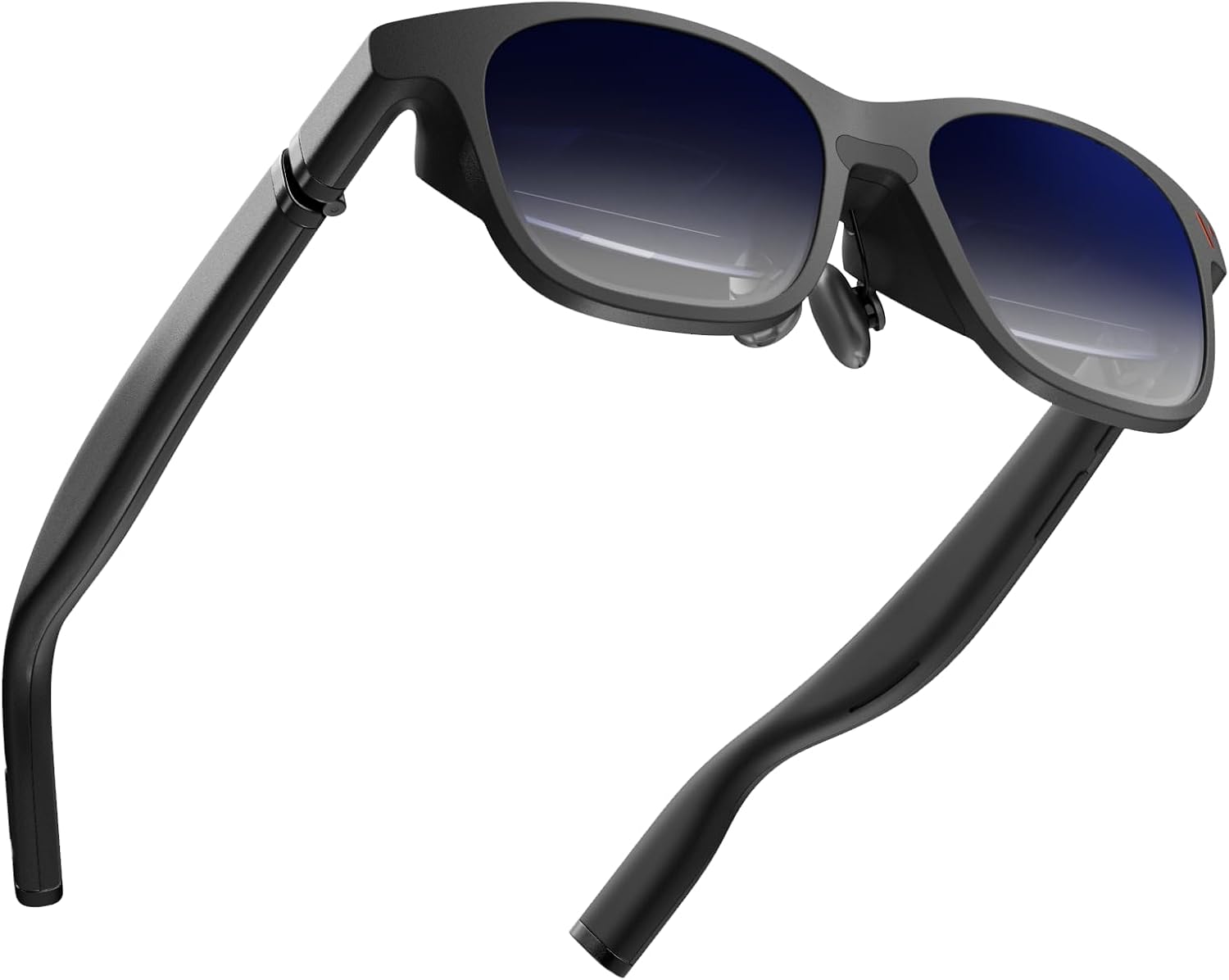
VITURE Luma Pro XR Glasses
A 152 inch virtual screen with a 1200p, 120Hz panel, built-in diopter dials, and a magnetic breakaway connector: the exact pair behind every impression in this article.
Not a novelty, an ergonomic aid
These were never a novelty for me. When they broke, I realized how much I leaned on them, and probably not in the way most people would expect. Throughout the day I take breaks from the computer and hop on a small treadmill or walk around the house to get my steps in. Instead of staring down at my phone, which is the fastest way to wreck your posture and develop tech neck, I wear the glasses.
That lets me stand up straight, shoulders back, looking forward while I catch up on YouTube or research scripts. It is an ergonomic aid that happens to be a high-end display, and it has genuinely improved my posture while walking. If your neck is paying the price for your phone habit, you probably need a pair too.

Unboxing and the build philosophy
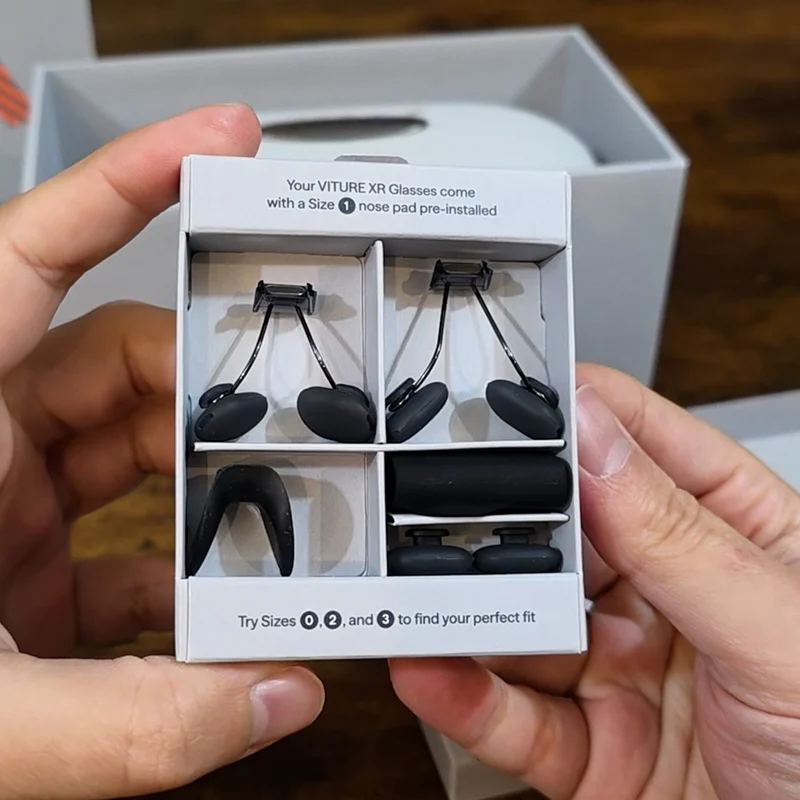
Open the box and the first thing you get is all the instructions you need to operate the glasses. The accessories box holds a stack of manuals in various languages. I am honestly not sure why everyone is going back to the old-school unfolding map style for manuals. I assume it is just cheaper to print. Alongside them is an assortment of magnetic nose pads and other accessories.
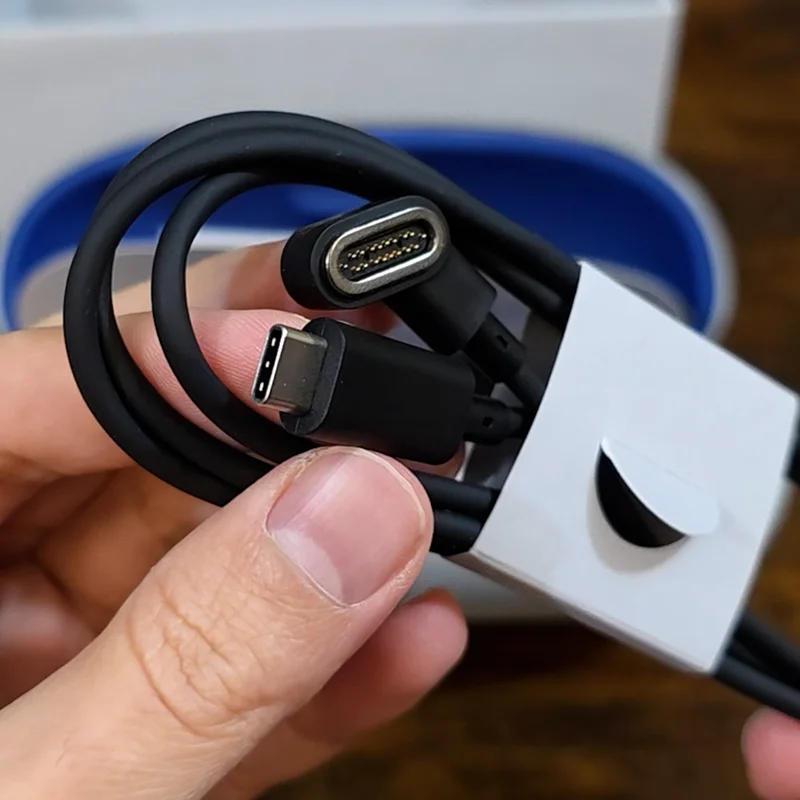
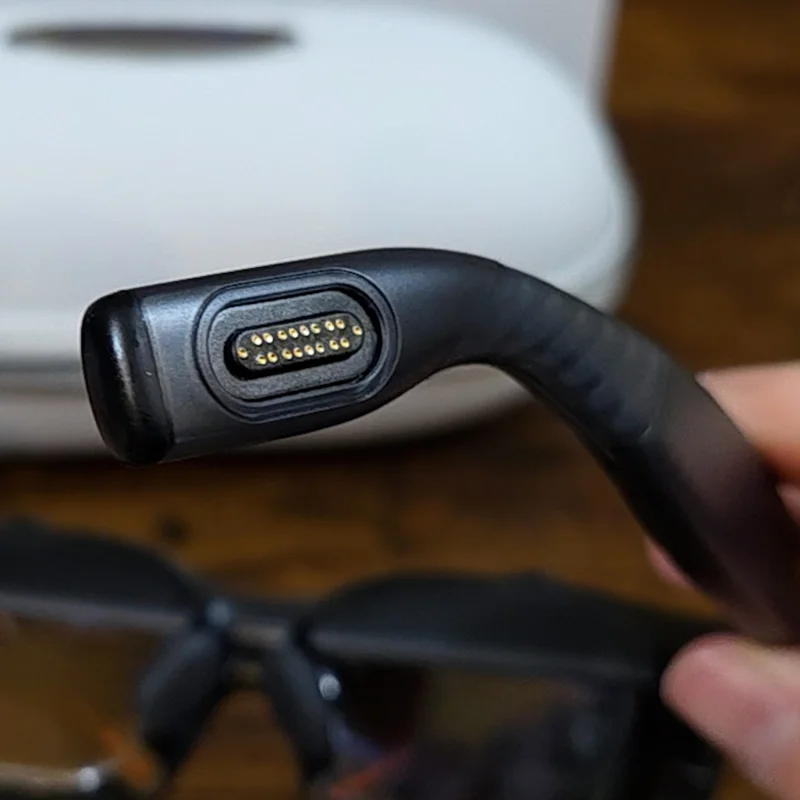
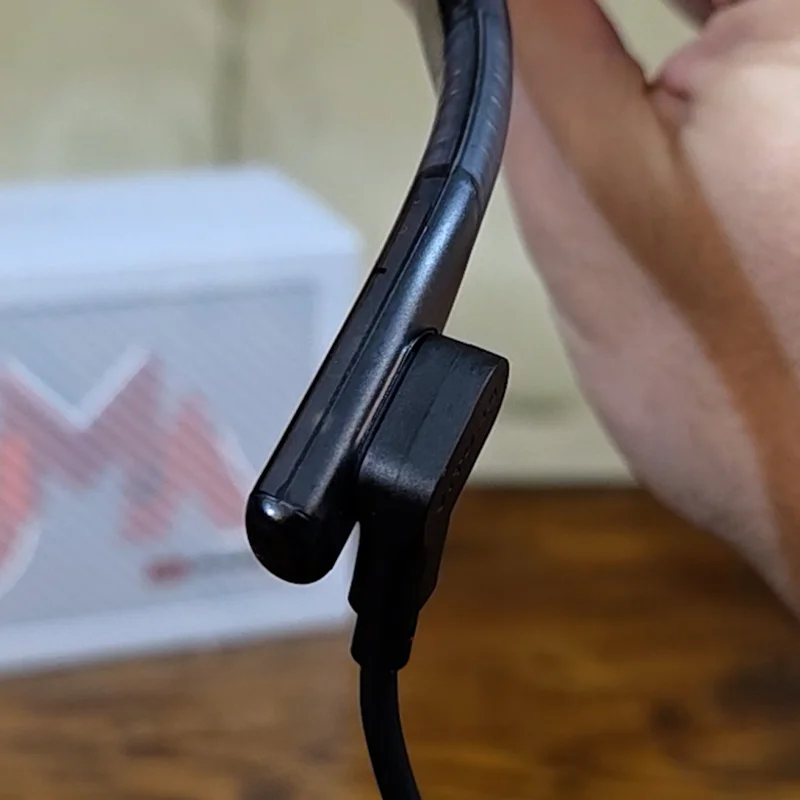
The hard case itself is beefy and looks like it will survive some abuse. In the top compartment sits the hefty power and display cable. One of the most impactful changes here is the magnetic Pogo-pin connector. On the old glasses the USB-C port was a fixed point of failure: snag the cable and all that stress went straight into the frame. VITURE uses a magnetic breakaway instead, so if the cord gets snagged it simply pops off. That alone is a win for longevity, though it also introduces a new set of problems I will get to shortly.
The power connector and the all-important hinges
The build philosophy here is quite different. The plastics on my X-REALs felt okay, but the Luma Pro uses a high-grade polycarbonate with an interesting cyberpunk pattern running along the arms. You get a clear look at where the power cable attaches, and I am still not sure how I feel about the exposed pins. I will probably keep the cable attached most of the time, the way I did with the old glasses.
The first thing I checked were the hinges. The X-REALs used a thin plastic sleeve over a spring, which is exactly where mine eventually broke away. The Luma Pro hinges feel far more robust, built from a reinforced, aviation-grade material, and they move much more freely than the stiffer X-REAL hinges. That should put less stress on the frame every time I open and close them. It feels built for daily wear, not occasional use.
There is also the thermal side. My X-REALs used to get quite hot on the left temple, which I think helped make the plastic brittle. VITURE says this design has improved airflow over the older versions, so it should run cooler and hopefully avoid slow-cooking the plastic over the next few years. Only time will tell.
Electrochromic glass, shades, and diopter dials
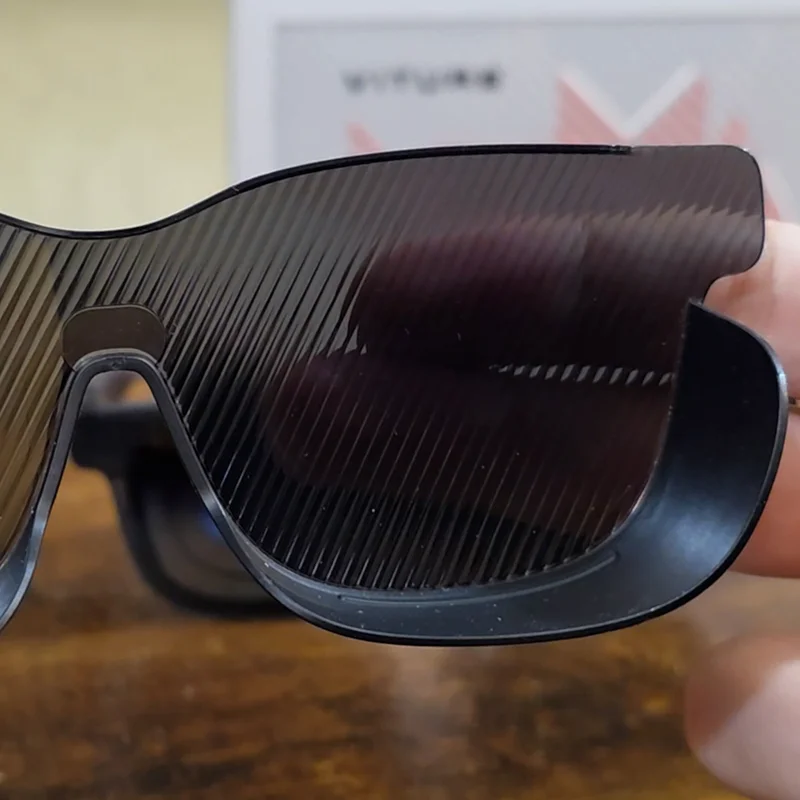
The electrochromic glass is a genuinely cool feature, and its power draw is insignificant next to everything else. My one gripe is that it does not go completely black, which you notice in a well-lit room. I wish it shipped with a physical cover the way the X-REALs did. You can buy a pair of Kanye-style clip-on shutter shades from VITURE for about nine dollars, and I did, but they feel pointless to me because you still have to switch on the electrochromic glass to block the light. I may end up 3D printing a proper pair of shades if one does not already exist.
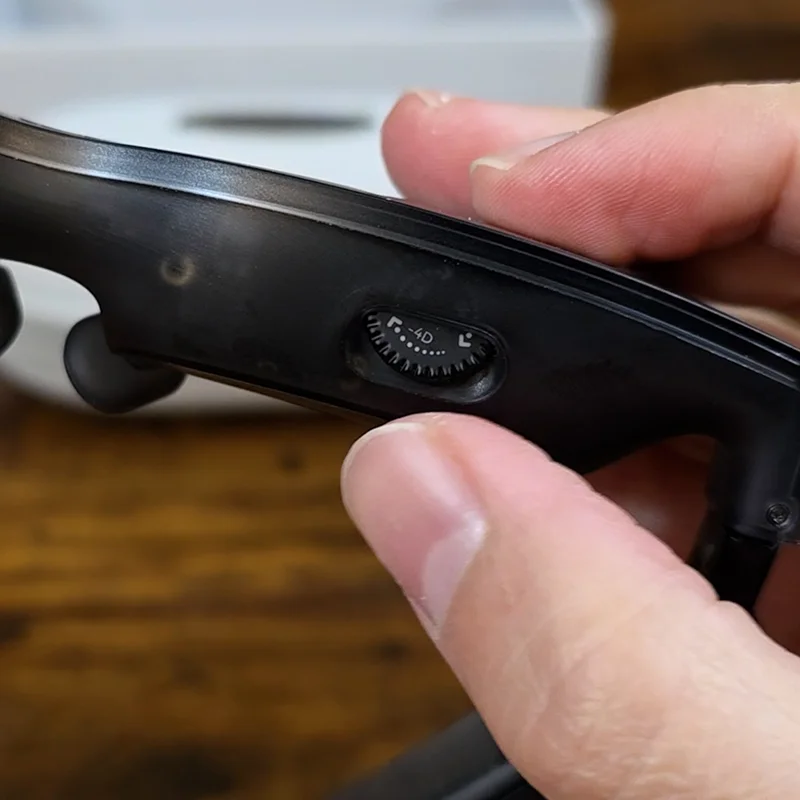
For my fellow four-eyed viewers, the Luma Pro has built-in, individually adjustable diopter dials. My vision sits right at the -4.00D limit of these glasses, and what is great is that there is no need for costly third-party inserts or eyelashes brushing the glass. It is a much cleaner experience. If you need more correction than that, you will have to step up to the Luma Ultra, which reaches -6.00D. As you turn the dials you can watch the screens move up and down within the housing. It is a clever, simple mechanism, even if it does make the glasses a little bulkier to accommodate it.
Optics, audio, and everyday fit
So what is it actually like to use? In a word, sharp. The image quality on the Luma Pro is a noticeable step up, and even small text is perfectly readable. Movies and video look crisp and simply more enjoyable, and subjectively the picture just looks better than what I got from the X-REALs. The sound is great too, thanks to the Harman speakers. They are surprisingly well tuned straight out of the box, with a full, clear delivery that complements the visuals.
For field of view I would call it good rather than great. We are not at VR levels of immersion yet, but it is a clear improvement over the X-REALs, and you feel like you have a bit more room for video to spread across. The fit is impressive as well. These stay put, and even at a jogging pace on the treadmill they do not slip or bounce around, without squeezing my head. Your mileage may vary.

There is one ergonomic quirk I am still adjusting to: the cable. On the X-REALs it ran straight out the back of the arm, which felt stealthy. On the VITURE the connector sits on the right side and is a little bulky, so depending on the shape of your ear you may notice it sticking out. Overall, though, I am really happy. Between the image quality, the fit, and the sound, these are my new go-to for the treadmill or just walking around the house.
The power and thermal reality
One issue I had with the X-REALs, aside from them rotting over time, was the power draw on my phone. The Luma Pro is far more efficient. In my testing, plugged into my Samsung S24 Ultra and watching YouTube on the treadmill for about 20 minutes, my phone battery dropped by roughly 8 percent. That is a big improvement over the 15 percent drop I saw with the X-REALs. It is not bad at all, but you still need to keep an eye on it if your battery is already low.
Connecting to a phone: SpaceWalker vs Samsung DeX
On a smartphone you can technically use the SpaceWalker app, but I could not get it to work properly for me. The biggest issue is sandboxing. On Android, SpaceWalker cannot simply grab your native YouTube or Netflix apps and drop them into a virtual 3D space. It forces you into its own browser instead, and every time I tried it, none of my accounts would stay logged in and the whole experience felt clunky compared to what I am used to.
So I stick with the native Samsung DeX app, which works perfectly with every app I already have installed without making me jump through hoops. I have read that iPhone users love SpaceWalker because it gives them the windowed desktop experience iOS is missing, and it unlocks the 2D-to-3D conversion features. But Samsung users already have DeX, and for me the stability and app support of a native OS feature beats a third-party app every time. If you are on neither Samsung nor Apple and you have a killer use case for SpaceWalker that I am missing, let me know in the comments.
SpaceWalker on Android
- Sandboxing blocks native YouTube and Netflix
- Forces you into its own browser
- Accounts would not stay logged in for me
- Felt clunky next to what I already use
Samsung DeX what I use
- Works with every app already installed
- Native OS feature, no hoops to jump through
- Stable and well supported
- Plug and play over USB-C
Connecting to a laptop: where SpaceWalker shines
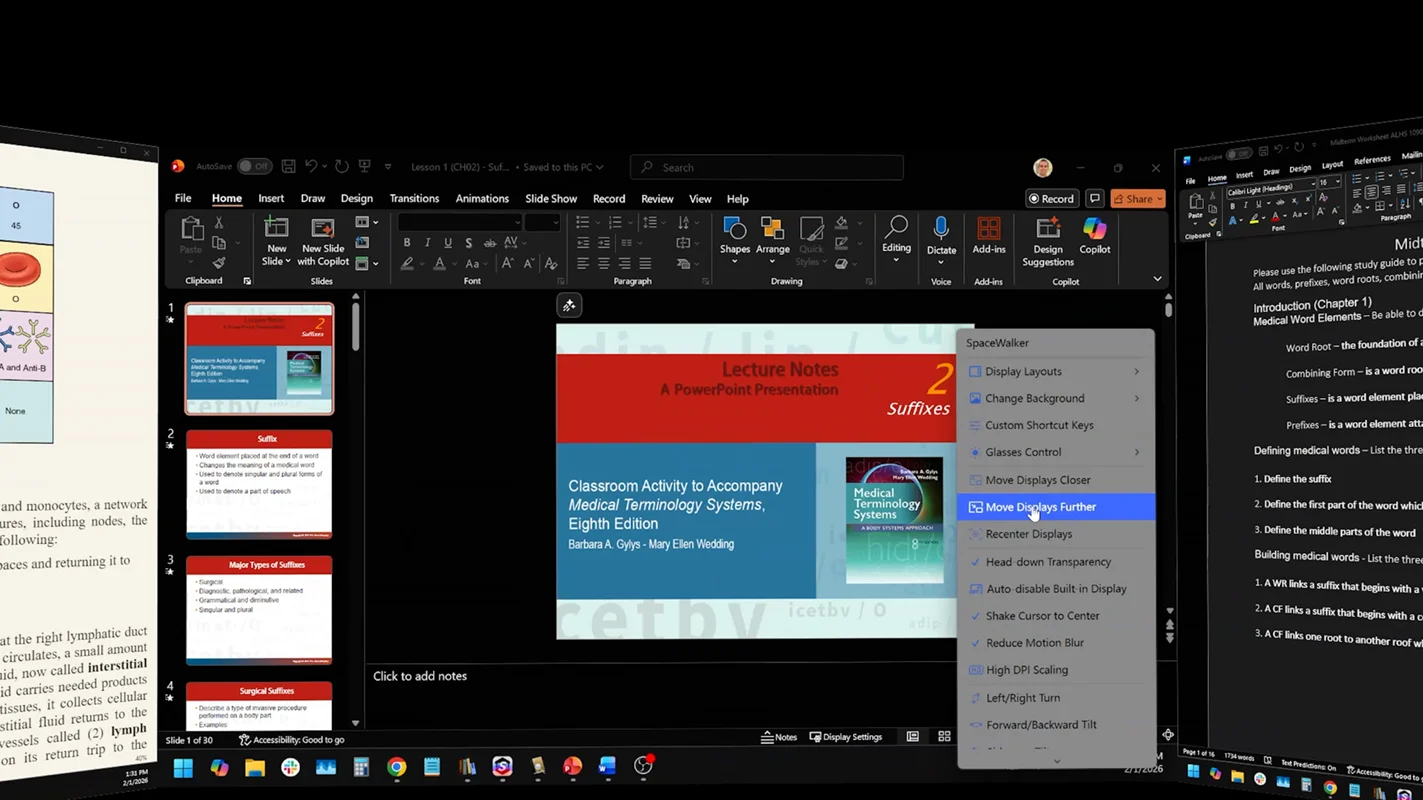
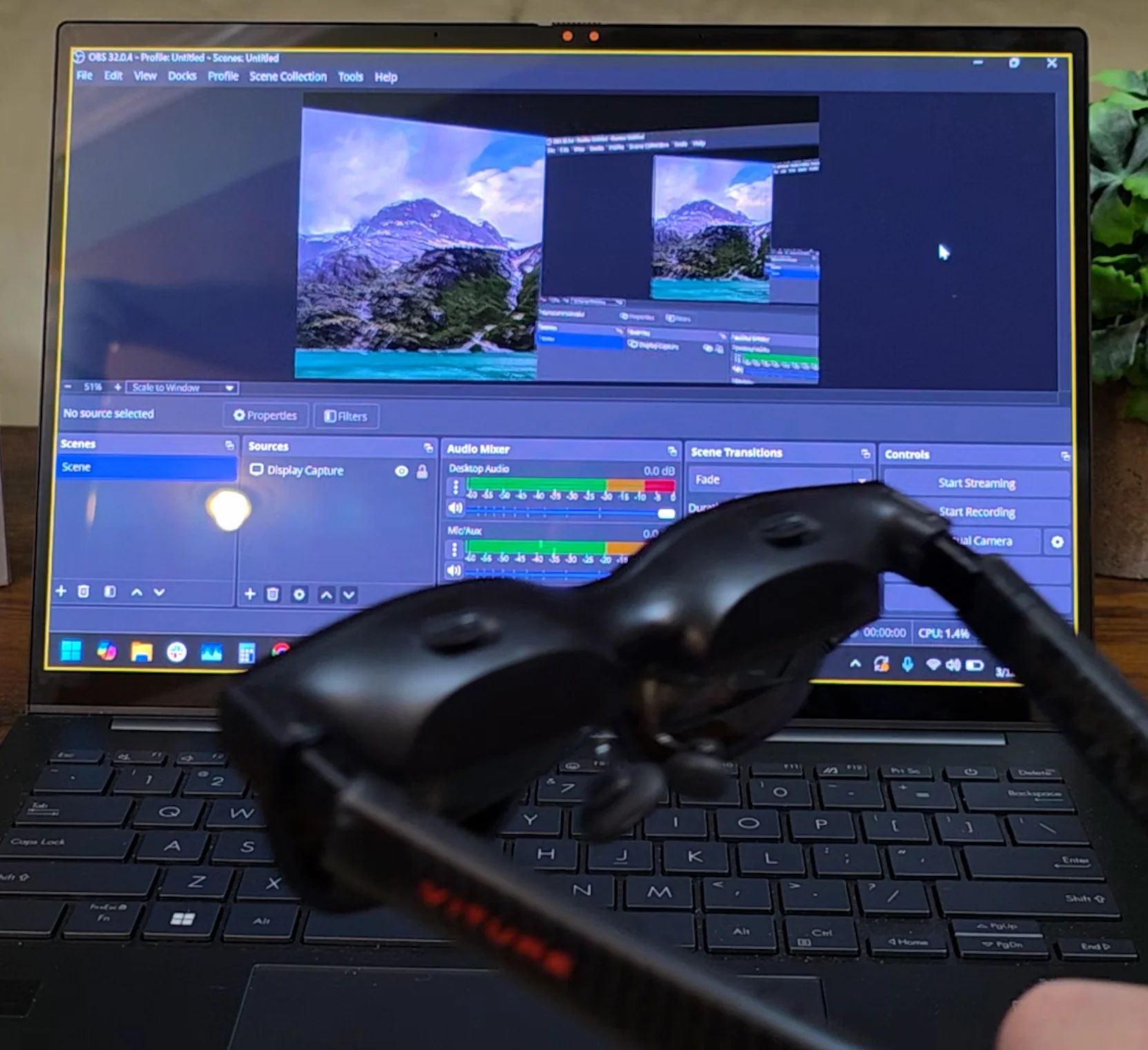
On a laptop it is a different story. The SpaceWalker app is great here. I can run a triple-monitor setup and launch it anywhere. For a study session I will put a book on one screen, a PowerPoint on another, and my notes on a third. It is genuinely cool and surprisingly smooth, even at the lower 60 FPS I get here, and the app has handy features like shortcuts to zoom in and out and to lock certain tilts. I am running this on an ASUS Zenbook that supports DisplayPort Alt Mode over USB-C, so it is simply plug and play with the stock VITURE cable.
Here is where I hit a wall, though. As much as I like this laptop, it does not have the horsepower for what I do most of the time. When I need to render in Blender, color grade in Photoshop, or scrub through 4K timelines in Premiere, I need my desktop.
Connecting to a desktop: where plug and play breaks down
And that is where the plug-and-play dream dies. Most desktop GPUs, like my RTX 3080, do not have a USB-C port at all, let alone one that supports DisplayPort Alt Mode. My higher-end X570 AMD motherboard does not have a supporting port either (this is the same RTX 3080 I wrestled with in my original XREAL desktop connection guide). Because the VITURE glasses use a proprietary cable, you need another way to bridge the glasses to a desktop.
And that is where the plug-and-play dream dies, because most desktop GPUs do not have a USB-C port at all.
Planning to drive these from a desktop? Check your GPU and motherboard for a USB-C port with DisplayPort Alt Mode before you buy. Most gaming GPUs do not have one, and the proprietary cable means you cannot just grab any USB-C adapter.
The bottom line, and the adapter rabbit hole
I have spent the last few weeks in adapter hell, trying to bridge the gap between my RTX GPU and the proprietary VITURE cable. I tested various couplers and expensive specialized cables, and I had to troubleshoot problems with every one of them.
I eventually found a solution that works for me and should work for you too, but it is a deep enough rabbit hole to deserve its own guide. In my VITURE Luma Pro desktop connection guide I walk through the almost golden chain of adapters that gets a 120Hz, triple-monitor workstation running off your main rig, plus a deeper dive into the SpaceWalker app on desktop. For everything the Luma Pro gets right, that desktop workflow is the one place it still makes you work for it.
Frequently Asked Questions
Can you use the VITURE Luma Pro without prescription inserts?
Yes. One of the biggest advantages of the Luma Pro is its built-in diopter adjustment. Both eyepieces have independent dials that let you dial in clarity, so you do not need expensive prescription lens inserts like the ones I used for my old X-REALs. It supports adjustments from 0.00D down to -4.00D.
How does the VITURE Luma Pro compare to the original VITURE One?
While I came from X-REAL, the Luma Pro represents the next generation of the VITURE ecosystem. The Pro features significantly higher brightness, up to 1200 nits compared to the One's 500 nits, and a 120Hz refresh rate, which makes it a much better option for gaming or HDR media.
How does the electrochromic dimming and Pro Button on the Luma Pro work?
This is a common point of confusion. Alongside the electronic dimming on the lenses, the Luma Pro can use physical clip-on magnetic shades for a fuller blackout. The physical button on the frame, sometimes called the Pro Button, is generally dedicated to toggling between 2D and 3D side-by-side modes or adjusting brightness. I will cover this interaction in more depth in Part 2.
Are the built-in Harman speakers private, or can people nearby hear my audio?
The Luma Pro speakers sit near your ears for an immersive feel, but they are still open-ear speakers. At high volume there is some sound leakage, so someone sitting right next to you in a quiet room might hear muffled audio. VITURE uses an acoustic structure to direct sound toward your ears, which makes it more private than your phone's speakers at the same distance, but for total privacy you are better off with earbuds or headphones.