
WEme Dual-Bay Dock & Cloning Showcase
A simple one-button dock that clones drives with no computer attached. It rescued a dying SSD and got a family PC running again. Here is how it works.
Plays via YouTube. Google may set cookies when the player loads. Privacy policy
The short version
The WEme dual-bay dock makes cloning a drive about as painless as it gets: slot the source in bay A, the target in bay B, hold one button, and walk away. It rescued a failing SSD and got my mom's PC running again, handled real transfers up to 150 MB/s over USB 3.0 with UASP, and even includes a dust cover most docks skip. A great, simple companion. My rating: 4.5/5.
Verdict: dead-simple, effective cloningWhy I tried the WEme dock
WEme reached out to ask if I would showcase their dual-bay docking station (model MST-006), and the timing could not have been better: I needed to clone an old, failing SSD to get my mom's computer running again. I took them up on it, and this dock turned what can be a fiddly job into a one-button affair. WEme also sent over their USB 3.0 SATA/IDE adapter, a handy little tool for pulling data off old drives.
Disclosure: WEme sent me this dock free of charge to showcase; they had no approval or editorial control over this review. This post also contains affiliate links, and as an Amazon Associate I earn from qualifying purchases, at no extra cost to you. Affiliate links like these and my YouTube channel are what keep the site running.
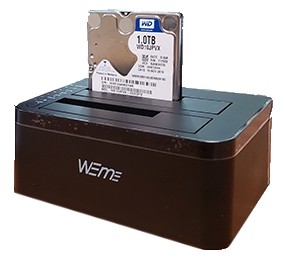
The dock showcased
WEme Dual-Bay Dock (MST-006)
A tool-free USB 3.0 dock for two SATA drives, with one-button offline cloning. Shopping through the storefront supports the channel.
What comes with the dock
The package includes the docking station and, refreshingly, a dust cover, something sorely missing from most docks (you may just have to cut a small flap so you can cover it without unplugging). There is a 12V 3-amp wall adapter and a beefy 3.3-foot USB 3.0 Type-A data cable, with a Type-C version also available.
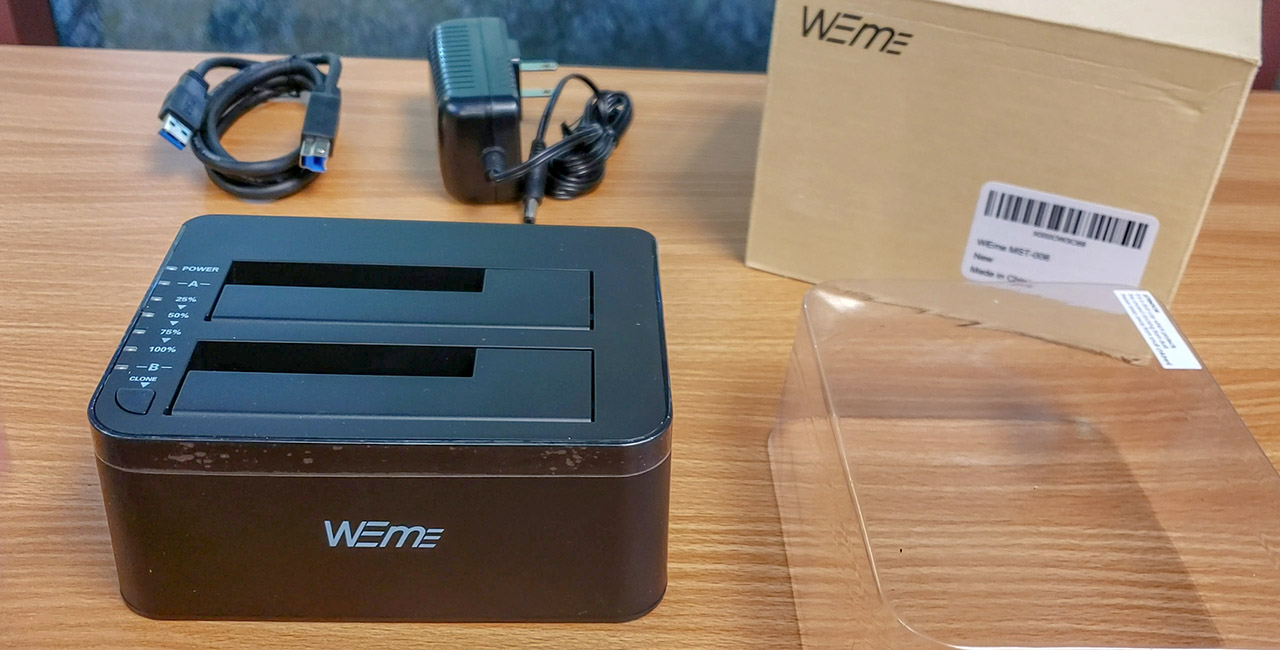
The design is subtle and compact, with only a small strip of glossy plastic along the top (I left the protective film on to keep fingerprints off). Rubber feet keep it from wandering while drives spin, and the simple LED layout with one-button operation makes offline cloning as easy as it gets. It takes two 2.5-inch or 3.5-inch SATA drives up to 12TB each.
How to clone a drive with the WEme dock
Two things to know before cloning. First, the target drive (the one you copy to) must be at least as large as the source, so a 500GB source needs a 1TB or larger target. Second, everything on the target is overwritten during cloning, so back it up first if it holds anything.
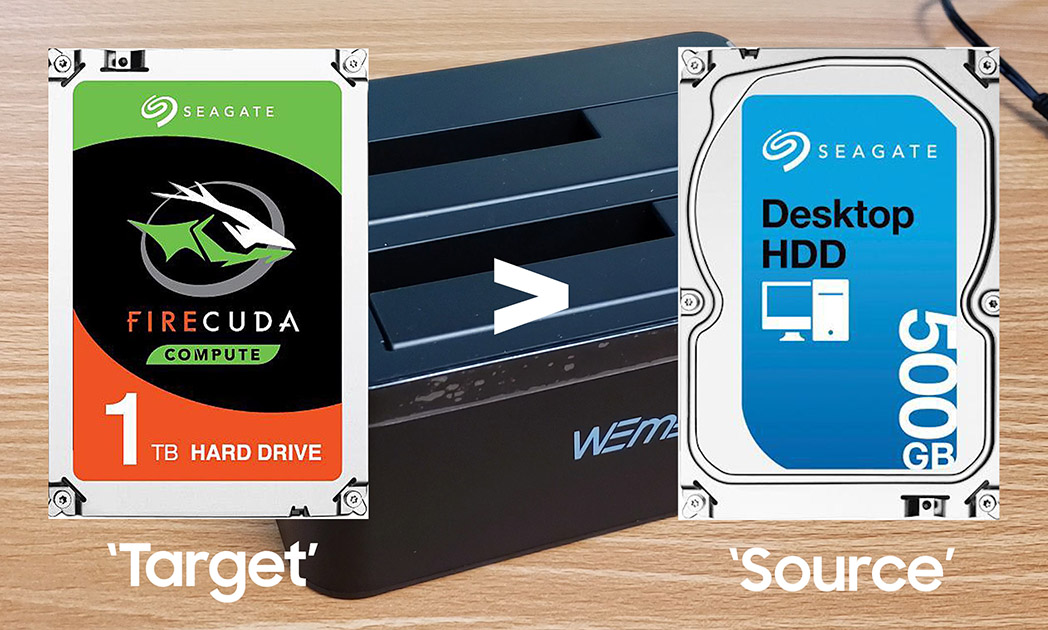

Setup is simple: plug in power, slide the source into bay A and the target into bay B, and press the power button on the back. When the power and both slot LEDs light up you are ready. Hold the clone button for about three seconds until the 100 percent LED lights, press it again to start, and sit back as the progress LEDs step from 25 to 100 percent. In my case, copying about 63GB from a 120GB SSD that had dropped out of the BIOS to a new 240GB SSD took roughly 17 minutes. Nicely, the dock auto-powers down 30 minutes after finishing so it is not wasting electricity, and it is best to power it off before inserting or removing drives. Once the clone was done, I dropped the new drive into my mom's PC and she picked up right where she left off.
How fast is it as a plain dock?
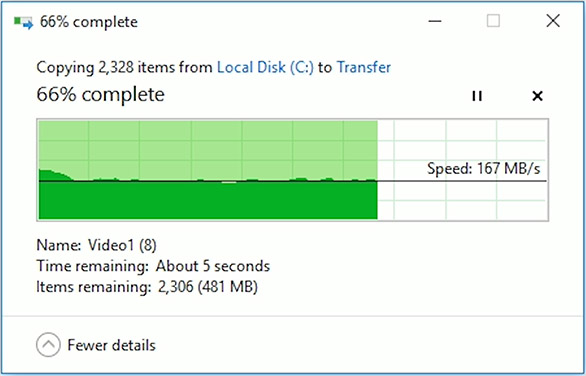
To use it as regular external storage, just connect the USB cable to your PC or Mac and power it on; any inserted drives appear alongside your internal ones. To test real-world speed I built a 1.5GB package of almost 2000 files, a mix of large videos and a deep hierarchy of small ones like documents, spreadsheets, and photos. With an old SanDisk SSD slotted in, transfers hit up to 150 megabytes per second, about 1.2 gigabits, in both directions, dropping near the end as it worked through the small files. That is respectable for an older SSD, helped along by UASP.
Keep in mind
- The target drive must be at least as large as the source.
- Cloning overwrites everything on the target, so back it up first.
- Power the dock off before inserting or removing drives.
What it nailed
- Dead-simple one-button offline cloning, no PC needed.
- Real transfers up to 150 MB/s over USB 3.0 with UASP.
- Includes a dust cover most docks leave out.
- Rubber feet, compact design, and auto power-down.
- Two bays for 2.5 or 3.5-inch drives up to 12TB each.
Frequently Asked Questions
How do you clone a drive with the WEme dock?
Put the source drive in bay A and the target in bay B, power on, hold the clone button for about three seconds, then press it again to start. Progress LEDs step through 25, 50, 75, and 100 percent.
Does the target drive need to be larger than the source?
Yes. The target must be at least as large as the source, and any data on the target is overwritten during cloning, so back it up first.
How fast is the WEme dock?
Real-world transfers hit up to 150 MB/s, about 1.2 gigabits per second, over USB 3.0 with UASP, dropping toward the end on many small files.
Do you need a computer to clone with the WEme dock?
No. Offline cloning copies directly between the two drives with no PC connected, which is ideal for rescuing a drive that will not boot.
Is the WEme dock worth it?
This is a great little companion for anyone who needs to clone drives or hook up large-capacity disks without tearing their computer apart for a single file. It did exactly what I needed, simply and reliably, and the dust cover and auto power-down are the kind of thoughtful touches that make it easy to recommend.