
WEme USB 3.0 to SATA / IDE Adapter
Pull data off old SATA and IDE drives with no ribbon cables and no compatible PC. A versatile little tool for techs and anyone with an old drive full of files.
Plays via YouTube. Google may set cookies when the player loads. Privacy policy
The short version
The WEme USB 3.0 to SATA/IDE adapter is a versatile little tool for pulling data off old drives without ribbon cables or a compatible PC. It connects 2.5-inch and 3.5-inch SATA and IDE drives, even IDE optical drives, hit up to 180 MB/s on a SATA SSD, handles up to three drives at once, and adds a genuinely handy one-touch backup. My rating: 4.5/5.
Verdict: a mobile tech's best friendWhy this adapter is handy
I chose to showcase this adapter (model MST-003) because it is a cool piece of kit for the mobile computer technician, or for anyone who still has an IDE hard drive with important files but no compatible hardware left to read it. I had never actually used an adapter quite like this, so I was curious how it works and asked WEme if I could check one out. They also sent their dual-bay cloning dock, which ended up rescuing a dying SSD.
Disclosure: WEme sent me this adapter free of charge to showcase; they had no approval or editorial control over this review. This post also contains affiliate links, and as an Amazon Associate I earn from qualifying purchases, at no extra cost to you. Affiliate links like these and my YouTube channel are what keep the site running.
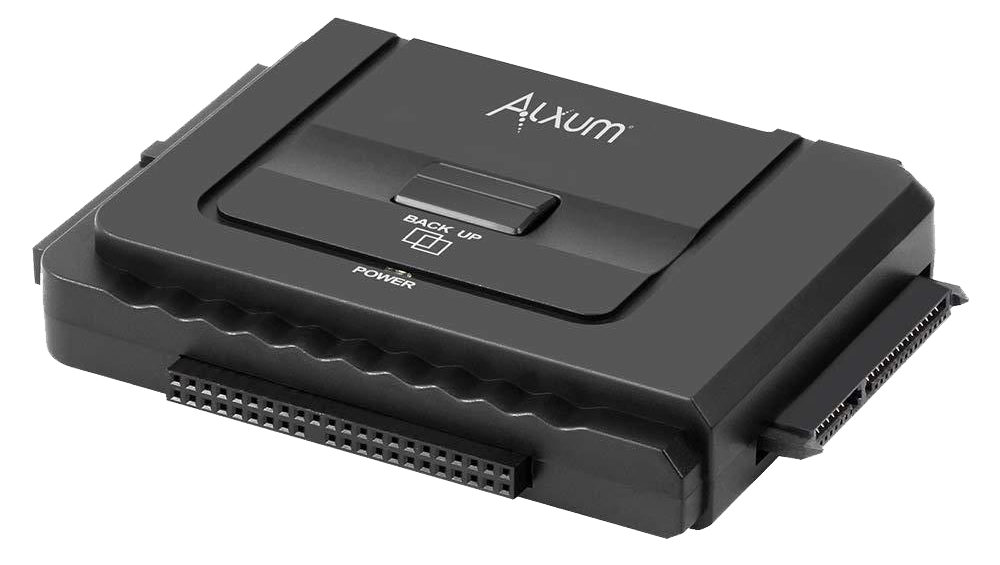
The adapter showcased
WEme SATA/IDE Adapter (MST-003)
A USB 3.0 adapter for 2.5-inch and 3.5-inch SATA and IDE drives, with one-touch backup. Shopping through the storefront supports the channel.
What comes with it, and the connectors
In the box you get the adapter, a short Molex power cable for 3.5-inch IDE drives, a 12V wall adapter, a USB 3.0 Type-A data cable, a user pamphlet, and a mini CD-ROM for the one-touch backup software. The adapter looks deceptively simple but packs a lot in: a full-size IDE connector for 3.5-inch drives, a smaller IDE connector for 2.5-inch drives, and a SATA connector for 2.5 or 3.5-inch SATA drives, plus a power LED and the one-touch backup button on top.

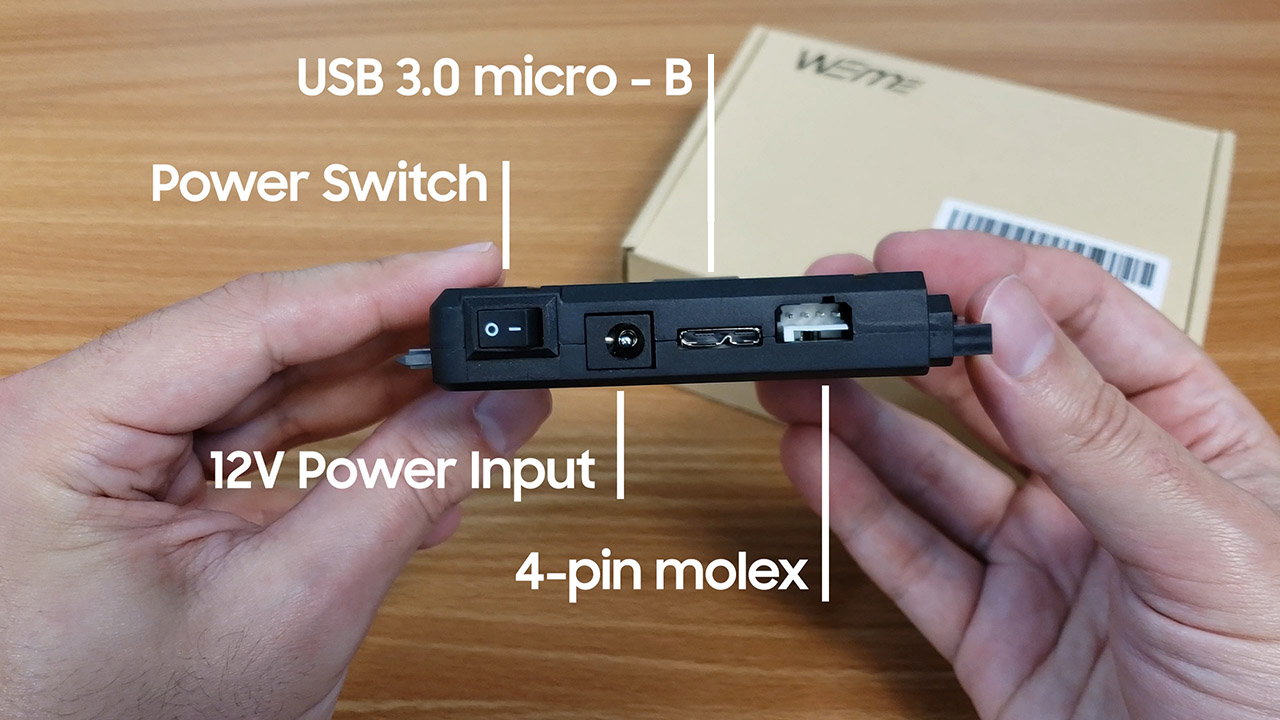
The Molex cable hooks into the back and into a slotted 3.5-inch IDE drive for a snug fit, and a neat bonus is that you can connect IDE-based CD and DVD drives into the 3.5-inch slot too.
Setting the IDE jumper
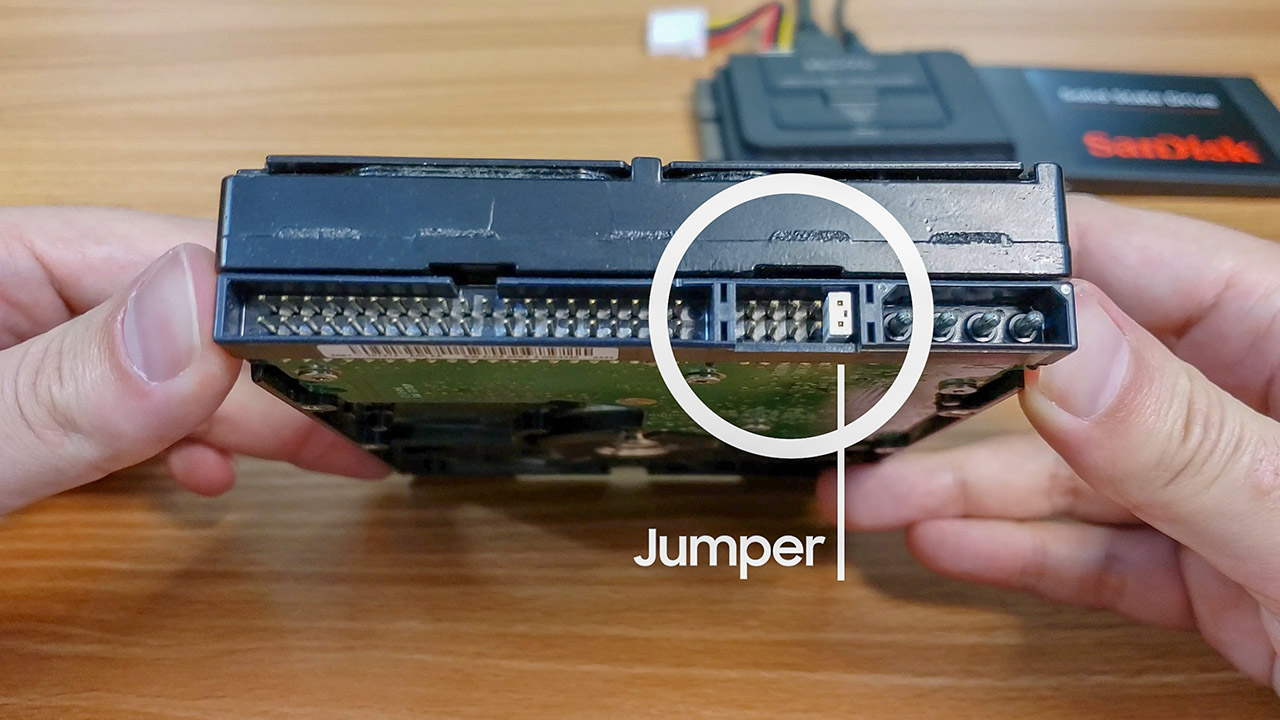
If you ever need to hook up a 3.5-inch and a 2.5-inch IDE drive at the same time, remember the jumper. On old IDE drives, a small jumper near the data connector sets whether the drive is the primary (master) or secondary (slave); you just make sure one is master and the other slave. Most drives have a diagram right on the label and a legend by the jumper area. Move it gently with tweezers to the desired position. With that in mind you can run up to three drives at once, which makes this adapter genuinely versatile.
How fast is the WEme adapter?
Hook up a drive, power on, and the top LED turns blue as everything connected appears alongside your other drives. To test real-world speed I used a 1.5GB package of almost 2000 files, mixing large videos with a deep hierarchy of small ones. On an old SanDisk SSD, transfers hit up to 180 megabytes per second, about 1.4 gigabits, dropping near the end on the small files.
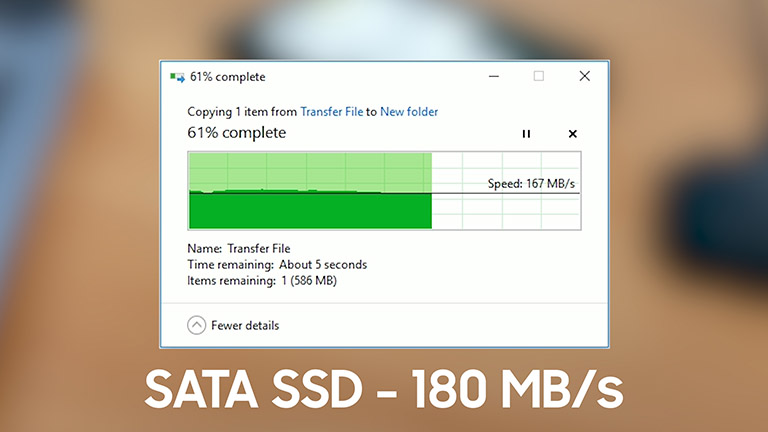
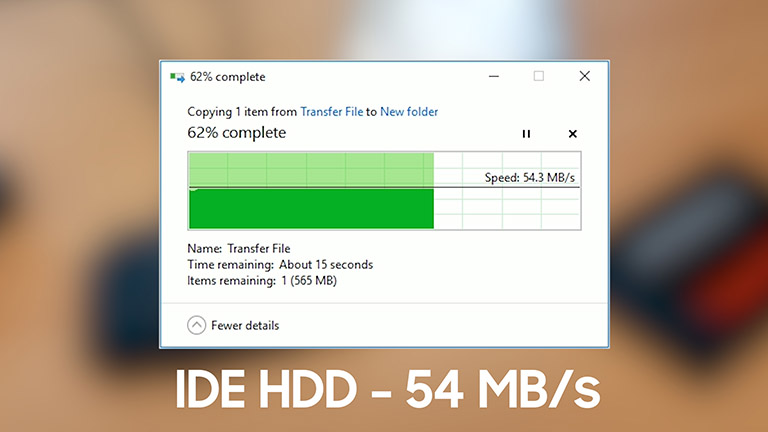
Do not expect SSD speeds from an IDE drive, but 54 MB/s is surprising given how slow the old IDE standard is, and just being able to read an IDE drive over USB without wrestling ribbon cables is fantastic. For anyone who needs to pull files off old drives whose original PCs died long ago, this alone pays for itself. I love it.
The one-touch backup
One more thing adds to the versatility: one-touch backup, which is unusual on something this small. It takes some software, installed from the included mini-CD or downloaded from WEme. Once it is set up, you pick a target drive, enable the backup path (an entire drive or specific folders), and turn on the status check so the top button triggers a backup. You can also require confirmation before a backup to avoid accidents.
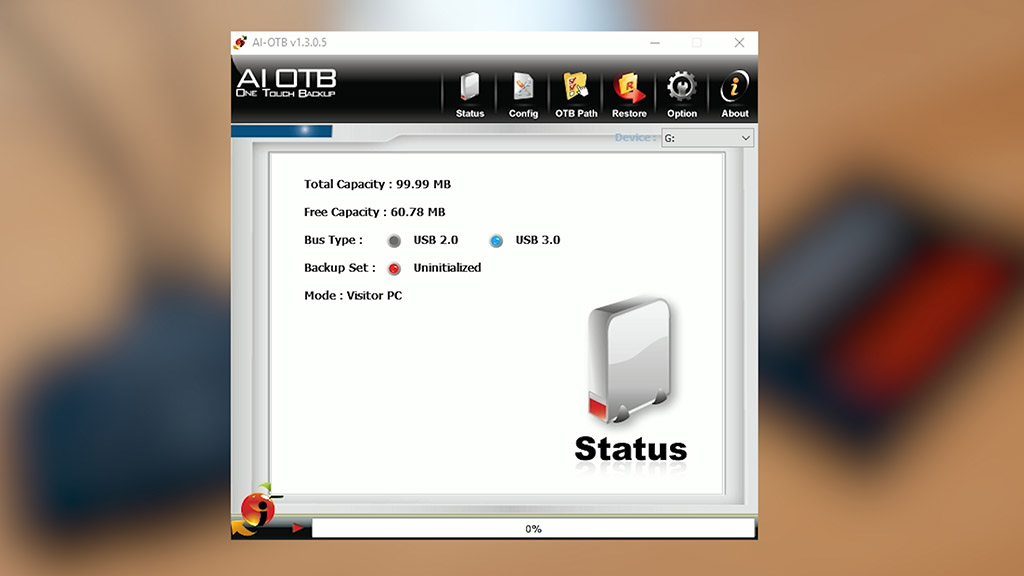
Setup takes under three minutes, and restoring is just as easy: choose the restore option and send data back to its original folder or a custom location.
Keep in mind
- Connecting two IDE drives needs a master/slave jumper set correctly.
- One-touch backup requires extra software (CD or download).
- IDE drive speeds cap around 54 MB/s (expected for the standard).
What it nailed
- Reads SATA and IDE, 2.5 and 3.5-inch, plus IDE optical drives.
- Up to 180 MB/s on a SATA SSD over USB 3.0.
- Up to three drives connected at once.
- A genuinely useful one-touch backup feature.
- No ribbon cables or original hardware required.
Frequently Asked Questions
What can the WEme SATA/IDE adapter connect?
2.5-inch and 3.5-inch SATA and IDE hard drives and SSDs over USB 3.0, plus IDE CD and DVD optical drives, and up to three drives at once.
How fast is the WEme adapter?
Up to about 180 MB/s (1.4 gigabits per second) on a SATA SSD. IDE drives max out around 54 MB/s, which is still faster than the old standard suggests.
Do you need to set IDE jumpers with this adapter?
Only if you connect two IDE drives at once. Set one to master and the other to slave, using the diagram on the drive's label to position the jumper.
What is one-touch backup on the WEme adapter?
After a quick software setup, pressing the button on top backs up your chosen folders or drive to a target drive, and you can restore to the original location or a custom one.
Is the WEme adapter worth it?
This is a great companion for anyone who needs to hook up older IDE drives without worrying about compatible hardware or ribbon cables, or who just wants to pull an archive off an old disk without dragging out a whole computer. It is versatile, simple, and did exactly what I hoped, which makes it an easy recommendation.