Intro
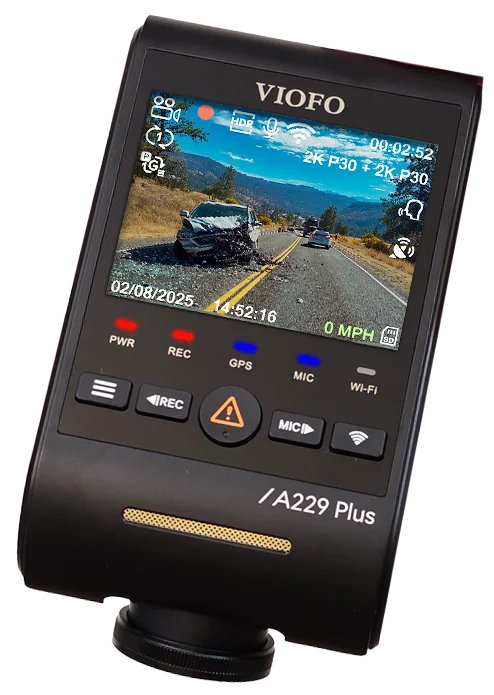
In my full review of the VIOFO A229 Plus, I covered the install, the full array of features, and the overall performance. If you haven’t seen that video yet, I recommend checking it out first, here.
Today, though, we’re zeroing in on just one feature: HDR. It promises better shadows, clearer highlights, and improved night detail, but is it actually worth cutting your frame rate in half? Let’s find out.
Full Guide
Watch the overview video or keep reading the full article below
Table of Contents
What HDR is supposed to do
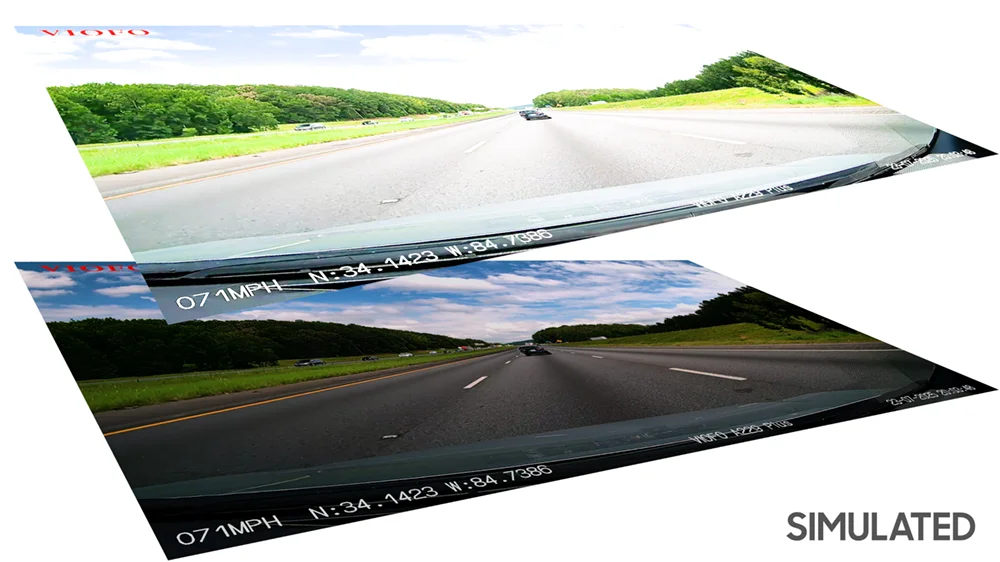
Let’s start with the basics. HDR, or High Dynamic Range, works by combining multiple exposures or stacked frames to balance out extreme lighting. On paper, this means you should get more detail in the shadows without blowing out the highlights, which sounds perfect for dashcams.
But there’s a catch. With the A229 Plus and most other dashcams, turning HDR on cuts your frame rate in half, from 60 down to just 30FPS. That’s the first trade-off, and depending on your driving conditions, it might already be a deal breaker.
The reality – motion blur and ghosting
HDR on a dashcam isn’t the same as the carefully graded HDR you see in movies or streaming video. Instead, cameras like the A229 Plus have to do everything live. The Sony STARVIS 2 IMX675 sensor captures multiple exposures in real time, short ones for bright areas and long ones for darker shadows, and then merges them on the fly.
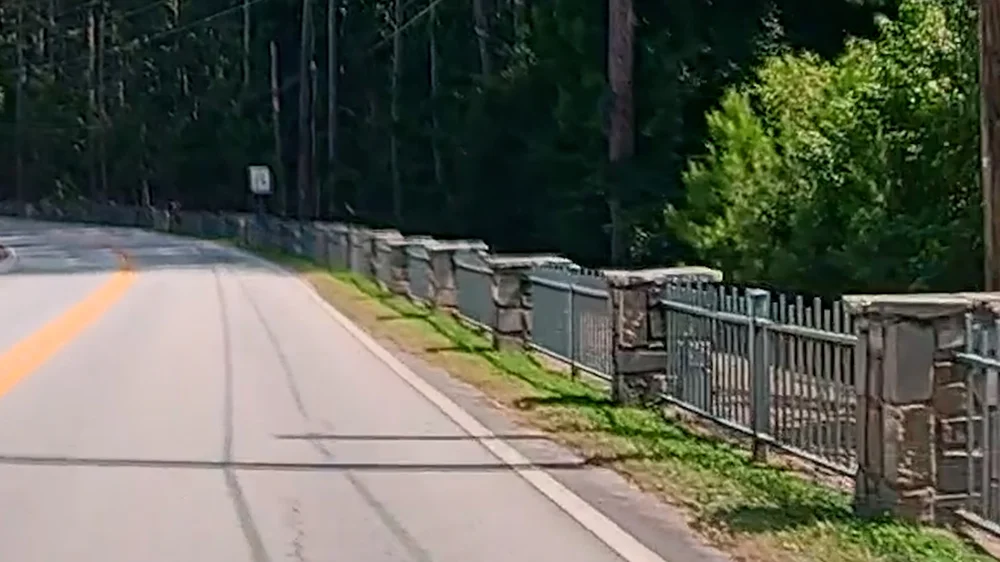
That real-time merging is where the side effects start to show up. After reviewing hours of HDR footage, I noticed something I couldn’t ignore: motion blur and ghosting. It’s subtle at first, but once you notice it, you can’t unsee it.
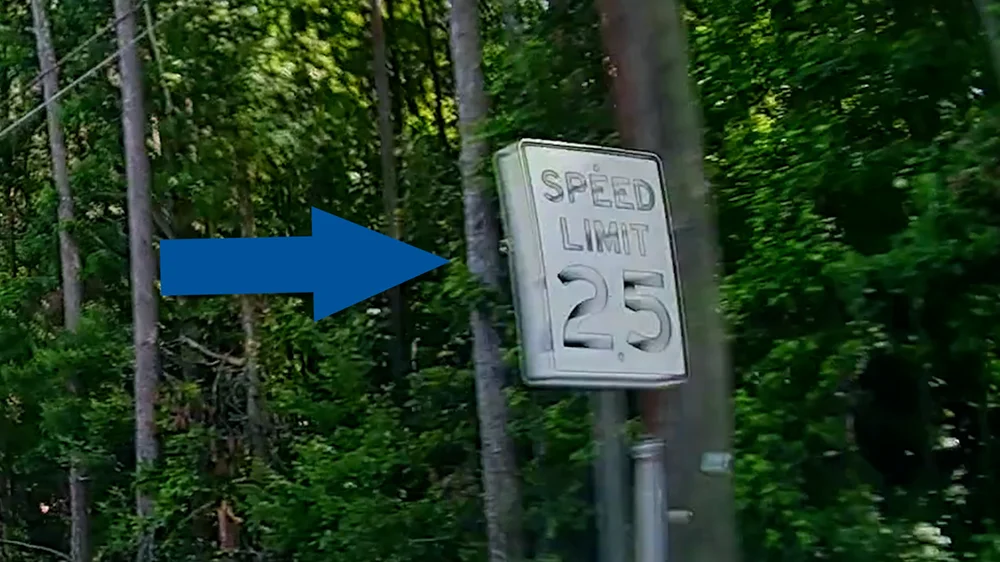
For example: look at the railings on the side of the road, they smear instead of staying sharp. Same with this speed limit sign. You can see a ghosted double image, which is the classic fingerprint of frame stacking at work. The camera is working overtime to blend exposures, and in the process, you lose the crispness of a single clean frame.
Overprocessing and artifacts
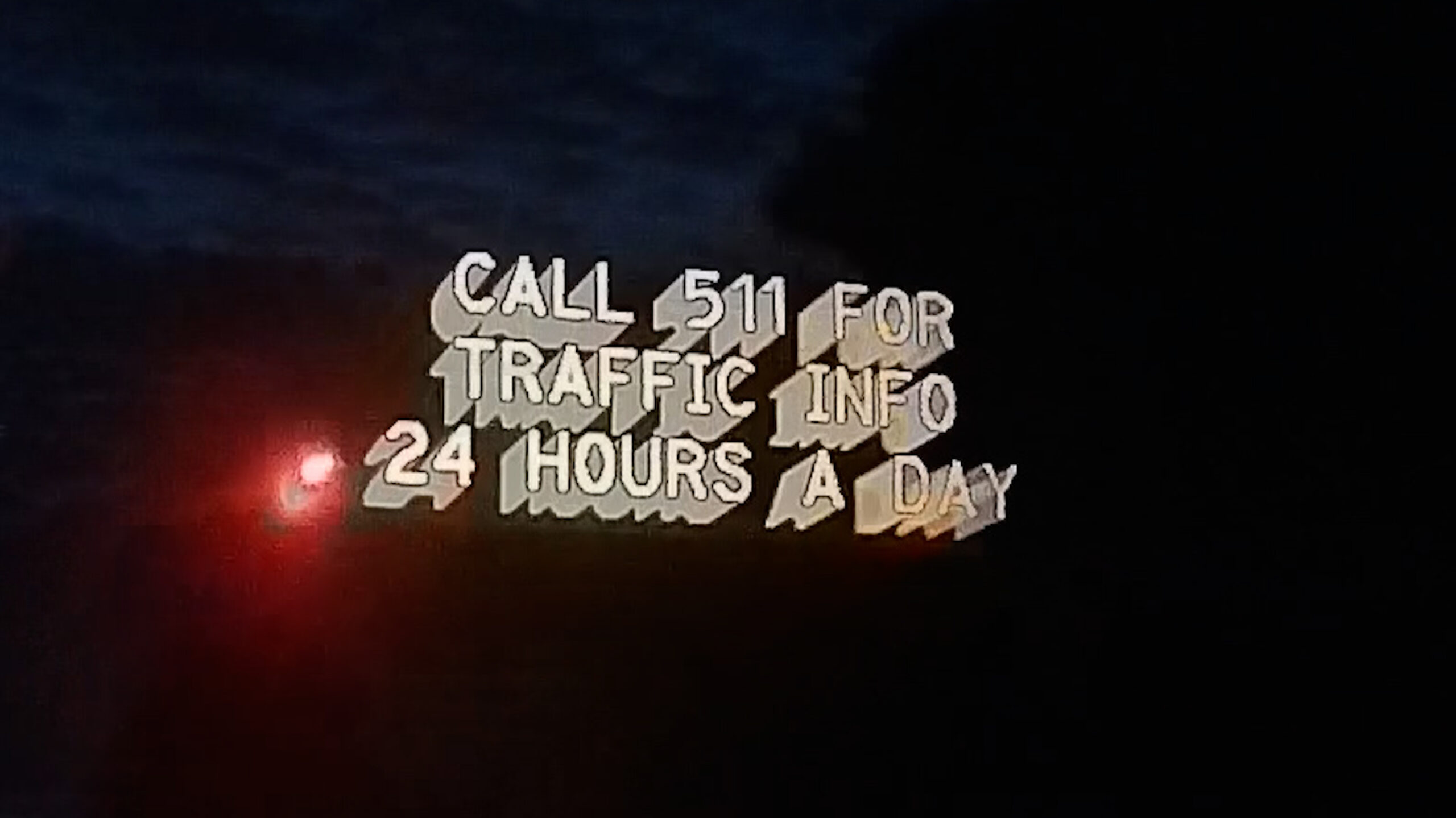
And sometimes HDR doesn’t just blur, it overprocesses. A simple dot-matrix sign, for example, ended up looking like WordArt from a kids’ PowerPoint presentation. It pops visually because it’s self-illuminated, but all the fine detail is gone.
What makes this frustrating is the inconsistency. One clip shows that exact same sign looking crystal clear, but another turns it into a smeared mess. That inconsistency tells you the HDR algorithm is aggressively guessing how to merge exposures, and sometimes it just makes the image worse.
So while HDR can lift shadows and balance highlights, making the image look prettier, the reality is you often pay for it with motion blur, ghosting, and overprocessed details.
Night footage and marketing claims
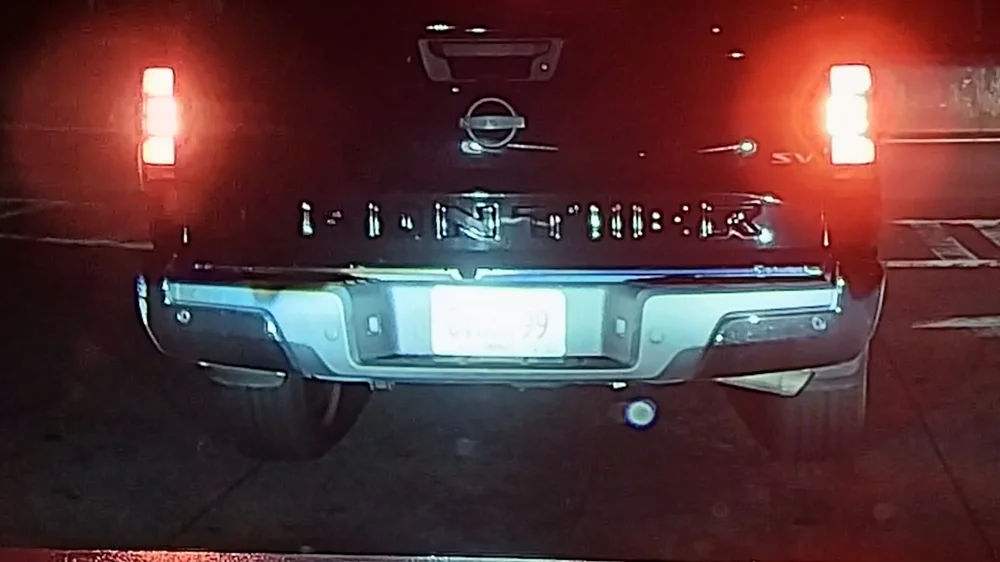
One of the big selling points of HDR in dashcams is better license plate readability at night. Marketing materials make it sound like HDR is the magic bullet. But in my testing, it just didn’t hold up.
Here’s a clip: the plate is dead center, perfectly lit by my headlights, and I’m at a complete stop. Even then, it’s completely blown out. That’s exactly the kind of scenario HDR should handle, but it doesn’t.
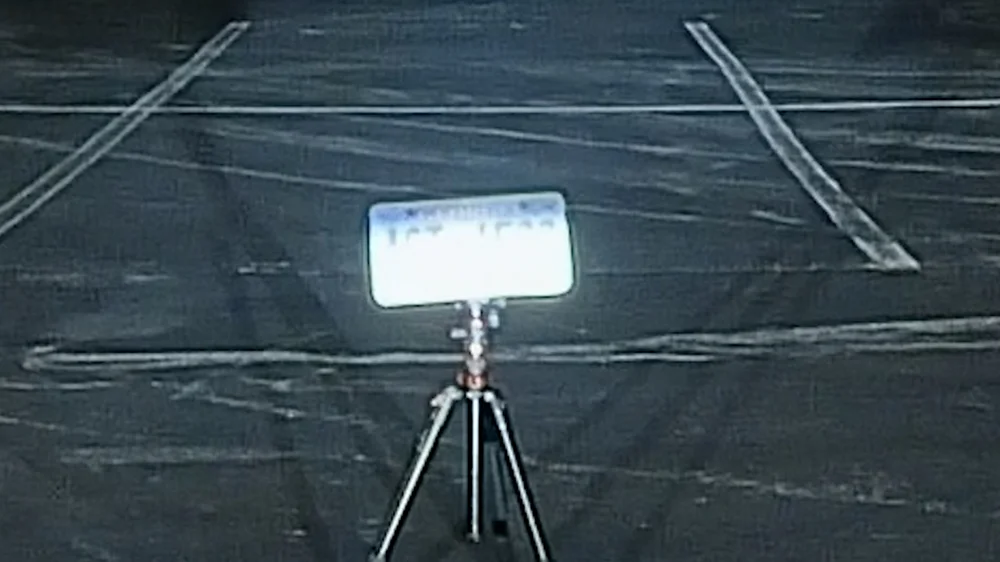
To push things further, I even set up a test plate on a stand at night. Same result, washed out, unreadable. And in total darkness with overcast skies? HDR didn’t add any extra detail compared to non-HDR footage.
So yes, HDR does a good job balancing bright skies and dark shadows during the day, but don’t expect any miracles at night.
Comparing HDR On vs Off
When I turn HDR off and switch back to 60FPS, the difference in smoothness is immediate. Watching mountain road footage at 60FPS is just more natural. Colors still look vibrant, skies don’t wash out completely, and I don’t have to deal with smeared details or random ghosting.
For me, smoother 60FPS footage beats unpredictable HDR in my opinion.
Technical takeaway
Here’s the bottom line. HDR relies on frame stacking, and while it can improve dynamic range, it also introduces motion blur and inconsistencies. Because it locks you at 30FPS, you’re losing half your temporal resolution, and in a dashcam, where capturing fast-moving detail matters, that’s not a small trade.

Conclusion
So is HDR worth it on the VIOFO A229 Plus? In my opinion, no, not as a default setting. It has its moments, but the inconsistent processing and loss of smoothness outweigh the benefits. I’m sticking with HDR off and 60FPS on, because when it comes to dash-cams, I’d rather have more usable frames than a slightly prettier picture, especially when every frame can matter in an accident or any other incident on the road.
That said, every driving environment is different. If you drive mostly in harsh sun or extreme contrast lighting, give HDR a try and see if it works better for you. Future firmware updates may improve the processing, we’ll see.
- 【Dual STARVIS 2 Sensors】The A229 Plus is the first Front and Rear dashcam to feature two Sony STARVIS 2 IMX675 image sensors. This advanced technology offers 2.5 times dynamic range and 2.5 times light sensitivity compared to STARVIS, resulting in reduced noise and motion blur during night recording. The A229 Plus provides the ultimate solution for capturing clear and detailed footage, making it a revolutionary addition to any driver's safety toolkit.