
CarpodGo T4: adding CarPlay to a car with no Bluetooth at all
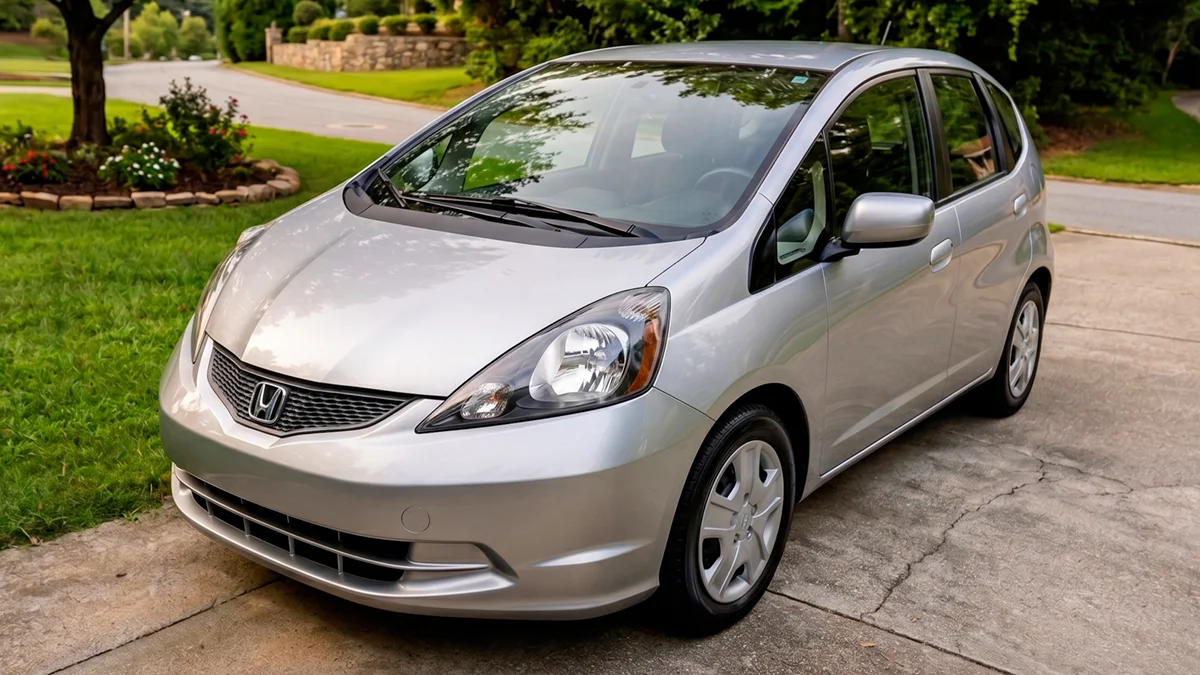
My mom's 2013 Honda Fit has no CarPlay, no Android Auto, and no Bluetooth of any kind. Here is what it actually took to put a wireless CarPlay screen on her dashboard, including the part every other review gets to skip.

Plays via YouTube. Google may set cookies when the player loads. Privacy policy
The short version
The CarpodGo T4 does exactly what it says: it puts wireless CarPlay and Android Auto on a dashboard that never had either. The install is genuinely doable in an afternoon. The hard part is not mounting it, it is getting the sound into a car with no Bluetooth to pair to, and there are three ways to do that with a catch attached to every one. I am not giving you a buy or don't buy yet, because I have not measured anything. That is part two.
Part 1: the install, and the audio problemA 2013 Honda Fit with none of it
When CarpodGo emailed me about the T4, the image in their email was a Honda Fit. That got my attention, because the car I already had in mind for one is my mom's 2013 Honda Fit, base trim. No CarPlay. No Android Auto. And no Bluetooth. Not for music, not for calls, not for anything.
That last part matters more than it sounds like it should. Every review of a portable CarPlay screen I have come across is filmed in a car that already has Bluetooth, which makes the whole audio question disappear. You pair the phone to the car, the screen handles the display, and you are done in four steps. This car cannot do that, and the cars most likely to lack CarPlay are exactly the cars most likely to lack Bluetooth. So the install got a lot more interesting.
The reason it is going in her car at all is navigation. She is not a technical person, and if this works she gets Google Maps on a real screen instead of a phone wedged in a cup holder. If it is not a smooth experience, she stops using it inside a week. That is an answer too, and it is the one part two is really about.
Disclosure: CarpodGo sent this unit free of charge for review. They did not see the video or this article before publication, they had no approval over either, and nothing was promised to them in advance. I am scrutinizing it exactly as if I had paid for it. This post also contains affiliate links. As an Amazon Associate I earn from qualifying purchases, at no extra cost to you. Affiliate links like these and my YouTube channel are what keep the site running.
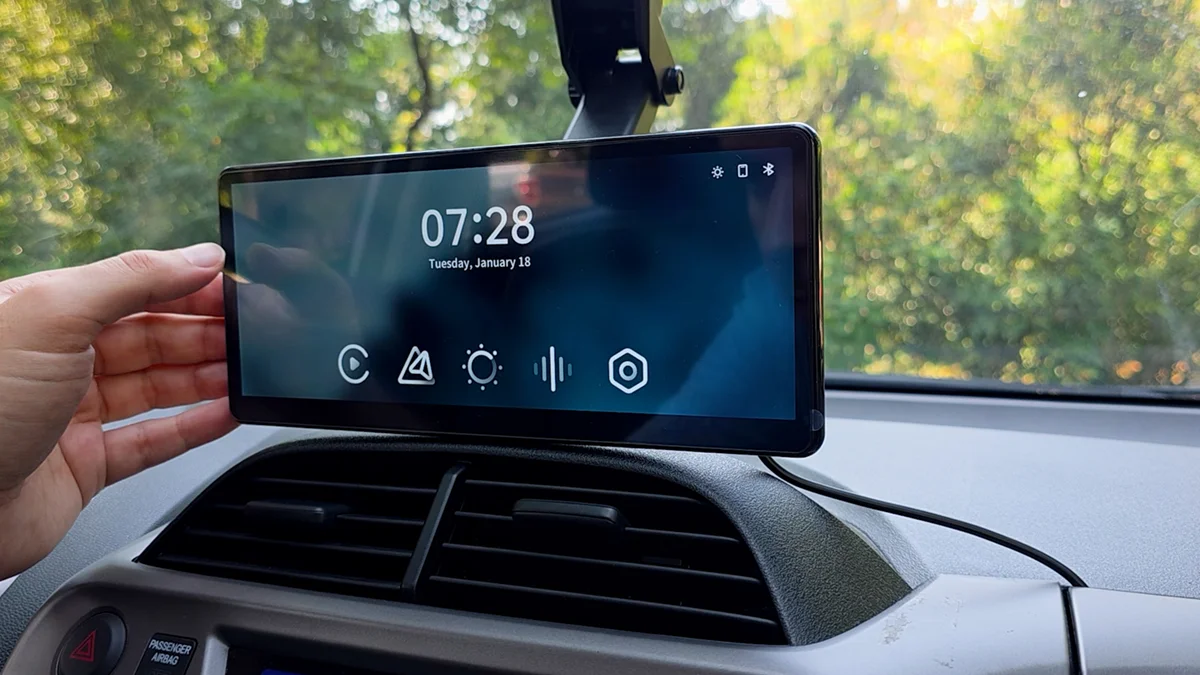
The unit tested
CarpodGo T4, 8.9 inch
A portable wireless CarPlay and Android Auto display that mounts to the dash and runs off the cigarette lighter. Not the 10.9 inch T4 Plus.
It is not an Android tablet, on purpose
This is the part that surprised me going in. The T4 is not a cheap Android tablet stuck to your dash. It runs a locked down Linux build and it does CarPlay and Android Auto and nothing else. No app store, no YouTube, no screen mirroring. CarpodGo tested AirPlay during development and cut it, because the panel is 1920 by 720, which is a 16 by 6 shape, and anything you mirrored onto it would end up letterboxed into a stripe.
There is also no battery in it, which sounds like a downside until you remember where this thing lives. A dashboard in a southern summer is one of the more hostile places you can put a lithium cell. No battery is exactly what you want in there.
It also sits on a shelf full of competitors running full Android for the same money or less, which makes it the expensive option that deliberately does less. Whether that trade is worth it is a question I need measurements to answer, and that is part two.
The unit, the ports, and a mount worth understanding
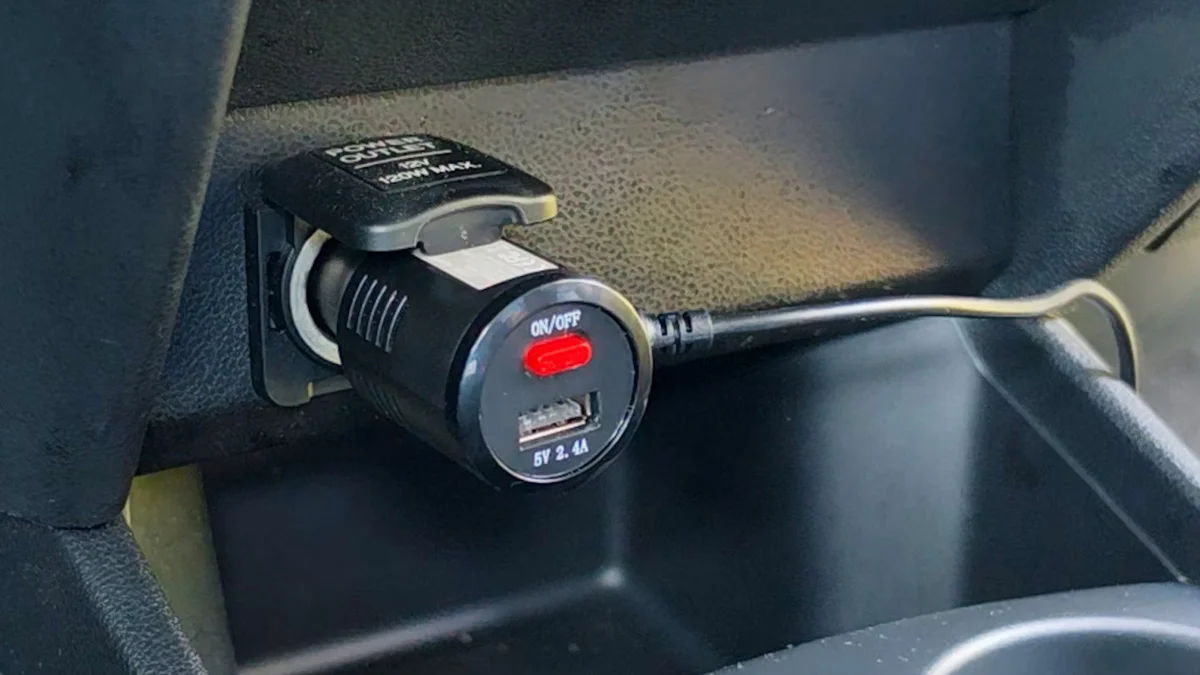
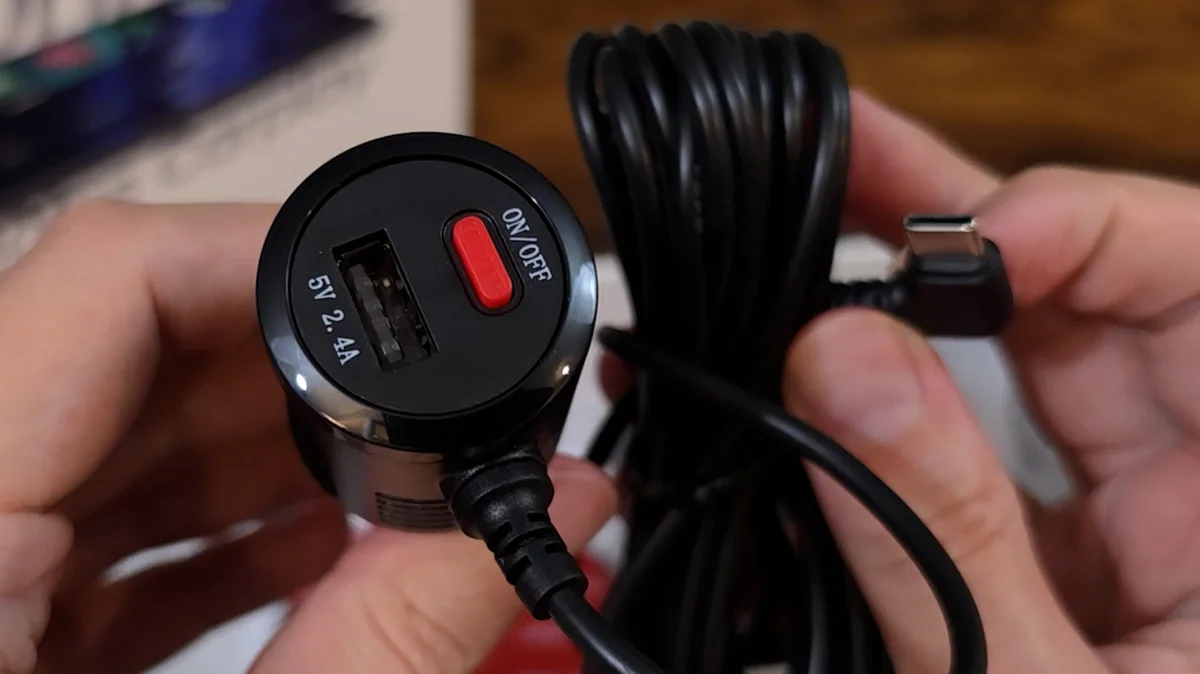
The screen comes out first, then a power cable integrated straight into a beefy 12 volt lighter plug that also carries a USB-A port and an on/off switch. Under that, a base for attaching the mount to the dashboard, spare ball mounts and joints for different vehicles, a multilingual manual, and some strips of double sided tape.
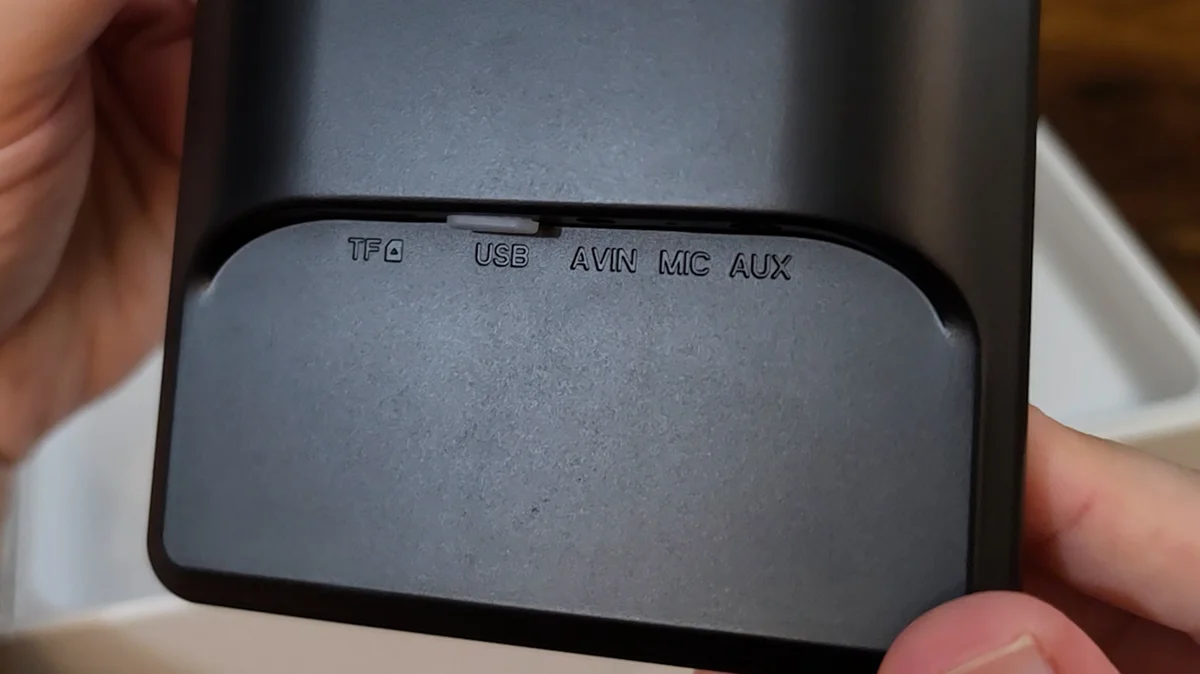
The ports are labelled directly on the housing: TF, USB, AVIN, MIC and AUX. The TF slot is a microSD card slot, and it exists for firmware updates rather than media playback. CarpodGo's published procedure is to copy three unzipped firmware files to the root of a formatted card, power the screen on, insert the card, then use Firmware Upgrade in Settings once the card icon appears. There is a second AVIN port higher up on the base.
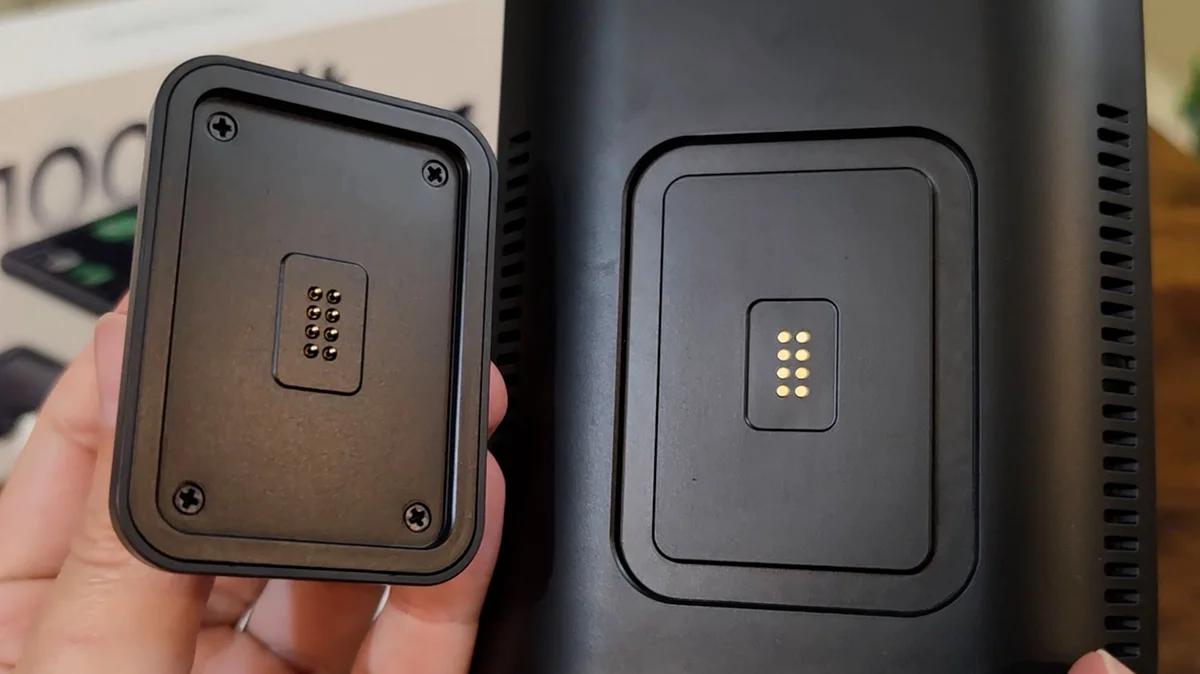
That magnetic base took me longer to work out than I would like to admit. CarpodGo makes a real point of it, quick release, pop the screen off, magnet rated to hold eight kilos. I could not get it off. I looked for a latch, I looked for a button, I pushed it every direction I could think of while it sat on the mount, and nothing moved.
The trick is to lay the screen flat and pull straight up, perpendicular to the base. That is all it is, and it comes right off. There is not one word about it in the manual, and it is not the motion you would try first, because a screen mounted at a dash angle is never something you pull straight up off.
Once you know that, the design makes sense. Power runs through the base, so a detached screen has nothing feeding it. It is not a tablet you take inside. It is the thing you pull off the dash so an expensive display is not sitting in a parked car advertising itself, and the base and all your wiring stay exactly where they are.
Good idea. Would have been nice to read it somewhere.
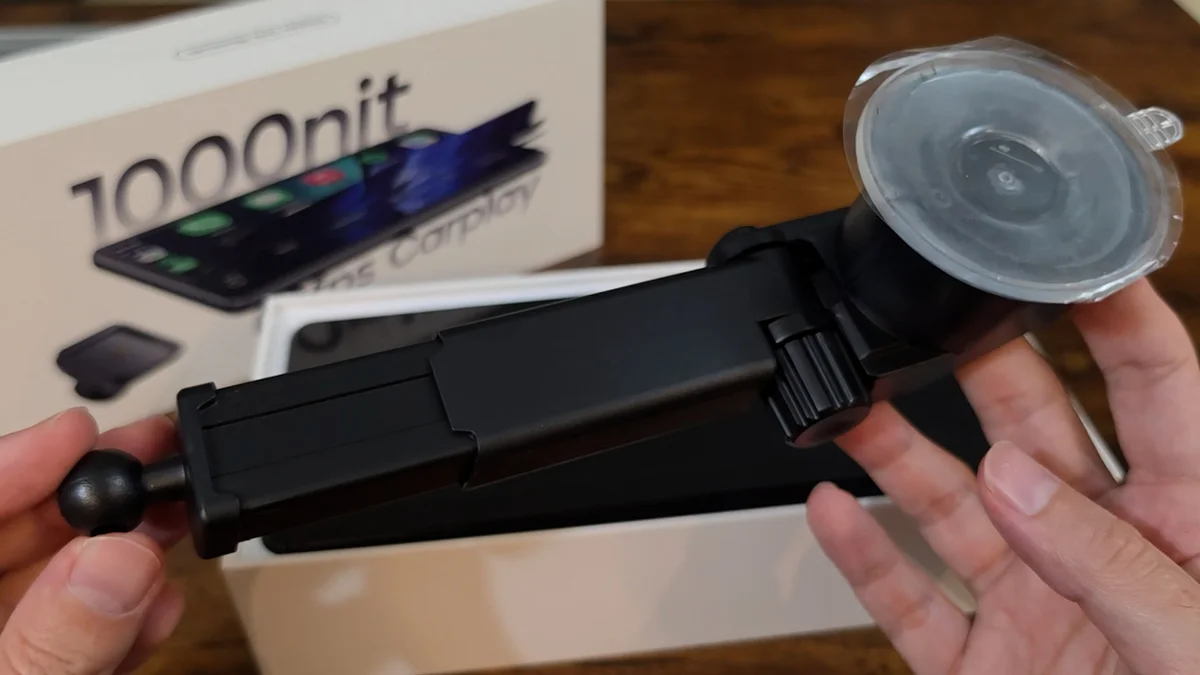
The other mount, the suction cup with the extending arm and the ball joint, is worth understanding before you buy. That suction cup is not holding the screen up. It is holding the screen in position. It is a brace. If you are picturing hanging this off your windshield the way you would hang a phone mount, that is not what this is, and you would want something a lot stronger.
And because everything hangs off one ball joint, there is exactly one point of contact. The screen is wide. So when you press something at either end of it, the whole thing wants to pivot around that point. How much that grates over months is a part two question.
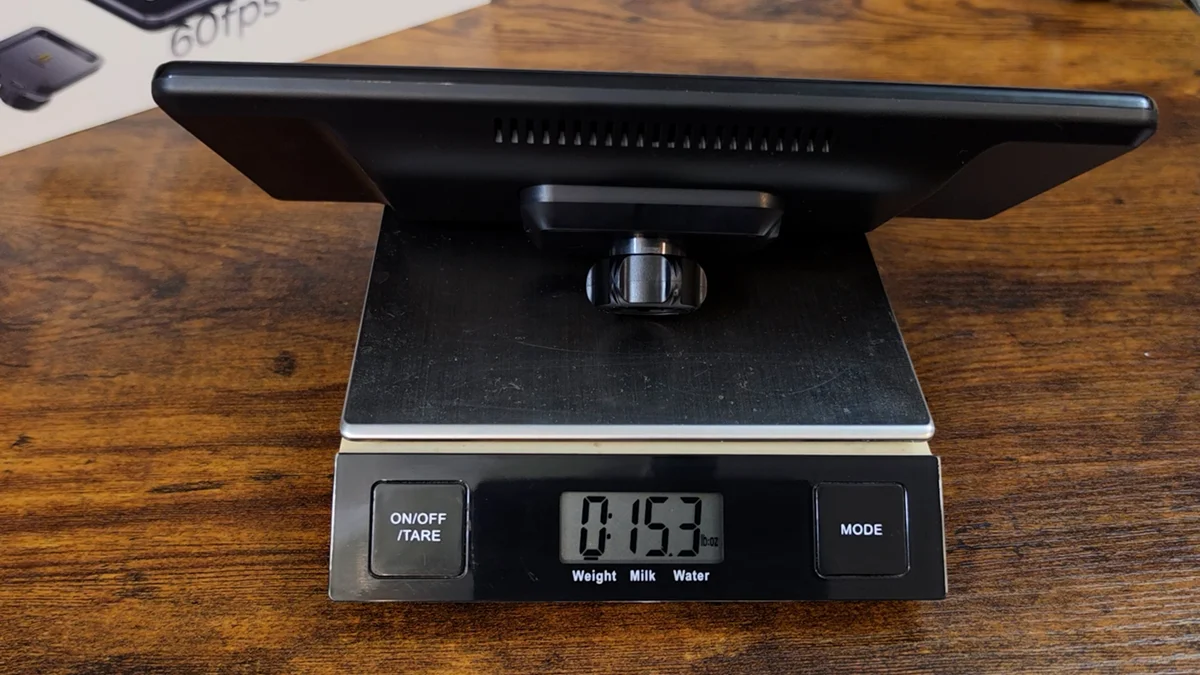
That weight is the one number I measured for this first video, and it is worth reporting because it checks out. CarpodGo lists the screen at 388 g and the base at 48 g. Add them and you get 436 g. My scale said 15.3 oz, which is 434 g. Two grams apart on a kitchen scale is a spec being honest. I weigh these because they often are not.
Mounting it, and the part the manual skips entirely
How this goes will be a little different in every car, because dash lengths, windshield pitches and dashboard geometry all vary. You may end up using the dash mounts, or sticking it to the windshield. Either way you attach the screen to the mount, find a spot that makes sense, peel the plastic off the suction cup and stick it down, then tighten the three fasteners: one behind the screen, one for the arm, one for the pivot.
Then you have to get the cable over to the lighter socket, and this is where CarpodGo just leaves you standing there. There is not one word in the manual about cable management. No diagram, no suggestion, nothing. You are on your own.
I got a little lucky. The Fit has a split glove box, so I could feed the wire into the top compartment and still close the lid on it. From there it runs down the door jamb and behind the glove box.
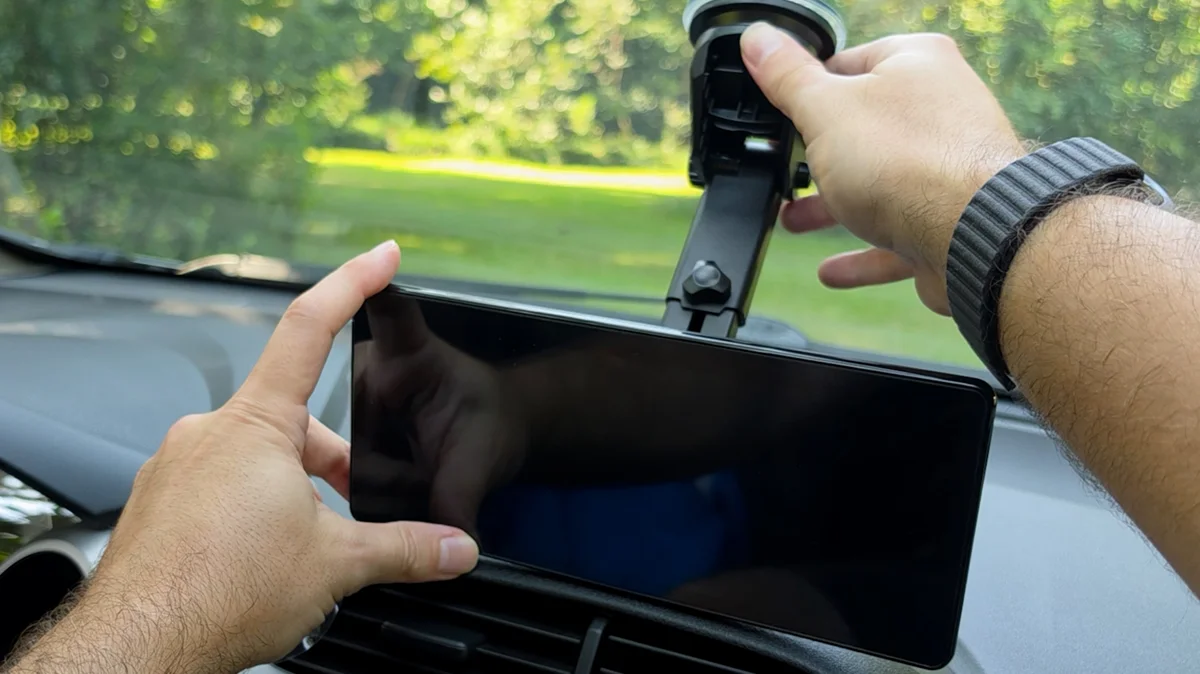
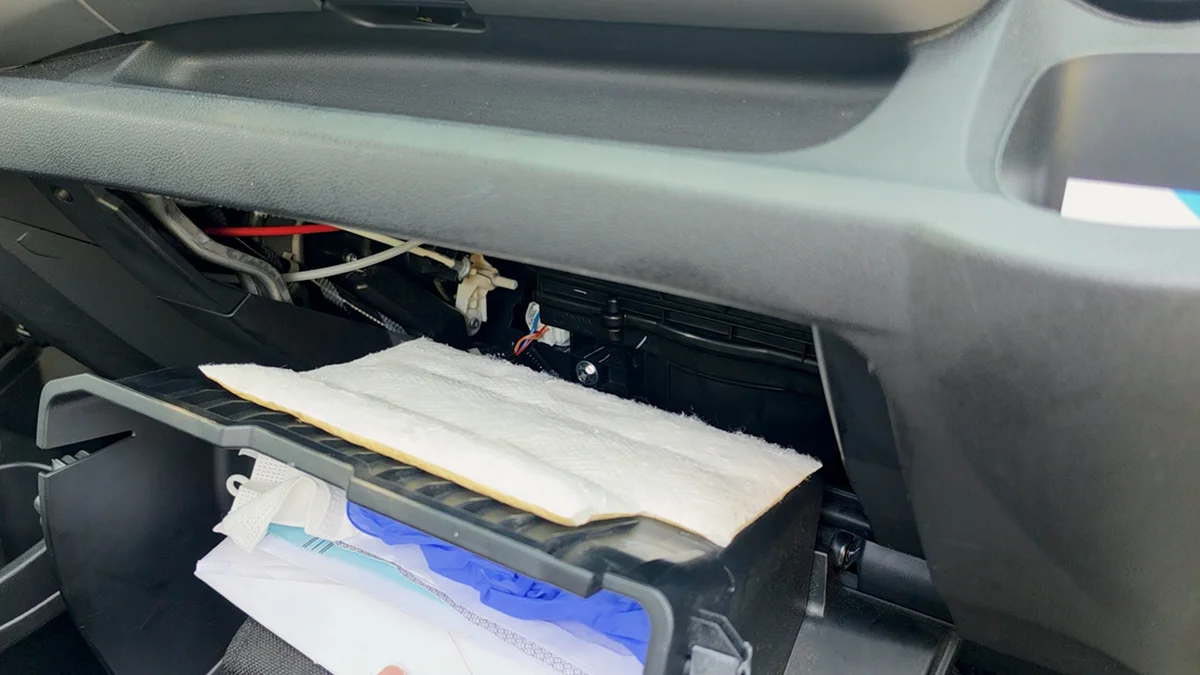
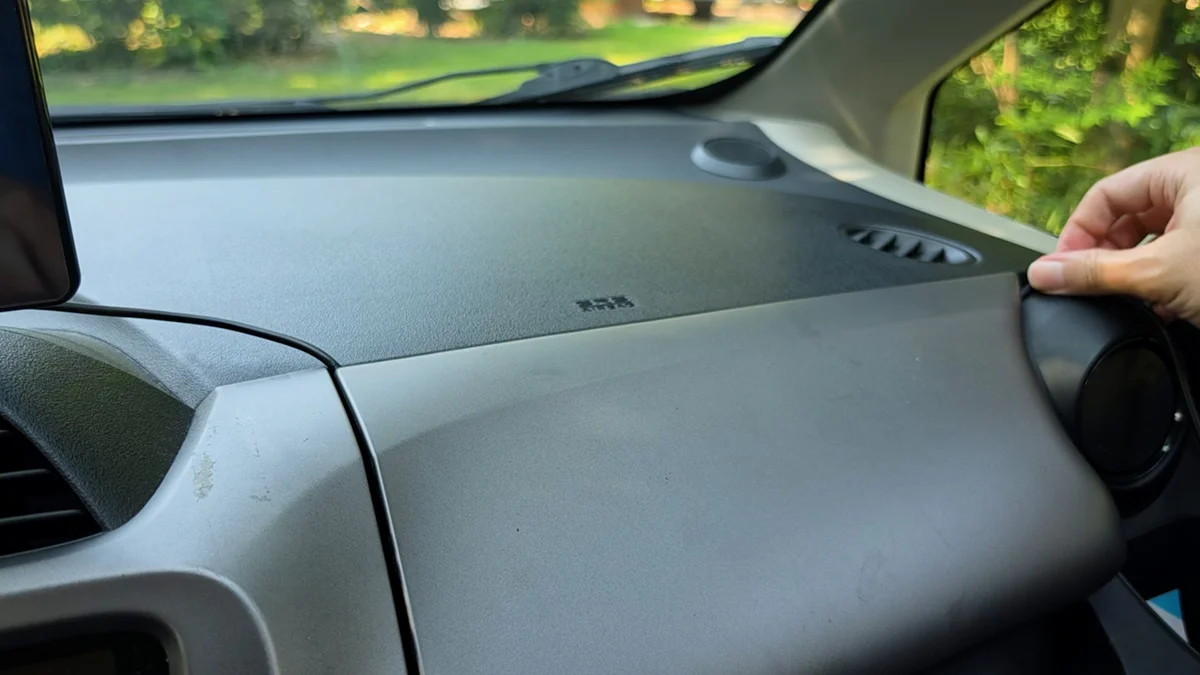
Route completely around your passenger airbag. Not over it, not across it. Around it. On the Fit the airbag sits directly above the compartment I fed the cable into, so the route I took clears it. A deploying airbag takes whatever is lying on top of it along for the ride. Check where yours is before you stick anything down, because this is the one part of the install that can actually hurt somebody.
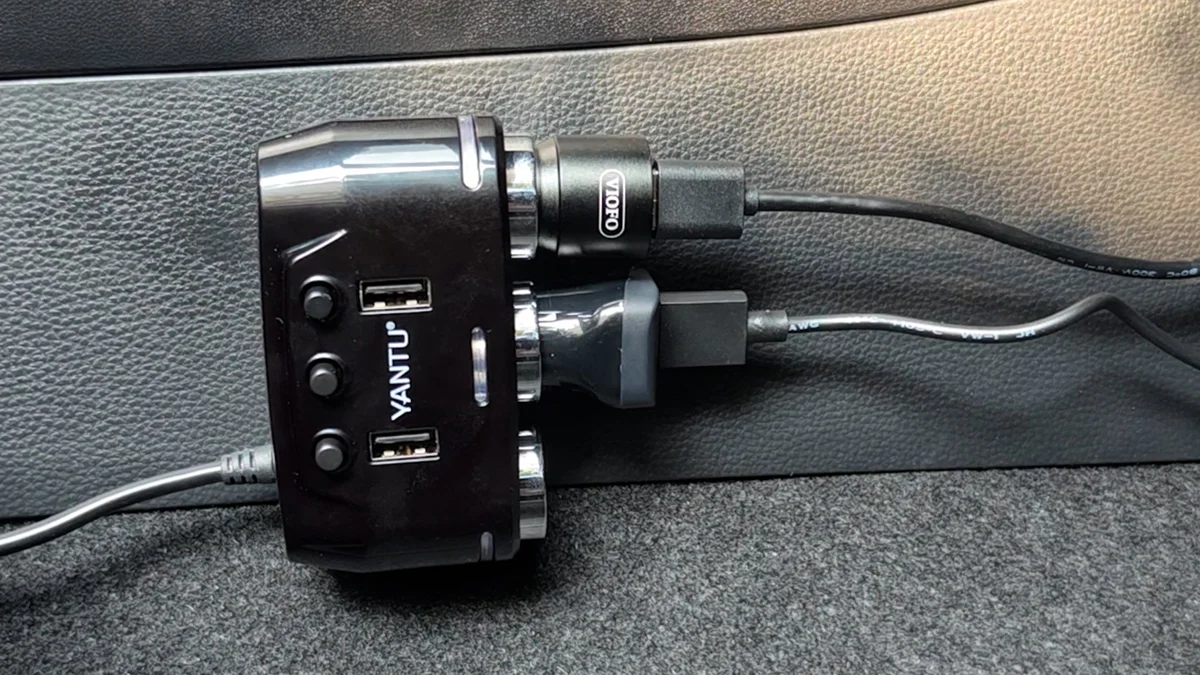
One more thing about that socket. This car has exactly one up front, and because the T4's power supply is built into the plug itself, that socket is now spoken for. If you also want a dash cam with its own integrated plug, you are buying a 12 volt splitter. Worth knowing before you are sitting in the driver's seat with everything already unboxed.
The screen boots upside down
So I plugged it in, fired it up, and the screen was upside down. There is no setting to flip it. I went looking. It is not in there.
So I undid everything, physically turned the screen over, and remounted it. Which works, and it cost me about two minutes, but it is a strange thing to be shipping in 2026. It also means there is only one orientation this thing goes in, and in that orientation the cables come out of the left side. I needed them going right, toward the glove box, so they now wrap around the back to get there.
Here is the interesting wrinkle: the firmware update mechanism is already in the box. Screen rotation is exactly the kind of thing a firmware update adds. CarpodGo publishes a firmware page for the T4 Plus but not for the standard T4, so if a fix does ship, buyers may never find out about it.
Three ways to get audio into an old car, none of them clean
The screen talks to your phone wirelessly, and then it still has to get that audio into the car's speakers somehow. In a car with no Bluetooth, that is not a solved problem.
CarpodGo advertises four audio output modes. Read them carefully against the car this product is sold for, and one of them falls away immediately.
| Mode | How it works | In this car |
|---|---|---|
| Display Only Bluetooth | Phone pairs straight to the car stereo for audio, screen handles the display only | Impossible. Needs the car to have Bluetooth |
| FM transmission | The screen broadcasts on an FM frequency and you tune the radio to it | Works, fussy. Needs a genuinely dead station |
| AUX output | A 3.5 mm cable from the screen straight into the car's aux input | Left channel only on my cable |
| Built-in speaker | The screen's own speaker | Never reaches the car's speakers |
| Bluetooth to aux adapter Bundled, not one of the four | Phone pairs to a small adapter, which feeds the aux input by cable | Best sound, but a second pairing |
That last row is the one to sit with. The mode that sounds best is a fifth thing CarpodGo bundles in the box, not one of the four they advertise. It exists because the advertised four leave a gap in exactly the kind of car this screen is marketed to, which is a car old enough to lack CarPlay and therefore old enough to lack Bluetooth.
I tried all three that were actually available. FM broadcast works if you can find a genuinely dead station, and I found one that was okay and another I was sure was dead that did not come through at all. Running a cable straight out of the unit's aux into the car's aux worked, except sound only came out of the left side speakers, which I suspect is my cable rather than the unit. The bundled Bluetooth to aux adapter sounded genuinely good, and I am not being generous about that.
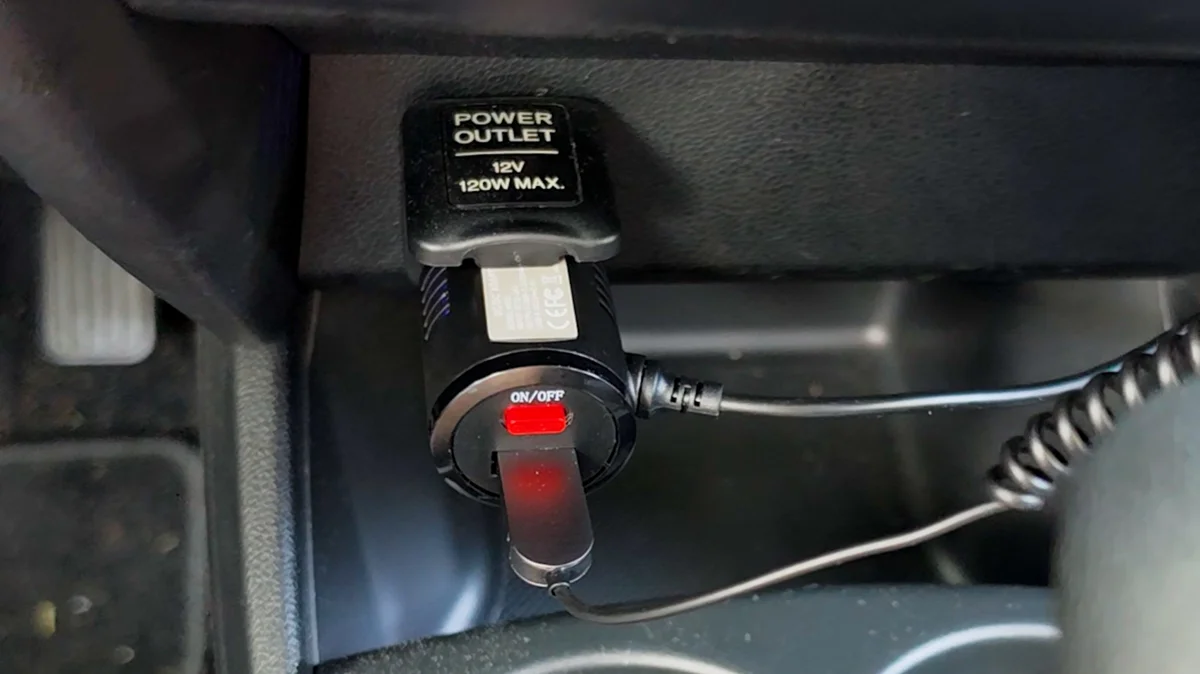
But it costs you something. The adapter is a second Bluetooth connection: your phone pairs to the screen, and then separately pairs to the adapter. Two connections to get sound out of one device. And on my second drive, the screen reconnected on its own while the adapter did not.
For me that is five seconds of mild annoyance. For my mom, who is the entire reason this is in the car, that is the thing that could end it. Honestly, I have a feeling she will keep listening to the radio the way she always has and never touch the adapter at all, which means she gets the screen and the map and the sound stays where it was. That might turn out to be completely fine. We will find out.
What it is like once it is running
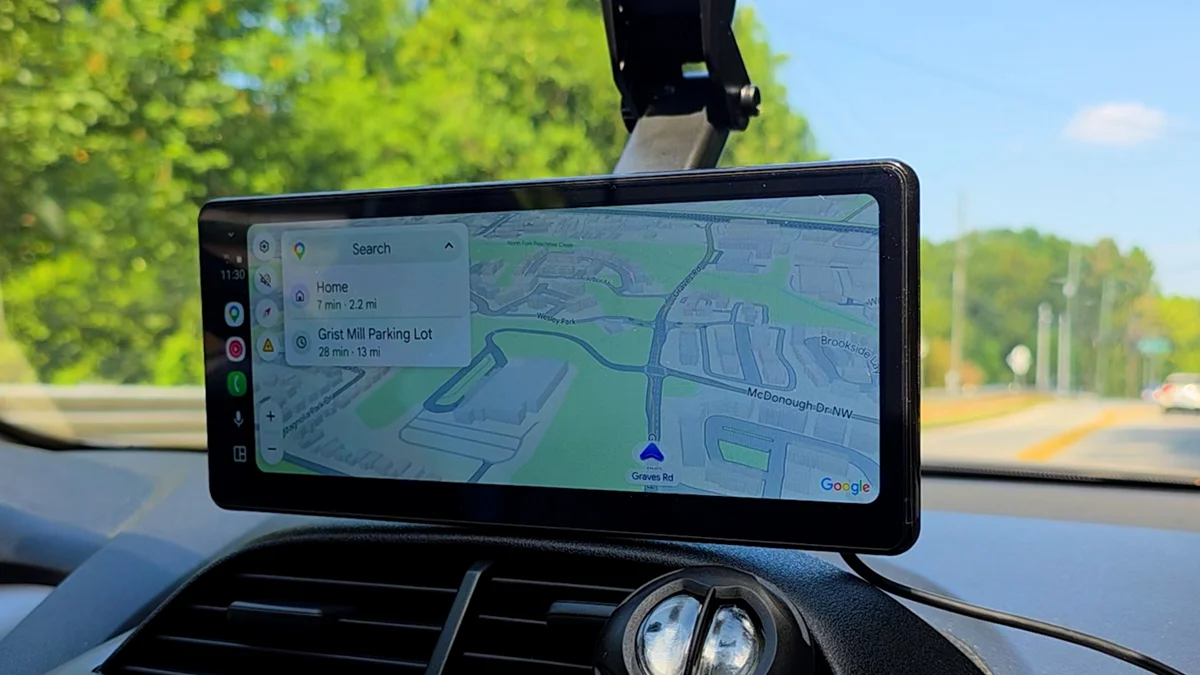
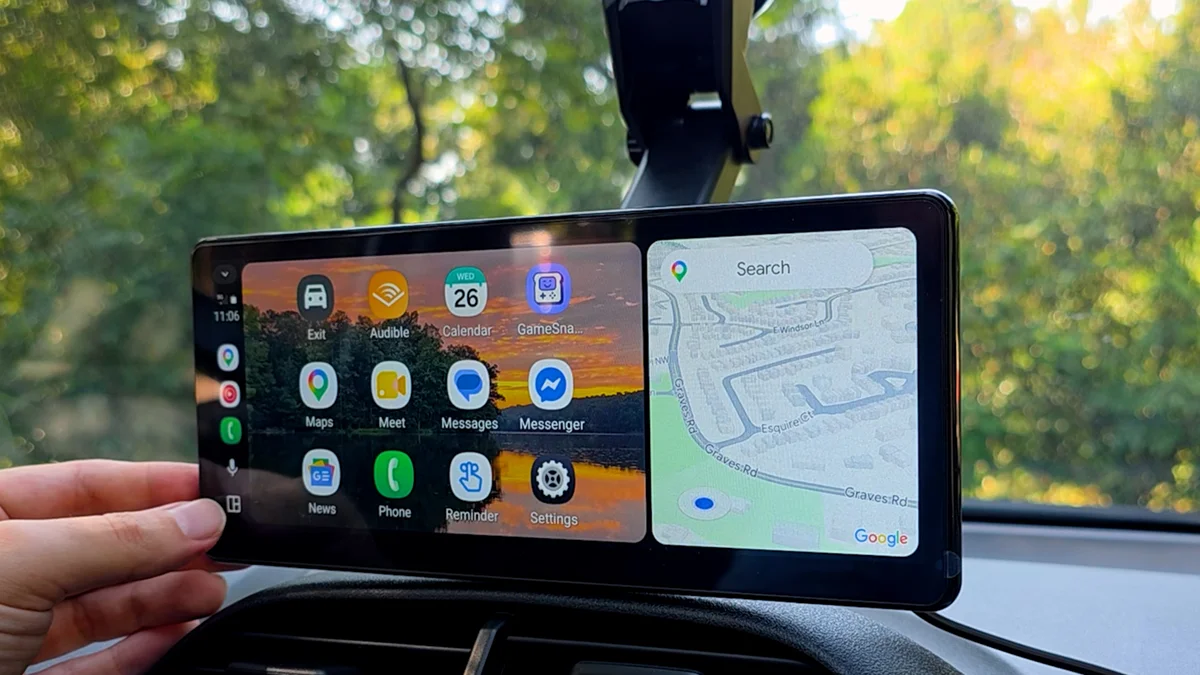
The rest of it I like. Once it is connected, this looks pretty close to the infotainment system in my 2023 Corolla, except wider, which is a real advantage. There is more room for the map and whatever is playing at the same time. The image is crisp, and even with my old man eyes it is easy to read at a glance, with the factory screen protector still on.
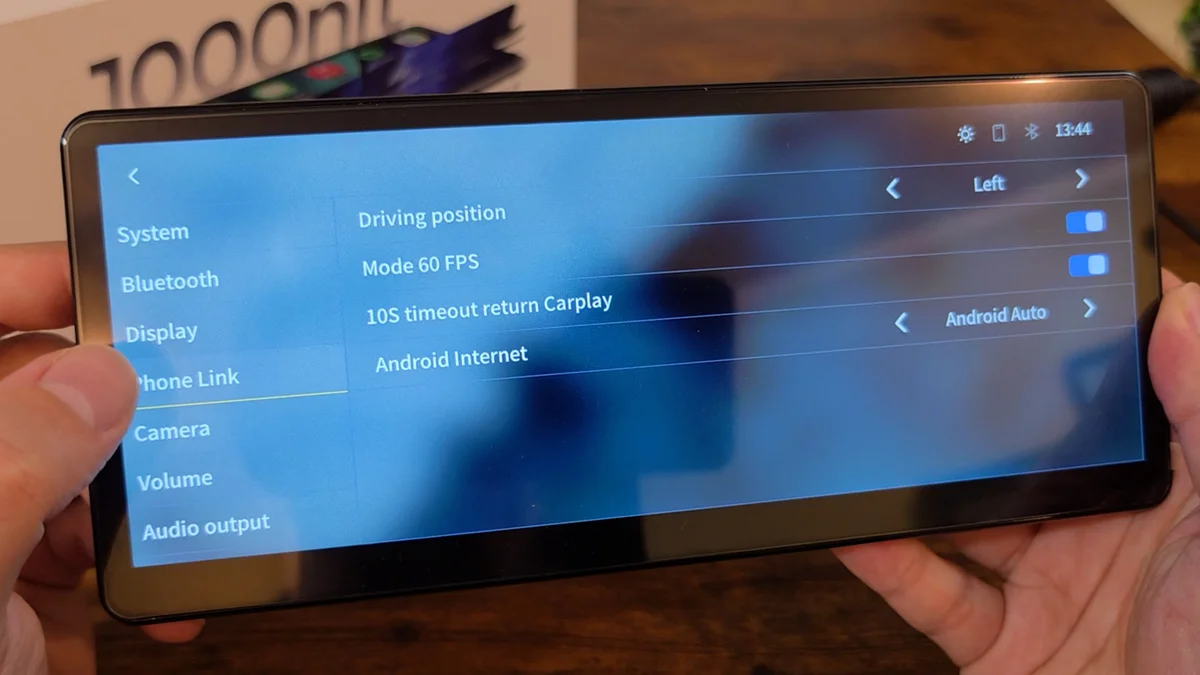
Settings are simple and shallow in a way that suits the product. Brightness, volume, audio routing, the firmware page. There is no account, no app to install on your phone beyond Android Auto or CarPlay itself, and nothing to configure that a non-technical owner would have to think about twice.
CarpodGo lists wired CarPlay and wired Android Auto alongside the wireless modes, and the unit has a USB-C port. I have not tested the wired path yet. If it works, it is a genuine alternative to the whole wireless audio question, and it goes on the part two list.
Frequently Asked Questions
Can you use a CarpodGo T4 in a car with no Bluetooth?
Yes, but not with CarpodGo's simplest audio mode. Display Only Bluetooth mode pairs your phone directly to the car stereo, which requires the car to have Bluetooth. In a car without it you are left with FM transmission, the screen's AUX output, its built-in speaker, or the bundled Bluetooth to aux adapter, which sounded the best of the options I tried.
How do you remove the CarpodGo T4 magnetic base?
Lay the screen flat and pull straight up, perpendicular to the base. It comes off easily once you pull in the right direction. This is not documented in the manual, and pulling on the screen while it is mounted at a dash angle will not work because that is never a perpendicular pull.
What is the microSD card slot on the CarpodGo T4 for?
Firmware updates only. You copy three unzipped firmware files to the root of a formatted card, power the screen on, insert the card, and then use Firmware Upgrade in the Settings menu once the card icon appears. It is not for music or video playback.
Can the CarpodGo T4 screen be rotated in software?
No. Mine booted upside down and there is no rotation setting anywhere in the menus. The fix is to physically turn the screen over and remount it, which takes about two minutes but means the cables then exit from the left side.
Does the CarpodGo T4 run YouTube or other apps?
No. It runs a locked down Linux build that does CarPlay and Android Auto and nothing else. There is no app store, no YouTube, and no screen mirroring. That is a deliberate design choice rather than a missing feature.
No verdict yet, and that is the honest answer
I am not going to tell you whether this screen is worth your money based on an afternoon in a driveway. What I can say is that so far it does what it says on the tin. The screen is good, the install is doable, and the audio is a compromise no matter which road you take.
Part two is the bench. A photometer on the 1000 nit claim. A one-to-one pixel pattern on the 1920 by 720 claim, because "not a stretched low resolution screen" is a very specific thing to print and a very easy thing to check. A thermal camera on what a slab of black laminated glass does sitting on a dashboard through a Georgia summer, which is the failure mode nobody in this category tests. And a real A/B on the audio paths, including whether that left channel problem was my cable or the unit.
Then the test that actually decides it. My mom is not a technical person, and that is the whole point of putting it in her car. So in thirty days, is she still using it, or is it in a drawer? That is the review. Everything before it is just setup.