
We tested three $11 128GB memory cards. All three are fake.
Same packaging, three different names printed on the front. Every one of them accepted a full 134 GB of files, said every write succeeded, and did not actually have half of them.
Prefer to watch a review?
No video for this lab run yet, but I cover dashcams, storage, and the gear around them on the channel. Subscribe to catch the next test the moment it goes live.
The short version
I bought three no-brand 128GB microSD cards in one order, about $11 each, in identical packaging with three different names screen-printed on the cards. All three report 134.2 GB to your computer. The PRO PLUS holds 66.4 GB of that, the MICRODRIVE holds 48.0 GB, and the LD holds 64.9 GB. The rest is accepted, confirmed as written, and gone. Not one of the three raised a single read error while doing it. My rating: 1/5, scored against the CKBench rubric.
Verdict: 1/5, all three keep about half your files and tell you nothingWho these cards are for
- YesNobody, and the price is not the reasonThere is no job these do safely, including undemanding ones. A card that quietly discards half of what it is given is not a budget dash cam card or a cheap spare for a phone.
- NoAnyone who will put files on it they cannot loseThe failure only shows up when you go to read the files back, which is usually long after the originals were cleared off the camera or the phone.
Treat the usable size as roughly half the number on the label: about 66 GB, 48 GB and 65 GB against a printed 128 GB. Work out your own numbers in the dash cam storage calculator.
Why I bought three cheap cards instead of one
One fake card is an anecdote. Three bought together, in the same packaging, under three different names, is a look at a whole category. I did not assume any of them were fake going in, and I want to be clear about that: this bench has tested a cheap card that turned out to be completely honest about its capacity, and it has tested an expensive-looking one that turned out to be a fraud. The full-card fill decides it, and nothing else does. It joins CKBench, the running index of every card on the bench, alongside the counterfeit SanDisk ImageMate and the cheap TeamGroup card that was completely honest.
Why my write numbers read lower than other reviews. Every write here is committed to the card and confirmed before the clock stops, the way a dash cam actually writes, so my figures land below burst benchmarks like CrystalDiskMark that measure a few seconds of the card's RAM buffer. That rule, and the decimal MB/s and binary MiB conventions used throughout, are set out on the how we test and score page.
What the cards claim, and what they did
All three print exactly the same claims, so one table covers them. There is no speed figure anywhere on the cards or the packaging, which means most of these rows are things the cards never promised. Those are marked as not claimed rather than counted against them.
| Claim | Printed | Measured | Verdict |
|---|---|---|---|
| Capacity | 128 GB | 66.4 GB, 48.0 GB, 64.9 GB | FAILS |
| Read speed | none printed | 23.8 MB/s on all three (ProGrade PGM0.5) | NOT CLAIMED |
| Write speed | none printed | 12.5, 13.8 and 15.5 MB/s | NOT CLAIMED |
| Speed class | Class 10, a 10 MB/s floor | 11.95, 12.79 and 14.58 worst ten seconds | HELD |
| UHS speed grade | U3, a 30 MB/s floor | 11.95, 12.79 and 14.58 worst ten seconds | FAILS |
| Bus interface | UHS-I | Registers declare a specification that predates UHS-I, and read speed is pinned where that older bus tops out | FAILS |
| Video speed class | none printed | V10 measured on all three | NOT CLAIMED |
| App performance class | none printed | 1323 read and 745 write IOPS on the best of them | NOT CLAIMED |
| Endurance rating | none printed | n/a | NOT CLAIMED |
| Operating temperature | none printed | n/a | NOT CLAIMED |
| Warranty term | none printed | n/a | NOT A PERFORMANCE CLAIM |
Class 10 is the only printed grade any of them holds. The best of the three delivers less than half the U3 floor its own face prints.
Generic LD 128GB · the saw-tooth
300 one-second samples · worst 10 s at 0:01 · knee scan outcome NO_KNEE_STABLE · Run Generic-LD-128GB_2026-09-10_113856
Does it hold the U3 grade it prints?
No, and it is not close. The verdict here is never an average, it is the worst ten second window of the whole five minutes, because a video recorder does not care what your card averaged, it cares whether it ever dropped below the bitrate for long enough to lose a frame. That window came in at 14.58 MB/s against the 30 MB/s floor U3 requires, under half of it. The only speed mark on the card it keeps is Class 10, whose floor is 10 MB/s.
The window width barely matters on a card that cycles this fast. Measured at nine, ten and eleven second windows the worst case reads about 14.6, 14.6 and 15.4 MB/s, so the U3 verdict is the same at every width, and the other two cards fail the same grade by more, at 11.95 and 12.79.
The cards take your files and do not keep them
This is the part that matters, and it is not the same thing as the card being small. Each card was filled from empty with 134.2 GB of test data and then read back and checked byte for byte. Every write was accepted. Every write reported success. Windows showed a normal copy, a normal progress bar and a normal completion. Then roughly half the data came back as content that matches nothing that was ever written to the card.
Put it the way you would actually hit it. The fill wrote 125 files. On the PRO PLUS, 57 of them read back correctly and the rest do not. Nothing warned about the other 68. Across all three cards, the number of read errors raised during the entire verification pass was zero.
A card that refuses to write, or throws errors, or turns up at the wrong size is annoying and safe. You find out in the first thirty seconds, before you have trusted it with anything. These are the other kind. The failure only becomes visible when you go to read the files back, which is exactly the moment you need them, and usually long after you cleared the originals off the camera.
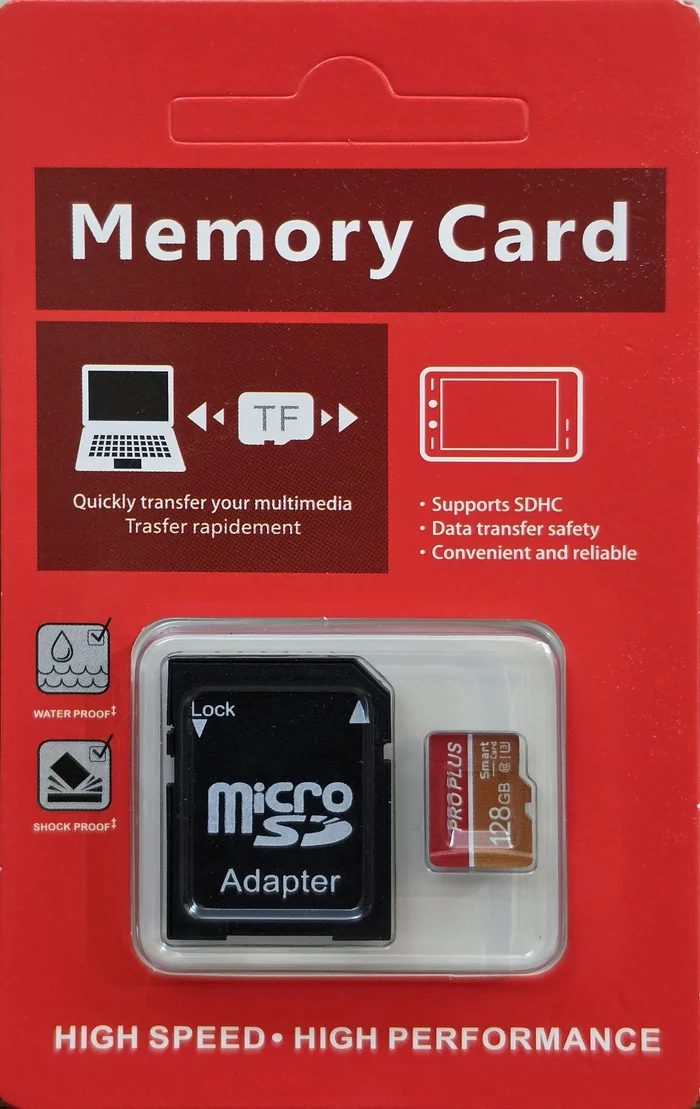
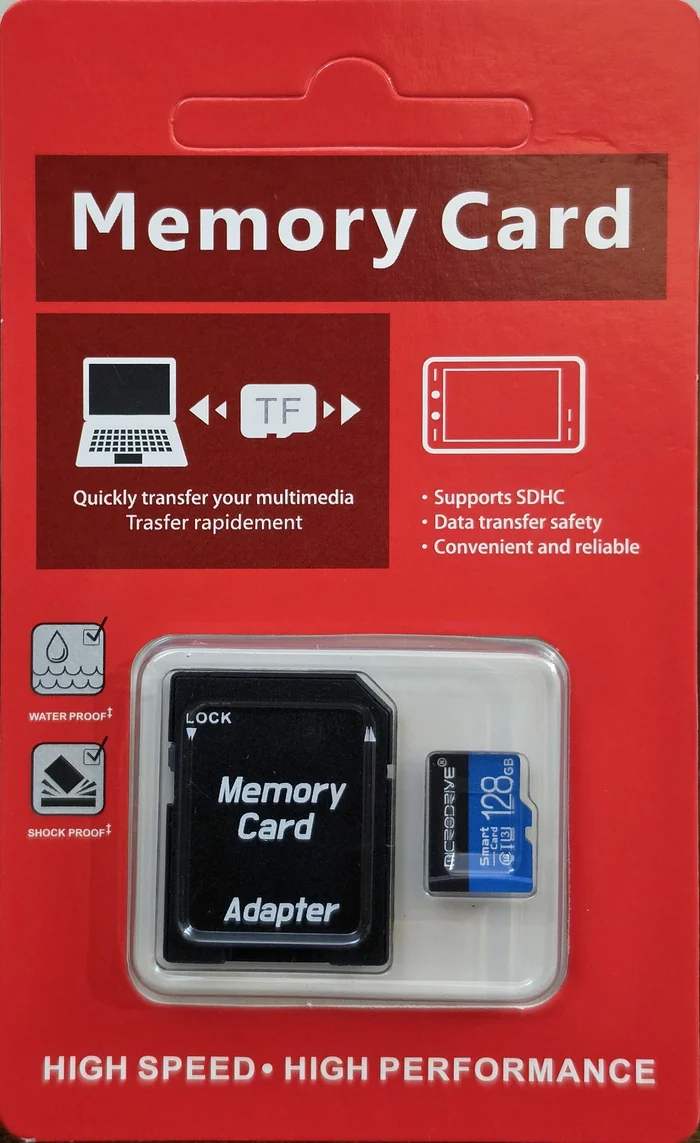
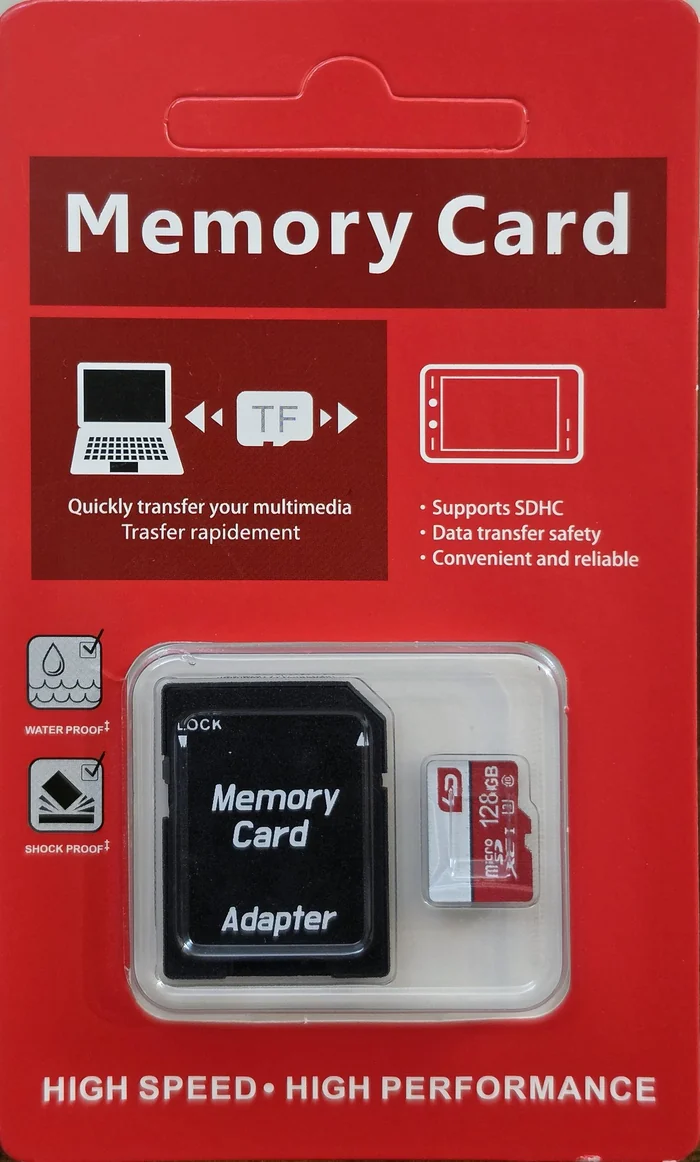
Every byte written, and then read back
Every easy check on these cards passes
If you already checked a cheap card and it seemed fine, this is why that may not mean much. Reading the size the card reports: passes, it says 134.2 GB. Copying a file on and reading it back: passes. Ejecting, reinserting and opening it: passes. Two of these three cards are intact at both ends of their storage with the damage in the middle, so even a checker that samples the beginning and the end of the card lands in good data twice and calls it healthy.
Only writing the entire card and verifying all of it fails them. That is not the most thorough test available. On this hardware it is the only one that works.
One honest limit on that. The two cards with damage in the middle end their bad region within 15 kilobytes of the same address, out of 130 GB, even though their real capacities differ by 38 percent. The third card fails differently, in nine separate regions starting less than a gigabyte in, so I am not claiming this is how these cards are built in general, and I am not claiming anyone designed them to defeat a spot check. I cannot measure intent. What I can measure is that a spot check does not catch them.
The box describes a card of about one gigabyte
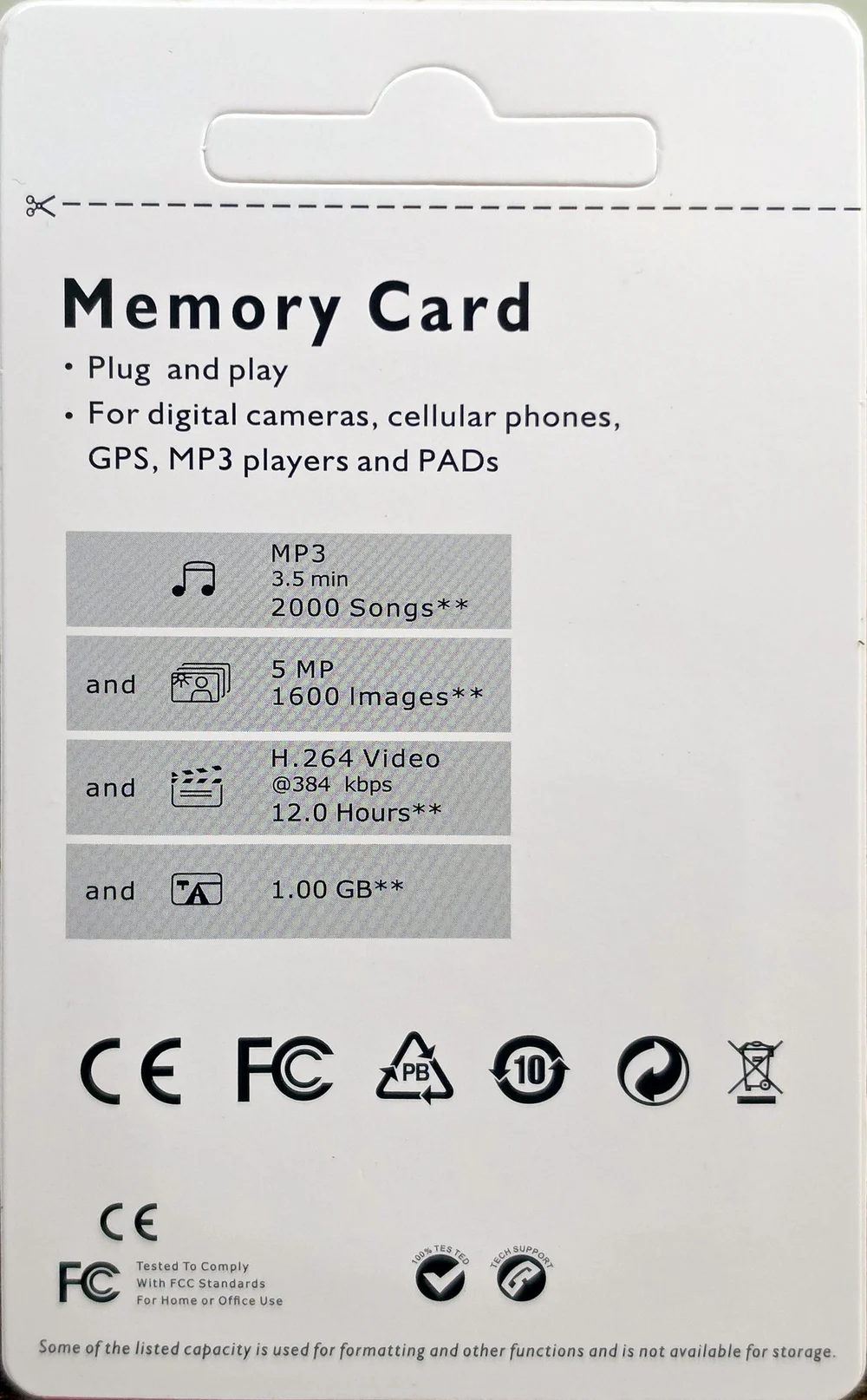
You can check this one against your own packaging without any equipment. The back panel carries a capacity table, and its last row reads 1.00 GB, on a package whose front says 128GB. The video row backs it up: twelve hours of H.264 at 384 kbps is about 2 GB of data, which is arithmetic anyone can repeat. The rows are not even consistent with each other, which is the real tell. This is stock artwork reused across capacities, not a specification. A genuine card's table survives the same arithmetic: the three rows on the Silicon Power Superior Pro 128GB all describe a card of about 115 GB, a little under the 124.4 GB it actually holds.
Be careful about what that does and does not prove. It is not evidence the card is 1 GB. It is evidence that nobody involved in selling it ever checked the box against the contents. The front of the same package also says it supports SDHC, a format that stops at 32 GB, on a card sold as 128 GB.
The cards say they predate the technology printed on them
Every SD card carries small read-only registers describing what it is. They are set by whoever built the card, they are not marketing copy, and reading them takes no time and no testing. All three of these cards report the same thing: SD specification version 2.00.
Version 2.00 came out before the UHS bus existed. All three cards print the UHS-I bus mark and a U3 grade on their faces, and both of those marks belong to specification versions that came later. This is not a subtle reading, and what makes it usable is the rest of the bench: 27 of the 30 cards I have on file declare a UHS-capable specification. The only three that do not are these. That includes the counterfeit SanDisk in the archive, whose forgery was convincing enough that manufacturer-ID checkers cleared it. Even the counterfeit got this field right.
The stopwatch agrees, separately. The older bus tops out at 25 MB/s. Across three cards and nine read passes, every single pass came back at 23.79 MB/s in 45.13 seconds, identical to the hundredth of a second, on cards with three different real capacities and three different write speeds. A genuine UHS-I card on the same reader reads about 96 MB/s. A number that flat, sitting just under a known ceiling, is measuring the bus rather than the card.
One limit worth stating: this is evidence about the marks printed on the cards, and nothing else. A card could report specification 2.00 and still hold every byte it claims. I am keeping it separate from the capacity result on purpose.
It stayed cool. It also stayed slow.
No operating range printed; against the 85 °C the rubric assumes, 40.9 °C of headroom · Run Generic-LD-128GB_2026-09-10_113856
What does loop recording actually do to them?
Loop recording, and app use generally, is not one long tidy write. It is scattered small writes: file table updates, event saves, overwrites of the oldest clip. The bench approximates that with random 4K writes, which means writing 4 kilobyte chunks to random places rather than one continuous stream, run as three back to back passes so you can see whether the card degrades as its internal map gets churned up.
They hold up well. Across the three passes the LD measured 747, 753 and 758 write IOPS, which is operations per second, ending slightly faster than it started, and the other two did the same: 741 to 749 on the PRO PLUS and 666 to 674 on the MICRODRIVE. For comparison, the unbranded Class 4 reference card this bench keeps as its floor collapses by 71% across the same three passes. These cards do not do that. None of them prints an A class, so there is no app-performance claim to settle, and the A-class specification is measured with command queuing that USB card readers do not perform anyway.
Worth being clear about what this does not prove. Three passes over a minute is a churn indicator. It is not an endurance test, and nothing in a single session can tell you whether a card will still be working in three years. None of the three prints an endurance rating of any kind, so there is not even a manufacturer claim to check against. And on these cards the churn result is beside the point: what they lose, they lose on the first write, as the capacity section above showed.
These are not three products, and not three copies of one product
I dumped all three cards' registers before benching any of them, against a prediction I wrote down first: that they would split along the logo, since the LD carries a genuine microSDXC mark where the other two print the words Smart Card in the same spot. If the registers split the same way, they were genuinely different products.
They do split, and it runs the other way. The odd card out on the registers is the PRO PLUS, not the LD. The split cuts straight across the logo line, so the card with the real logo shares its identity with one of the cards that fakes it. What is on the front tells you nothing about what is inside.
It goes further than that. Six different things separate these three cards, and no two of them pick the same card as the odd one: the logo, the registers, the filesystem they shipped with, the volume identifier, the way they fail, and how much real storage they have. Every card is the odd one out on something. The honest description is that these are three units of a category rather than three products, assembled from whatever was on hand and wearing interchangeable names.
One thing I went looking for and did not find: none of the three shipped with a doctored filesystem or padding files, which misdeclared cards often do. All three arrived empty and correctly formatted for the size they claim. The only files on them were the ones Windows itself writes when it first sees a drive. That is a negative result and I am reporting it because I went looking.
All three score 1 out of 5
The rubric has a capacity disqualifier: a card that does not hold its label cannot score above 1, however fast it is. That fires on all three. The per-dimension numbers are shown anyway, because the disqualifier should be visible as a decision rather than buried inside an average.
Generic PRO PLUS 128GB
Scored against the CKBench rubric. Five dimensions, each out of 5.
Final score: 1 out of 5. Half its declared storage does not exist, and it never says so. The rows were restated on the September 2026 scoring tables on 30 September 2026: sustained, endurance and thermal rose because the tables score what was measured. They average 2.6, and the capacity failure still caps the score at 1.
Generic MICRODRIVE 128GB
Scored against the CKBench rubric. Five dimensions, each out of 5.
Final score: 1 out of 5. Nearly two thirds of its declared storage is not there. The rows were restated on the September 2026 scoring tables on 30 September 2026: sustained, endurance and thermal rose because the tables score what was measured. They average 2.8, and the capacity failure still caps the score at 1.
Generic LD 128GB
Scored against the CKBench rubric. Five dimensions, each out of 5.
Final score: 1 out of 5. The best card of the three, which is not a recommendation. The rows were restated on the September 2026 scoring tables on 30 September 2026: sustained, endurance and thermal rose because the tables score what was measured. They average 2.8, and the capacity failure still caps the score at 1.
Frequently Asked Questions
How can I tell if my microSD card is fake?
Write the entire card and read all of it back. Nothing shorter works reliably. On these three cards, checking the reported size, copying a file and reading it back, and even sampling the start and the end of the card all passed while the card was losing half of everything written to it.
Does my computer warn me if a memory card is losing data?
No. Across all three cards in this test, the number of errors raised during a full write and verification was zero. Every write was accepted and reported as successful, and the missing data only became visible when the files were read back.
Are cheap memory cards always fake?
No. This bench has tested an inexpensive no-name 128GB card that delivered every byte of its label and only missed its speed claim. Price does not predict honesty, and neither does packaging quality. Only a full-card write and verify settles it.
What does it mean if a card reports more storage than its label?
It is a warning sign worth checking. Genuine cards on this bench report between 96.7 and 100.1 percent of their printed label. These three report 104.8 percent, which is well outside that range. It is not proof on its own, because only the full fill can confirm what a card actually holds.
Can I still use a fake memory card for unimportant files?
I would not. You cannot control which files land in the parts of the card that do not work, and the card gives no indication when a file has been lost. Anything you would be willing to lose is still worth more than eleven dollars of storage that behaves this way.
The bottom line on all three
Three cards, three names, one result. Each reports 134.2 GB and holds roughly half. Each accepts everything you give it, confirms every write, and raises no error while doing it. All three score 1 out of 5 under the capacity disqualifier, and the score is not really the point: the point is that nothing about using one of these would tell you anything was wrong until the files you wanted were gone.
The thing I would not want anyone to take away from this is that cheap cards are the problem. They are not. A card at this price can be completely honest about its capacity, and one on this bench is. What separates these three is not the price, it is that the number on the front is not true and the card will never say so.
Device identity: what these cards report about themselvesFor readers who want to check their own card
| Manufacturer ID (MID) | 0x05 on all three, which does not match any known flash manufacturer on this bench |
| OEM / application ID (OID) | 0x000c on the PRO PLUS, 0x0012 on the MICRODRIVE and the LD |
| Product name (PNM) | asdfg on all three, the first five letters of a keyboard home row, left in place of a model code |
| Product revision (PRV) | 2.2 on all three |
| Manufacture date (MDT) | June and July 2026 |
| SD specification declared | Version 2.00 on all three, which predates the UHS-I bus mark printed on the cards |
| Declared capacity | 134,217,728,000 bytes, or 104.8% of the printed 128 GB label |
| Captured on | Raspberry Pi 4 native SD host, no USB bridge in the path · 2026-09-09 |
The manufacturer, OEM and product-name fields are model-level: another card of the same kind should report the same values. The serial number and manufacture date are per unit and will differ on yours. I am not attributing manufacturer ID 0x05 to any company, because nothing here establishes who it belongs to.
Disclosure: I bought all three cards at retail with my own money, in a single order, and no brand had any involvement in this test or any editorial input. I have deliberately not linked these cards anywhere in this post. The only affiliate link here is to a different card that passed its testing. This post contains affiliate links. As an Amazon Associate I earn from qualifying purchases, at no extra cost to you. Affiliate links like these and my YouTube channel are what keep the site running.
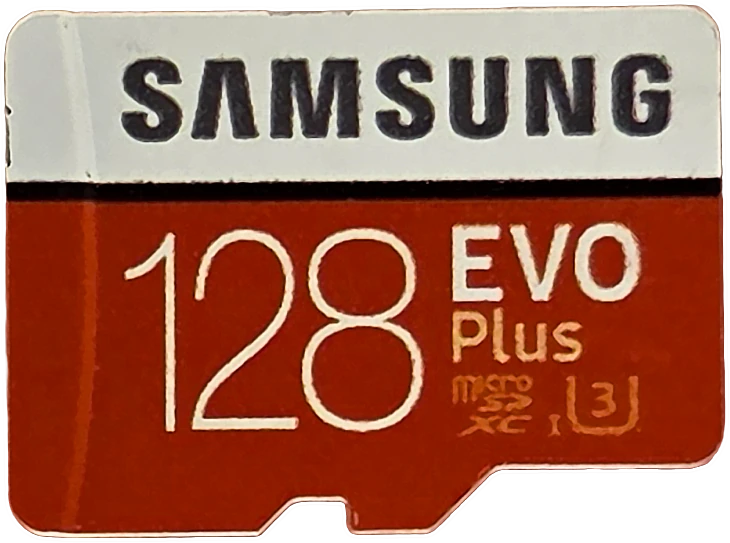
Buy this instead
Samsung EVO Plus 128GB
Benched end to end on the same rig: it delivered all 128.0 GB with zero mismatched bytes, sustained 83.57 MB/s at its worst ten seconds, and holds V60 against a printed V30. Read the full review.