
InfiRay P2 Pro Review: The 9-Gram Camera That Sees Heat
It weighs a third of an ounce, plugs into your phone, and reads within half a degree of a contact thermometer. The hardware is genuinely good. The software is where you need to pay attention.
Plays via YouTube. Google may set cookies when the player loads. Privacy policy
The short version
The InfiRay P2 Pro is a legitimately useful tool that punches well above its size, and the included magnetic macro lens is the reason to want it. Against a contact thermometer it landed within 0.5°F at the cold end and 0.4°F at the hot end, which is roughly nine times better than its own claimed accuracy. The catch is software: the official app did not run on Android 16 during testing, it has not been updated since 2024, and the product listing gets several things wrong. Buy it for the hardware, and go in knowing you may have to fight the app to get started.
My rating: 3.5/5. The hardware on its own would score higher. The software is what pulls it down.
Verdict: great hardware, neglected softwareA thermal camera that lives in your pocket
There is a whole layer of information around you that your eyes cannot see. The heat leaking out around your windows, the one resistor cooking itself on a circuit board, the spot in your ceiling where the insulation just is not there. We spend a lot of time guessing at that stuff.
The InfiRay P2 Pro is a 256 by 192 pixel thermal camera that plugs straight into your phone's USB-C port and is small enough to live in your pocket. I bought this one myself for an ongoing project, and after about a month of daily use I have a clear picture of what it does well and where it falls down.
The thing to understand up front is that this is just a camera. All the computation happens on whatever you plug it into, which is exactly why it can stay this small.
Nine grams of aluminum, and one thing missing from the box
First out is the instruction sheet and a cleaning cloth, then the accessories box holding a 20 inch (50 cm) extension cable. I like that they include it. Not just because my phone wears a large protective case, but because it lets you plug the camera into a laptop or PC and run it remotely.
The camera itself is small but feels solid, with a nicely finished aluminum body. At 9 grams it is very light, which makes sense once you realize there is no battery and no processor doing heavy lifting inside it. The magnetic macro lens comes with its own cover.
If you would rather not run the full extension cable every time, a plain USB-C extender does the same job for a few dollars, and it is small enough to leave attached.
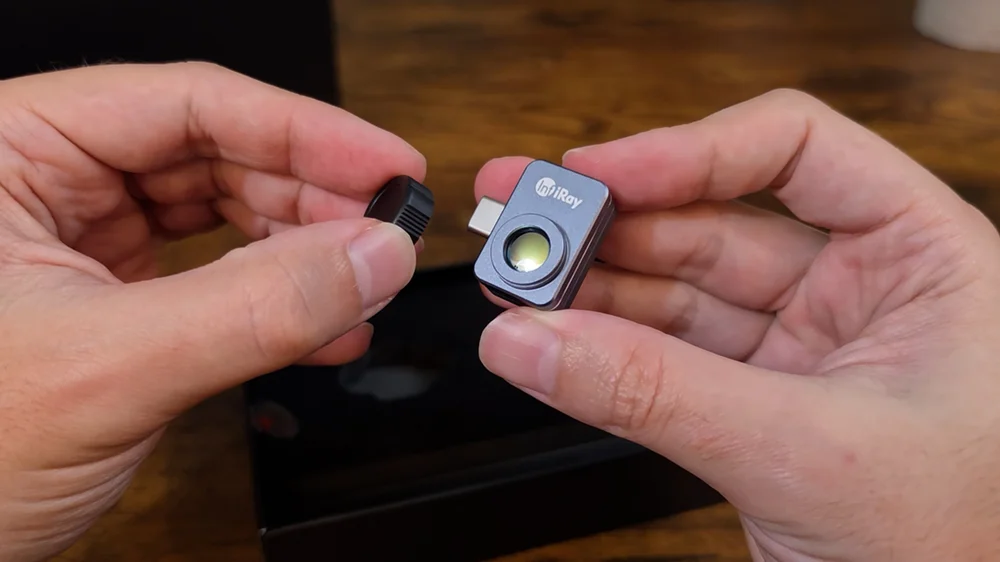
That macro lens is the real selling point, and it is one of the reasons I chose the InfiRay over other thermal cameras. Almost nobody else includes one, and where they exist they are usually a paid add-on. It attaches magnetically, with no fragile threads to strip, and lets the camera focus down onto individual components. InfiRay claims it resolves resistors down into the millimeter range.
My one gripe is that the magnetic attachment could be keyed a little better. I have to wiggle it around before I feel it seat properly. Once it is in place it feels quite secure, so it is not a dealbreaker, but it is not the confident snap you would want.
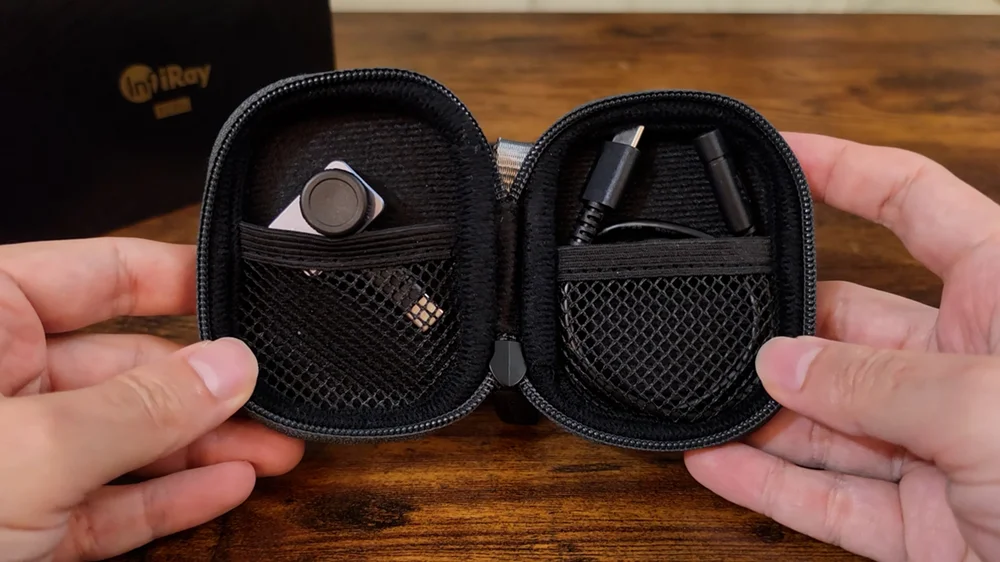
Now the thing that is not in the box. The product listing says the package includes a protective case. There is no case. The macro lens has a little cover, and that is all. If you want something to carry this in, you are buying it yourself. I picked up a generic small hard case for about fourteen dollars and it does the job.
That click is the camera calibrating itself
Every few minutes the camera makes a small click that sounds exactly like a camera shutter. At the same moment, the live view stutters and drops a couple of frames before picking back up. It shows in recorded footage too: the video freezes briefly, then carries on.
That is a shutter. There is a tiny mechanical blade inside, and it swings across the sensor on purpose.
The sensor in a camera like this drifts. As the camera's own body warms up, each pixel wanders off by a slightly different amount, and if nothing corrected for it your image would slowly go blotchy and your temperatures would creep away from the truth. So every few minutes the camera closes that blade, looks at a surface it knows is perfectly uniform, calculates how far each pixel has drifted, resets itself, and opens back up. The whole process takes milliseconds. The industry calls it flat field correction.
There is a setting to disable the shutter for recordings, and now you know why it exists. Leave it on anyway. That shutter is what keeps your readings honest, and a smooth video of slowly drifting numbers is not worth much.
What the spec sheet actually says
InfiRay lists the sensor at 256 by 192. That is 49,152 pixels. The stills I pull off this camera are 1080 by 1440, about 1.6 megapixels, which is roughly 31 times more pixels than the sensor can physically see. All of that extra resolution comes from upscaling 5.625 times on both axes. They sized the picture to your display, not to the sensor. The video does the same thing at half the scale.
To be fair, they are not lying about the resolution the way a lot of dash cam manufacturers do. The 256 by 192 figure is right there in the spec sheet. You just have to remember that a bigger file does not mean more thermal detail. Every piece of real information in that image came from those 49,152 sensor readings. Everything else is smoothing.
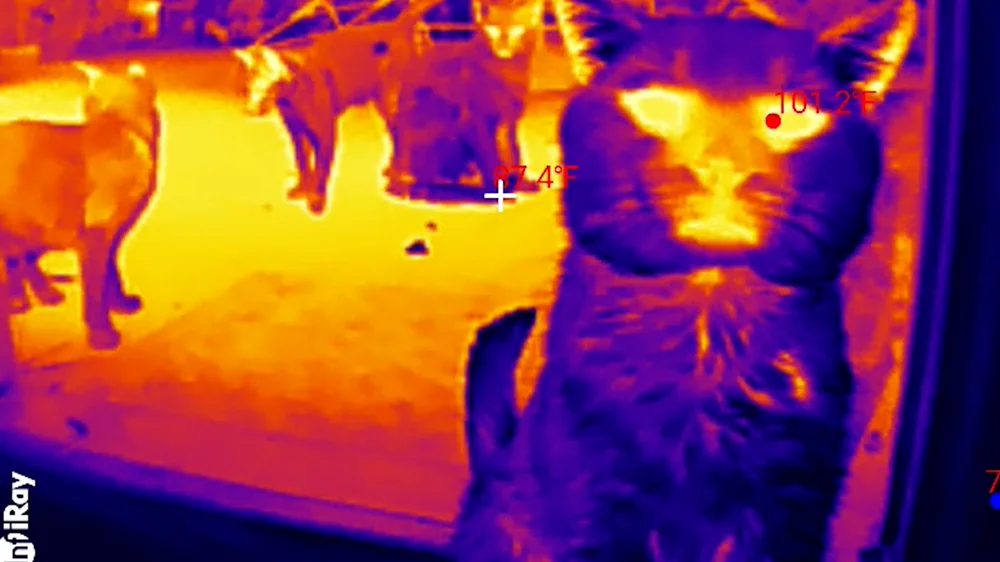
Their marketing includes an image of a cat that looks crystal clear. In practice it is not quite like that. Here are some of the stray cats that visit me, mostly for food. You can absolutely make them out, and it is still fascinating, but it is softer than the marketing suggests.
The refresh rate is 25 Hz. The temperature range depends on which document you read: the Amazon listing says it tops out at 1022°F (550°C), while InfiRay's own website says 1112°F (600°C). Close, but inconsistent.
Sensitivity and accuracy are not the same spec
Thermal sensitivity is measured as NETD, or Noise Equivalent Temperature Difference. It is the smallest temperature difference the sensor can pull out of its own electrical noise. The Amazon listing does not mention it at all. InfiRay's user manual puts it at 50 millikelvin, which is five one-hundredths of a degree Celsius.
A few rows below that on the same spec sheet is the accuracy figure: plus or minus 2°C, or 3.6°F. Look at those two together. This camera can see a five-hundredths-of-a-degree difference between two points, and it can be two full degrees off about what either of them actually is. That is a forty-to-one gap.
Those two specs measure different things, though. Sensitivity is telling two things apart. Accuracy is being right in absolute terms. It is the difference between a bathroom scale that reads in tenths of a pound but might be five pounds off.
It is superb at telling you this spot is hotter than that one. Less precise about the exact number.
Two degrees high on one thing is two degrees high on the next, so the difference between them is still true. It only really matters when you are checking something against a hard limit.
All of that sits on top of what really governs these cameras: emissivity, which is how readily a given surface radiates its heat as infrared. Shiny bare metal and matte paint at the exact same real temperature will read differently. That is not a knock on this camera, that is just physics.
The app, and the wall I hit
All of this runs through an app called, easily enough, P2 Pro, and the camera does nothing until you install it. Which brings us to the problem.
As of this review, the official app does not work on Android 16. Android 16 shipped in 2025, and the app itself has not been updated since 2024. On a current phone it will not even appear in the Play Store, so you open the store, find nothing, and you are stuck.
Their marketing also buries the line "Not suitable for Google Pixel phones." I tried it on an older Pixel and it worked fine, so either that warning only applies to newer Pixels or the compatibility notes are simply wrong in both directions. The modern Android phones they should support are dead in the water, and the Pixel they exclude runs it happily. Accurate or not, a warning like that belongs at the top of the page, not buried near the end.
There are APK files floating around that do work. I found one, sideloaded it, and it runs fine. But sideloading an APK to make a product you paid for function feels sketchy, and I do not love recommending it. If you are not comfortable doing that, this is a completely reasonable place to stop.
This is the APK I used: apkpure.com/p2-pro. I am linking it because it is what got the camera working on my phone, not because I can vouch for it.
Understand what you are agreeing to. This is a third-party mirror, not InfiRay. Nobody at CK Tech Check controls that file, its contents can change at any time without the link changing, and installing software from outside the Play Store bypasses Google's scanning. Sideloading may also affect your warranty or your device's security posture. Check the file yourself, and if any of that sounds like a bad trade, do not do it. Not having the app is a perfectly reasonable reason to skip this camera entirely.
Once you are actually in, the app is quite nice: color gradients, a professional mode with movable points and areas, photos, video, and easy sharing.
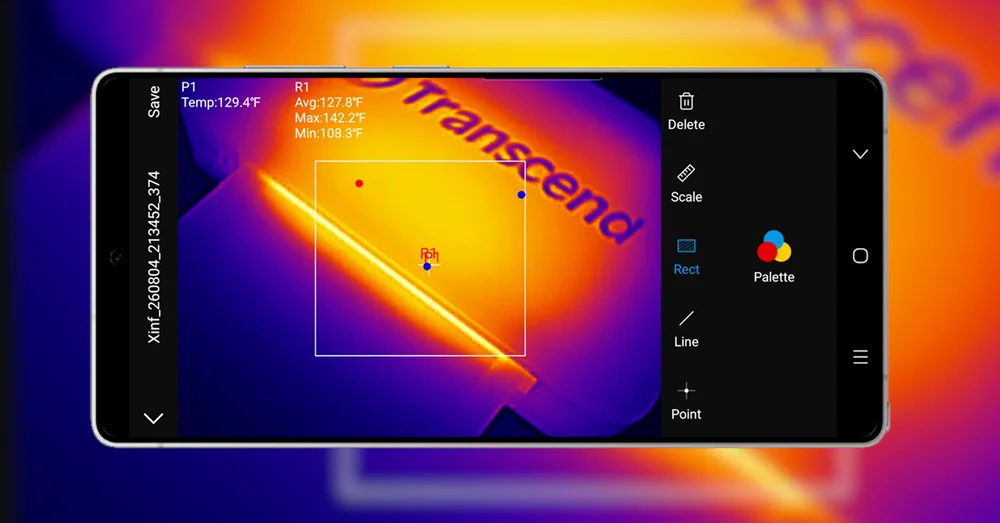
The feature that won me back a little is the editing. When you take a picture it stamps the temperature readings onto it, but you can go back into that saved photo afterward and completely rework the measurements. Strip off every reading and place your own. Draw a rectangle and pull the hottest, coldest and average inside that box. Rotate the image so vertical shots read straight across. You can do all of this on a photo you took a month ago. The listing buries this under the phrase "secondary analysis," and honestly they undersell it.
Which makes the next part baffling. On my phone the reading text renders red. All of it, red, regardless of the temperature it is showing, and against a warm image you can barely read it. On a different phone running Android 15 the same camera rendered the text in white and it was perfectly legible. There is no setting anywhere to change the text color. They will let me redraw every measurement and rotate old images, but not change the color of the numbers.
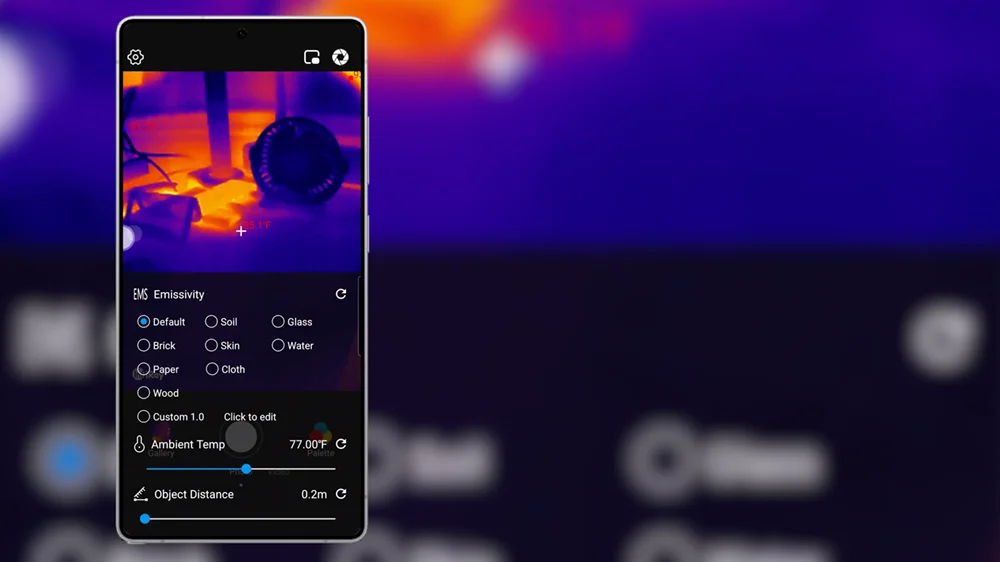
One more thing that took me embarrassingly long to find. Emissivity is one of the most important settings on this camera, because it decides whether your temperature is right at all. It is not in the settings menu. It is behind an unlabeled white circle floating on the live view, which opens a small radial menu, and it sits in there under Correction. The presets are all there and they are good. They are just hidden behind the least obvious control in the app.
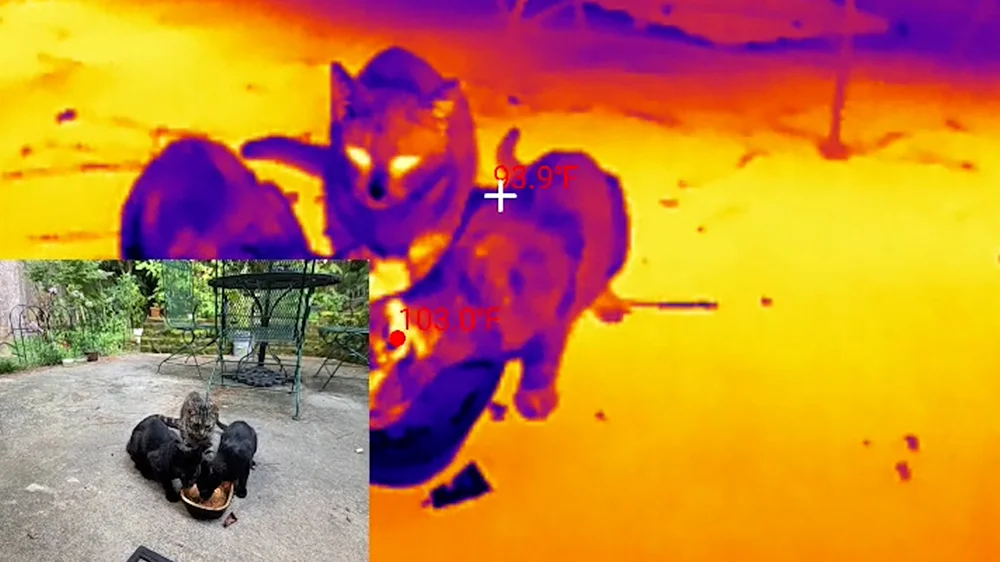
Picture-in-picture mode is genuinely useful. It shows the thermal image alongside a live feed from your phone's own camera, which helps when you cannot tell what you are looking at. It does not work as well up close, because the thermal camera hangs off the bottom of the phone while the phone's cameras sit at the other end, so the two views do not line up. At a distance it works well.
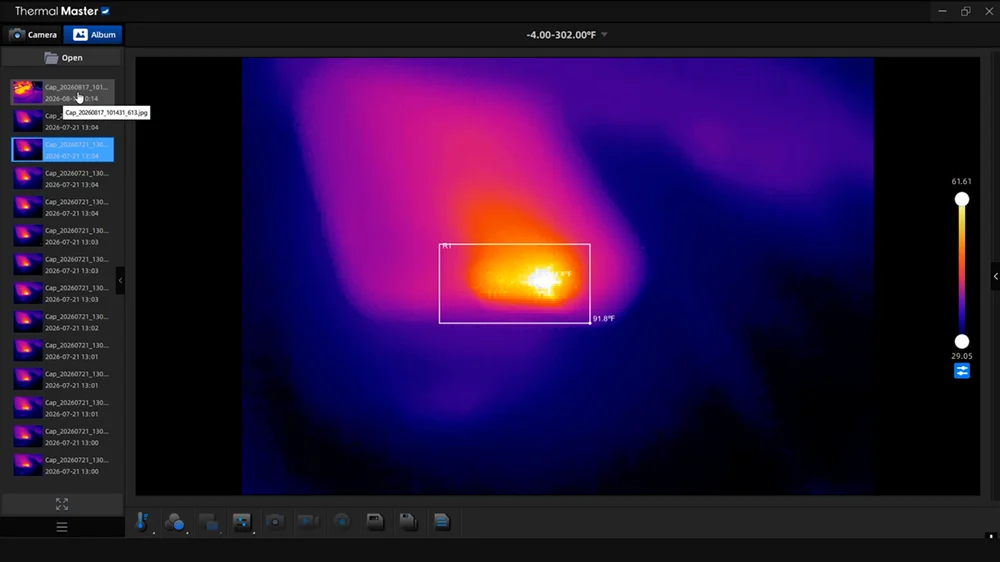
There is a desktop app too, and it let me down. The version you download from InfiRay's own site is old and loads in Chinese by default. You have to use a translator app to find the language setting, and then you can download the newer version, which has considerably more features. The problem is that the images it produces are nowhere near as clean as the ones off the phone, so I ended up using the phone for all of my testing.
What it costs your phone
This is a test I have not seen anybody else run on one of these. Everything the camera does runs off your phone's battery, so how much does it actually use?
I ran two conditions, several times each: ten minutes of live view, panning around and looking at things, then ten minutes of actual recording. Live view cost between 3 and 4 percent of my battery over ten minutes on a Samsung S26 Ultra. Recording came out about the same, maybe a percent more, though the phone only reports whole percentages so a difference that small is at the limit of what this method can resolve.
Scale that up and you are looking at roughly 18 to 24 percent an hour. Nobody uses a thermal camera for four straight hours, though. Most people pull it out, check something, and put it away, and at that rate the battery cost is basically noise.
Disclosure: I bought this camera myself at full price. Nobody sent it, nobody paid for this review, and nobody saw it before it went live. This post contains affiliate links. As an Amazon Associate I earn from qualifying purchases, at no extra cost to you. Affiliate links like these and my YouTube channel are what keep the site running.
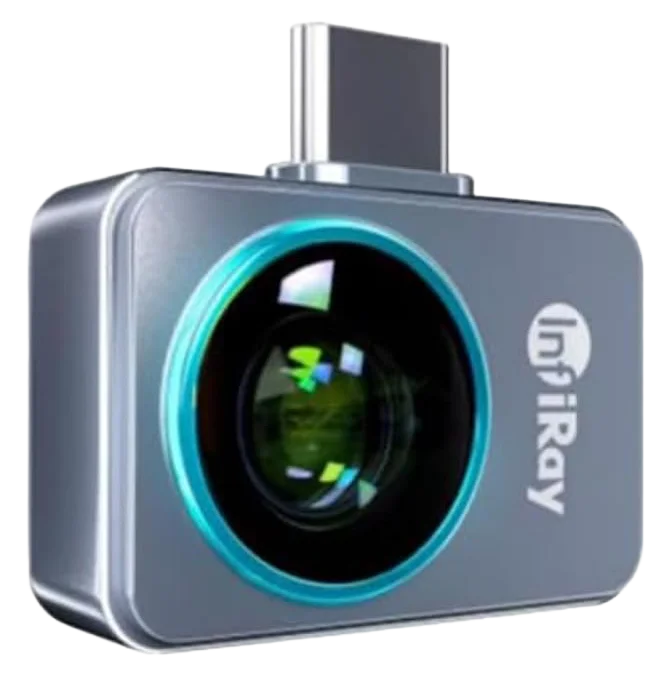
The camera tested
InfiRay P2 Pro Thermal Camera
A 256 by 192 thermal imager for USB-C phones, with the magnetic macro lens included in the box.
What I actually use it for
I am not a professional thermographer, so I am not going to pretend I am doing building envelope audits here. What I care about is the practical stuff, and there is one job I have been hammering this thing on since the day it arrived.
That job is the whole reason I bought it. If you have seen my CKBench card testing, you know I run a custom benchmark on memory cards and flash drives to find out how they actually perform. There is a piece of that story a speed number alone cannot tell you, and that is heat. A card quietly cooking itself under sustained load is a problem. Until now the best I could do was feel how hot it got. Now I can watch and record every degree through a run.
This is where the macro lens stops being a novelty. Hold it over a full-size SD card right after a run and you do not get a warm blob. You get the card's actual internals lit up, the memory die and the contact structure glowing right through the shell, almost like an X-ray done in heat.
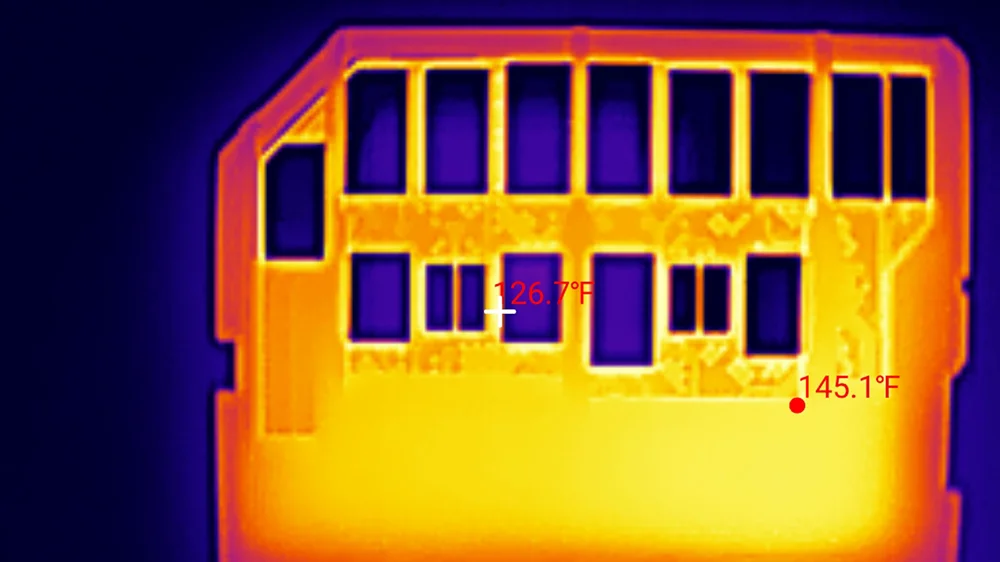
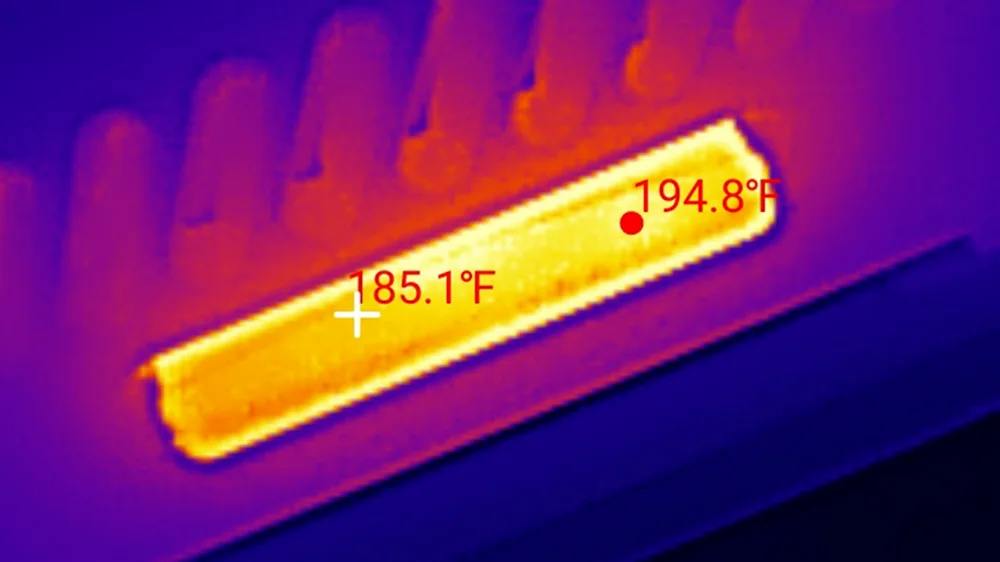
The numbers caught me off guard. These things do not get warm, they get hot. I logged one small flash drive climbing steadily through a write, leveling off around 138°F, then pushing past 147°F once I switched to hammering it with reads. Then came a card that genuinely surprised me: a high-speed express card sitting on the bench reading 195°F. That is not a temperature you want your data living at. What impressed me more is that the card was built well enough that it did not thermal throttle at all.
Probe versus camera, in my kitchen
To find out how accurate this camera really is, I set up a test anybody can repeat at home. Two references, one cold and one hot, with a contact thermometer sitting in each one. That probe is the source of truth. The camera has to match it, or at least get very close.
Using water for this matters, and not by accident. Every thermal camera reads a surface based on its emissivity, and water sits close to a perfect emitter, which makes it about as forgiving a target as you can point one of these at. That is why it is the reference. You also aim at the water surface itself and never at the metal pot, because shiny metal will lie to you every single time.
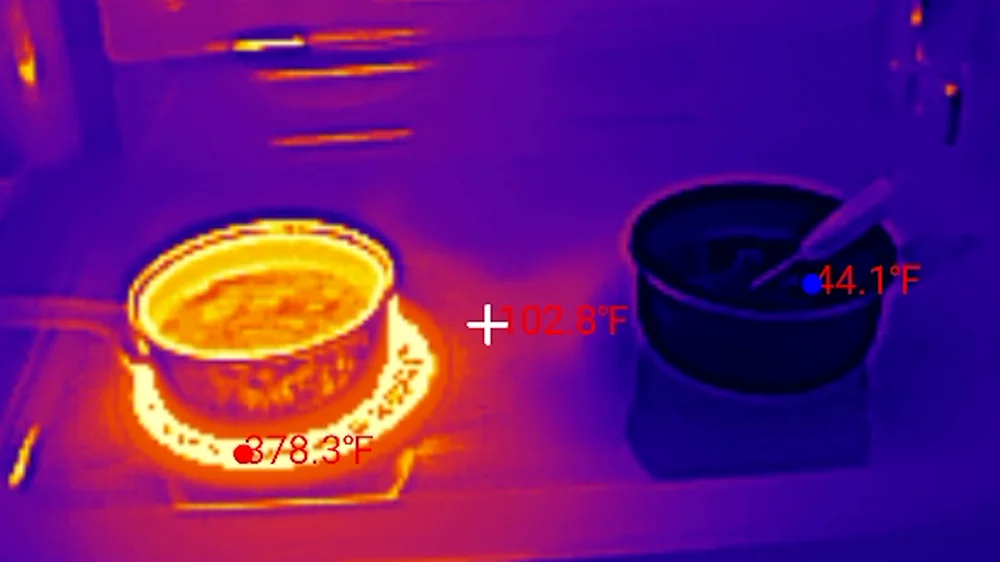
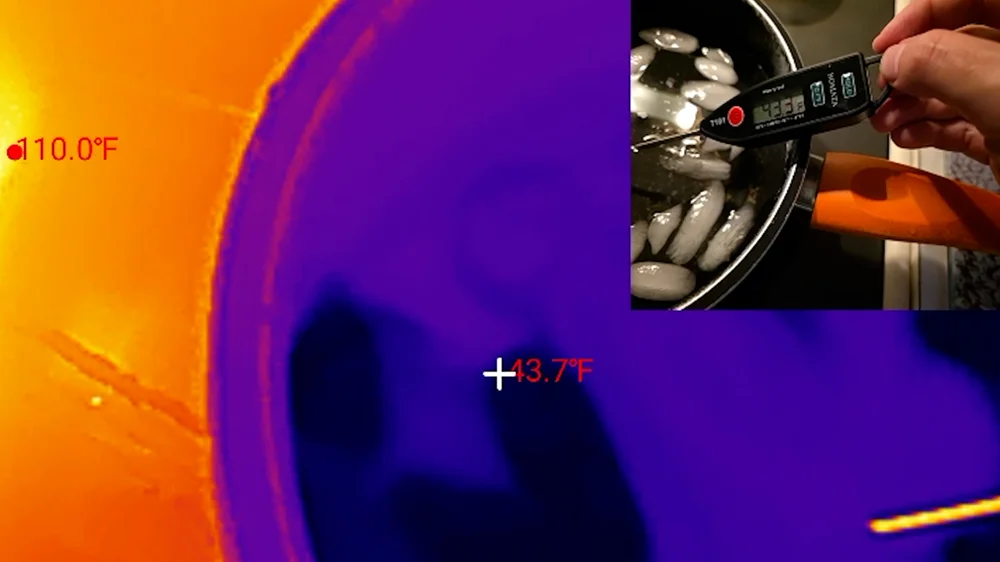
The cold end first. An ice bath, and here is the honest part: a properly stirred slush holds at 32°F, and mine drifted warmer than that while I was working. That is fine, because the probe is the reference, not the textbook. The probe read 43.3°F and the camera read 43.8°F. Half a degree apart.
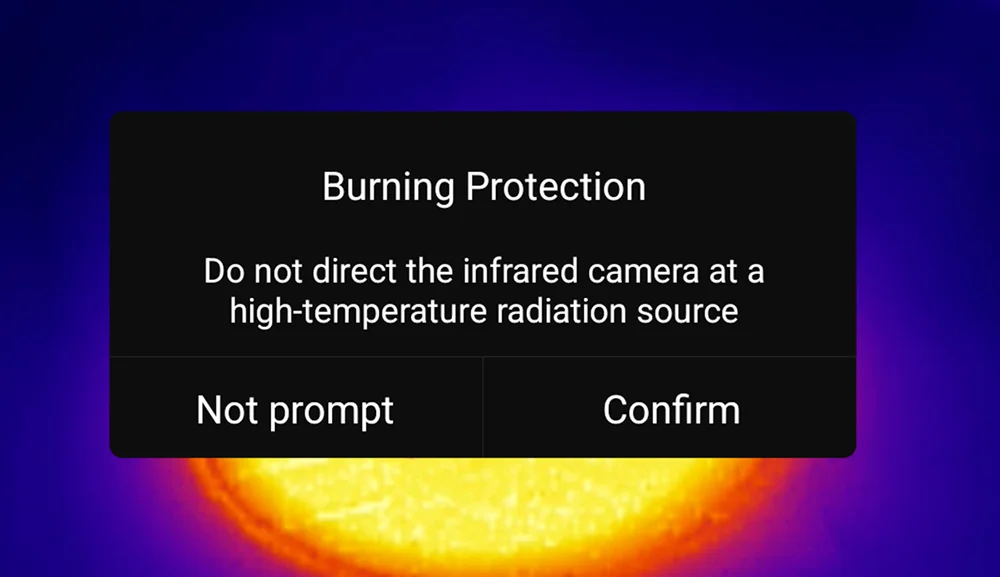
The hot end needs a caveat, because the water cooled more than I wanted before I got a clean paired reading, for two reasons. First, the app kept interrupting me with a burn protection warning. That is the same shutter plate from earlier, physically closing to protect the sensor when you keep it aimed at something too hot for too long. It was doing its job, but it made a steady reading a fight. Second, the burner. I had turned it off, and it was still sitting there reading over 300°F, which is honestly the best argument for owning one of these that I can give you. That is a surface you would reach past without thinking twice.
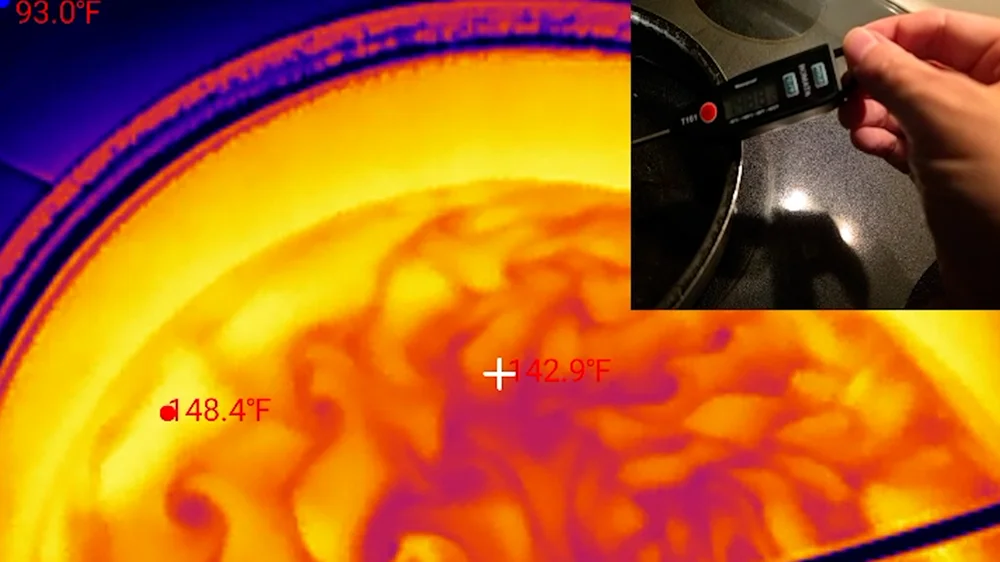
So by the time I got a clean frame the water was well off the boil, but that is fine, because the question was never what the water was doing. It was whether the camera agrees with the probe. My thermometer read 148.8°F. The camera read 148.4°F. Four tenths of a degree apart, against a claimed accuracy of plus or minus 3.6°F.
One reading under good conditions is not a certification, and I did watch the two numbers drift apart and come back together while I worked, so I am not going to tell you it is that close every time. But it did a good job.
One more thing from that same frame. The center of the pan read 142.9°F while the hottest spot read 148.4°F. Five and a half degrees apart, same water, same instant. That is convection. The surface is moving and genuinely uneven, so where you put the crosshair changes your answer. It is worth remembering that a single spot reading off a moving surface is a snapshot, not a fact.
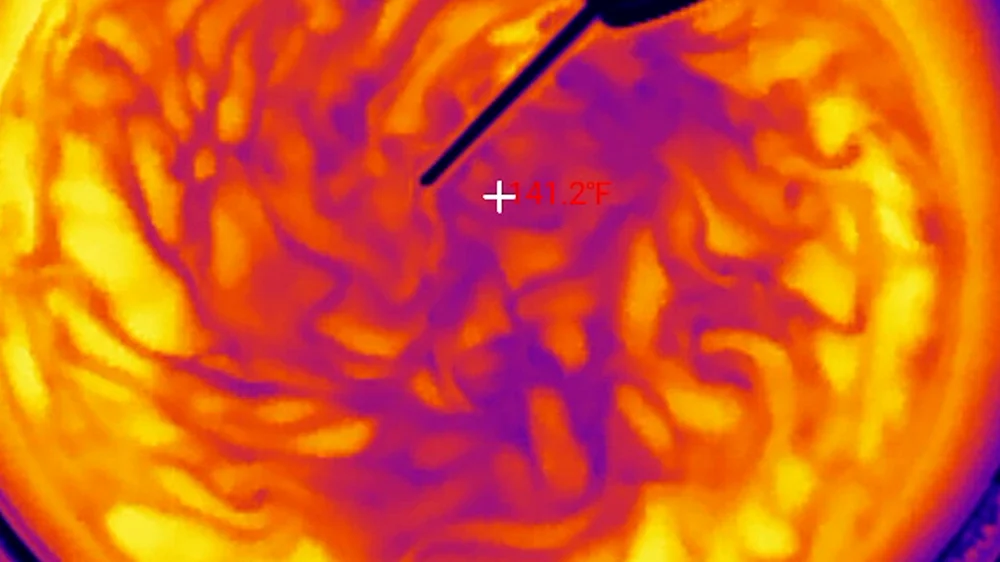
The most fascinating part of the whole test was looking down into that hot water and being mesmerized by the colors and the movement. It looks like flowing lava. That is what gets me about this camera, because with your naked eye you are looking at a pan of clear water.
Where else it earns its keep
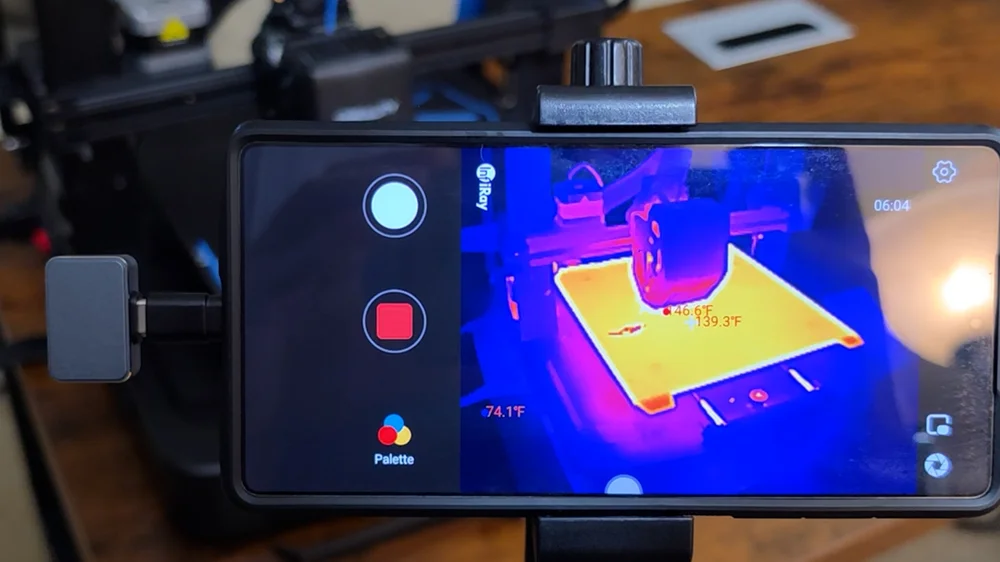
Beyond the bench, there is plenty to turn it loose on around the house: how well your doors and windows are sealed, where the insulation in your roof is thin or missing, and where a water leak might be hiding behind a wall. On the maker side, watching a 3D printer's hotend and bed come up to temperature tells you whether the bed is heating evenly, which is the sort of thing that quietly ruins first layers.
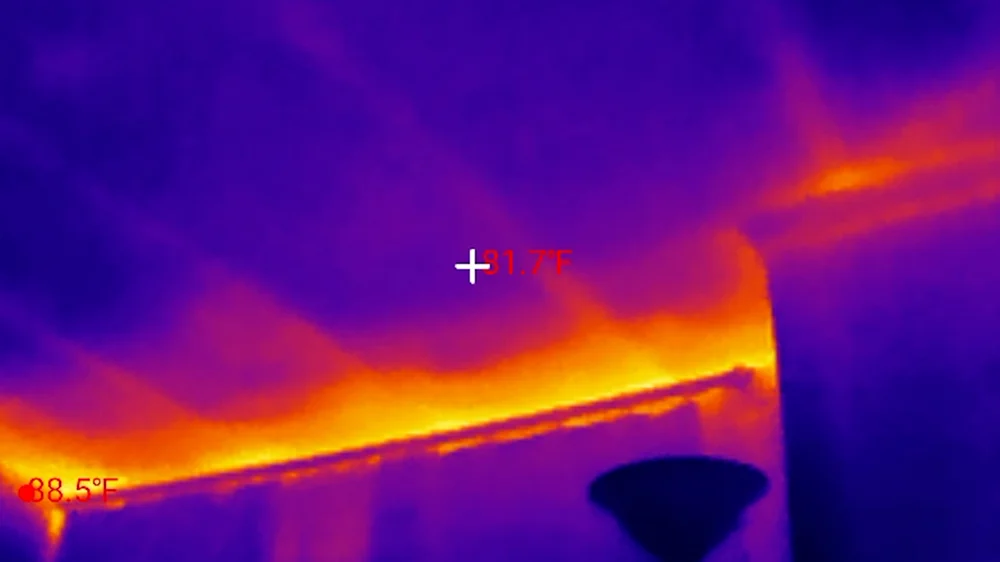
One limitation worth knowing before you buy it for home inspection work: this camera cannot see through glass. It works in the 8 to 14 micron band, and ordinary window glass is opaque at those wavelengths. When you run it around a window you are reading the frame, the seal, and the air leaking past them, not the scene through the pane.
Watch out for the software
- Official app did not run on Android 16 during testing
- App last updated in 2024; sideloading an APK was the workaround
- Reading text renders red and near-unreadable on some phones, with no way to change it
- Emissivity, the most important setting, is buried behind an unlabeled control
- Windows app produces visibly worse images than the phone
- The listing promises a protective case that is not in the box
Genuinely good the hardware
- Within 0.5°F and 0.4°F of a contact probe at both ends of the test
- Magnetic macro lens included, where rivals charge extra
- 9.5 g aluminum body, no battery needed
- 20 inch extension cable in the box, useful for laptop work
- Costs only 3 to 4 percent of a phone battery per ten minutes
- Excellent after-the-fact measurement editing on saved photos
Frequently Asked Questions
Is the InfiRay P2 Pro accurate?
In my testing, yes. Against a contact thermometer it read 43.8°F where the probe read 43.3°F, and 148.4°F where the probe read 148.8°F. Both are far inside its claimed accuracy of plus or minus 2°C (3.6°F). Water is a near-ideal target though, so treat those numbers as best case rather than a guarantee.
Does the InfiRay P2 Pro work on Android 16?
Not through the official app as of this review. The P2 Pro app has not been updated since 2024 and does not appear in the Play Store on Android 16. A sideloaded APK worked for me, but that is a workaround, not a fix.
Does it work with Google Pixel phones?
The product listing says it is not suitable for Pixel phones, but it ran fine on my older Pixel. The warning may apply only to newer models. If you own a Pixel, do not count on it, but do not count it out either.
Why does the InfiRay P2 Pro click and freeze?
That is a mechanical shutter performing flat field correction. It closes over the sensor every few minutes so the camera can re-zero every pixel against a uniform surface, which stops your readings drifting as the camera warms up. It is normal, and you should leave it enabled.
What is the real resolution of the InfiRay P2 Pro?
The sensor is 256 by 192, which is 49,152 real thermal pixels. Saved stills are 1080 by 1440, but that is a 5.625 times upscale on both axes. Every piece of genuine information comes from those 49,152 readings.
Can a thermal camera see through walls or glass?
No. The P2 Pro works in the 8 to 14 micron band, and ordinary glass is opaque at those wavelengths. Pointed at a window it reads the glass, the frame and the seal, not what is behind them. The same is true of walls.
Bottom line
The InfiRay P2 Pro is a legitimately useful tool that punches well above its size, and that macro lens is the reason to want it if you tinker with electronics or do your own DIY. I like the hardware for its compact size and solid feel. It goes anywhere, and the included cable shows somebody was actually thinking about the end user, at least on the hardware side.
The software is where it stumbles, and it is an annoying kind of stumble. An official app that does not run on a current version of Android, no update since 2024, reading text I can barely see on my own phone, and a desktop download that boots into an older version in the wrong language. And yet when it runs, that same app has some of the most thoughtful editing tools I have used. That is the frustrating part. The talent is clearly there, but the attention is not. This is a company coasting on good work it did a couple of years ago.
At its current price it is still a good deal, especially with the macro lens included, and hopefully one day they update that app and put themselves back on top.