
CyberPower CP1500 Long Term Review: Why You Need a UPS
Four units, five years, and more storms and brownouts than I can count. Here is why a CyberPower CP1500 with AVR sits behind every piece of gear I actually care about.
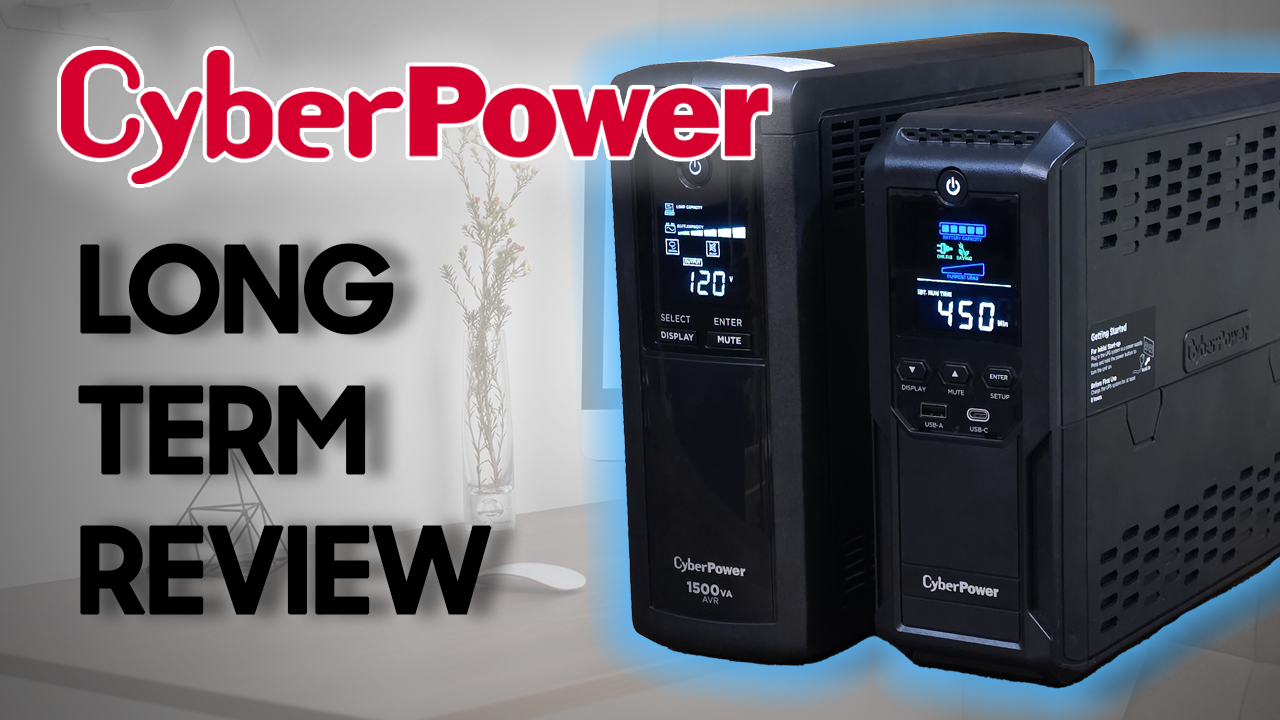
Plays via YouTube. Google may set cookies when the player loads. Privacy policy
The short version
After five years, four units, and more storms and brownouts than I can count, the CyberPower CP1500 has never let me down. AVR smooths out voltage dips without draining the battery, the built-in LCD actually tells you what is going on, and when a battery finally wears out you swap it yourself with a screwdriver. For less than $200, it is the cheapest peace of mind in my entire setup.
Verdict: an easy recommendationWhat a UPS actually does
First, what even is a UPS? A UPS, or uninterruptible power supply, acts like a shield for your electronics. It kicks in the instant your power cuts out, but it does a lot more than just hand you backup power.
A good one keeps your computer or server running through a blackout, prevents the sudden shutdowns that corrupt files or damage hardware, and protects sensitive devices from surges, brownouts, and everyday power fluctuations. Pair it with your modem or router (I run the ASUS AC1300) and it keeps you online even when the lights go out.
I have a dedicated Gen3 CyberPower CP1500 just for my cable modem. With its capacity, it can run the modem for almost 6 hours on battery alone, which it has had to do after a few recent storms. Having WiFi during a blackout makes the whole thing much more bearable. In total I have four of these CP1500s dotted around the house, a couple of Gen1 models and two Gen3s.
Disclosure: This post contains affiliate links. As an Amazon Associate I earn from qualifying purchases, at no extra cost to you.
Meet the CyberPower CP1500
So why do I like the CyberPower CP1500 so much? The latest version, the CP1500 AVR LCD 3, packs a genuinely impressive spec sheet for the price.
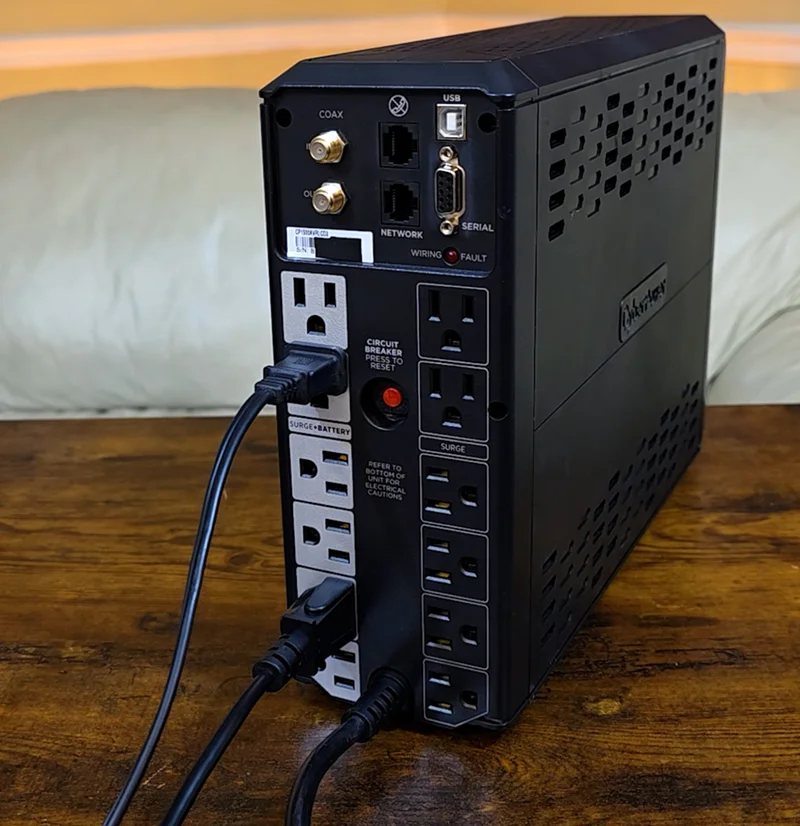
The 1500 volt-amp, 900 watt capacity is enough to power a desktop, a monitor, a modem, and more without breaking a sweat. There are lower-capacity versions in the line, but I always get the 1500 to have the most power for the longest runtime. Across the back you get coax and Ethernet surge protection, USB and serial connections to link the UPS to your computer for monitoring, and a wiring-fault indicator that warns you if your wall outlet has a grounding problem.
There are 12 outlets in total. All of them have surge protection, and 6 also provide battery backup. A built-in display shows real-time status like load level, battery health, and estimated runtime left on battery, and below the screen sit two extra charging ports, one USB Type A and one Type C. Most importantly, it is equipped with AVR, or Automatic Voltage Regulation, to smooth out dips and spikes without switching to battery. More on why that matters in a moment.
CyberPower backs it with a 3-year warranty that includes the battery pack, plus a Connected Equipment Guarantee of up to a whopping $500,000. If your gear is damaged because of a UPS fault, you are covered up to half a million dollars. I have been through multiple outages and even more brownouts over the last five years, and every unit I own has kept everything going without skipping a beat.
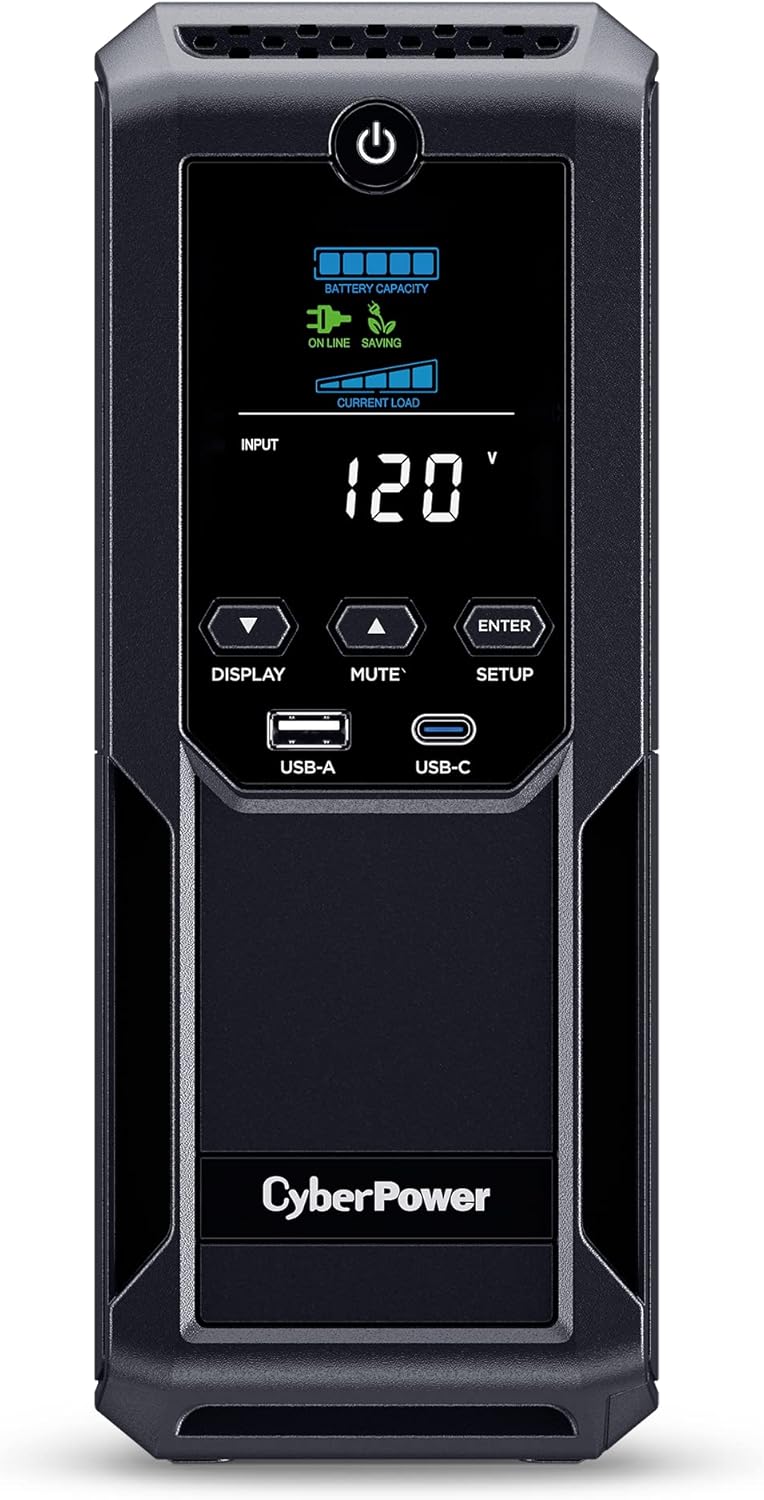
The UPS in this review
CyberPower CP1500 AVR LCD 3
1500VA / 900W of line-interactive backup with AVR, a color LCD, and a user-replaceable battery: the exact unit behind every point in this article.
Why AVR matters more than you think
Speaking of brownouts, here is why AVR is so important. Most people assume the power coming out of the wall is rock steady. In reality the grid is constantly fluctuating as utilities adjust to shifts in demand, so the voltage in your home spikes and dips all day long. Some of it is obvious, like the brownout you see when the lights dim for a second without fully going out. Most of it is too small to notice, but over time those swings wear down sensitive electronics.
That is where AVR steps in. Instead of jumping to battery power every time the voltage moves, like a cheaper UPS does, the AVR system uses a special transformer to boost or trim the voltage back into a safe, consistent range. The result is less stress on your electronics, longer battery life because the unit is not switching to battery for no reason, and cleaner power, which matters a lot for computers, servers, and AV gear. If you live in an older home or an area with finicky power, an AVR-equipped UPS like the CP1500 is essential.

Without AVR cheaper UPS
- Switches to battery on every little voltage dip
- Battery wears out faster from needless cycling
- More stress passed through to your electronics
- Runtime spent on fluctuations, not real outages
With AVR the CP1500
- A transformer boosts or trims voltage in place
- Battery saved for actual blackouts
- Cleaner, steadier power to everything plugged in
- Every connected device benefits, battery or surge
Setting it up takes minutes
Setting up a CP1500 is about as simple as it gets. Treat it like any surge-protector power bar: plug it into the wall, hold the power button until it turns on, connect your gear, and you are done. The only real decision is which devices you want running on battery during an outage.
For me, my PC, one monitor, and a USB charging hub go into the battery-backed outlets, so when the power drops I can save my work and shut everything down safely. Everything else, like printers and accessories, goes into the surge-only outlets. It is worth noting that no matter which outlets you use, every connected device still benefits from the AVR.
These units are heavy. This one tips the scale at nearly 24 pounds, about 11 kilos, so flimsy shelving will not cut it. Set it on something solid.
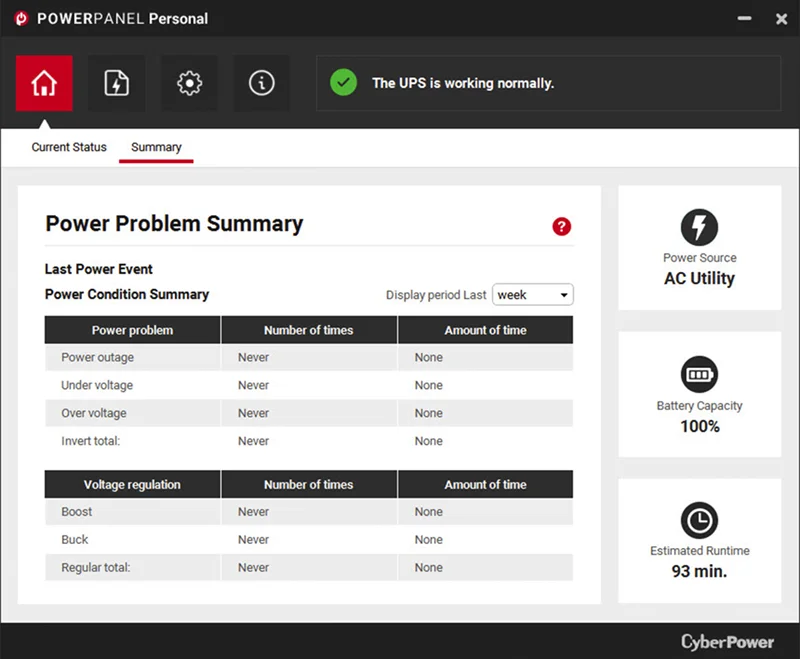
PowerPanel: the optional software
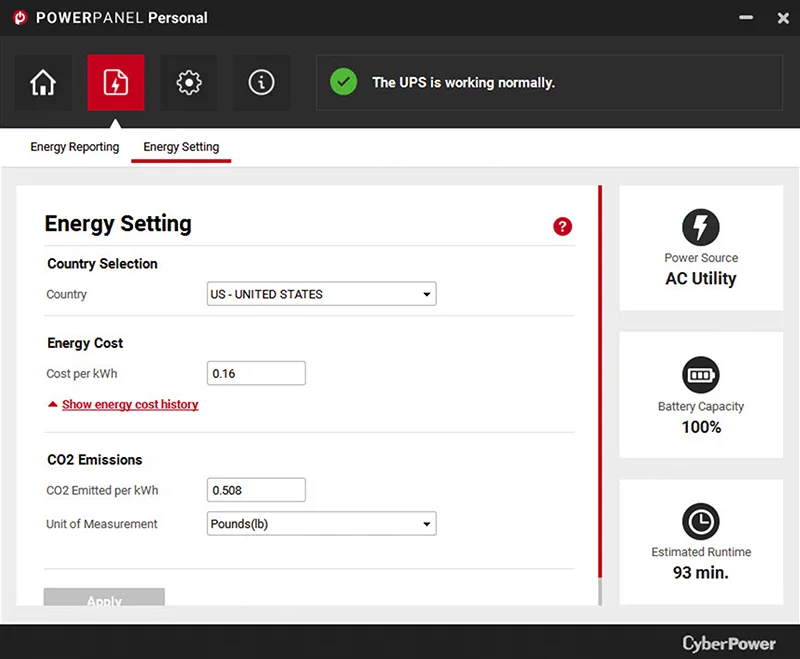
If you want to dig a little deeper, CyberPower includes free software called PowerPanel Personal. It monitors power conditions, tracks battery status, and manages automatic shutdowns during an outage. It can also send email alerts for power events and supports cloud monitoring with an optional subscription. It is a genuinely interesting tool that I have played around with, though I will be honest: I do not really use it day to day anymore. The onboard LCD tells me what I need to know.
Replacing the battery is genuinely easy
One fair concern with any UPS is the battery. You will typically need to replace the pack every 3 to 4 years to keep the unit running at peak performance. The same blind spot applies to the AA cells around the house, which is why I moved to a charger that reads each cell's health.
If your UPS starts beeping, cuts out the instant the power drops, or throws an error like E02, that is usually the battery telling you it is time for a fresh pack.
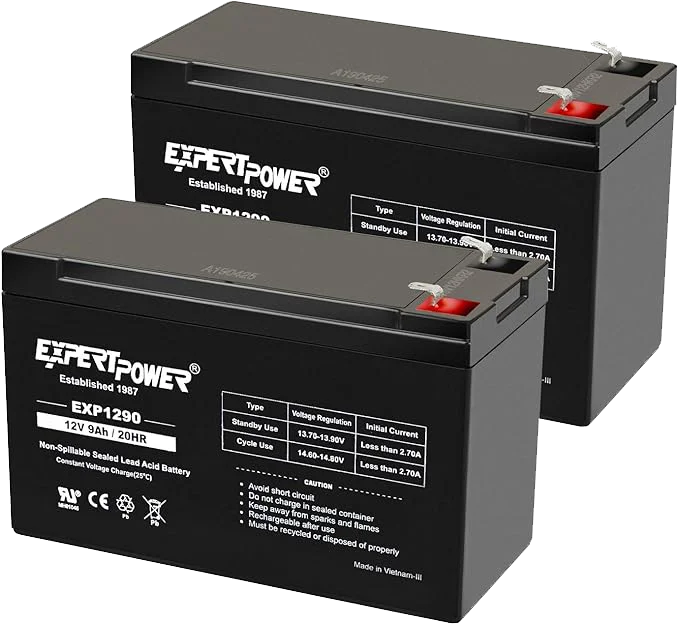
What I really like about the CP1500 is how easy the swap is. A lot of people assume it is a proprietary setup or that you need special tools. You do not. All it takes is a Phillips screwdriver. Inside are two standard 12 volt, 9 amp-hour sealed lead-acid batteries.
I know lead-acid feels a little old-school next to newer battery chemistries, but there is a reason CyberPower sticks with it. These cells are stable, proven, and much safer at this capacity. They are far less prone to overheating or thermal runaway, and they are built to handle the constant trickle charging a UPS puts them through.
Better still, once you are outside the warranty period you do not have to buy the batteries from CyberPower. Plenty of aftermarket packs run about half the price. The one brand I have used in a couple of units without any trouble is the ExpertPower EXP1290 (2 pack).
If you want to do the swap yourself, follow my step-by-step guide, How to Replace the Battery in Your UPS. It walks through the whole thing and keeps your UPS going for years.
How long do CyberPower UPS batteries last?
In general, expect 3 to 5 years from the batteries in a CP1500. These are sealed lead-acid (SLA) cells, and they naturally degrade over time depending on temperature, load, and charging patterns.
In my own units the lifespan varies quite a bit. One from 2019 is still going strong on its original pack. Another with a 2022 pack needed a replacement after just three years. That difference mostly comes down to battery chemistry and usage cycles: heat, frequent power fluctuations, and deeper discharges all shorten battery life.
Even if your UPS seems fine today, it is smart to plan for a routine replacement every few years so the protection is there when you actually need it. I check battery health at least once every two years, and if the unit starts beeping, shutting down suddenly, or flashing an error like E02, that is usually the first sign it is time for a fresh battery.
Is the CyberPower CP1500 worth it?
After years of use, a lot of storms, and even more brownouts, here is my verdict. The CyberPower CP1500 just delivers. The AVR makes a real difference smoothing out voltage dips, and it saves the battery from needless wear. It is quiet, compact enough for a desk or a network cabinet, and the LCD is genuinely useful.
To be clear, the point is not that you will be gaming through a blackout. It is that you get the time to finish what you are doing, save, and shut down properly.
Honestly, for less than $200, the peace of mind is worth it.
I have trusted this model with my editing rig, my NAS drives, and every other piece of electronics I care about, and it has never failed me. At least until a battery wears out, and even then it is an easy fix.
Frequently asked questions
What does the CyberPower CP1500 UPS do?
The CyberPower CP1500AVRLCD is an uninterruptible power supply that keeps your devices running through power outages and shields them from voltage swings, brownouts, and surges. It provides battery backup, automatic voltage regulation (AVR), and surge protection for gear like desktop PCs, routers, game consoles, and NAS drives.
How long does the CyberPower CP1500 battery last during an outage?
Runtime depends on what you have plugged in. For a light load like a modem and router you may get up to 6 to 8 hours. For a heavier load like a PC and monitor, expect 10 to 30 minutes, which is enough time to save your work and shut down safely.
How often do I need to replace the batteries in the CP1500?
Plan on a battery replacement every 3 to 4 years for best performance. The good news is the swap is simple, and you can use widely available aftermarket 12V sealed lead-acid batteries.
Can I use aftermarket batteries with this UPS?
Yes. The CP1500 uses standard 12V sealed lead-acid batteries, usually two, so you are not locked into CyberPower-branded replacements. As long as the size and specs match, aftermarket packs work great and can save you money.
What is Automatic Voltage Regulation (AVR) and why does it matter?
AVR automatically corrects small voltage fluctuations without switching to battery power. That extends battery life and protects your devices from the damage brownouts and power spikes can cause, which is especially important in older homes or areas with unstable electricity.
Is the CyberPower CP1500 easy to set up?
Yes, setup is very simple. Plug it into the wall, connect your electronics, and decide which devices go into the battery-backed outlets versus the surge-only ones. The built-in LCD makes it easy to check system status at a glance.
How big and heavy is the CyberPower CP1500?
It is about the size of a small tower PC and weighs nearly 24 pounds, roughly 11 kilos. It is not overly bulky, but it is heavy enough that you will want it on a sturdy surface rather than flimsy shelving.
Do I need to install CyberPower's PowerPanel software?
No, PowerPanel Personal is optional. It can monitor UPS status, send alerts, and shut your PC down safely during an outage, but many users, myself included, find the onboard LCD more than enough for day-to-day use.
Is the CyberPower CP1500 good for gaming PCs or streaming setups?
Yes, it is a great fit for gaming PCs, streaming rigs, and editing workstations. It delivers clean, steady power and buys you enough time to shut down safely in a blackout, which helps you avoid file corruption or hardware damage.