
Ostation 2 Pro Review: The Battery Robot That Sorts Itself
A month with a charger that checks every cell, rejects the dead ones, and files the rest away. It works. It is also slow, occasionally noisy, and costs about fifteen times what a basic charger does.

Plays via YouTube. Google may set cookies when the player loads. Privacy policy
The short version
The Ostation 2 Pro is a charger, a battery tester and a storage box in one. Drop AA and AAA cells into the top in any orientation, and it checks each one, charges the good ones, drops the dead ones into a reject bin, and files the rest into drawers on the front. After four weeks I genuinely have not thought about batteries once. What you are paying for is not charging speed, because a $12 eight-bay charger will fill more cells at once. You are paying to never sort batteries again.
Worth it if you go through a lot of batteriesCharging was never the hard part
With rechargeable batteries, charging has been a solved problem for thirty years. The hard part is the drawer full of loose AAs where you could not tell me which are charged, which are half dead, and which came out of a controller two years ago.
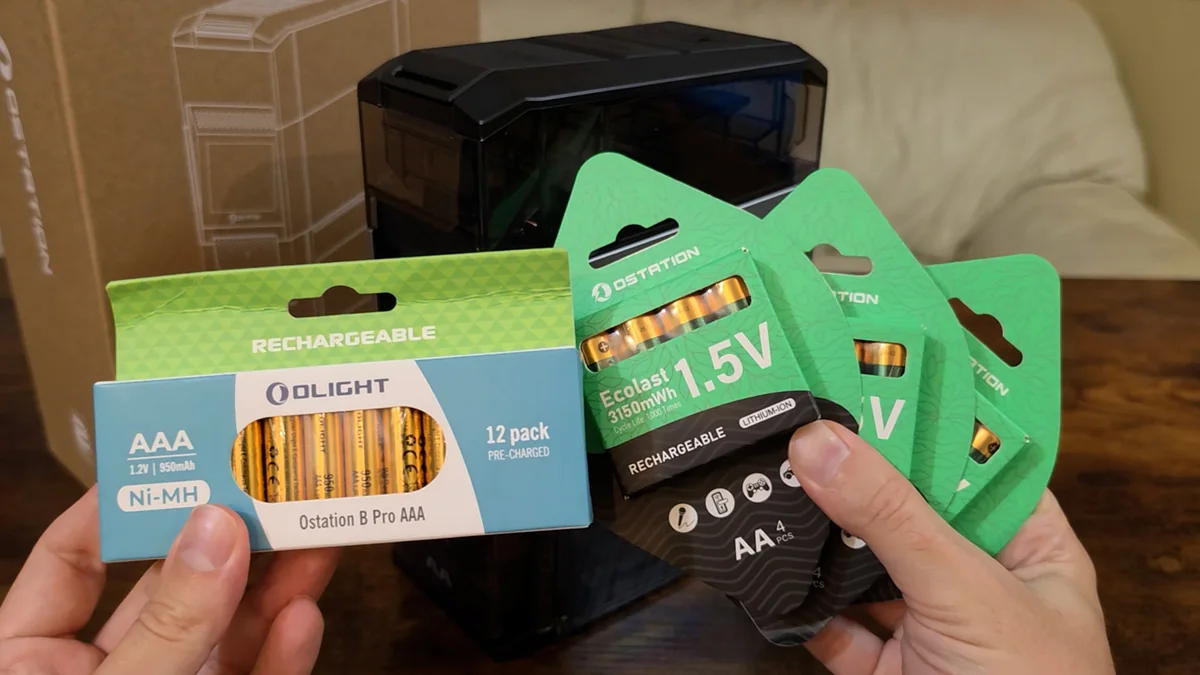
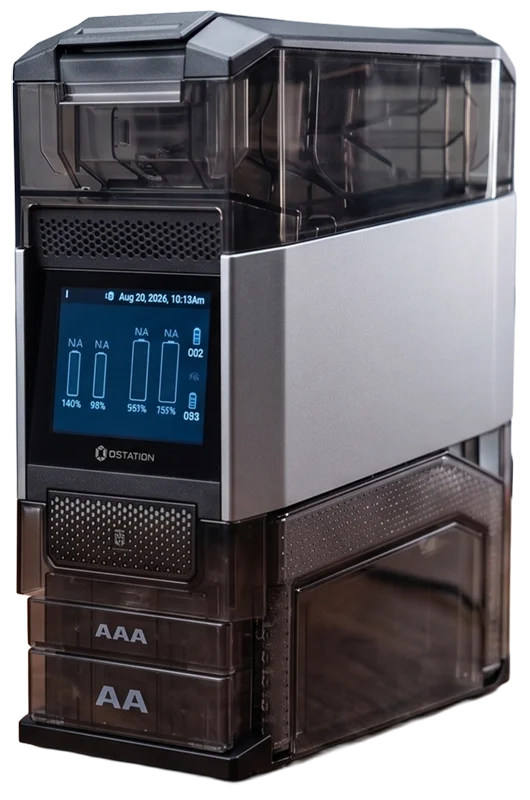
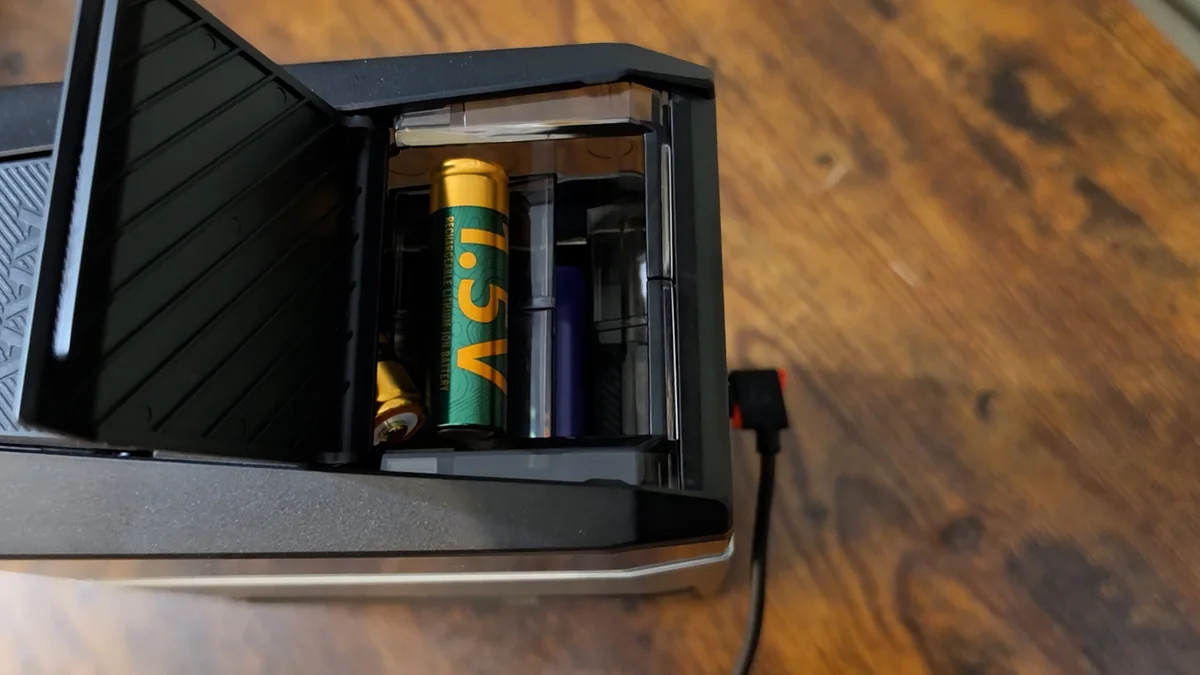
That is the problem the Ostation 2 Pro is built for. It holds 24 cells, twelve AA and twelve AAA, in separate drawers on the front. You drop batteries into two slots on the top in any orientation, and it handles the rest. It arrives with a full set of batteries: twelve Ecolast 1.5V lithium AAs and twelve Ecolast NiMH AAAs.
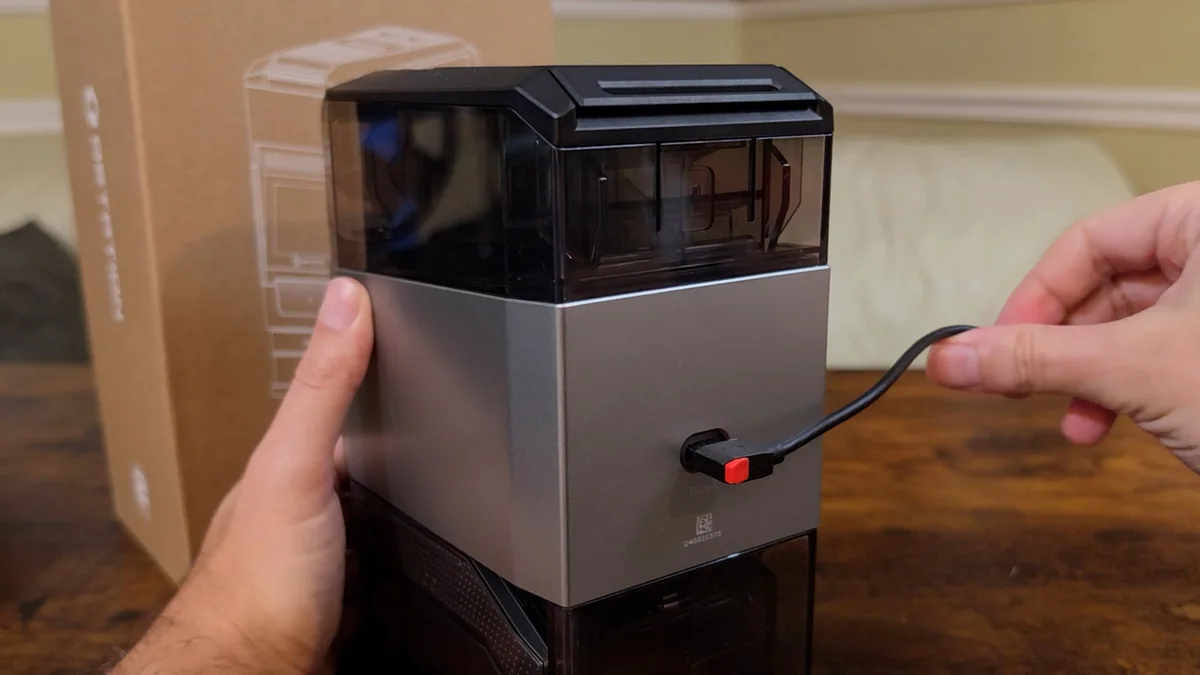
The build is genuinely good. No creaks, no gaps, no flex anywhere I pushed on it, and the half smoked, half transparent tower is sharper than I expected to care about on a battery charger. The clear panels let you watch cells move around inside, which sounds like a gimmick right up until the first time you see one get picked up and rotated.
Disclosure: Ostation sent this unit free of charge for review. I was not paid for it, they had no editorial input, and they did not see the video before it went live. This post also contains affiliate links. As an Amazon Associate I earn from qualifying purchases, at no extra cost to you. Affiliate links like these and my YouTube channel are what keep the site running.
The unit tested
Ostation 2 Pro with 24 batteries
Charger, tester and organizer in one, bundled with twelve lithium AAs and twelve NiMH AAAs.
It checks every cell, and it rejects the bad ones
Inside, each battery gets scooped up and rotated into a charging slot. The station reads its voltage and its internal resistance, decides whether it is willing to charge it, and then either charges it or spits it out. Three things get rejected: disposables, lithium that is not Ostation's own, and rechargeables that are worn out. That last one is the battery that reads full and then quits on you under load. It is the same failure I had to confirm with a multimeter the last time I replaced a dead UPS battery.
So I fed it a nearly dead alkaline to see whether it would notice. That is a harder test than it sounds, because a spent alkaline sits in the same voltage range as a nickel metal hydride cell. On voltage alone the two look identical. It rejected it anyway, about a minute after it went in.
Then I made it work for a living. I loaded one Ecolast lithium, then the alkaline, then two more lithiums, so the bad cell was buried in the middle of the stack rather than sitting on top where it could be caught first. It pulled the alkaline out on its own, kept all three lithiums, and started charging them.
The lithium AAs never warn you they are dying
The two cell types in the box are completely different animals. The AAs are 1.5V lithium ion. The AAAs are ordinary nickel metal hydride, the same chemistry as the Eneloops you probably already own. There is no lithium AAA at all, so only the AA half gets the smart battery treatment.
A 1.5V lithium AA is not really a 1.5V cell. It is a 3.7V lithium cell with a voltage regulator crammed in beside it, holding the output steady. That regulator is what makes them good, and it is also the thing worth understanding before you buy.
A normal rechargeable sags as it drains, and that sag is how your device knows how much is left. These do not sag. They hold a flat 1.5V right until the regulator gives out, and then they stop. No warning, no low battery light. Just off. It is the reason you replace the pack in a UPS on a schedule rather than waiting for it to tell you.
That is great in a camera flash or a game controller, where a stiff 1.5V beats a sagging 1.2V. It is bad in anything where a surprise shutdown is a problem: smoke alarms, medical devices, or anything where the low battery light is the entire point. Not a dealbreaker, just know what you are getting.
The AAAs I have a real problem with. Same chemistry and same capacity as an Eneloop, but rated for 300 charges against the Eneloop's 2,100. A fraction of the life, so treat them as a starter set.
The station will charge any brand of NiMH AA or AAA. The only lock is on lithium: it will only charge Ostation's own 1.5V cells. That lock goes one way, though. Your Ostation cells will charge fine in any other 1.5V lithium charger.
A full load takes about sixteen hours
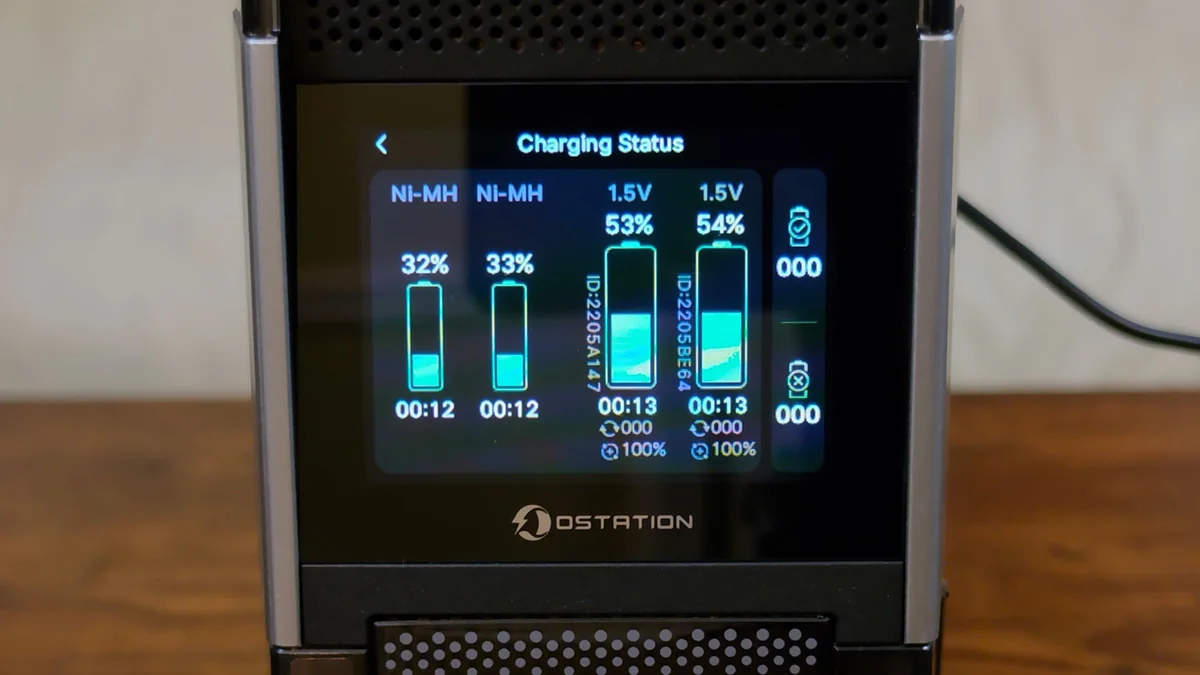
It charges four cells at a time, two AA and two AAA, and never four of one size. It holds 24. So a full load is six cycles a side.
Watching it work turned up something the slot count does not tell you. Two NiMH cells went in together, one reached 99 percent while the other sat at 68, and the finished one just stayed in its slot. Come back later and it read 100, still sitting there, with its neighbour crawling up to 80. Batteries come out in pairs, and the finished counter steps by two, never by one. So a cell does not leave when it is charged. It leaves when the one beside it catches up.
Which means a pair takes as long as its worst cell, not its average. Put a nearly full battery in next to a flat one and the good one sits there doing nothing. I asked Ostation about it, and they confirmed that releasing two together comes from both the rotary mechanism and the firmware logic, with no plans to change it.
The AAAs are also slow, at roughly two to two and three quarter hours a pair. I first assumed the AAs were hogging the 18W power budget, so I ran a pair of AAAs completely alone with nothing else in the machine. Same time. Ostation confirmed that around two and a half hours for a pair of AAAs is inside their design spec, so this is the machine working as intended rather than a fault.
Do the arithmetic and twelve AAs is around nine to twelve hours, twelve AAAs is twelve to sixteen. The two sides run at the same time, so you do not add those together, you wait on the slower one. Call a full 24-battery load about sixteen hours.
It runs cool, and it is louder than you expect
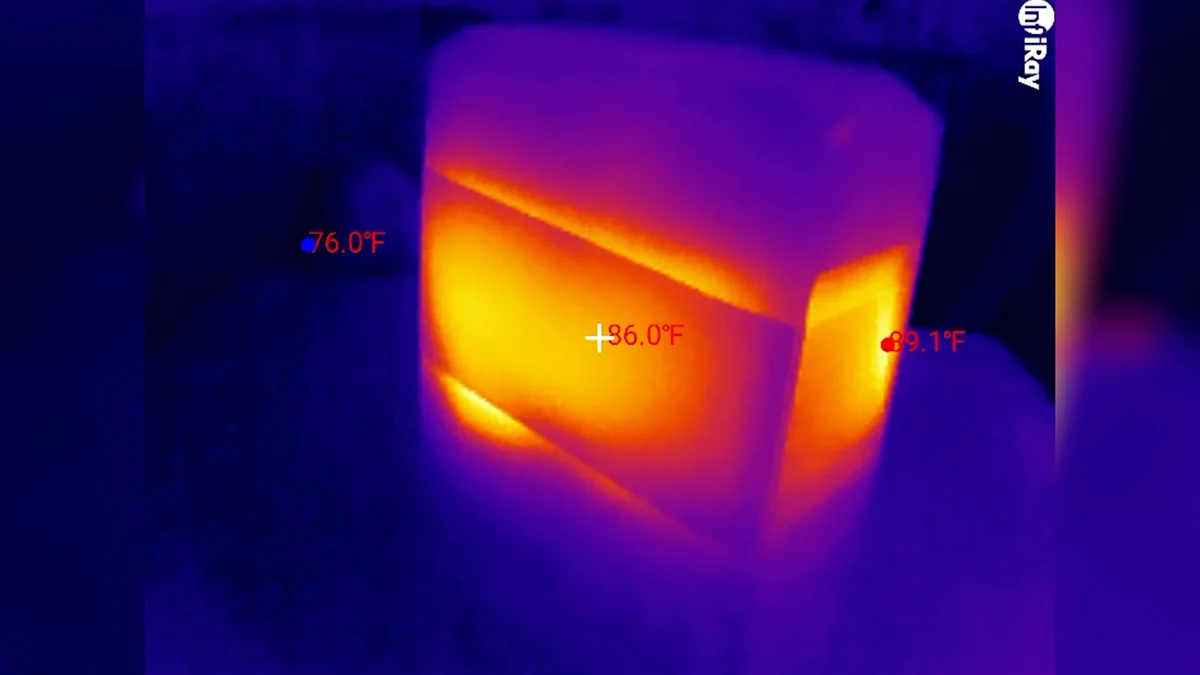
This is a device that sits plugged in, charging lithium, unattended and possibly in a closet, so heat was the first thing I wanted a number for. I put my InfiRay P2 Pro thermal camera on it with all four slots running.
The hottest point anywhere on the chassis was 89.6°F, or 32°C, in a room at 75°F. That is about fifteen degrees over ambient, and it is cooler than you are: skin runs around ninety, so the warmest part of this feels faintly cool under your hand. The reason goes back to that 18W supply. Even at ten percent waste that is under two watts of heat spread across two and a half pounds of chassis. The cells it ships with are rated to 140°F.
One honest caveat, because that reading flatters the product. A thermal camera reads a surface, not the component inside it, and whatever the hottest part on that board is, it is hotter than the shell I measured. What I can tell you is the outside never got anywhere near warm enough to worry about.
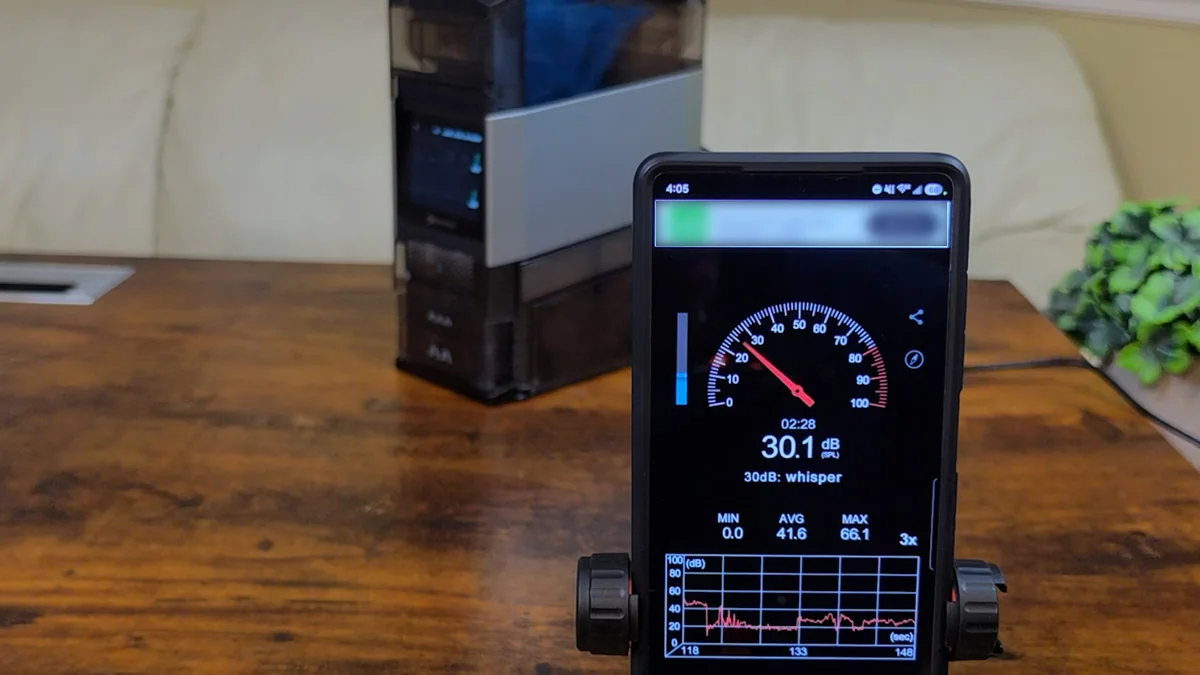
The noise is the part that would actually decide where this lives in your house, and a peak figure does not capture it. It is not a hum. An air conditioner hums, and steady noise disappears: your brain files it away inside a minute and you stop hearing it. This does not do that. It is a warbling, mechanical, industrial sort of noise that comes and goes, and the coming and going is the whole problem.
So I pulled the audio out of the recording and measured it properly. Across a five minute stretch there were 25 separate noise events, with gaps averaging about ten seconds, most bursts running one or two seconds and some as long as twelve. Ten seconds is an awkward interval. It is not long enough to forget the thing exists and not short enough to blur into a background.
Here is the part I did not expect. Every one of those readings was taken with nothing in the machine at all. The Ostation sleeps, and it wakes when you move it: there is an accelerometer inside, which Ostation confirmed when I asked. Tilt it about twenty degrees and it wakes straight up and gets to work.
And when it wakes, it goes hunting for batteries. That hunt is the noise, and it keeps looking for just under five minutes. If it finds something it stops hunting and starts charging, sometimes as early as ninety seconds in, and then it goes quiet. If it finds nothing it clatters for the full five minutes, gives up, and goes back to sleep.
So the loudest thing this machine does is look for work it does not have. Knock the table with an empty unit on it and you have bought yourself five minutes of clattering. I asked whether that could be shortened in firmware, and Ostation said it is a built in initialization routine that they have no plans to change. The one thing you can do about it is turn the wake sensitivity down in the app.
You can be careless about polarity, not about aim
Dropping cells in without checking which end is up genuinely works, and after thirty years of squinting at little diagrams molded into black plastic it is a nice thing to stop doing. But it jammed on me a couple of times. Two cells hung up at the top of the hopper, one went in at an angle and would not drop, and a small push with a finger fixed it.
Then I did something deliberately stupid, because somebody has to, and dropped a couple of AAAs into the AA slot. That does not go well. One wedged in the opening, taking up just enough room that a AA could get partway in but not seat, which stopped the drum turning entirely. Another had already ridden the drum all the way around and got itself properly stuck.
Recovery was to unplug it, turn it over and shake. That was the whole procedure. The wedged cell dropped out, and the one riding the drum eventually worked loose and deposited itself into the reject tray. There is no size check at the input, so the wrong cell in the wrong slot will stop it, but it failed about as gracefully as a machine full of moving parts can.
The app shows you real data and then forgets it
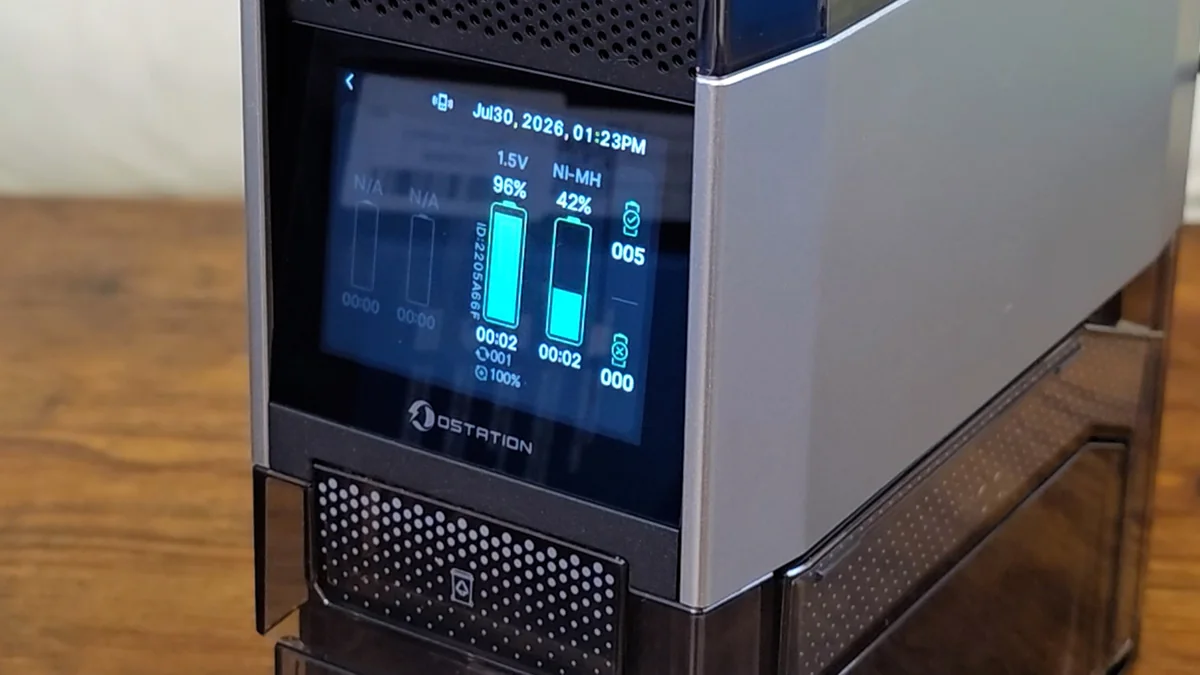
My first impression of the app was good. It looks sharp, and the main screen is legitimately useful: all four slots live with percentages and times, and on the lithium cells an ID unique to that individual battery, a cycle count and a health figure. Being able to look at one specific AA and see what shape it is in is information I have never had about a battery before.
Then I used it for four weeks and realized that main screen is the app. Underneath it there are two counters, and their label reads "during this power on period", which means they reset. Below that a pause schedule, and then a settings page of basics.
Here is what bothers me. This machine measures every cell that goes through it. It reads internal resistance, works out a health figure, and hands each lithium cell an ID so it can recognize that specific battery again. That is more than any other AA charger I have owned knows about a battery. And then it throws all of it away. No history, no record of charge times, no inventory, no way to compare a battery's health today against six months ago. The single most useful thing a system like this could tell you is whether a particular battery is getting worse, and it has everything it needs to answer that.
I asked about it directly. Ostation confirmed the reset is expected behavior in the current version, and that they have no plans to add long term tracking. So this is not a wait for the update situation.
Connect it once anyway, because firmware updates go through the app and mine added a genuinely useful feature that was not on the unit when it arrived: hold a finger on the screen for about five seconds while cells are charging and it ejects them straight out to you. After that, everything this machine does it does without the app, so run the update and then take it off your Wi-Fi with the connection toggle on the unit itself.
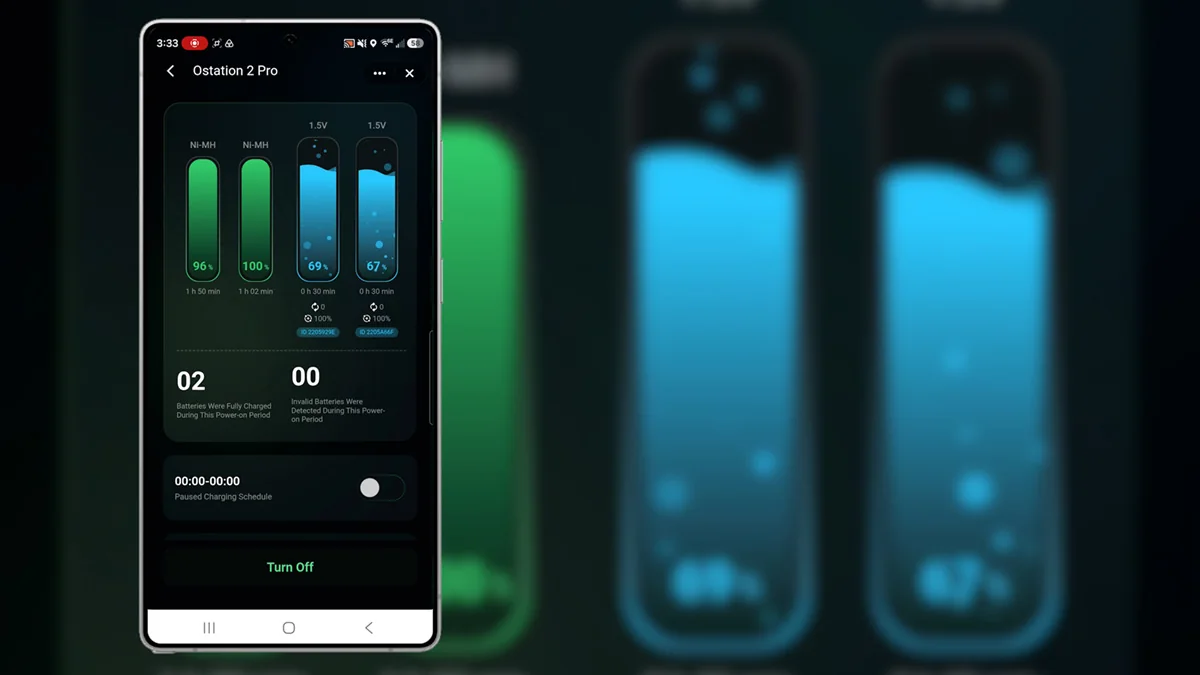
It measures more about a battery than any charger I have owned, and then throws all of it away.
Worth it what it gets right
- You genuinely stop sorting and guessing at batteries
- Rejected a nearly dead alkaline even buried in a stack of good cells
- Runs cool: 89.6°F peak, cooler than your own skin
- Charges any brand of NiMH AA or AAA
- Build quality and design are a cut above the category
Know first what to weigh up
- A full 24-cell load takes roughly sixteen hours
- Cells charge and release in pairs, so a finished one waits on its neighbour
- Nearly five minutes of clattering every time it wakes with nothing to do
- The app keeps no history at all, by design
- The bundled AAAs are rated for 300 charges against an Eneloop's 2,100
Frequently Asked Questions
Does the Ostation 2 Pro work with any brand of rechargeable battery?
It charges any brand of NiMH AA or AAA, including Eneloops. The only restriction is on lithium: it will only charge Ostation's own 1.5V lithium AAs. That restriction works one way, so your Ostation cells will still charge in any other 1.5V lithium charger.
How long does it take to charge a full load of 24 batteries?
About sixteen hours. It charges four cells at a time, two AA and two AAA, so a full load is six cycles a side. The AA and AAA sides run at the same time, so you wait on the slower AAA side rather than adding the two together.
Is the Ostation 2 Pro loud?
It peaks around 53 dB right next to the unit against a 28 dB room floor, but the level matters less than the pattern. It clatters in bursts of one to twelve seconds with gaps of about ten seconds, which is hard to tune out. It is fine across the room and noticeable on a desk beside you.
Do you need the app to use it?
No. The 2.8 inch touchscreen handles charging, settings and per-slot status without a phone. The app is worth connecting once, because firmware updates come through it, but after that you can take the unit off your Wi-Fi entirely.
Why do the 1.5V lithium AAs die without warning?
A 1.5V lithium AA is a 3.7V cell with a voltage regulator inside holding the output flat. Devices judge remaining charge by watching voltage sag, and these do not sag, so there is nothing for a low battery indicator to read. The cell holds a steady 1.5V until the regulator gives out, then stops.
Is Ostation the same company as Olight?
Yes. Olight's own store sells this exact unit as the Olight Ostation 2 Pro, and the non-Pro model is listed under the OLIGHT store. That is also why there are two magnetic MCC pads on the side for charging Olight flashlights.
Buy it for the sorting, not the charging
This is a genuinely good device and an easy one to buy for the wrong reason. You are not paying $180 for a battery charger. A perfectly good eight-bay charger costs twelve to thirty dollars and will fill more cells at once than this will. If charging is your problem, buy that one.
What you are paying for is never sorting batteries again. If you go through a lot of AAs and AAAs, if you have controllers and cameras and remotes and smart home sensors all pulling from the same pile, and if the part you actually hate is the not knowing, then it earns its money. Four weeks in and I have not thought about batteries once, which is the highest compliment I can pay a thing like this.
If you go through four batteries a year, it is an absurd purchase and I am not going to pretend otherwise. If you need cells charged fast and on demand, four slots and a sixteen hour full load is the opposite of what you want. And if you are sensitive to intermittent mechanical noise and you were planning to put this on your desk, put it somewhere else. Is it perfect? No. But it does the thing it says it does, it looks great doing it, and it is the first product in this category that actually understood what the problem was.