
Mangoal OEM Dash Cam Review: the stealthiest camera for a Corolla?
It hides behind the mirror like it came from the factory. I took it apart, measured what it actually records, and tested all three resolution modes. The stealth is real. The 4K is not.
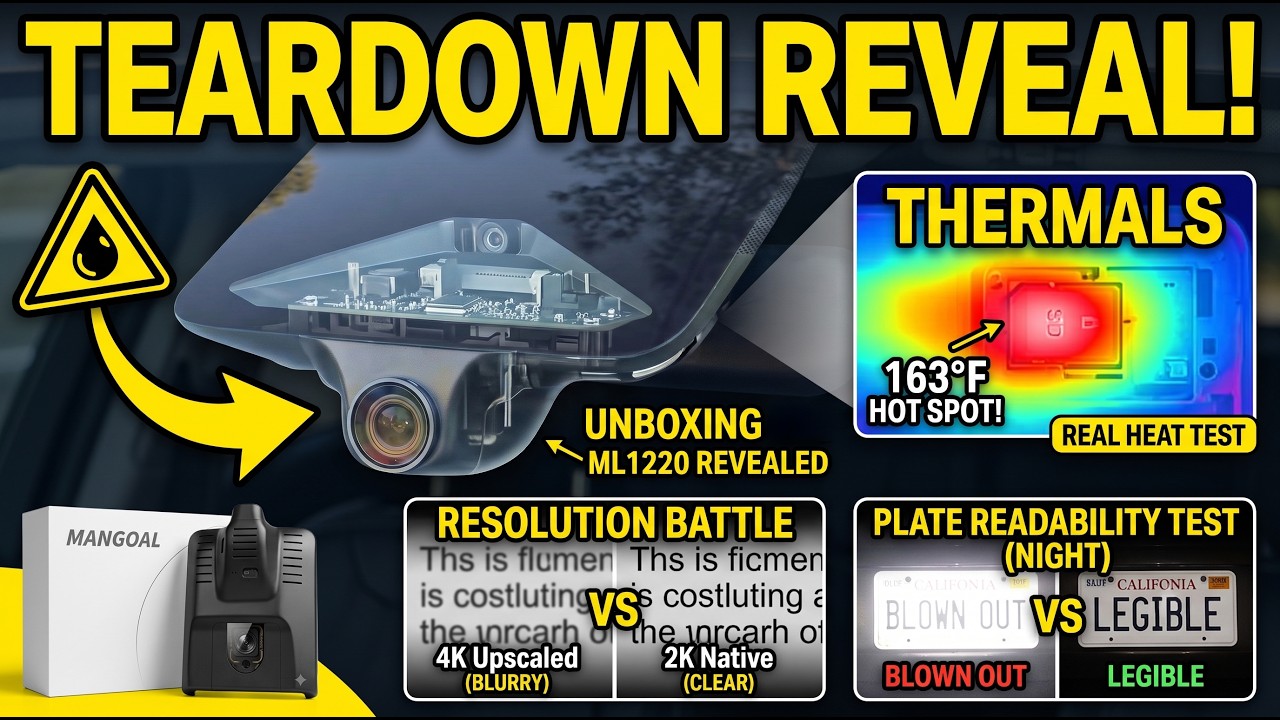
Plays via YouTube. Google may set cookies when the player loads. Privacy policy
The short version
The Mangoal disappears into a Corolla better than anything I have installed, and the build quality genuinely feels OEM. What you are not buying is great video. The 4K is upscaled off a 5-megapixel sensor, the bitrate is locked at 18.6 megabits no matter what it is looking at, and at night a license plate on a stopped car in front of me came back as a blank white rectangle. Buy it for how it disappears, not for how it records. And if you do buy it, run it in 2K.
Verdict: stealth yes, evidence noA quick word on the footage. Video quality is genuinely hard to judge from still frames, and compression artifacts are hard to see in a screenshot. Every still on this page is pulled from the real recordings, but if you are trying to decide whether this camera clears your bar, watch the video above. Motion, bloom and the way the encoder behaves in a busy scene only really show up in moving footage.
Why buy an OEM-style dash cam at all
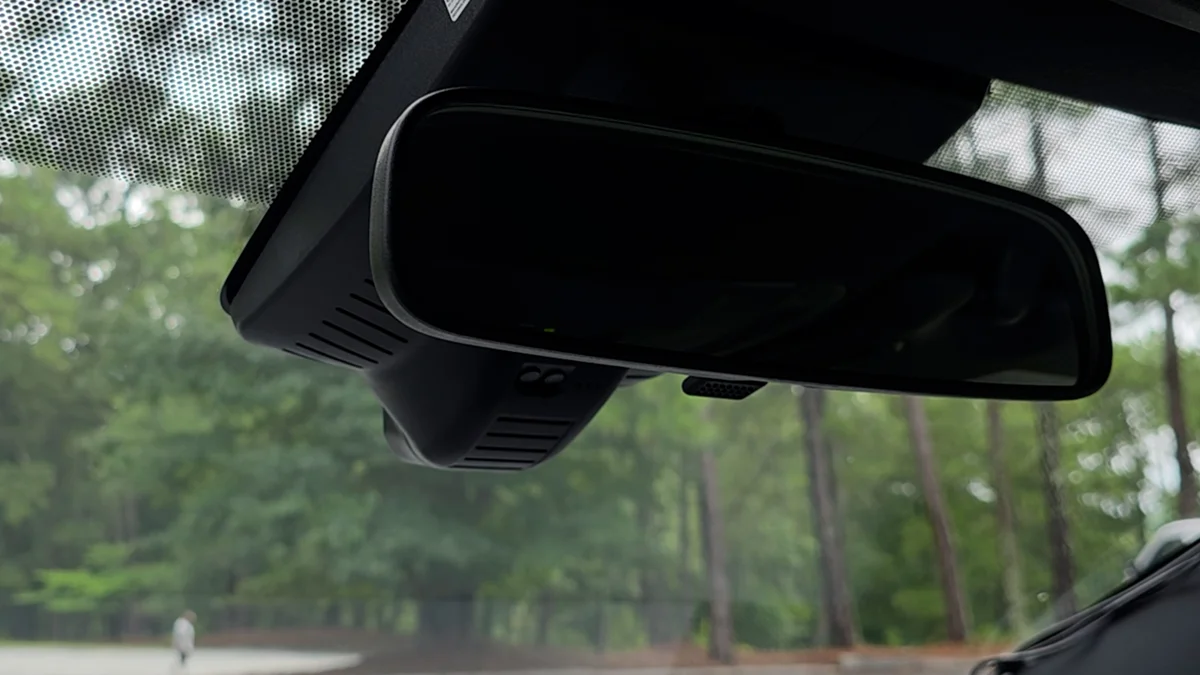
The whole idea is that it disappears. It tucks up beside the rear-view mirror, it powers off the car's own wiring behind the headliner, and from the driver's seat you would never know it was there. No suction cup, no cable snaking down the windshield, and nothing telling somebody walking through a parking lot that there is anything in the car worth breaking a window for.
That is the whole pitch, honestly. It is also great if you just hate the look of gear stuck to your glass, and it keeps the interior clean for resale.
The tradeoff is fitment. These are not universal. This exact model is cut for the Toyota Corolla Gen12 E210, model years 2023 through 2026, covering the LE, XLE, XSE, SE and Hybrid trims. Mangoal is clear that it does not fit the 2020 to 2022 Corolla, and it does not fit the Corolla Cross. Before you even think about buying, check your exact year, trim and the shape of your stock mirror shroud. Wrong fitment and none of this works.
What you actually get in the box
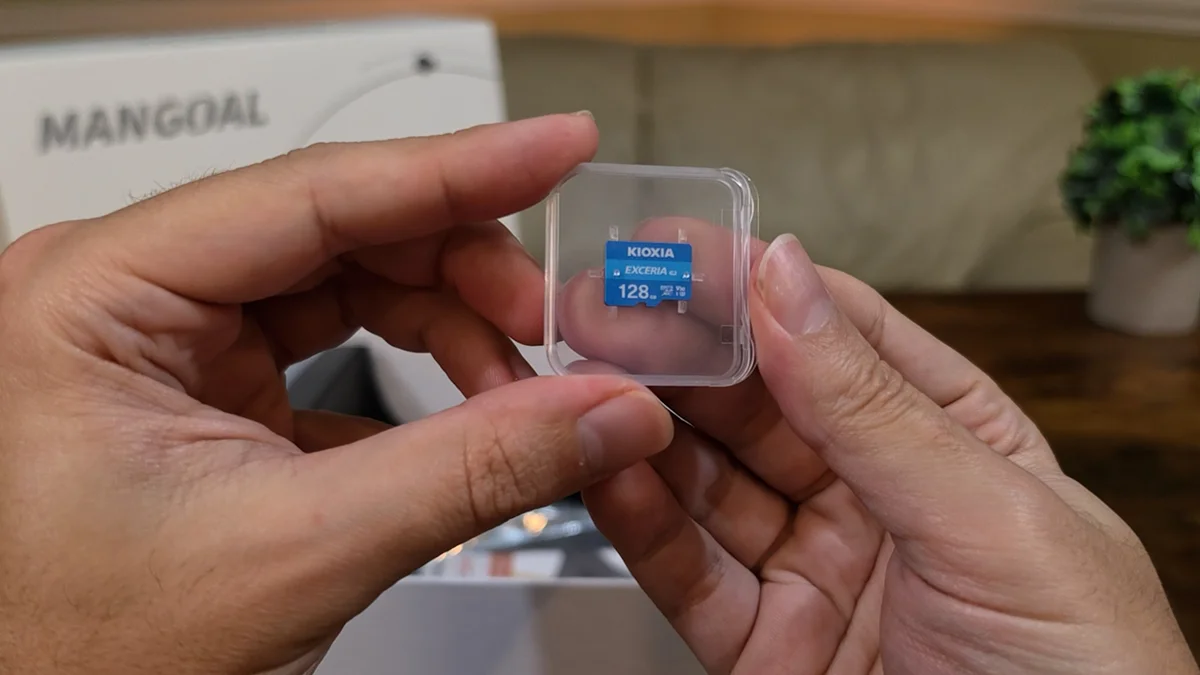
The kit is fairly complete. You get the main camera unit, the rear camera and its cable, a GPS module, a 128GB microSD card, the power adapter that taps into the lane assist system, a trim removal tool, mounting clips, the manual and a 12-month warranty. A lot of cameras in this category make you buy the GPS module and the card separately. Mangoal includes both. Whether a bundled card is actually any good is a fair question, and I put one from another camera on the bench to answer it.
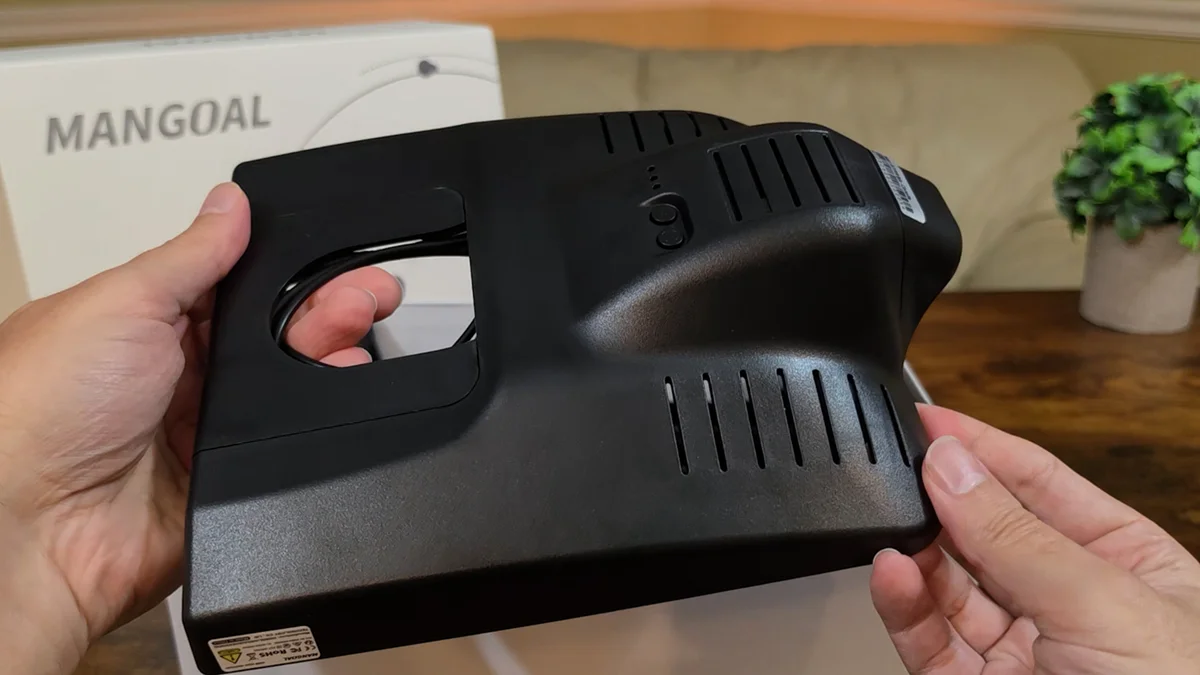
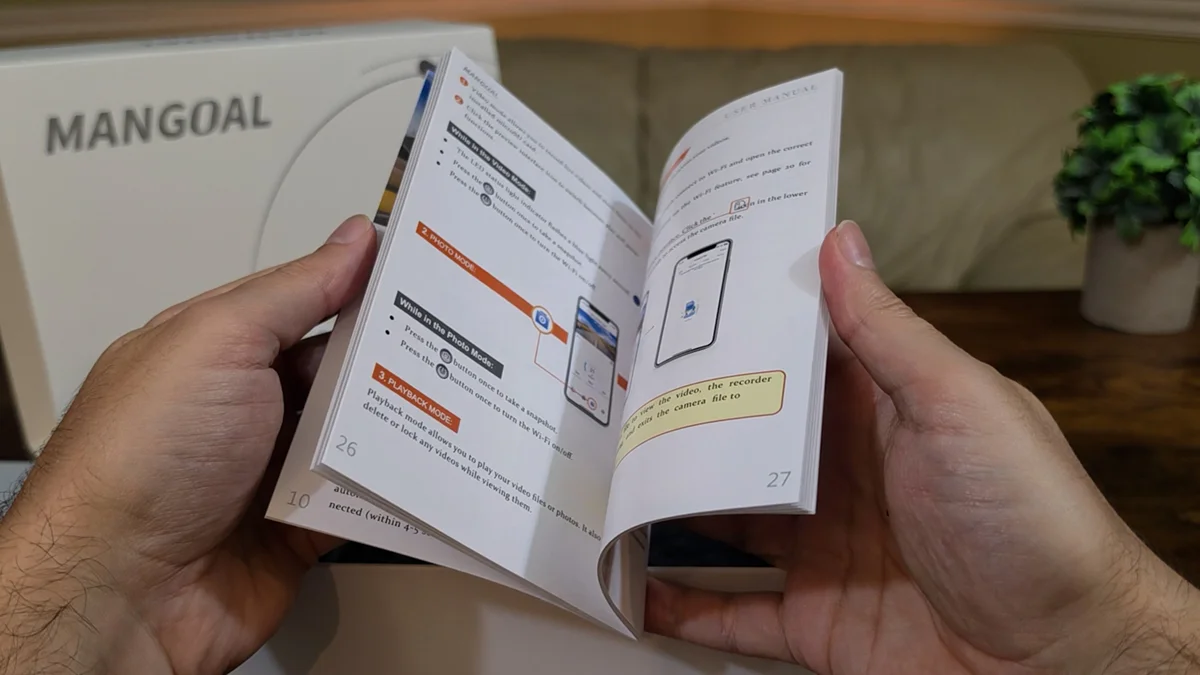
Two things stood out. The first is the card: the one in the box is a Kioxia Exceria G2 128GB, not an unbranded no-name card. That matters, and it is a card I have already put on the bench, so you can see exactly how it performs in my Kioxia Exceria G2 128GB review. Mangoal have since changed suppliers: the newer version of this camera ships a Lexar Silver Plus 128GB instead, and that one turned out to be the fastest card of its kind I had measured, until Lexar’s cheapest tier beat it. Short version: it is a legitimate card and there is no urgent reason to replace it on day one.
The second is the mounting clips. This unit ships with its own red clips already fitted. Some cameras in this category make you migrate the stock clips out of your original shroud and into the new one, which is a fiddly step you can skip here.
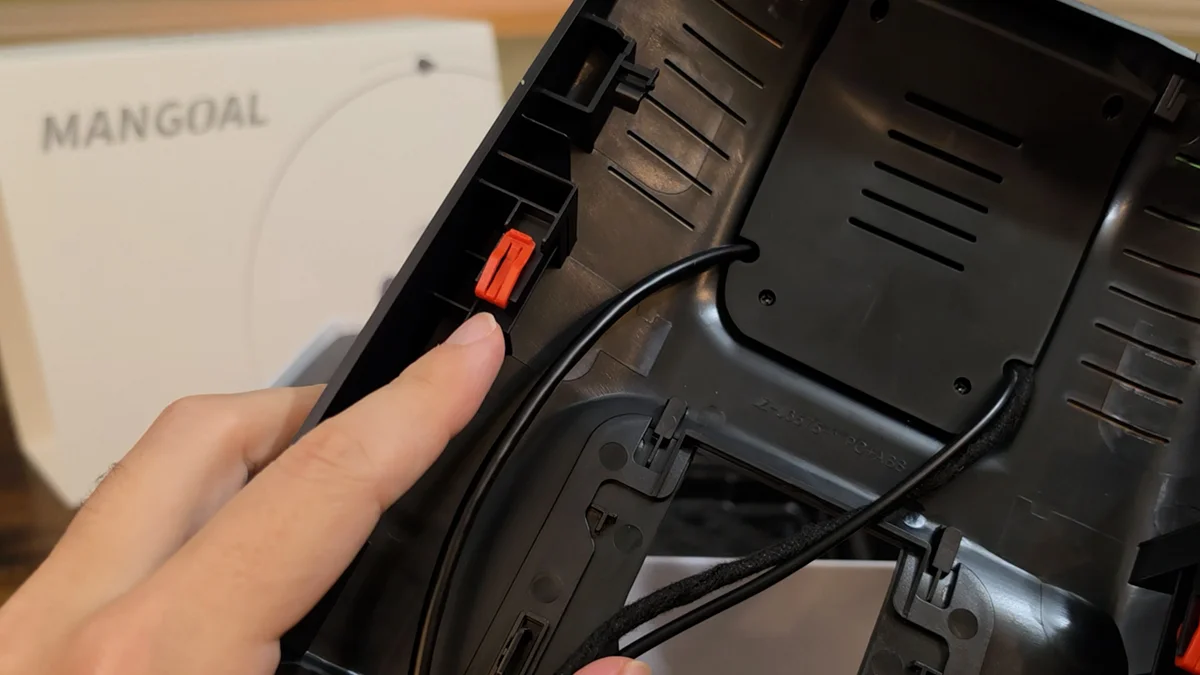
The unit itself feels solid in the hand with very little flex for its size, and the design is minimal: two buttons, three LEDs and a microSD slot. Flip it over and the cables are all clearly labeled for power, rear camera and GPS. The panels line up perfectly, there are no creaks and no gaps. Held next to the factory shroud it is very close in feel, and I would believe they came out of the same factory.
There is one odd choice, and it is the GPS. The module is separate, and the instructions have you routing its cable all the way down to your dashboard. That defeats the point of a clean install. The camera is already sitting on the windshield, and there is plenty of room inside the shroud, so I stuck the module directly next to the body and tucked the slack into the shroud void. It still gets a solid signal there, and nothing is visible.
The specs, and what that 4K badge really means
The front camera is advertised as 4K, meaning 3840 by 2160. The rear is 1080p. Front lens is a wide 170 degrees, the rear is 140. You get built-in Wi-Fi, a companion app, loop recording, and a G-sensor that locks a clip on impact so it does not get overwritten. Inside it runs a Sony IMX335 image sensor and a Novatek NT96670 processor, recording in H.264 or H.265 and saving everything as TS files. Operating range is quoted at -4°F or -20°C up to 158°F or 70°C.
Here is where the marketing and the hardware stop lining up. That Sony IMX335 is a 5.14-megapixel sensor. True 4K needs about 8.3 megapixels to fill every pixel natively. The sensor physically cannot capture a native 4K image, which means the 4K you are being sold is interpolated: the camera captures at the sensor's real resolution and the processor scales it up to a 4K-sized file. You get a 4K file. You do not get 4K worth of real detail.
I am not saying that to trash it. Plenty of cameras in this price range do exactly the same thing. But when a box says 4K, you deserve to know whether that is eight million real pixels or five million pixels stretched to fit. The newer cameras that do carry eight million real pixels mostly share one Sony sensor, and I have since written up why even those come out so different from each other.
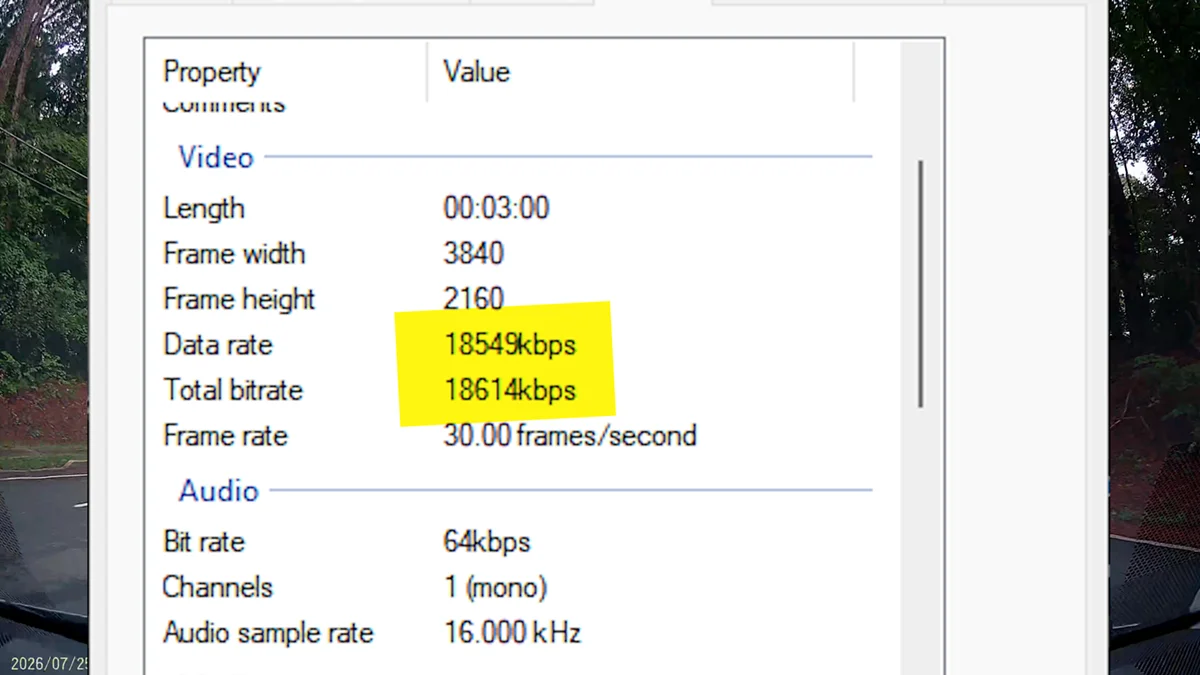
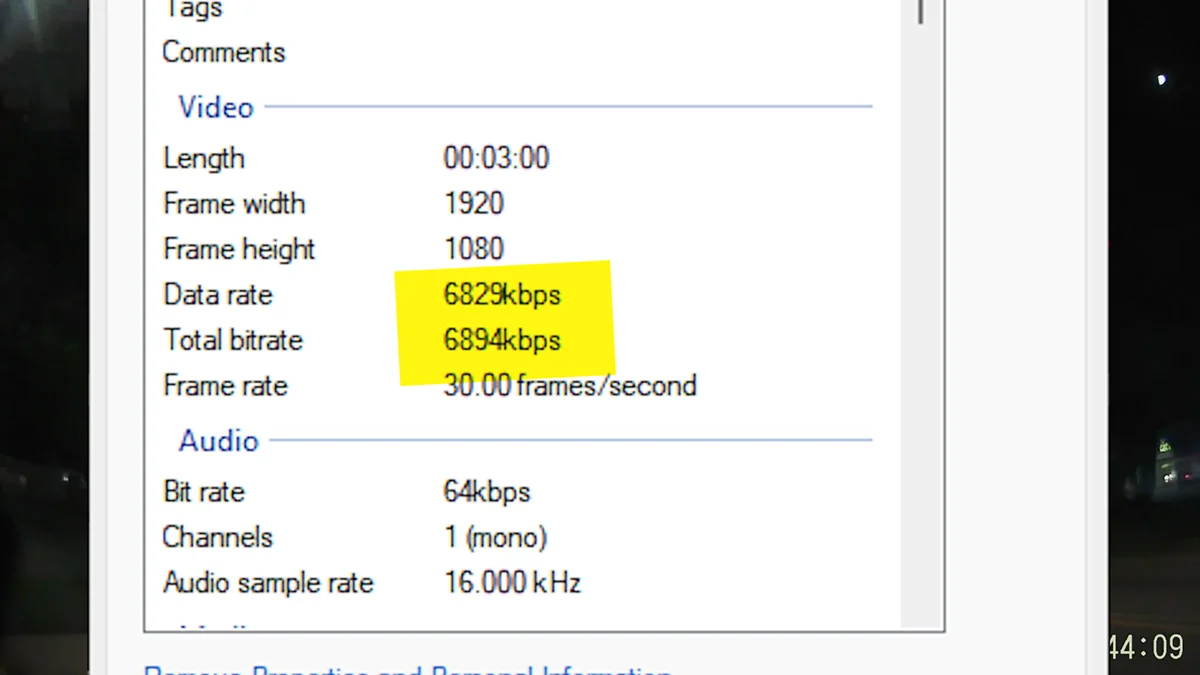
Rather than trust the spec sheet, I pulled the actual files off the card and read what the camera really writes. Some of it checks out: the file genuinely is 3840 by 2160 and it really is 30 frames per second. Then there is the bitrate, and it comes in at 18.6 megabits per second. That measurement is the one the dash cam card picker sizes a card against for this camera.
For a 4K frame that is not much data. Bitrate is essentially how much information the camera allows itself to describe each second of video, and spread across a frame that size, every pixel ends up with a thin slice of it. For a sense of scale, my Galaxy records 4K at about 40 megabits per second and my Canon pushes almost 70. To be fair, a dash cam has reasons to run leaner than a real camera: it writes nonstop, in the heat, to a card it is trying not to kill. But this is spending less than half of what a phone spends on the same size frame.
And that number does not move. I checked clip after clip, daytime, nighttime, empty highway, busy intersection, and it is 18.6 every single time. So the camera spends exactly the same data on a blank stretch of road as it does on a street packed with detail. It cannot spend more when the scene gets harder, which is exactly why fine detail falls apart in complex scenes.
I opened it up, and there is no supercapacitor
I took the housing apart because I wanted to know one specific thing: how does this camera keep itself alive when the car shuts off? In that moment the camera needs a beat to finish writing the file it is recording, or your last few seconds get corrupted. There are two ways to do that, a supercapacitor or a rechargeable battery, and the difference matters a lot for a device that lives on a windshield in the sun.
It comes apart easily, a few screws and the panel pops off. What I found is a small rechargeable coin cell, a Panasonic ML1220. A coin cell that tiny holds almost nothing, nowhere near enough to power a 4K camera through a shutdown. That battery is not the power buffer. It is there to keep the clock and date running while the camera is unplugged. Which means there is no supercapacitor in this unit.
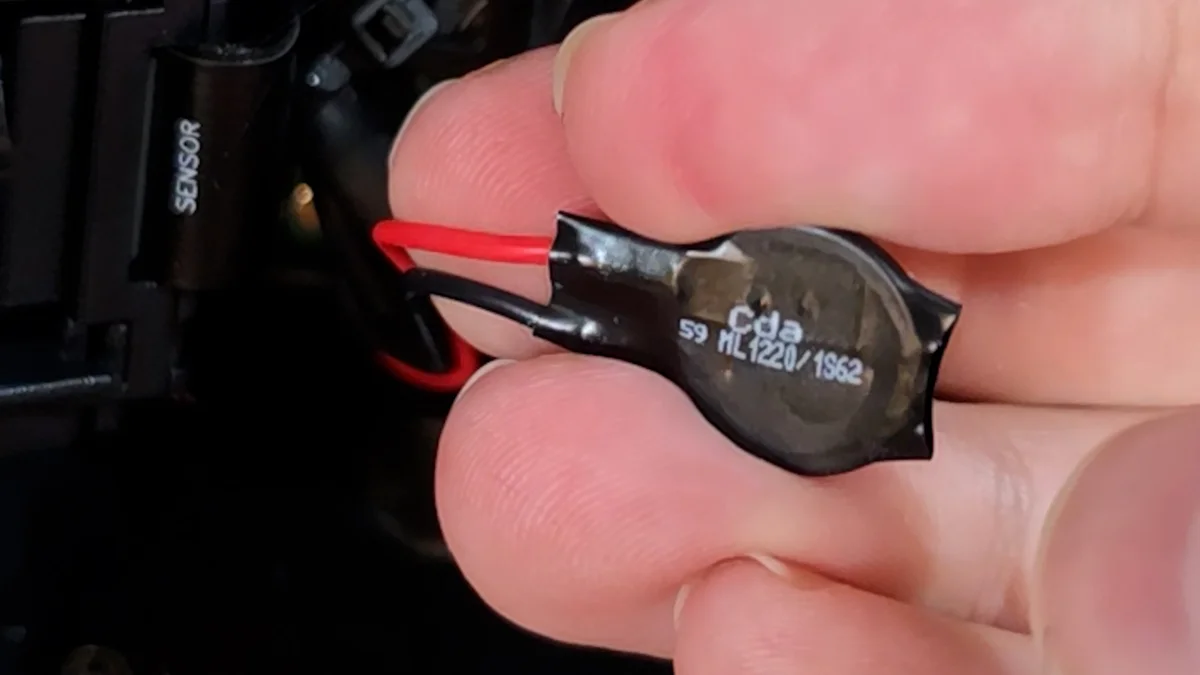
That matters for two reasons: heat and lifespan. A rechargeable coin cell baking in your car all summer is rated for a lower temperature ceiling than a supercapacitor, and a rechargeable battery wears out over a couple of hot summers while a supercap basically shrugs it off. I live in the south, where highs sit above 100°F or 38°C for days at a time, so this is not theoretical.
It is not all bad news, though. Mangoal records in TS, short for Transport Stream, and that is a smart choice for exactly this situation. A TS file does not have to write a closing index when recording stops, so there is nothing to finalise. Whatever made it onto the card is already a valid, playable file right up to the second the power cut.
I tested that claim. I pulled the power mid-recording several times and went back to the card each time. The file was intact and played clean, every time. No corruption, nothing lost. The missing supercapacitor is still a real cost-down, but the specific disaster people worry about, losing the clip you actually needed, has been engineered around with the file format instead of with hardware.
Installing it in a Gen12 Corolla
Install is the whole reason to buy one of these. It powers off the lane assist adapter that taps in behind the mirror, so there is no fuse tapping and no wire cutting. That said, there is more to it than a stick-on camera: you are taking your mirror shroud apart to do this.
- Remove the small rear panel on the back of the stock shroud. The instructions say to use the trim removal tool. Do not bother, I found it completely ineffective. Hold the unit in one hand and pop the panel off with the other.
- Slide the main shroud down and off, parallel with the windshield. The first time takes more force than you expect, so be patient and try not to rip your mirror off.
- Fit the power adapter. With the vehicle off, unplug the lane assist power plug and put the adapter in between, then plug the adapter back into the lane assist module.
- Plug in the new shroud using the three-pin connector, then slide it into place parallel with the windshield, the same way the old one came off. It snaps right in.
- Refit the small rear panel and insert the microSD card. If you are not running the rear camera or GPS, tuck the spare cables into the shroud and you are done here.
- Connect the GPS module. Rather than routing it to the dash as instructed, I mounted it right next to the camera body and tucked the slack inside the shroud.
- Connect the rear camera to its labeled accessory wire and tuck the cable into the headliner. On most cars you just push it over the edge and it disappears.
- Route the rear cable down the A-pillar, under the kick panels and back to the rear glass. These cable clips made this a lot less painful.
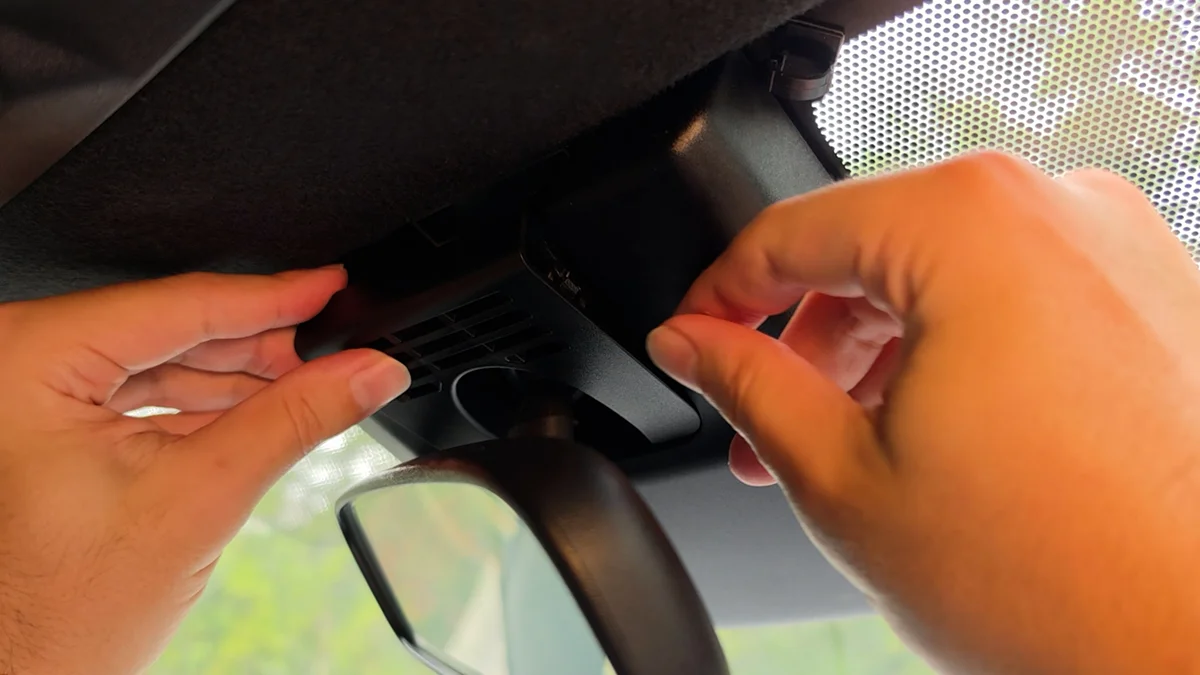
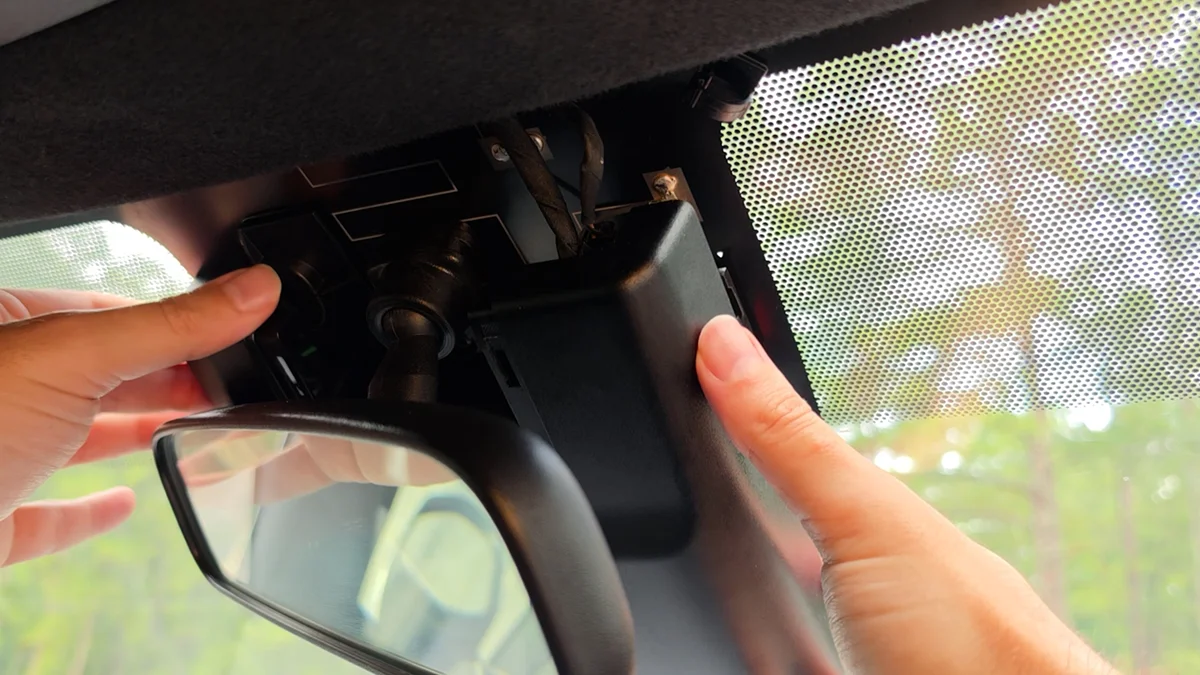
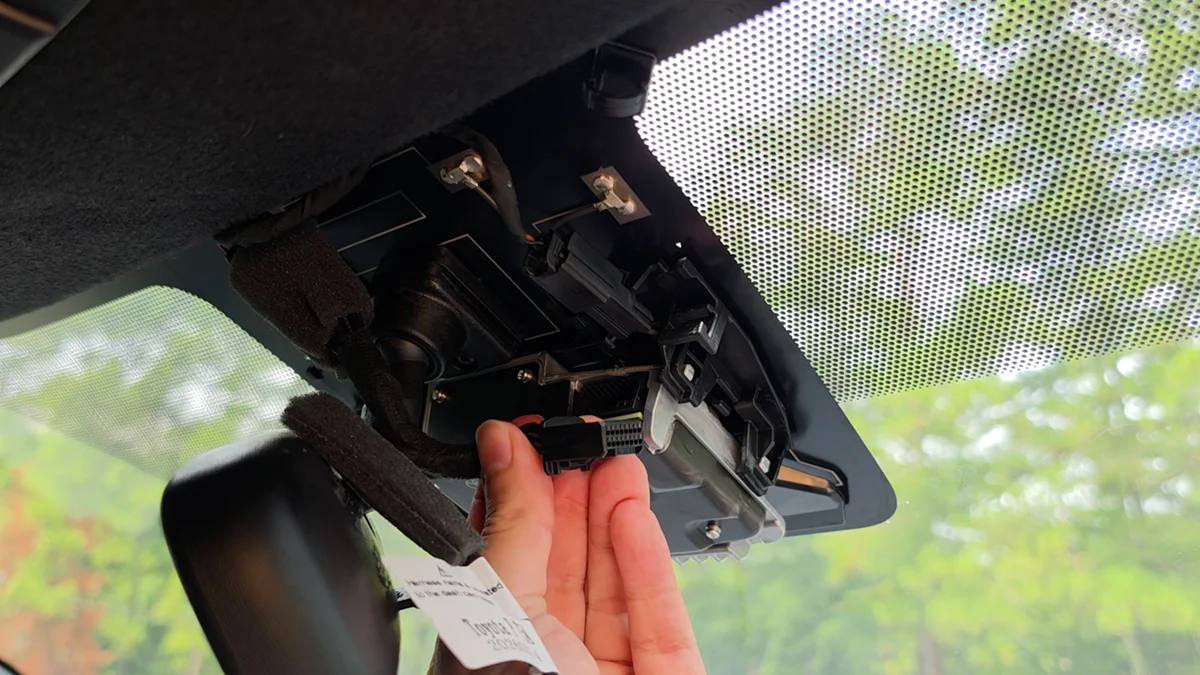
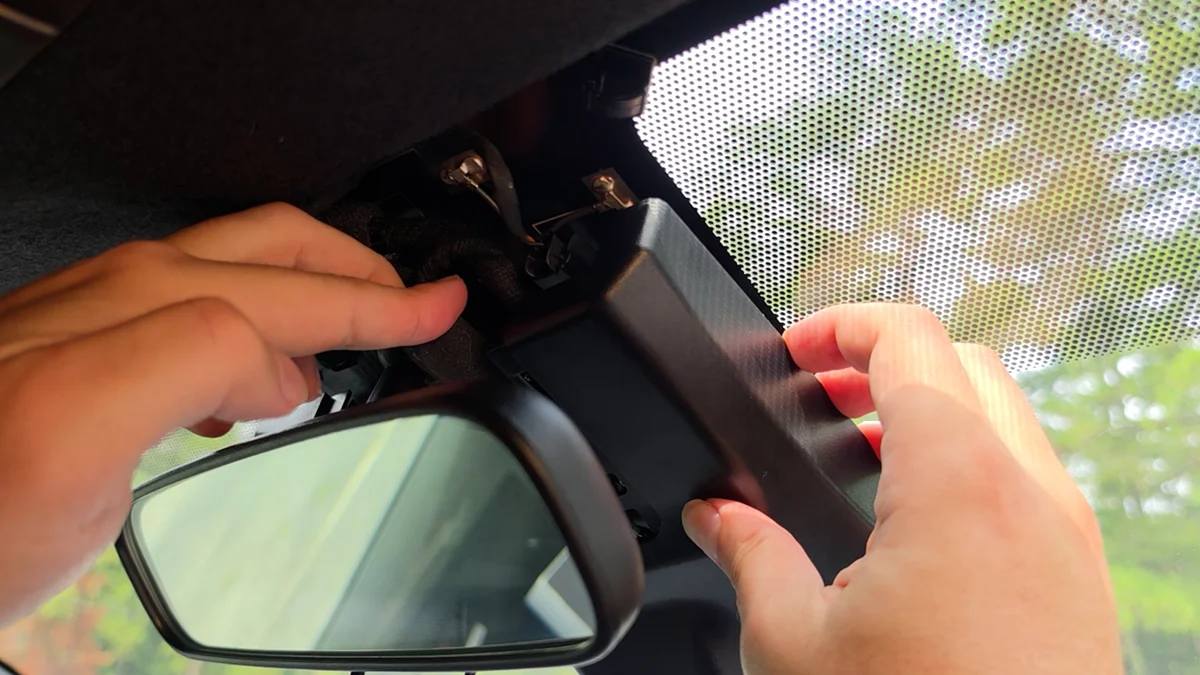
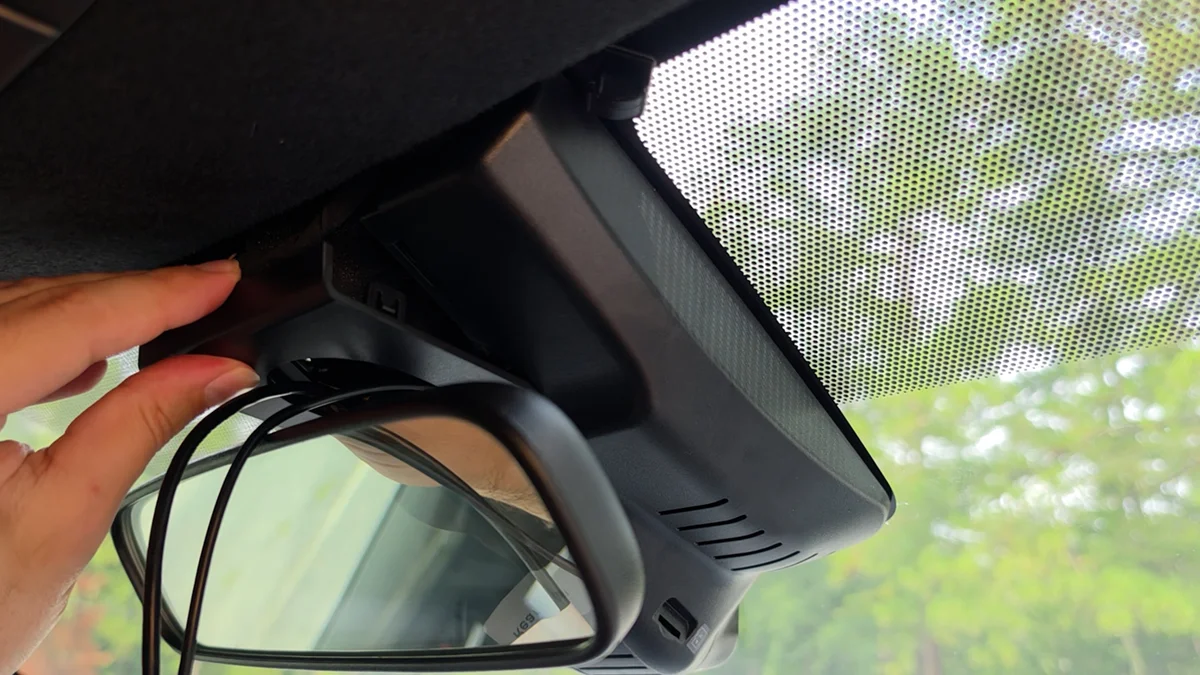
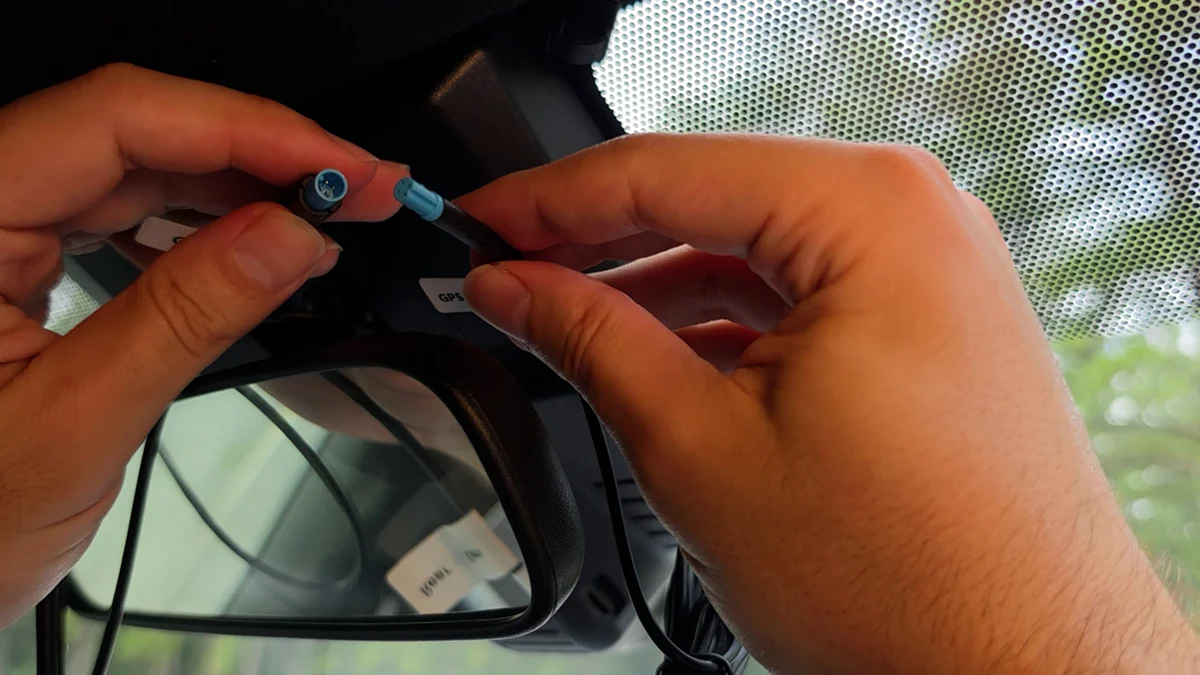
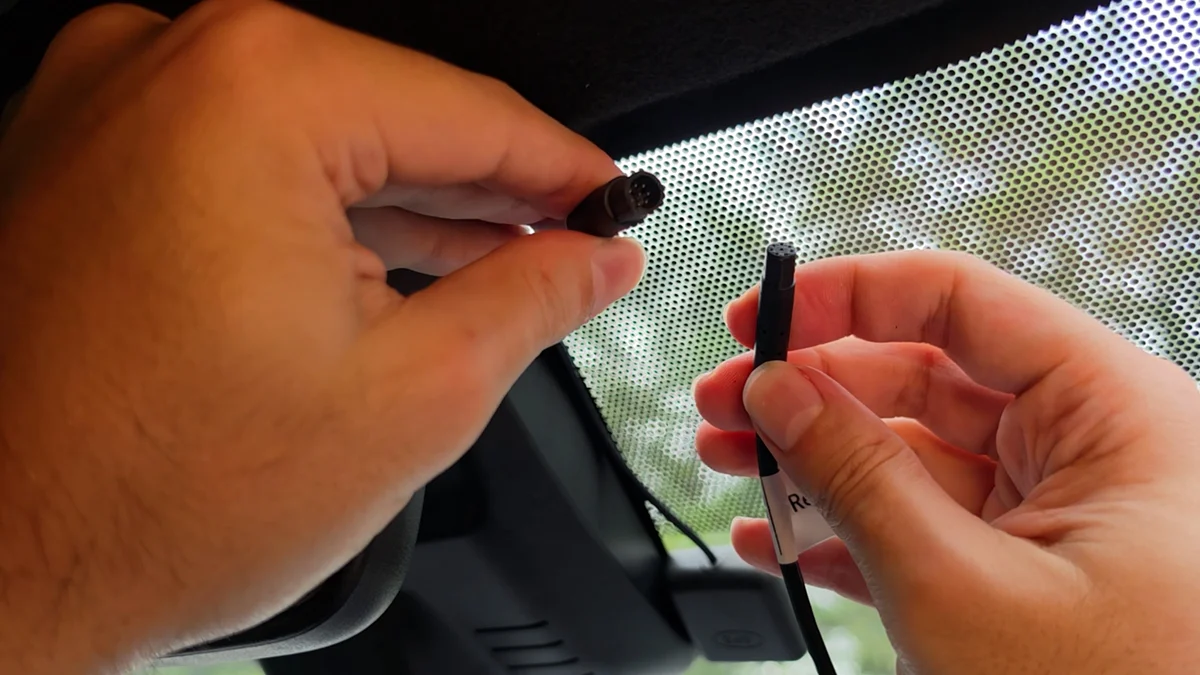
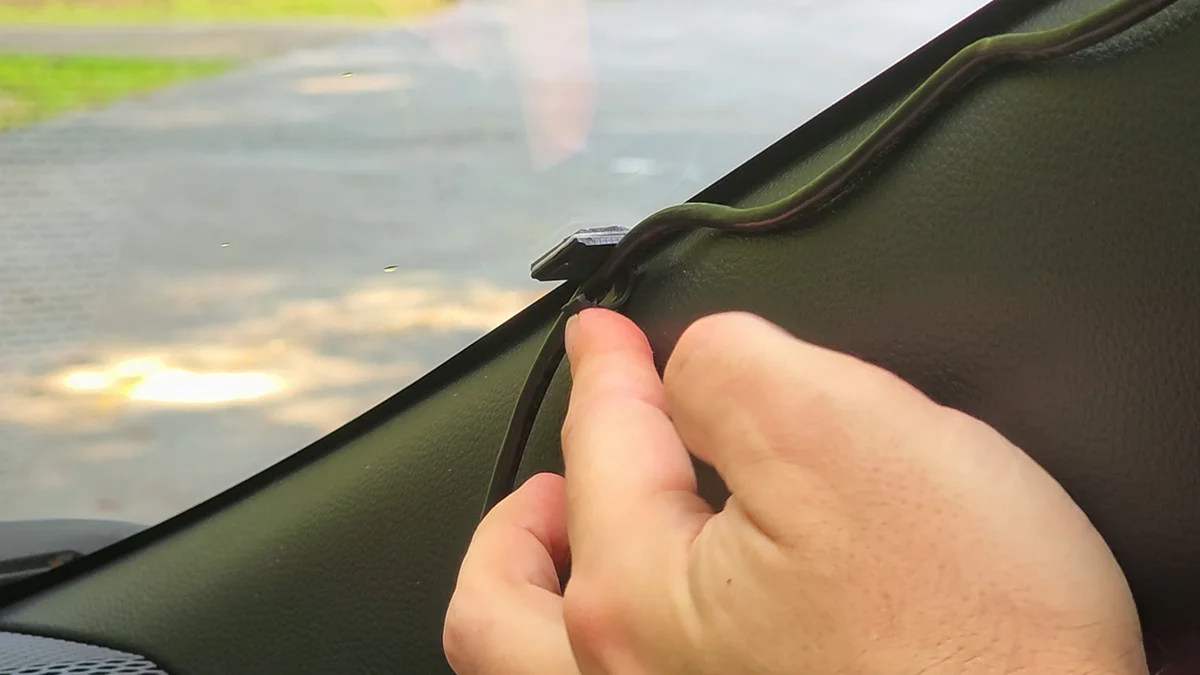
The main unit took me about 10 minutes, and it is seven or eight steps depending on how you count them. Add another 10 minutes and a few more steps for the rear camera, and honestly most of that extra time is just fussing with cable routing. Call it 20 minutes for the whole thing, which is quick for something that ends up looking this factory.
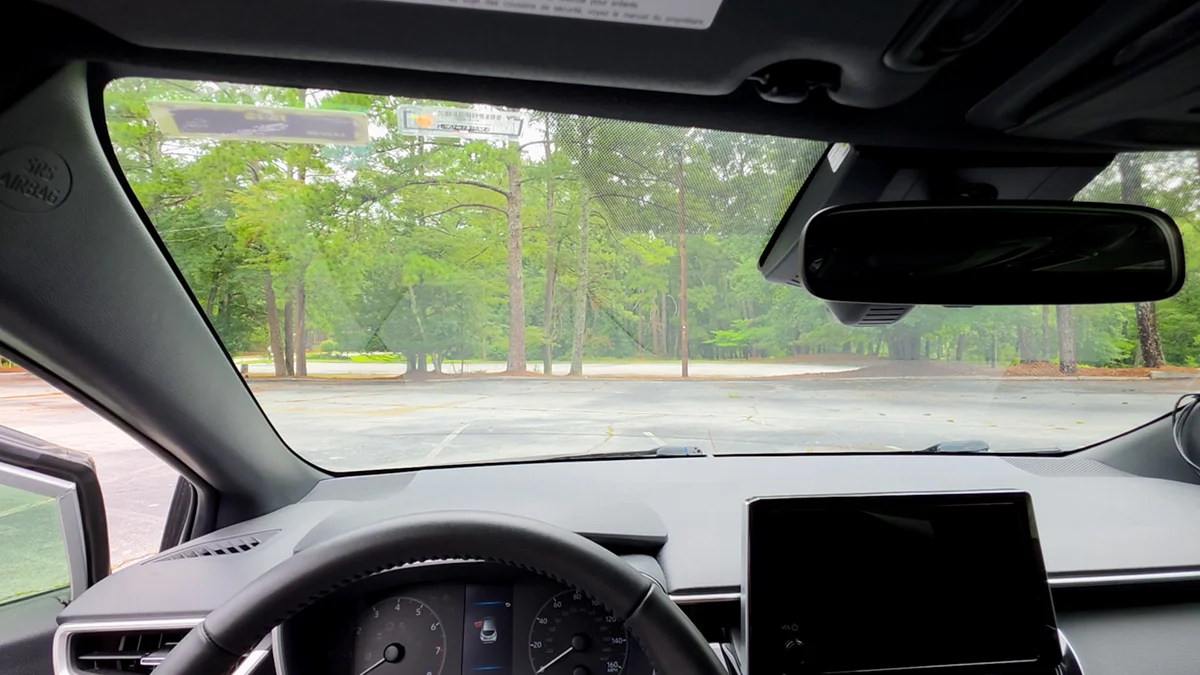
Turn the car on and it powers up by itself with a little voice confirmation. Which, it turns out, it also does with no SD card in it. I forgot to put mine back once and it still cheerfully told me it was recording. It is not a dealbreaker, but that is the one moment you would actually want it to tell you something was wrong.
The SkyCamm app and the settings I changed
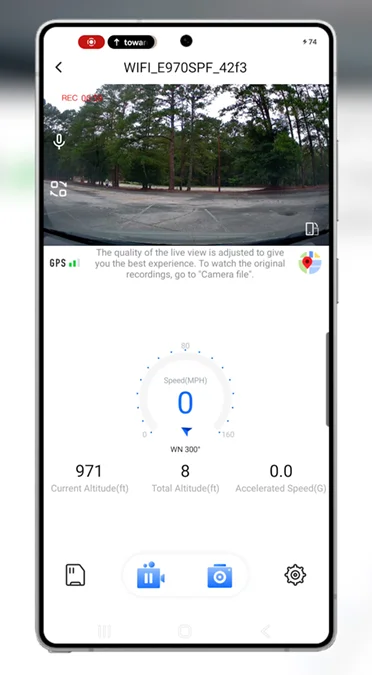
You connect to the camera over its built-in, always-on Wi-Fi and run the SkyCamm app, available on both app stores. Find the broadcast network, punch in the default code of 12345678, and you get a live feed right away. Just remember that while you are connected to the camera's Wi-Fi you have no other signal, mobile or otherwise. You are disconnected from the world.
The one setting I changed immediately was the loop recording duration, which I set to its maximum of three minutes. Everything else I left on default.
Card capacity, and a temperature reading you need to see
It ships with the 128GB card, and Mangoal told me directly that the maximum supported is 256GB. Some listings float 512GB, and per the manufacturer that is not right, so do not buy a 512 expecting it to work.
That 128GB should hold around 10 and a half hours of front-plus-rear footage before it starts looping, or closer to 15 hours if you run the front camera alone. Expect a little less in practice, because locked incident clips are never overwritten and they eat into the pool over time. If you do swap cards, use a high-endurance microSD. Dash cams write constantly, and constant writing plus heat is exactly what kills normal cards.
Speaking of heat. This camera does not just run warm. It runs out of spec.
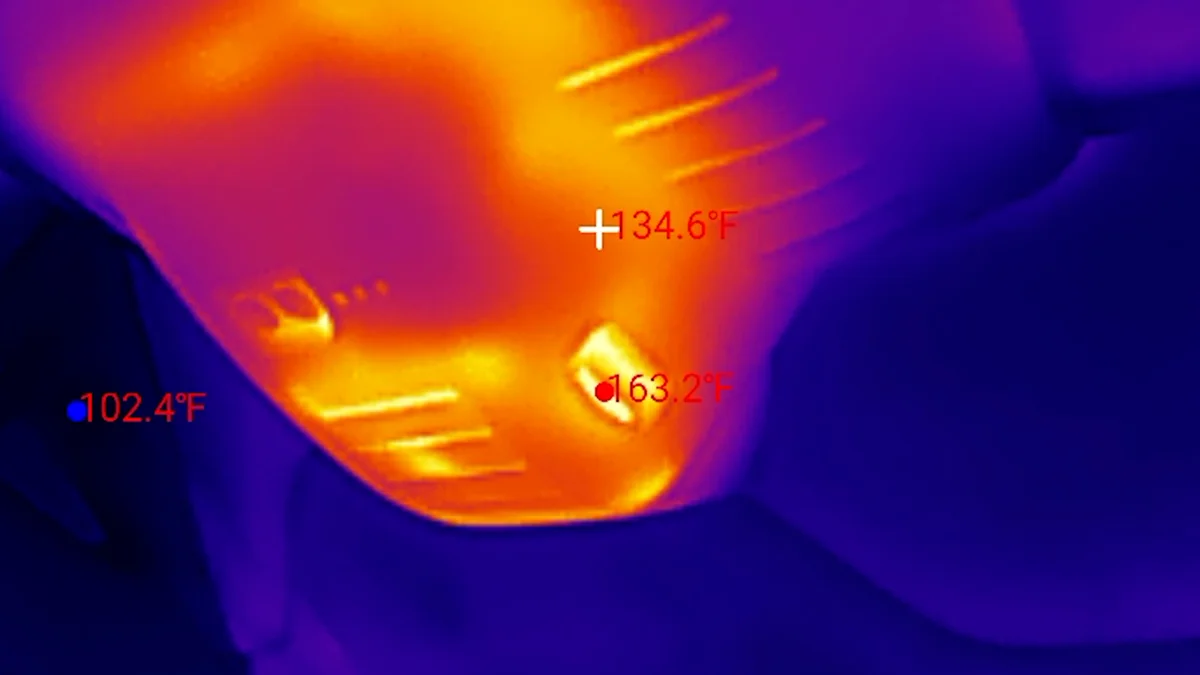
I have been watching this unit with a thermal camera. On a mild day the card area sat around 140°F or 60°C. Warm, but inside the envelope. Then we got a real summer day: 95°F or 35°C outside, and the hottest spot on the housing, directly at the card slot, read 163.9°F or 73°C. Mangoal's own spec sheet caps this camera's operating range at 158°F or 70°C.
That reading is not a worst-case parking lot bake either. I took it sitting in my driveway after a drive, sun out, air conditioning running and set to 76°F. The cabin was perfectly comfortable. The camera does not care, because it lives up behind the mirror pressed against sun-soaked glass, in exactly the spot the air conditioning never really reaches. On a sunny day, that is simply this camera's normal life.
Heat is the number one killer of flash storage and small batteries, and this unit concentrates its heat on exactly the two components heat kills first: the card, and that rechargeable coin cell a few inches behind it. That is not a today problem. That is a how-long-does-this-thing-last problem.
How the daytime footage actually looks
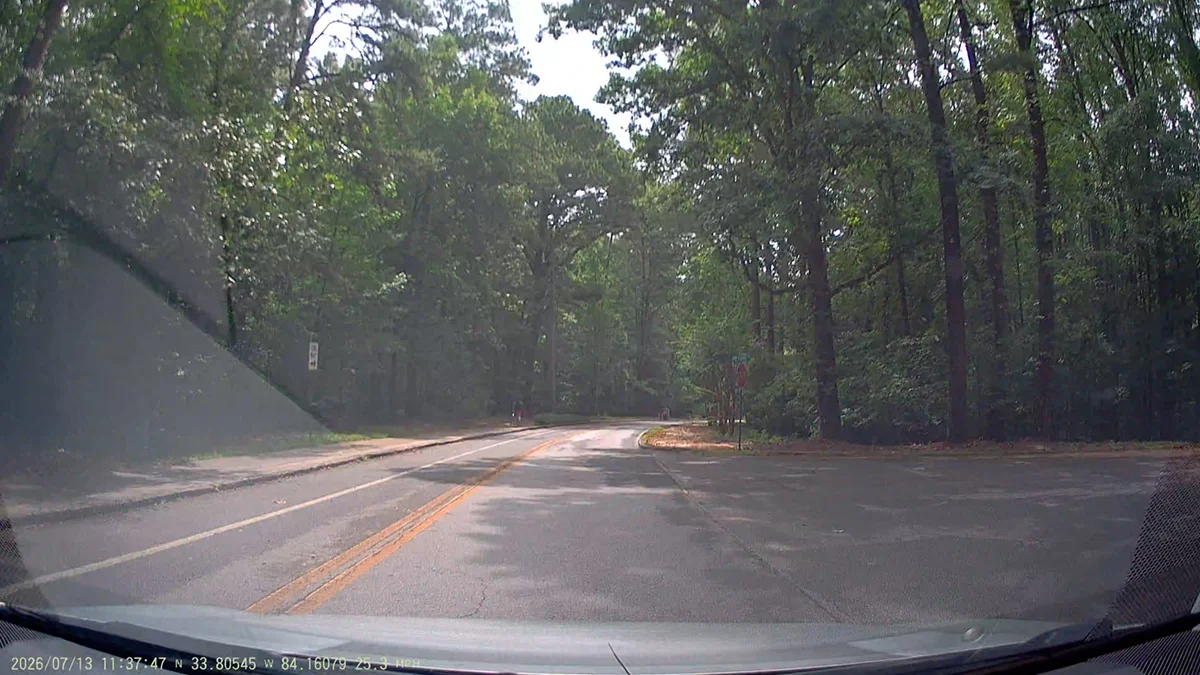
Initial impressions are not bad. The wide dynamic range, and note that is WDR and not HDR, is good. You can see into the shadows and the sky is not completely blown out. Looking at the full image, it is serviceable.
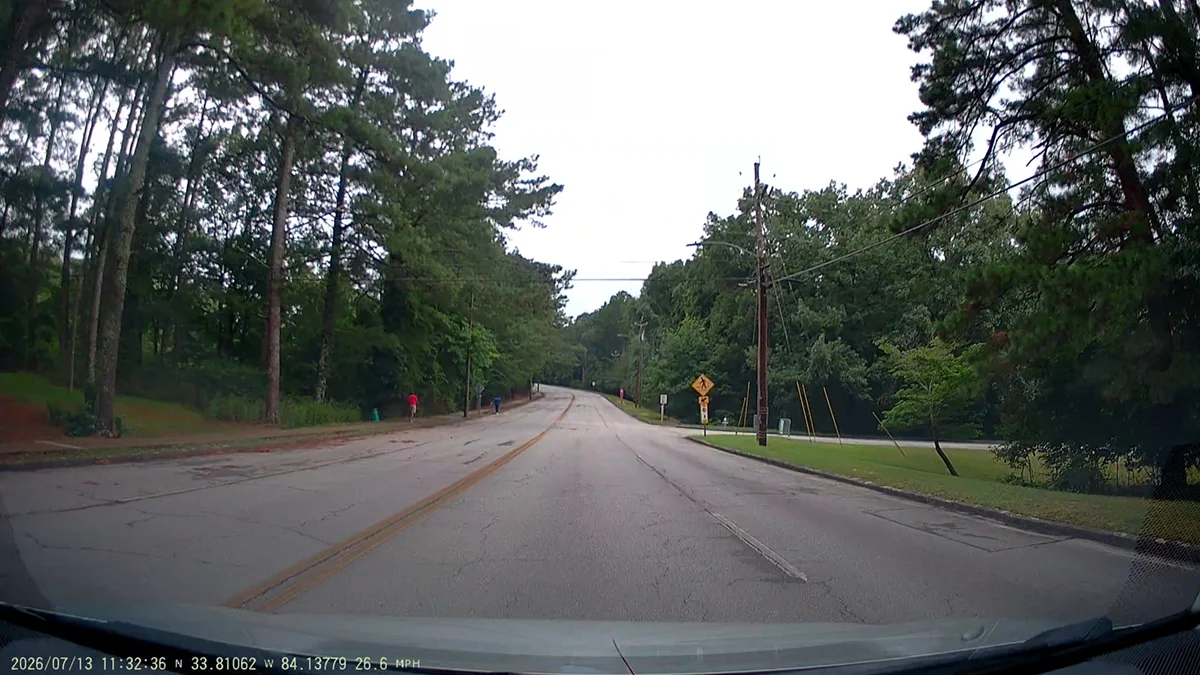
Push into the frames, though, and the processing shows: haloing and artifacts around the edges of trees and power lines. Zoom into the real pixels on a tree and the leaves stop being leaves. There is no individual leaf edge anywhere in there, just soft green blobs, and the trunk edges smear instead of holding a line. That is not the lens and it is not the sensor. That is the encoder running out of data and giving up on detail.
Dense foliage is the worst case for it, because leaves are thousands of tiny high-contrast edges all moving at once, which is the single most expensive thing you can ask a video encoder to describe. With a fixed bitrate that cannot grow, something has to give, and what gives is fine detail.
So here is the honest read on daytime. Wide shot, it looks fine. If you need to show what happened, who was where and which lane everyone was in, this footage does that well. The moment you need to zoom in and pull a detail out of it, the detail was never really recorded in the first place.
One practical note: driving in and out of harsh sun is rough, and you will want a CPL filter for those conditions. It is sold separately.
The license plate test, day and night
This is the test I run on every camera, because for most people the entire point of a dash cam is reading a plate when something goes wrong. I set a plate on a stand and move it back in roughly 5-foot increments until the characters stop being readable.
Worth keeping in mind: that 170-degree front lens is very wide, and a wider lens spreads your pixels across more scene, which usually costs you readable distance.
In daylight, right in front of the car at about 5 feet, readability is clear. No problem at 10 feet either, still sharp enough to read the plate easily. At 15 feet detail starts going but it is still legible. By 20 feet you start losing the plot, and unless you already know what the plate says you are not going to make it out.
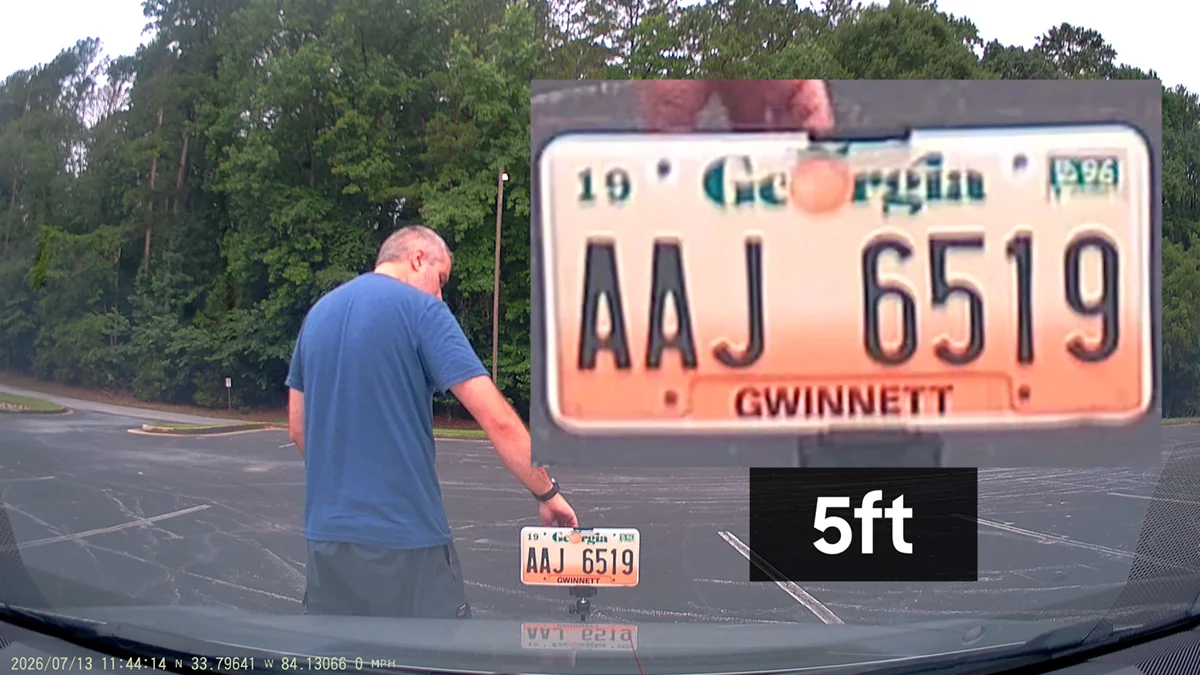
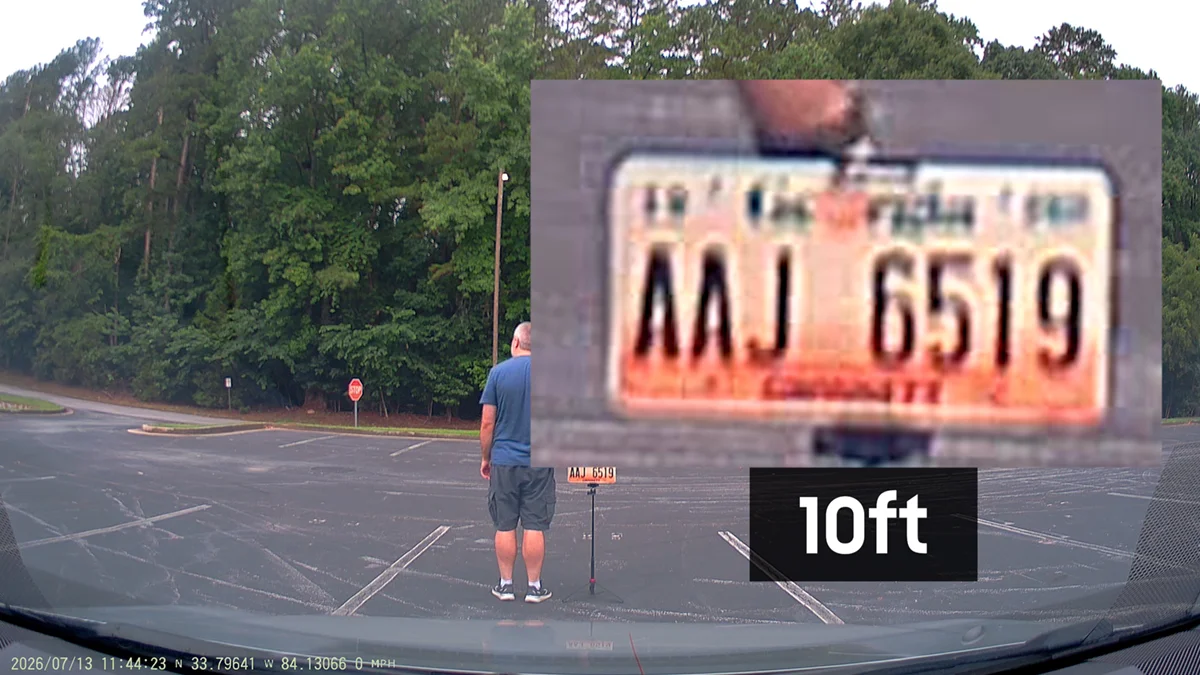
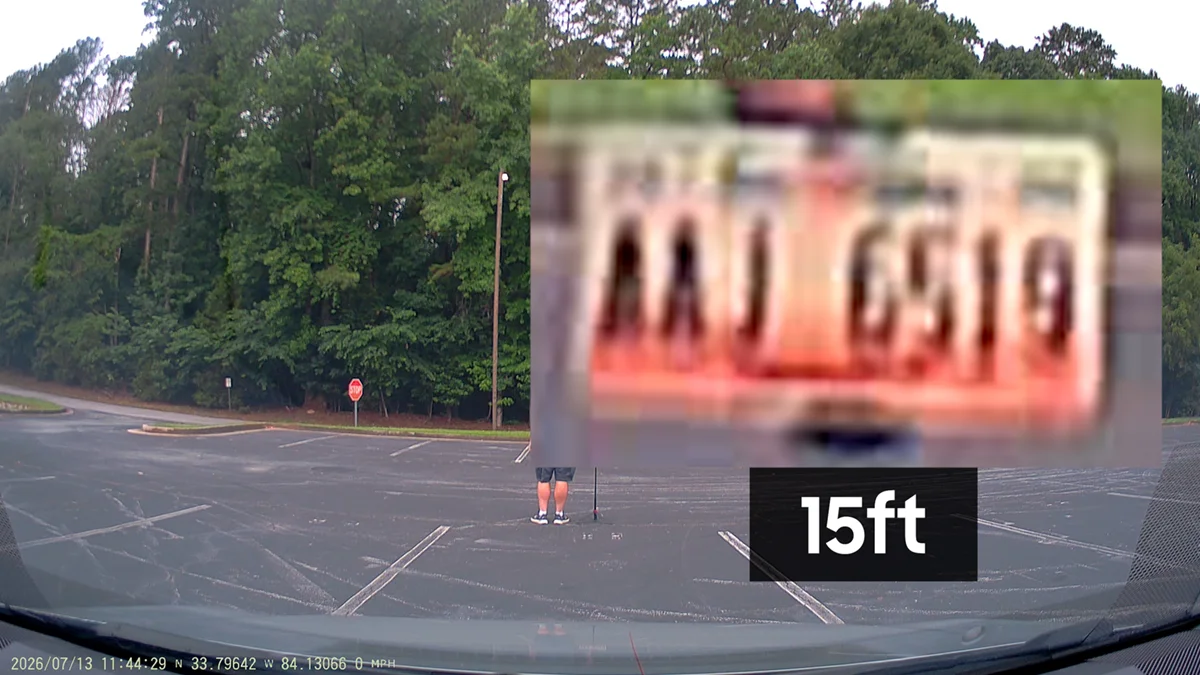
I do have to be upfront, though. These are about as close to perfect conditions as it gets. The plate is not moving, there is no traffic, and nothing is coming at me at 45 miles an hour.
At night the same ladder collapses noticeably earlier. At 5 feet it is clear enough to read without working for it. By 15 feet I can barely make it out, and if I did not already know what that plate said I do not think I would get there.
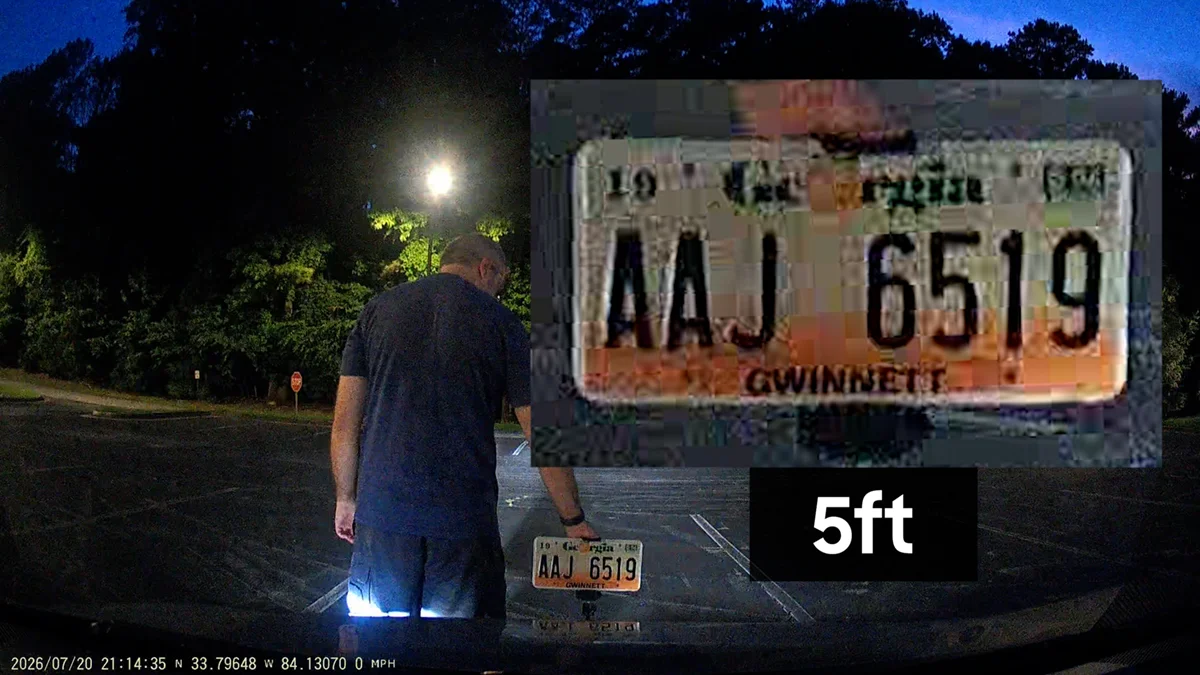
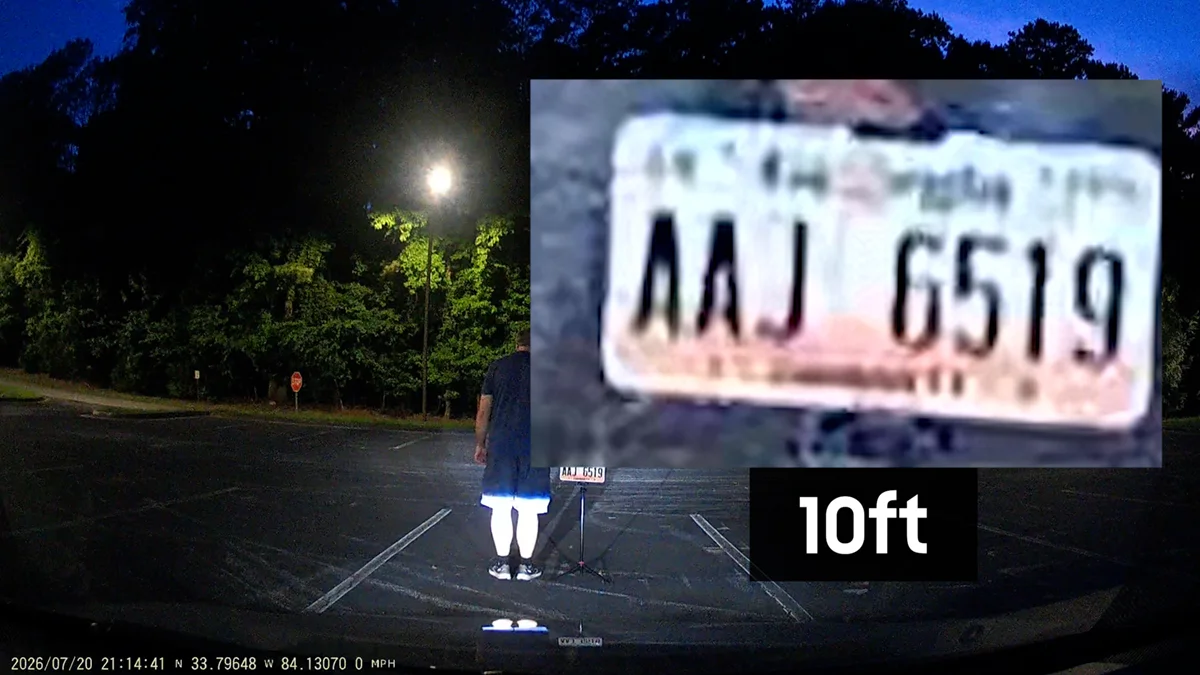
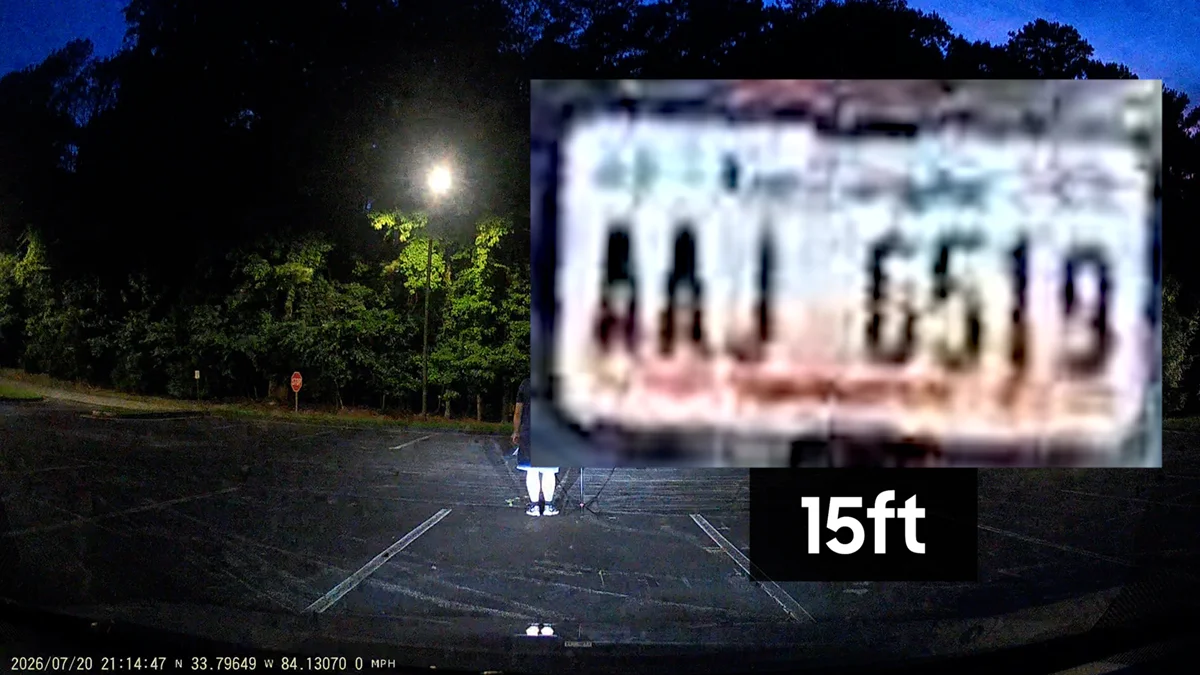
There is a flaw in that test, and I want to name it myself: I kept the plate above my headlight beam, which keeps it from being blasted with light. Depending on the vehicle you drive, your headlights sit higher or lower. On the real road, the plate in front of you is sitting right in your beam, and that changes everything.
Night on the road is where it falls down
Mangoal says the WDR here is a mix of hardware and software, and night is exactly what wide dynamic range is supposed to be for. So how does it do?
Starting with what works, because it is not all bad: static lit objects hold up better than I expected. Street signs, storefront signs and traffic lights are all readable without trouble. If what you need is to establish where you were and which intersection you were sitting at, this footage does that job fine.
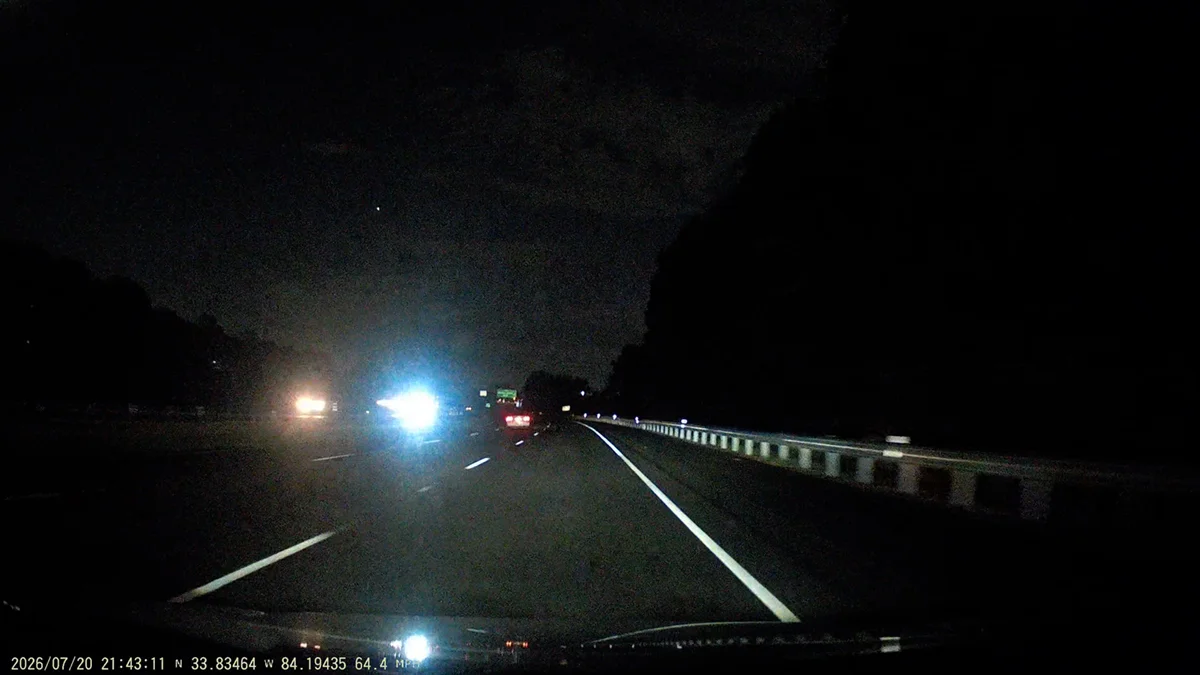
That is about where the good news stops. The shadows are not dark, they are gone. Off the side of the road it is a black wall, and anything outside the reach of the headlights essentially does not exist in the file. If somebody stepped off a curb out there, you would not see them coming.
Then there is the bloom. Every street light turns into a starburst, and the brake lights ahead swell up and bleed into everything around them. Oncoming traffic is just as bad: those headlights bloom into a solid white mass, and for as long as that car is passing, anything on that side of the road is simply gone.
Which leads to the problem that actually matters.
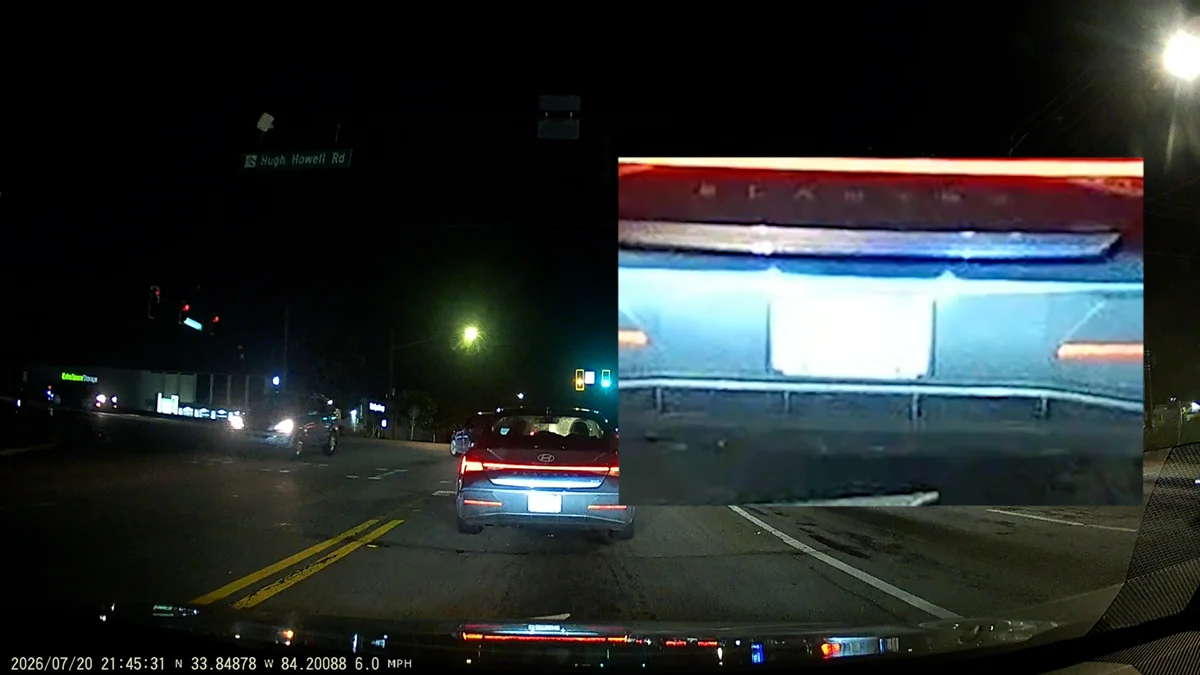
That is a car stopped at a red light directly in front of me. Not moving, and close enough that I could have read the plate out the window. And the camera cannot read it. It is a white rectangle with no characters in it at all. Same story for the car in the next lane over.
I measured it rather than just eyeballing it. There are about 3,800 pixels of native 4K landing on that plate, and nearly 88 percent of them sit at 250 or brighter on a scale where 255 is pure white. Even the darkest one percent of that plate still comes in at 177. To read characters you need dark strokes against a light background, and there are no dark pixels on that plate at all. The information is not dim, or noisy, or blurry. It is not in the file.
Here is the part that is the opposite of what you would assume: this is not a resolution problem. Thirty-eight hundred pixels is plenty to read a plate. The camera had the resolution and still failed, because the failure is about exposure. License plates are retroreflective by design, built to throw your headlights straight back at you. So the camera opens up to see a dark scene, that plate comes back at it like a mirror, and everything on it gets crushed against pure white.
Which matters, because a bright object in a dark frame is the textbook case for wide dynamic range. That is the exact scenario WDR exists to solve, and it is not solving it.
My controlled test said 5 feet clear and 15 feet marginal. The real road says that even at a stoplight, with the car stationary and close enough to touch, you are not getting that plate.
The rear camera at night deserves the same bluntness. It is a blur. The lights blow out, there is basically no detail left in the frame, and it is messy in a way the front camera never quite gets to. The file sizes back that up: every rear clip I shot at night lands right around 6.9 megabits per second, the absolute bottom of the range that camera uses, where in daylight the same camera climbs past 11. Some of that is just physics, since a dark frame compresses down to almost nothing. Either way, at night the rear camera is spending the least data it ever spends on the hardest scene it ever has to describe.
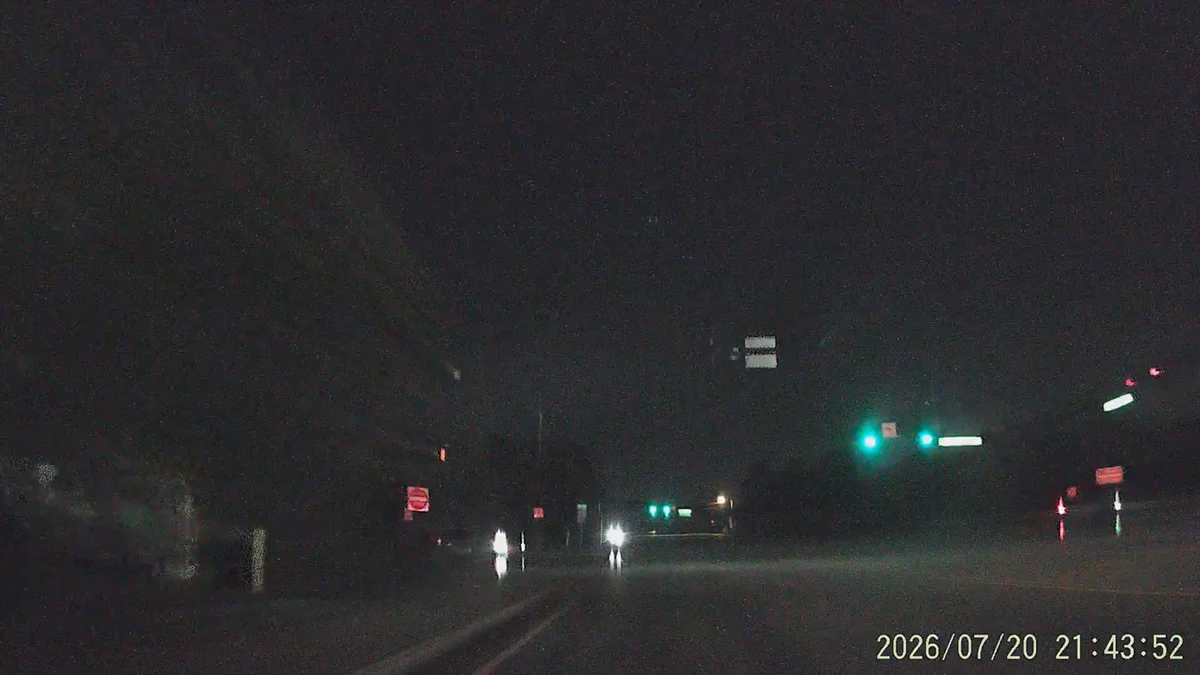
Before you write the rear camera off completely, though, and I do not think you should, be clear about what it is actually there to do. Reading a plate and knowing something happened are two very different jobs. That rear footage is not going to identify anybody. But if somebody rear-ends you at a light, a blurry recording of a truck hitting you is still a recording of a truck hitting you. It establishes that it happened, and roughly how. That is a much lower bar than identification, and the rear camera does clear it. Think of it as an event recorder rather than an identification tool.
One thing you cannot fix with a setting: the rear camera is locked at 1080p in every mode. There is no option that raises it.
Which resolution mode should you actually run?
Everything above was shot in 4K, because that is how the camera ships and how most people will run it. But there are three modes in the app: 4K plus FHD, 2K plus FHD, and FHD plus FHD. I tested all of them, and the result is not what I expected.
Here is what nobody mentions. The IMX335 sensor is 2592 pixels across. 2K is 2560. That is a 99 percent match, which makes 2K the one setting where this camera simply reads its sensor out and writes down what it sees. Nothing invented, nothing thrown away. 4K asks for 8.29 megapixels the sensor cannot supply, and FHD throws away detail the sensor did capture.
The measured bitrates go 18.6 megabits for 4K, 14.9 for 2K and 10.2 for FHD. All three are constant, and all three stay locked regardless of scene.
FHD is the easy call: it loses, and it is not close. Shrink the 4K footage down to 1080 and it still carries about three times the fine detail that native FHD does. That is oversampling at work. Shrink a big image and its flaws shrink with it, whereas FHD starts small so its flaws stay full size.
4K versus 2K is where it got interesting. Drag the handle below: this is the same stretch of road, the same speed limit sign, shot five minutes apart in the same light.
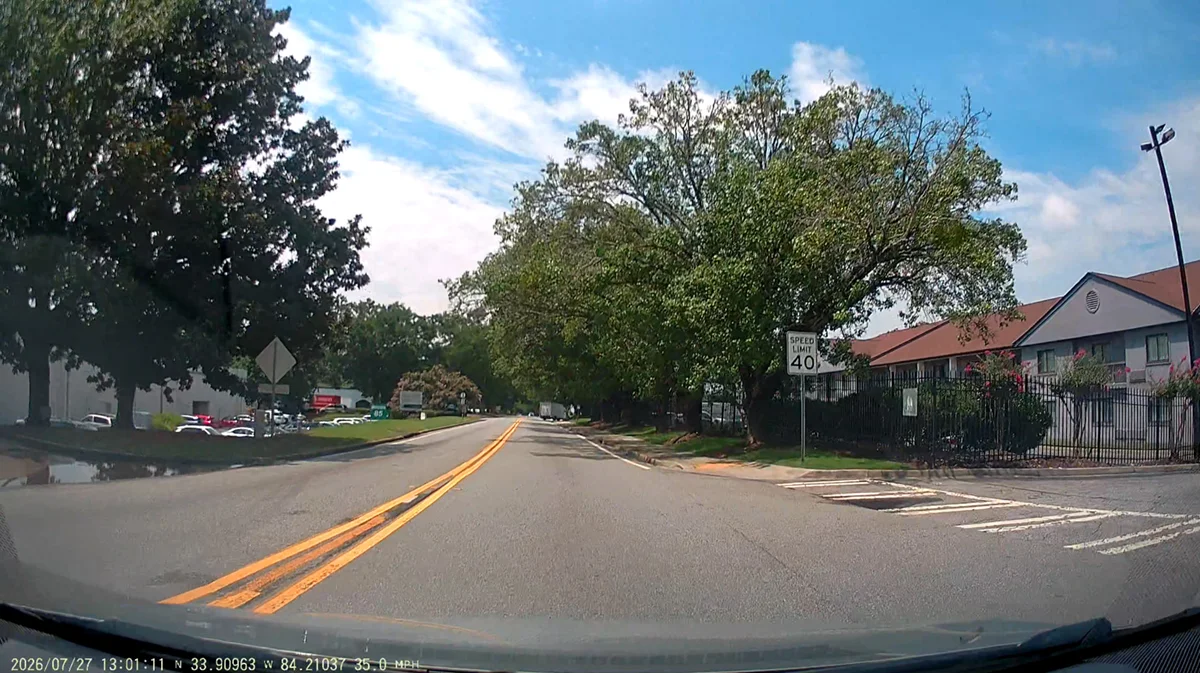
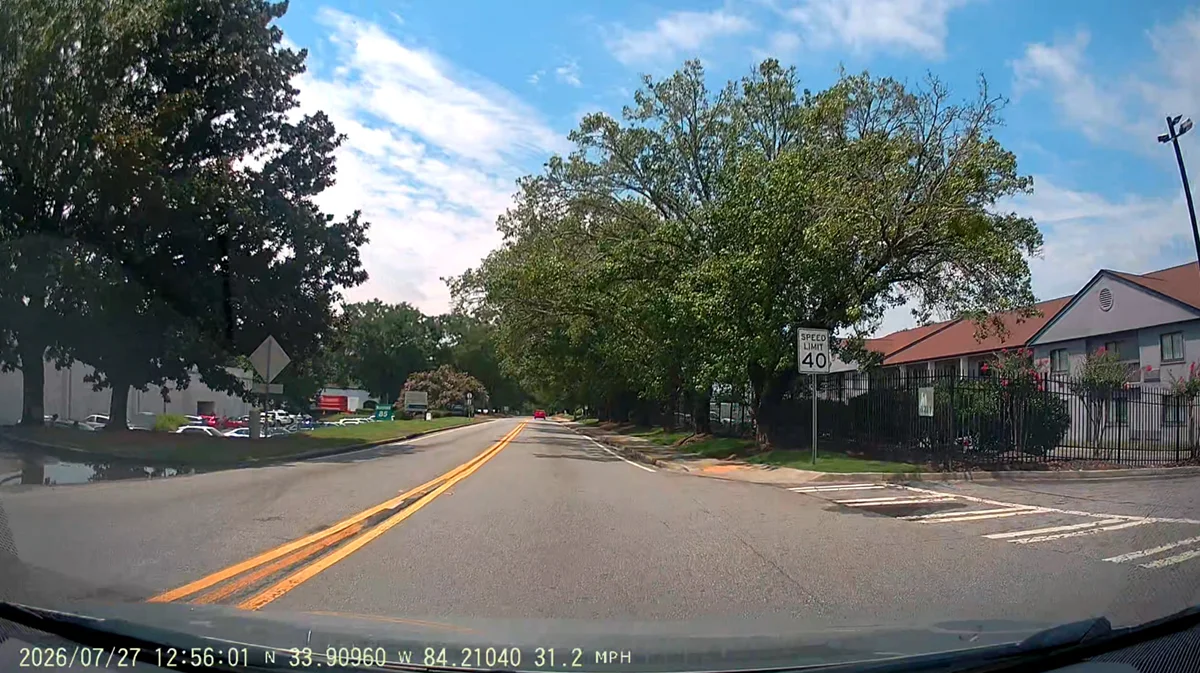
On paper 2K should walk it, because 14.9 megabits spread over a smaller frame works out to nearly twice the data per pixel that 4K gets. In practice the difference is subtle in a wide shot, which is exactly why the still below matters more than the slider does.
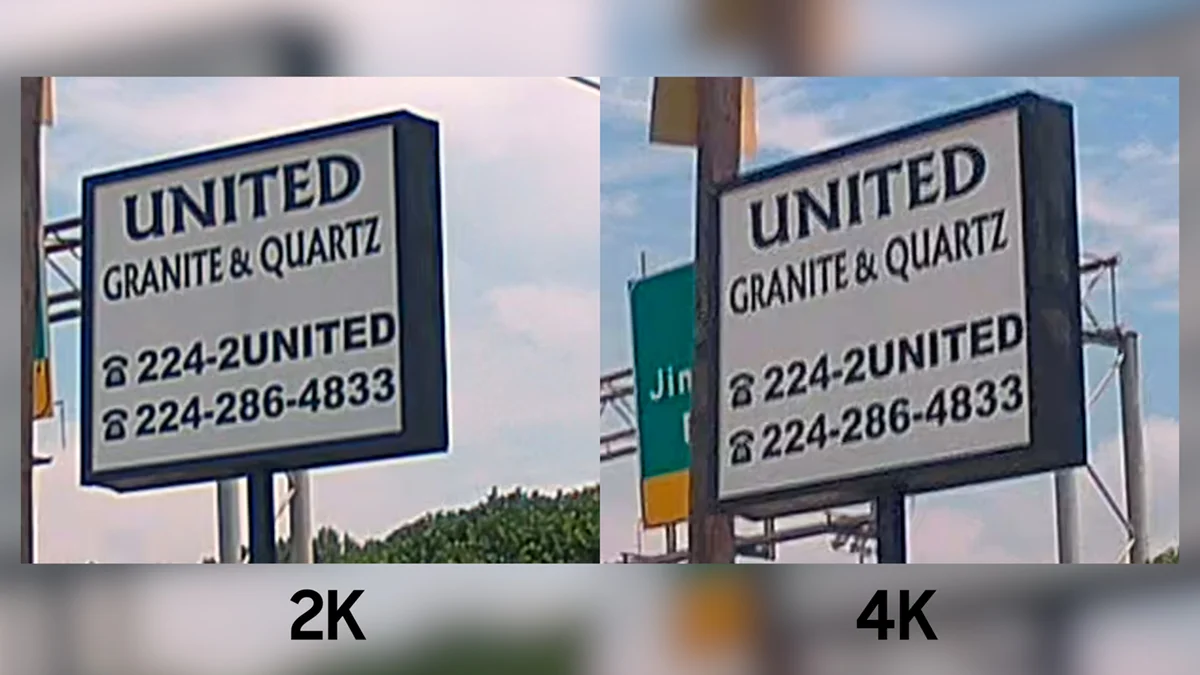
This is the shot that settled it. At the start of both runs I am stopped at a lot entrance, not moving at all, looking at a sign with a phone number on it. No motion blur to argue about. Look at the letter edges: the 2K is hard and clean, while the 4K is softer with a glow running along the top border of the sign that the 2K does not have.
That makes sense, because 4K is getting hurt twice. Upscaling from the sensor's 2592 pixels up to 3840 means the processor has to invent values across every hard edge, so a crisp line comes out the other side as a gradient before compression has even started. Then the bitrate: 4K is the worst-fed mode on this camera, so the encoder has the least data to work with while protecting edges that were already softened. 2K skips both problems.
I want to be careful here, because this is me looking at footage rather than quoting a hard number. Comparing compression artifacts between two different resolutions is genuinely messy, and every clean measurement I tried to build came back tangled up in something else. So the images are here and you can make your own call.
But my call is 2K. It is native, it looks cleaner where it counts, and it buys you about 25 percent more recording time on the same card. 4K still has one thing going for it, the most pixels on something far away, so if reading a distant plate in daylight is the entire reason you are buying, there is an argument for it. And no, none of this fixes the night plates. That is an exposure problem, and it does not care what resolution you pick.
Against what to go in knowing
- The 4K is interpolated from a 5.14MP sensor, not native
- Bitrate is locked at 18.6 Mbps and cannot adapt to a harder scene
- No supercapacitor, just an ML1220 clock battery
- Card slot measured 163.9°F, past the rated 158°F maximum
- Night plates on the road are unreadable, even stopped and close
- Rear camera is locked at 1080p and is a blur at night
- Fitment is model, year and trim specific
For what it genuinely nails
- Truly disappears: nothing visible from outside the car
- OEM-grade panel fit, no creaks and no gaps
- About 20 minutes to install with no fuse tapping or wire cutting
- Complete kit: GPS module and a real Kioxia card included
- TS recording survived every hard power cut I threw at it
- Daytime wide shots are perfectly serviceable
- A 2K mode that is genuinely native to the sensor
Frequently Asked Questions
Does the Mangoal dash cam fit my Corolla?
This model fits the Toyota Corolla Gen12 E210 from 2023 to 2026, covering the LE, XLE, XSE, SE and Hybrid trims. It does not fit the 2020 to 2022 Corolla and it does not fit the Corolla Cross. Check your exact year, trim and the shape of your stock mirror shroud before ordering.
Is the Mangoal really 4K?
The file really is 3840 by 2160 at 30fps, but the Sony IMX335 sensor behind it is only 5.14 megapixels and true 4K needs about 8.3. The camera captures at the sensor's real resolution and upscales, so you get a 4K file without 4K worth of detail.
Can the Mangoal read license plates at night?
Not reliably. In my testing a plate on a car stopped at a red light directly ahead came back as a blank white rectangle, with nearly 88 percent of its pixels crushed against pure white. This is an exposure problem caused by retroreflective plates returning your headlights, not a resolution problem, so no resolution setting fixes it.
Should I run the Mangoal in 4K or 2K?
I would run it in 2K. The sensor is 2592 pixels across and 2K is 2560, so 2K is effectively a one-to-one readout with no upscaling. It shows cleaner edges than the 4K mode and gives you about 25 percent more recording time on the same card.
What size memory card does the Mangoal support?
Mangoal confirmed the maximum supported card is 256GB, despite some listings claiming 512GB. It ships with a 128GB Kioxia Exceria G2, which holds roughly 10 and a half hours of front-plus-rear 4K footage before it loops.
Does the Mangoal have a parking mode?
No. It is not hardwired and only records while the car is running, so there is no parking surveillance mode.
So who is this actually for?
At 250 dollars, here is what you are actually buying: the way this thing disappears into your car. That is the product. The kit is complete, the build quality is genuinely OEM grade, and from the driver's seat it looks like it came with the car. On that promise it delivers completely.
What you are not buying is great video. And I want to be careful how I say this, because it is easy to overstate in either direction. This footage is not terrible. It is just not good. During the day the wide shot is perfectly serviceable, and if what you need is to show what happened and which lane everybody was in, it does that fine. The closer you look, the less is actually there, and at night it gets worse in the way that matters most.
If what you want most is a dash cam nobody can see, and you go in understanding that you are getting adequate footage rather than great footage, this is a reasonable buy and I do not think you will regret it. That is a real thing to want, and almost nothing else scratches that itch this cleanly.
But if you are buying a dash cam mainly to capture evidence, and especially if you are thinking about night and about plates, this is not the one. I would rather tell you that now than have you find out the hard way after something happens.
Is it perfect? No. Is it bad? Also no. It is a stealth product with acceptable video attached, and how you feel about it comes down entirely to which of those two you care about more. I have deliberately put a lot of the raw footage in the video above, day and night, so you do not have to take my word for any of it. Watch it, decide whether that quality clears your bar, and buy accordingly.
My rating: 3.5/5. It earns high marks for stealth, build quality and how quickly it goes in. It loses them for the upscaled 4K, the unreadable night plates and a card slot that measured past its own rated temperature.
Disclosure: Mangoal reached out and provided this unit free of charge. They did not pay for a positive review, had no editorial control, and did not see this before it went live. This post also contains affiliate links. As an Amazon Associate I earn from qualifying purchases, at no extra cost to you. Affiliate links like these and my YouTube channel are what keep the site running.