
Why I Turn HDR Off on My New Dashcam
HDR promises richer shadows, controlled highlights, and sharper night footage. But on the VIOFO A229 Plus it quietly halves your frame rate. After hours of real-world testing, here's why I leave it switched off.
Plays via YouTube. Google may set cookies when the player loads. Privacy policy
The short version
On the A229 Plus, enabling HDR drops you from 60FPS to 30FPS and introduces motion blur, ghosting, and inconsistent over-processing. It also doesn't deliver the night-time license-plate magic the marketing implies. For a dashcam, smooth, usable frames beat a slightly prettier picture.
Verdict: leave HDR offOne feature, one big question
In my full review of the VIOFO A229 Plus, I covered the install, the complete feature set, and overall performance. If you haven't seen that yet, I'd start here.
This time we're zeroing in on a single setting: HDR. It promises better shadows, clearer highlights, and improved night detail. But is that worth cutting your frame rate in half? Let's find out.
Disclosure: This post contains affiliate links. As an Amazon Associate I earn from qualifying purchases, at no extra cost to you. Affiliate links like these and my YouTube channel are what keep the site running.
The camera tested
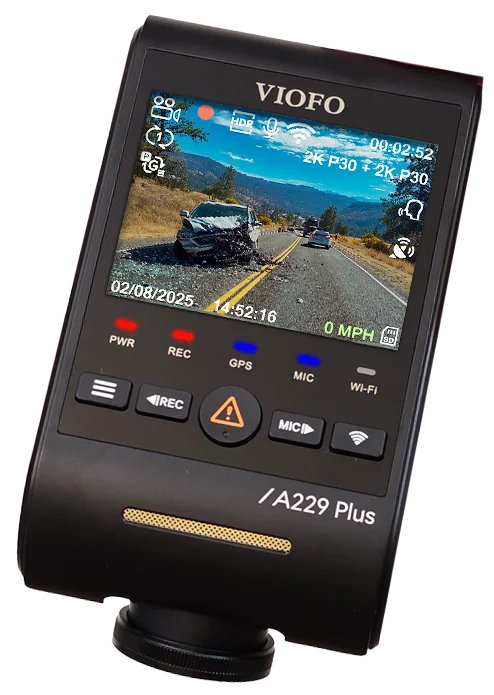
VIOFO A229 Plus
Dual STARVIS 2 sensors with native 60FPS capture: the exact camera behind every clip and test in this article.
What HDR is supposed to do
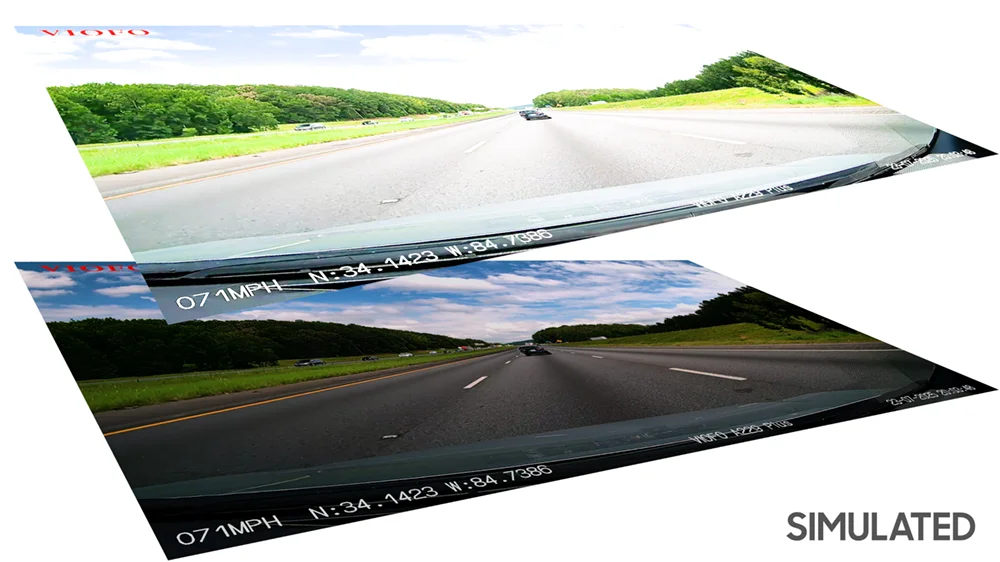
HDR, or High Dynamic Range, works by combining multiple exposures, or stacked frames, to balance out extreme lighting. In theory you get more detail in the shadows without blowing out the highlights, which sounds perfect for a dashcam.
But there's a catch. On the A229 Plus, and most other dashcams, turning HDR on cuts your frame rate in half, from 60 down to just 30FPS. That's the first trade-off, and depending on how you drive, it might already be a dealbreaker.
Motion blur and ghosting
Dashcam HDR isn't the carefully graded HDR you see in movies or streaming video. The camera has to do everything live: the Sony STARVIS 2 IMX675 sensor captures short exposures for the bright areas and long exposures for the shadows, then merges them on the fly. That is one of two HDR mechanisms Sony builds into its STARVIS 2 sensors, and which one a dash cam actually runs is the maker's call, not the sensor's.
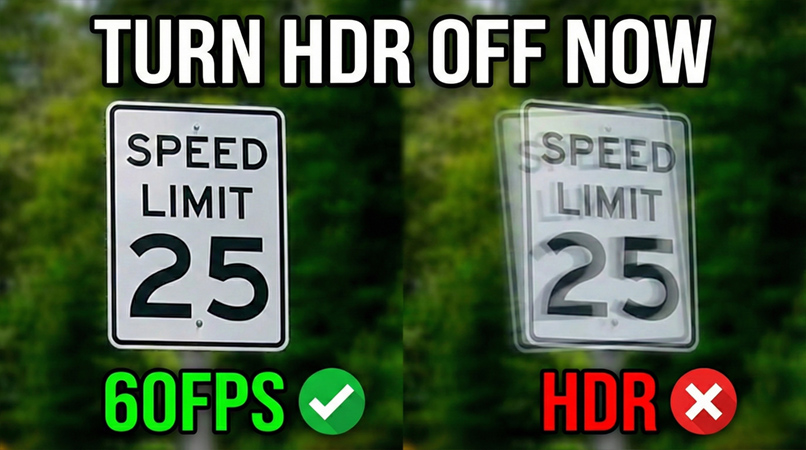
That real-time merging is where the side effects show up. After reviewing hours of HDR footage, the motion blur and ghosting were impossible to ignore. Roadside railings smear instead of staying sharp, and a speed-limit sign shows a ghosted double image, the classic fingerprint of frame stacking. The camera is working overtime to blend exposures, and in the process you lose the crispness of a single clean frame.
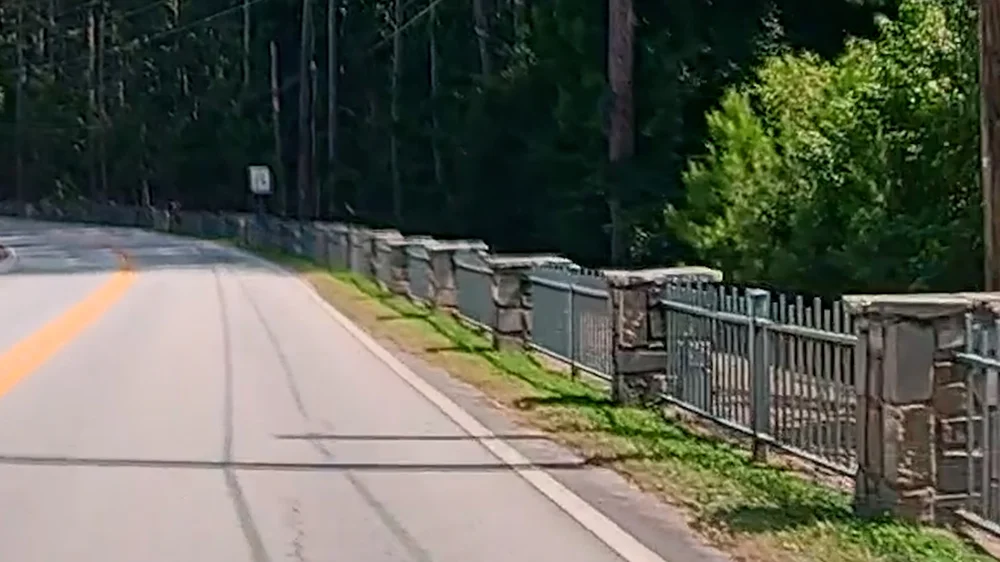
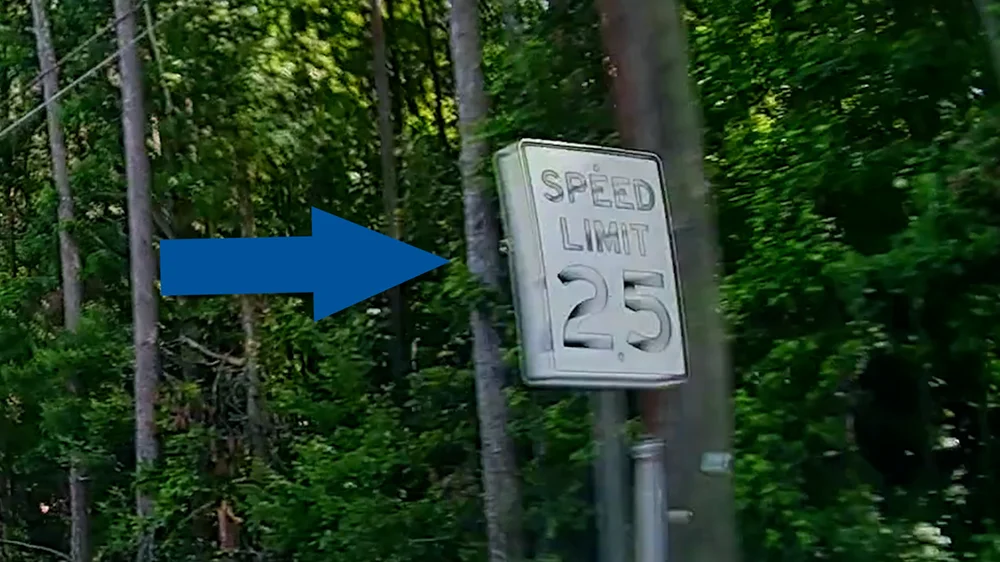
It's subtle at first. But once you notice the ghosting, you can't unsee it.
Over-processing and artifacts
Sometimes HDR doesn't just blur. It over-processes. A simple dot-matrix sign ended up looking like WordArt from a kid's PowerPoint presentation. It pops visually because it's self-illuminated, but all the fine detail is gone.
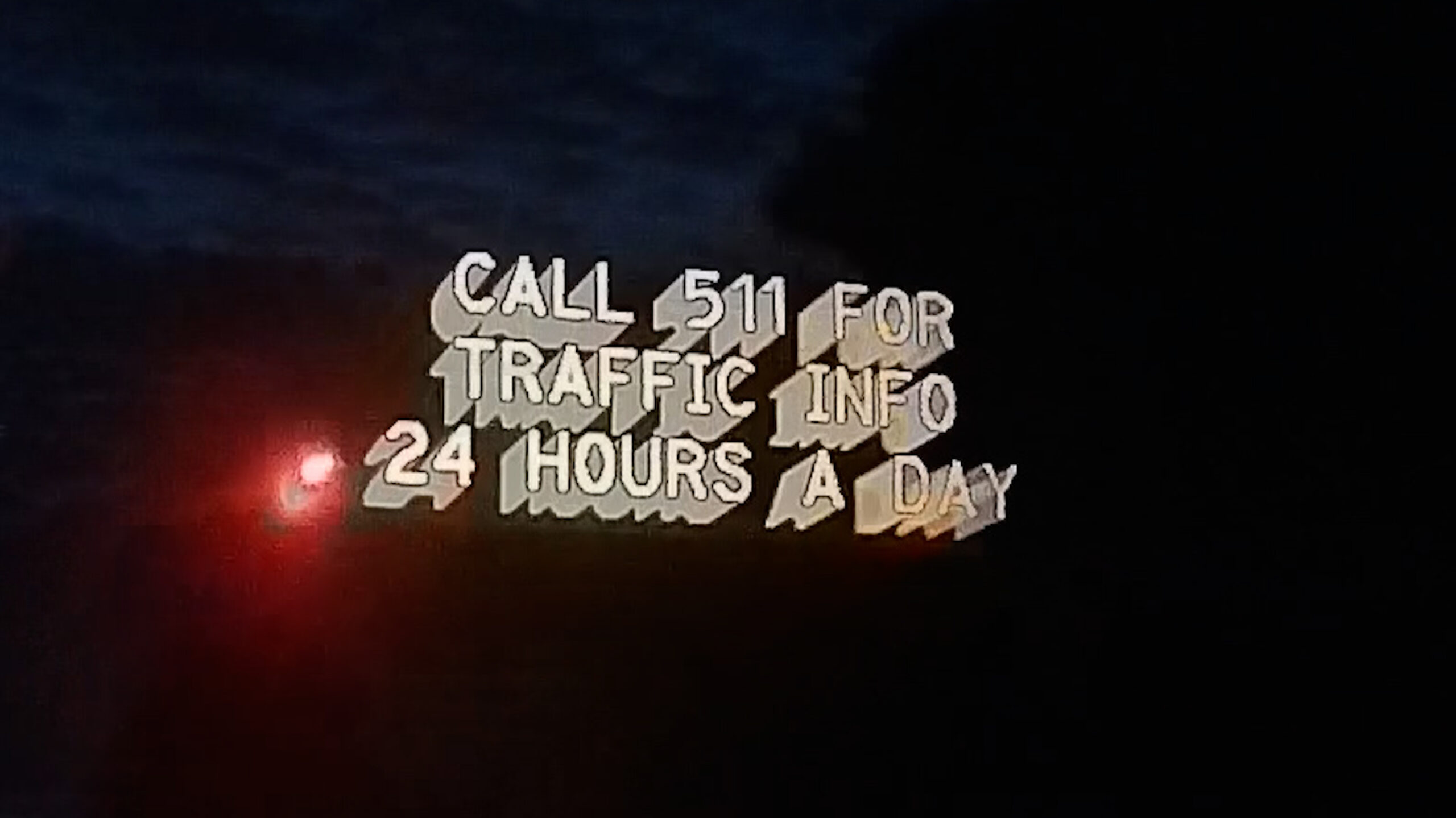
What makes this frustrating is the inconsistency. One clip shows that exact same sign looking crystal clear; the next turns it into a smeared mess. That tells you the HDR algorithm is aggressively guessing how to merge exposures, and sometimes it just makes the image worse.
So while HDR can lift shadows and balance highlights to make a frame look prettier, the reality is you often pay for it with motion blur, ghosting, and over-processed detail.
Night footage vs. the marketing
One of the big selling points of HDR in dashcams is better license-plate readability at night. Marketing materials make it sound like HDR is the magic bullet. In my testing, it just didn't hold up.
In one clip the plate is dead center, perfectly lit by my headlights, and I'm at a complete stop, and it's still completely blown out. That's exactly the kind of scenario HDR is supposed to handle. To push it further, I set up a test plate on a stand at night: same result: washed out and unreadable. And in total darkness under overcast skies, HDR added no extra detail compared to non-HDR footage.
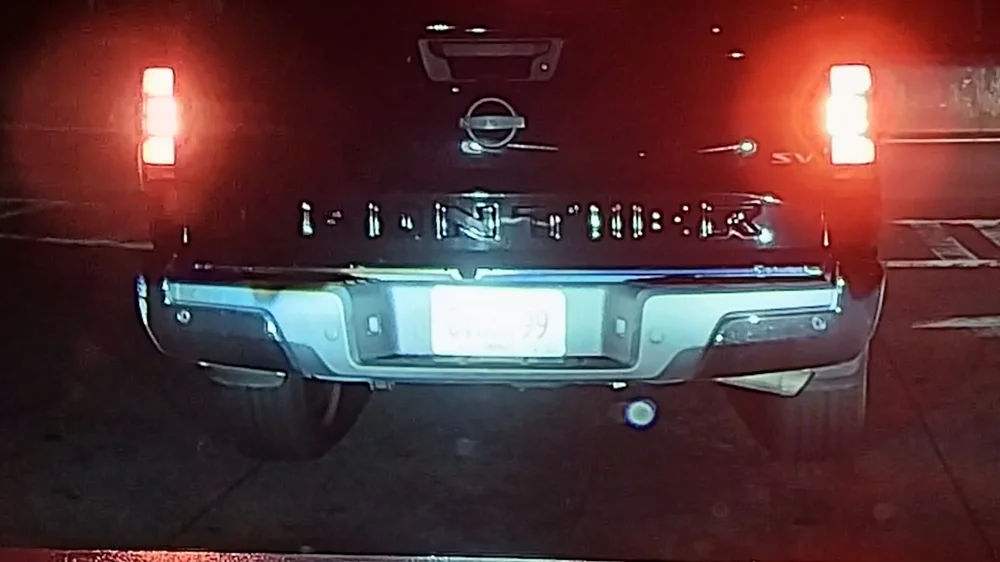
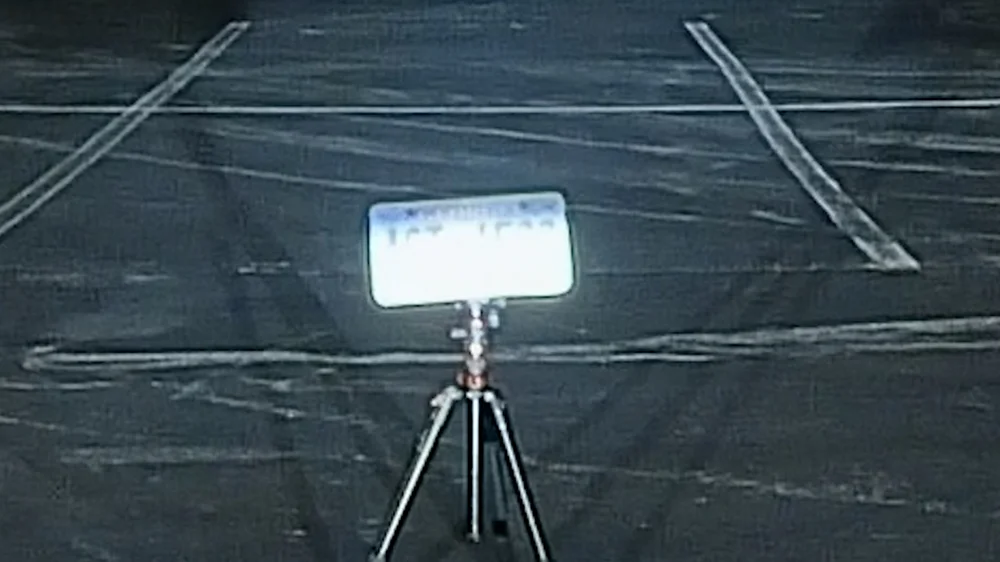
So yes, HDR does a good job balancing bright skies and dark shadows during the day. But don't expect any miracles at night.
HDR on vs. HDR off
When I turn HDR off and switch back to 60FPS, the difference in smoothness is immediate. Watching mountain-road footage at 60FPS is just more natural. Colors still look vibrant, skies don't wash out completely, and I don't have to deal with smeared details or random ghosting. For me, smoother 60FPS footage beats unpredictable HDR every time.
HDR On 30FPS
- Frame rate cut in half: 60 → 30FPS
- Motion blur and ghosting on moving detail
- Inconsistent, sometimes over-processed frames
- No real night license-plate advantage
HDR Off 60FPS
- Full 60FPS: twice the temporal detail
- Sharp, clean single-frame capture
- Still vibrant; skies hold up well
- Predictable, consistent footage
Why frame rate wins for a dashcam
Here's the bottom line. HDR relies on frame stacking, and while it can improve dynamic range, it also introduces motion blur and inconsistencies. Because it locks you at 30FPS, you're losing half your temporal resolution, and in a dashcam, where capturing fast-moving detail matters most, that's not a small trade.
Dropping to 30FPS also changes how much footage actually fits on your card. Run your own resolution and card size through my dash cam storage calculator to see the real difference before you commit to a setting.
So, is HDR worth it?
In my opinion: no, not as a default setting. It has its moments, but the inconsistent processing and loss of smoothness outweigh the benefits. I'm sticking with HDR off and 60FPS on, because when it comes to dashcams I'd rather have more usable frames than a slightly prettier picture, especially when every frame can matter in an accident or any other incident on the road.
That said, every driving environment is different. If you drive mostly in harsh sun or extreme contrast lighting, give HDR a try and see if it works better for you. Future firmware updates may improve the processing. We'll see.
If you're cross-shopping other current dashcams, I've also tested how the 4-channel Botslab G980H handles dynamic range, and how the OEM-style FitcamX compares on video quality. I also tore down the Mangoal OEM camera and tested every resolution mode it offers.