
ProGrade PGM0.5 review: your card reader is a measuring instrument
On the same card, on the same afternoon, this reader delivered 296.9 MB/s where my backup delivered 95.0. Then it spent one morning making two professional cards look like frauds.
Prefer to watch the tests?
There is no video for this one yet, but every memory card I bench goes up on the channel, all of it measured through this reader. Subscribe to catch the next one.
The short version
If your cards are fast, this reader is worth it, and the gap is bigger than most people expect: the same card read 296.9 MB/s through the PGM0.5 and 95.0 MB/s through my UHS-I backup, minutes apart. Writes are capped on the slow reader too, and the difference is worth an entire video speed class: V90 on a UHS-II card against V60 on the UHS-I bus. Two things temper the recommendation. The second slot is real storage but it cannot transfer at the same time as the first, so it is a convenience and not a second lane. And a reader is an instrument you have no way to verify, which stopped being an abstract worry the morning mine started quietly corrupting its own measurements.
Recommended, if your cards can actually use itNobody reviews the thing doing the measuring
I have published a lot of memory card reviews. Every single number in every one of them passed through one small metal box on my desk, and until this week I had never tested it. That is a strange thing to admit on a site whose whole pitch is measurement, so I fixed it.
A card reader is not a cable. It is an active device that negotiates a bus speed, moves every byte, and decides what your card is allowed to be. Plug a fast card into a slow reader and you do not get a slightly slower number. You get a different answer, and nothing on screen tells you which one you are looking at.
This is a review of the ProGrade Digital PGM0.5, a dual slot SDXC and microSDXC reader. It is also, unavoidably, a review of my own bench, because that is what this reader is.
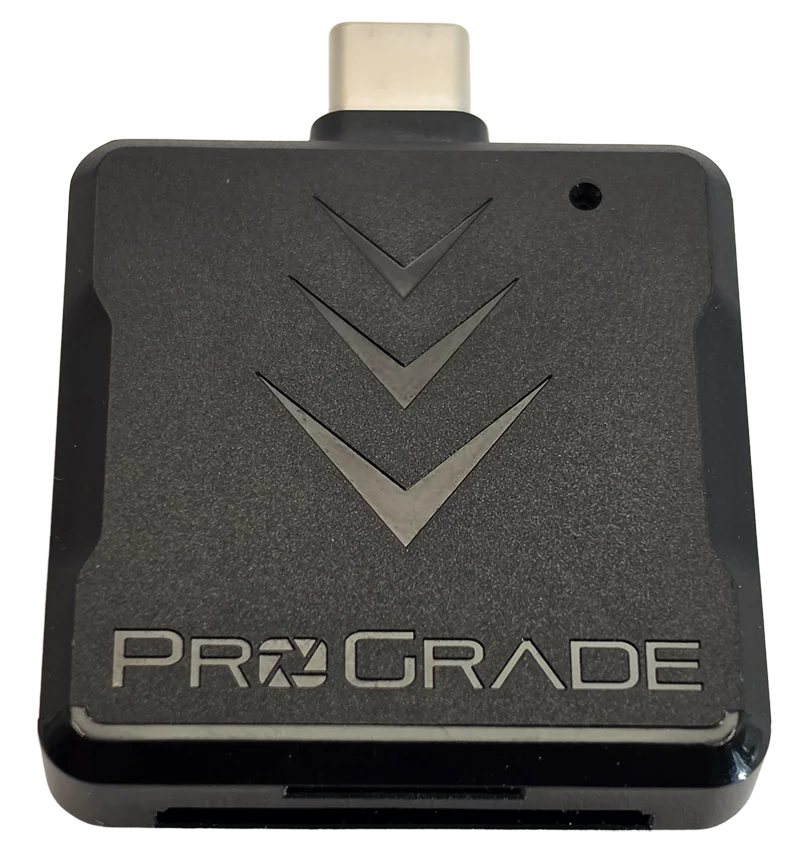
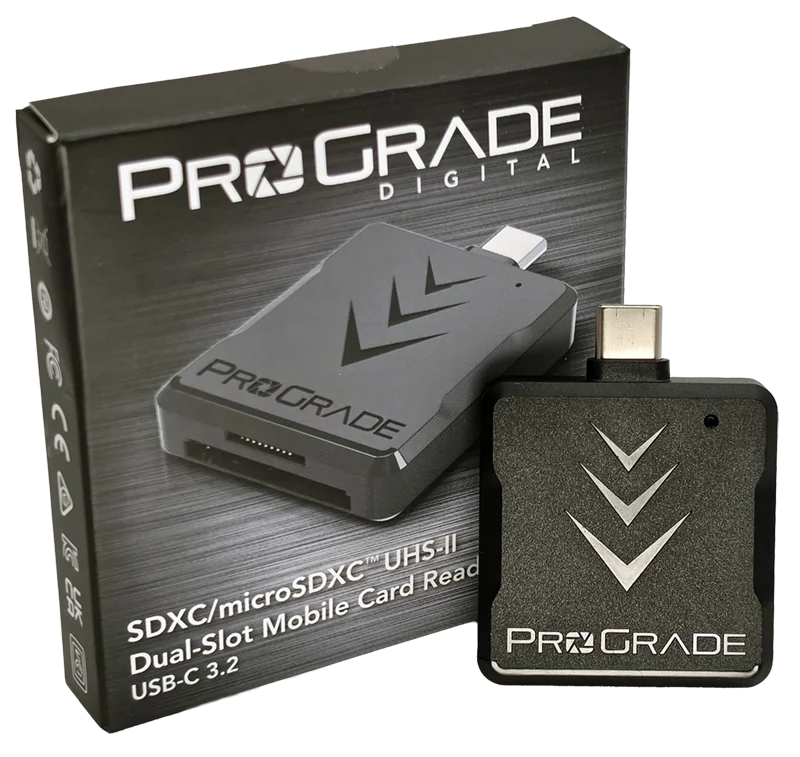
Disclosure: I bought this reader myself. Nobody sent it and nobody saw this review before publication. It is also my primary test instrument, so every memory card review on this site was measured through it. That gives me far more data on this product than on anything else I have reviewed, and it also means I depend on the thing I am judging. Every number below is reproducible from the run files. This post contains affiliate links. As an Amazon Associate I earn from qualifying purchases, at no extra cost to you. Affiliate links like these and my YouTube channel are what keep the site running.
How much faster is a UHS-II reader, really?
Here is the cleanest test I can run. One card, a ProGrade SDXC UHS-II V60 128GB. Two readers. Same afternoon, same machine, freshly formatted before each run, nothing else changed.
Through the PGM0.5 the card read 296.9 MB/s. Through my Transcend TS-RDF5, a competent UHS-I reader, the same card read 95.0 MB/s. That is 3.1 times, and it is entirely the reader.
The write side matters too, and it is the part people forget. Writes went from 108.4 MB/s down to 88.5. Smaller in percentage terms, but it is the direction that decides whether your camera drops frames, and the slow reader caps it.
The same card, measured through two readers
The slow reader does not just move fewer bytes, it waits longer
Bandwidth is the number everyone quotes. It is not the only thing that changes.
I measure small random reads at queue depth 1, which is a single 4 KB request at a time with nothing else in flight. That is a latency test wearing a throughput costume. Through the PGM0.5 the card managed 2087 of those per second. Through the Transcend, 1014.
Turn it around and it is easier to feel: each individual read took 0.48 milliseconds through the fast reader and 0.99 through the slow one. The interface did not just narrow the pipe, it doubled the wait on every single request. If you have ever browsed a card full of RAW files and watched thumbnails crawl in, that is the number you were feeling, and it is not your card's fault.
Plug a fast card into a slow reader and you do not get a slower number. You get a different answer.
Can you really offload two cards at once?
The PGM0.5 has a full size SD slot and a microSD slot, and the first thing I found is genuinely useful: it presents them as two independent drives. Both drive letters appear the moment you plug the reader in and both stay there with both slots empty. A cheaper muxed reader shows you one drive and swaps whatever is inserted underneath it.
So two cards, two drive letters, copy from both at the same time. That is what I assumed. It is wrong.
I put a card in each slot and read from both simultaneously, sampling the actual device counters once a second. Across two separate experiments totalling 330 seconds, the number of seconds where both slots were moving data was zero. Not degraded. Not sharing. Zero.
What actually happens is that one slot seizes the reader and holds it. In the longer test the microSD slot ran alone for 59 seconds, then the full size slot took over and held it for the remaining 181 seconds while the microSD side sat at a dead stop. The starved side kept asking the whole time. It simply did not get served.
The control makes it conclusive. I moved the second card into a separate reader on the same machine and ran the identical test. Both streams ran at full speed simultaneously, for every second of the test. So this is not Windows being cautious. It is one command pipe behind two slots.
Two slots, one at a time
What this means in practice: if you shoot two cards and want them both copied before you can leave, this reader will not halve your wait. Two readers will. The second slot is still genuinely convenient, because you can leave a microSD adapter permanently seated and swap the full size card without unplugging anything, but plan your offload time around one card at a time.
The slots are too close together
A small thing that no spec sheet will tell you: with a full size SD card seated, getting the microSD card back out is genuinely difficult. The cards sit close enough that there is not much room to pinch, and the microSD is flush enough that a fingernail slides off it.
I ended up using tweezers. That is not a disaster, and it is only a problem when both slots are occupied, which given everything above is a situation you have less reason to be in than you thought. But if you have big hands or short nails, budget for a little swearing.
The rest of the physical design is fine. The plug is molded straight into the housing rather than hanging off a cable, which removes an entire category of failure and makes it a genuine throw-it-in-a-bag item. It is also the reason one troubleshooting step later in this article was unavailable to me.
The morning my own instrument started lying
I sat down to bench two new UHS-II cards. The first one produced a sustained write trace that looked like a heart monitor: full speed for about twelve seconds, then a complete stop for three or four, over and over, for the whole five minute test. Twenty two percent of the test time, the card accepted nothing at all.
That is a serious result. It dragged the card's worst ten second window down to 53.7 MB/s, below the 60 MB/s floor its printed V60 badge promises. On paper I had just caught a professional card failing its own rating.
Then the second card, from a different manufacturer, did exactly the same thing. Two premium cards failing identically is not a coincidence, it is a clue, so I started eliminating. The cards were not at fault, because a third card failed too. The UHS-II bus was not at fault, because a UHS-I card failed as well. The slot was not at fault, because both slots failed. The USB port was not at fault, because three different ports failed. The hub was not at fault, because plugging straight into the motherboard failed. My own benchmark software was not at fault, because I reproduced the whole thing with plain file copies and Windows' own performance counters.
At that point I had eliminated everything except the reader, and I very nearly published that. I had written the verdict. What saved me was the oldest question in technical support, which somebody asked me before I hit send: had I tried turning it off and on again?
I had power cycled the reader repeatedly. I had never rebooted the computer. I rebooted, ran the identical test on the identical hardware, and the stalls were gone. Completely.
That should have been the end of it. It was not, because two days later the stalls came back, and this time I found out why.
What was really breaking the measurements?
A hardware monitoring app. Not the card, not the reader, not the port, not the hub, not the cable, not my own benchmark software. A small utility that sits in the tray and shows you CPU temperatures.
Sensor tools poll your hardware on a timer. For USB storage, that means sending it low level queries asking for temperature and health data. This reader's controller stops everything else while it answers. Every poll froze the bus for three to five seconds, and it did it about every sixteen seconds, in both directions, on both slots.
I proved it by turning the app on and off while a read only test ran every fifteen minutes in the background. With the monitor closed, eleven consecutive clean runs. With it open, five stalls in nine runs. Then closed again, and clean again. That is not a coincidence, and the statistics agree: the odds of that split happening by chance are under one in a hundred.
Everything that had confused me for three days falls out of that one fact. No hardware swap helped because no hardware was broken. A dump of every setting on the device came back identical whether it was stalling or not, because the device never changed. A reboot appeared to cure it because rebooting closes the app, and it came back whenever the app did. My backup reader stayed clean throughout because its controller answers those queries instantly instead of blocking.
So the bench now has a rule it did not have before: no monitoring utilities running during a test. HWMonitor, HWiNFO, CrystalDiskInfo, motherboard dashboards, anything that reads sensors. It sits in the setup checklist next to the fan.
If you benchmark anything, storage especially, this is worth knowing. The tool you installed to watch your hardware can quietly change what your hardware appears to do.
What a broken measurement chain does to a good card
Why this belongs in a reader review
The animation above is the same card, in the same reader, running the same test twice. One of those runs says it is a mediocre V30 card that cannot hold its rating. The other says it comfortably clears V90, two full classes above what is printed on it. Only one of them is true.
Nothing on screen distinguished them. There was no error, no warning, no dropped device. The card mounted, the copy completed, every byte verified correctly on read back. The fault was pure latency, and if I had been offloading photos instead of running a benchmark I would have noticed nothing except that it felt a bit slow that morning.
That is the actual argument for caring which reader you own and how you verify it. Not because readers usually fail, but because when the measurement chain misbehaves it does not announce itself. It quietly changes the answer and lets you draw the conclusion.
Four things saved those two cards from a published accusation: I keep the raw per second samples instead of just the summary numbers, I own a second characterized reader to check against, I changed one variable at a time, and when every hardware theory failed I questioned the assumption rather than publishing the best one I had. If you benchmark anything, those habits are worth more than any single instrument.
It is worth saying plainly how close this came to going out wrong. I had a verdict written blaming the reader, with a warranty claim recommended. Two premium cards had a failing grade attached to them. All of it was wrong, and the culprit was a utility I installed to keep an eye on my hardware.
Does it get hot under sustained load?
The housing is metal, which is the right choice, and there is no temperature sensor to read so this one comes down to touch. After roughly eight minutes of continuous maximum rate reading, with the card streaming at 280 MB/s the entire time, the reader body was warm. Not hot, not uncomfortable, warm.
More usefully, throughput did not sag across that window. A device that is thermally throttling shows you a slow decline. This one held its rate from the first second to the last, which is the answer that actually matters.
Against what to know first
- The two slots cannot transfer at the same time. Zero concurrent seconds in 330 seconds of testing.
- With both slots filled, the microSD card is hard to remove. I needed tweezers.
- It does nothing for a standard UHS-I card, which is most cards most people own.
- My sequential read landed within 5% of the theoretical UHS-II ceiling, so on a faster card the reader itself may become the limit.
For what it gets right
- 3.1 times the read speed of a UHS-I reader on the same card, measured minutes apart.
- Unlocks a whole video speed class: V90 on a UHS-II card, where a UHS-I bus caps at V60.
- Speaks the UHS-I fast extension too, worth 76% more read on a card that has it.
- Halves small file latency, which is what makes browsing a full card feel fast.
- Two genuinely independent drives, not a muxed single slot.
- Warm rather than hot under sustained load, with no throughput sag.
- Plug molded into the housing, so there is no cable to fail or lose.
What is a UHS-II reader actually worth?
On the same afternoon I ran two very different cards through both readers. One is the UHS-II ProGrade V60 already in this article. The other is a Samsung PRO Ultimate 512GB, a UHS-I card, four times the capacity, and at the time of testing all three cards I used cost roughly the same.
On the UHS-I reader, the two cards are the same card. The UHS-II card read 95.0 MB/s and wrote 88.5. The UHS-I card read 96.3 and wrote 89.2. The cheaper, larger, older-standard card is fractionally ahead, and the difference is inside run to run noise. Every bit of the expensive card's advantage is sitting on the other side of the reader. That result has consequences for what card you buy as well as what reader, which I worked through in do you need a UHS-II SD card.
Put a UHS-II reader in front of them and they separate immediately: 296.9 against 169.8. But the number that actually settles the argument is not read speed at all, it is sustained write, because that is what decides the video speed class your camera can record at.
In a UHS-II host the ProGrade card holds V90. Its worst ten second window was 102.8 MB/s, comfortably over the 90 floor. The Samsung, given the UHS-I bus a camera would give it, manages 88.7 and holds V60. It misses V90 by 1.3 MB/s.
That is a whole video speed class, not a percentage. It is the strongest argument for UHS-II hardware I have measured, and it is the reason to own a reader that can actually reach it.
One honesty note about that Samsung. Through this reader it posts 133.1 MB/s sustained, which on paper is a V90 result on a card printed V30. That figure is real but it is reader conditioned, and no camera will reproduce it, because a camera gives the card the UHS-I bus where it lands at V60. Quoting the 133.1 without naming the reader would tell a camera buyer something false. It is still double its printed rating, so the card is honest. The bench simply has to be honest too.
The same two cards, on each reader
Should you buy the ProGrade PGM0.5?
Buy it if your cards are UHS-II. That is the whole case, and on a UHS-II card it is emphatic. Three times the read speed is not a tweak, it is the difference between waiting for an offload and not waiting for one. If you shoot volume on V60 or V90 cards, this pays for itself in minutes saved.
Buy it if you own a card with a proprietary fast mode. Some UHS-I cards go faster than the standard permits when the reader speaks the same extension, and this reader does. A Samsung PRO Ultimate 512GB read 169.8 MB/s through the PGM0.5 and 96.3 MB/s through my UHS-I backup. That is the same card, and the extension alone is worth 76% more read speed and 54% more write speed. My own analyzer placed the 169.8 within 5% of the DDR200 ceiling, so it named the extension before I did. A basic reader would never show you any of it.
Do not buy it for ordinary UHS-I cards. A standard card tops out around 96 MB/s no matter what you plug it into, and my cheap backup reader hits that number too. If everything you own is a regular V30 microSD, this reader will change nothing and you should spend the money on a better card instead.
Do not buy it expecting parallel offloads. See above. If that is the feature you are shopping for, buy two readers.
What I could not test
Being straight about the edges of the data, because a review that only tells you what it proved is half a review.
Two readers is a small sample. Every comparison here is against one specific UHS-I reader. It is a well characterized one that has agreed with the PGM0.5 to within 0.7% on cards where both are on equal footing, which is why I trust it as a control, but it is still one comparison point rather than a field.
I could not test the microSD slot at UHS-II speeds. ProGrade states both slots are UHS-II. I have no UHS-II microSD card, so that claim is the manufacturer's, not mine. Everything I measured on the microSD side ran at UHS-I speeds because that is all the cards could do.
I could not separate the reader from the card at the top end. The fastest read I recorded came within 5% of the theoretical ceiling for this interface, and my own tooling flagged it: at that point the reader may be the limit rather than the card. Answering that needs a faster card than I own.
The sensor polling explanation is solid but not exhaustive. Toggling the monitoring app moved the fault on demand, twice, which is as close to proof as this kind of thing gets. What I have not done is capture a low level bus trace showing the exact query that blocks, so I can tell you what causes the stall but not precisely which command the controller chokes on. I also have not tested it against a third reader to see how common the behavior is.
Frequently Asked Questions
Is a UHS-II card reader worth it?
Only if your cards are UHS-II. On the same UHS-II card I measured 296.9 MB/s through the ProGrade PGM0.5 against 95.0 MB/s through a UHS-I reader, which is 3.1 times faster. On an ordinary UHS-I card both readers land near 96 MB/s, so the upgrade changes nothing.
Can the ProGrade PGM0.5 read two cards at the same time?
No. It presents the SD and microSD slots as two independent drives, but only one slot transfers data at a time. Across 330 seconds of testing with both slots loaded, there were zero seconds where both moved data at once. Splitting the same two cards across two separate readers gave full simultaneous transfer immediately.
Will a faster card reader make my slow SD card faster?
No. A standard UHS-I card is limited by the card, not the reader, and tops out around 96 MB/s on anything you plug it into. The exception is cards with a proprietary fast mode: a Samsung PRO Ultimate read 169.8 MB/s through this reader against 96.3 MB/s through a plain UHS-I reader, because this reader speaks the same extension.
Is a UHS-I card as fast as a UHS-II card?
On a UHS-I host, yes. I measured a UHS-II card at 95.0 MB/s read and a UHS-I card at 96.3 MB/s read through the same UHS-I reader, which is inside run to run noise. The difference only appears on a UHS-II host, and the one that matters is sustained write: the UHS-II card held V90 at 102.8 MB/s while the UHS-I card on a UHS-I bus held V60 at 88.7 MB/s. That is a whole video speed class.
Does a card reader affect benchmark results?
Yes, and more than most people expect. The reader sets the bus speed, so it decides the answer rather than just the precision. It also affects latency: the same card took 0.48 milliseconds per small read through the fast reader and 0.99 through the slow one. Always record which reader produced a number.
Does the ProGrade PGM0.5 need drivers or external power?
No. It is a bus powered USB device that mounts as standard storage, and the USB plug is molded into the housing rather than attached by a cable. Both slots appear as drive letters as soon as it is connected, even when they are empty.
Worth it, with one honest caveat
I would buy this reader again, and the numbers are the reason: 3.1 times the read speed and half the latency on a card that can use it, from a small metal box with no cable to lose. If you own UHS-II cards and you are still reading them through whatever came in a bundle, this is one of the few upgrades where the improvement is immediate and obvious.
Two caveats stay attached. The dual slot is not the parallel offload feature it looks like, and you should plan around one card at a time. And a reader remains a device you cannot audit while you rely on it, which I now know from the inside rather than as a theory. That is not really a mark against this product. Every reader has that property. This is just the only one I know of where somebody has published what happens when it goes wrong.
If you want to see what this reader measures when it is behaving, every card on the CKBench bench was tested through it, and the scoring method explains what the numbers mean. The counterfeit SanDisk is the one that best shows why measurement integrity is not an academic concern. And if you are still choosing between readers rather than deciding on this one, which SD card reader should you buy puts four hosts side by side, including one that reads microSD faster than this reader can.