
Do you need a UHS-II SD card?
Three cards, two hosts, one afternoon on the bench. The honest answer has a condition attached, and the condition is not the card. It is the slot you are putting it in.
Prefer to watch?
This one lives on the bench rather than on camera, but I cover cameras, cards and the gear around them on the channel. Subscribe to catch the next test the moment it goes live.
The short version
Check the camera before you check the card. In a UHS-I slot, the UHS-II card measured 1.3% slower on reads and 0.7% slower on writes than a good UHS-I card, which is another way of saying identical, and on small scattered files it was less than half as fast. In a UHS-II slot the UHS-II card sustained about 17% more write speed, not the 3x its bus rating implies, because on writes the flash runs out of road long before the bus does. That 17% does buy one thing worth having: a video speed class, V90 against V60. And the margin nobody puts on the box is offload, where the UHS-II card read 1.75x faster than the best UHS-I card on the same reader.
Verdict: only if your camera has the second row of pinsWho should spend the extra
- YesBodies with a genuine UHS-II slot, and anyone who offloads big cards every dayThe class jump from V60 to V90 is real, and the offload gap was 1.75x on the same reader. If you empty cards for a living, that gap is hours a month.
- NoAny camera whose slot is UHS-I, which is most of them below the professional tierThe card falls back to the single row of pins and lands within 1% of a good UHS-I card. You are paying for contacts the camera never touches.
Not sure which one you have? Your camera's spec sheet lists the slot, not just the card it ships with. Look for the words UHS-II next to the SD slot, and check every slot: dual-slot bodies often give UHS-II to slot 1 only.
I argued this from feel a year ago, then I finally measured it
In my Canon R7 one year later writeup I said that a high quality UHS-I card works nearly as well as an expensive UHS-II one, and I said it on feel, because that is all I had. Then I built a bench, and this was the first question I pointed it at. The answer turned out to be more complicated than either side of that argument admits, and the complication is not the card. It is what you plug the card into.
Three cards went on the bench on 2026-08-04. Two of them are UHS-II: a ProGrade SDXC UHS-II V60 128GB and a Lexar Professional 1667x 128GB, both badged V60, both claiming 250 MB/s read. The third is the Samsung PRO Ultimate 512GB, a UHS-I card, which is the control. Then I ran the two head to head through two different hosts, so that for once the card and the interface could be separated instead of being quoted as one number.
Every figure below is from a run whose file name is printed under the panel it produced, and every one of them names the host it came from. On this question, an unattributed speed is a wrong speed.
Why my write numbers read lower than other reviews. Every write here is committed to the card and confirmed before the clock stops, the way a camera actually writes, so my figures land below burst benchmarks like CrystalDiskMark that measure a few seconds of the card's RAM buffer. That rule, and the decimal MB/s and binary MiB conventions used throughout, are set out on the how we test and score page.
Three cards, two hosts, and the table that answers the question
A card's speed is not a property of the card. It is a property of the card and the thing it is talking to, and the whole confusion around UHS-II comes from reviews quoting the first without naming the second. If it is the host half you are shopping for, which SD card reader should you buy takes four of them apart. So every card ran through two hosts on the same afternoon: the ProGrade PGM0.5, a reader with UHS-II on both slots, and a Transcend TS-RDF5, which is a plain UHS-I reader and the closest thing on my desk to what a camera gives a card.
| Card | Bus | On a UHS-II host (ProGrade PGM0.5) | On a UHS-I host (Transcend TS-RDF5) |
|---|---|---|---|
| ProGrade SDXC V60 128GB | UHS-II | 296.9 read / 108.4 write | 95.0 read / 88.5 write |
| Samsung PRO Ultimate 512GB | UHS-I | 169.8 read / 137.3 write | 96.3 read / 89.2 write |
| Lexar Professional 1667x 128GB | UHS-II | 267.1 read / 119.3 write | not run |
Read the first two rows down the last column and the entire marketing case for UHS-II evaporates. Read them down the third column and it comes back, but smaller than the box implies, and with one cell in it that is lying to you. Both of those are worth their own section.
The whole question in four bars
In a UHS-I camera, a UHS-II card buys you nothing at all
This is the finding that should change what people buy, and it is not close. Through the plain UHS-I reader, the UHS-II ProGrade managed 95.0 MB/s read and 88.5 MB/s write. The UHS-I Samsung, through the same reader, minutes apart, managed 96.3 and 89.2. The cheap card is 1.3% ahead on read and 0.7% ahead on write, which is inside the run to run noise of my own bench. Call it a tie and you have said everything true about it.
The reason is physical, and it is the one picture worth putting in this article. A UHS-II card carries a second row of contacts behind the first. That second row is the entire UHS-II interface. A UHS-I slot has no pins to meet it, so the card negotiates down to the single row it shares with every other SD card ever made, and from that moment on it is a UHS-I card with an expensive back.
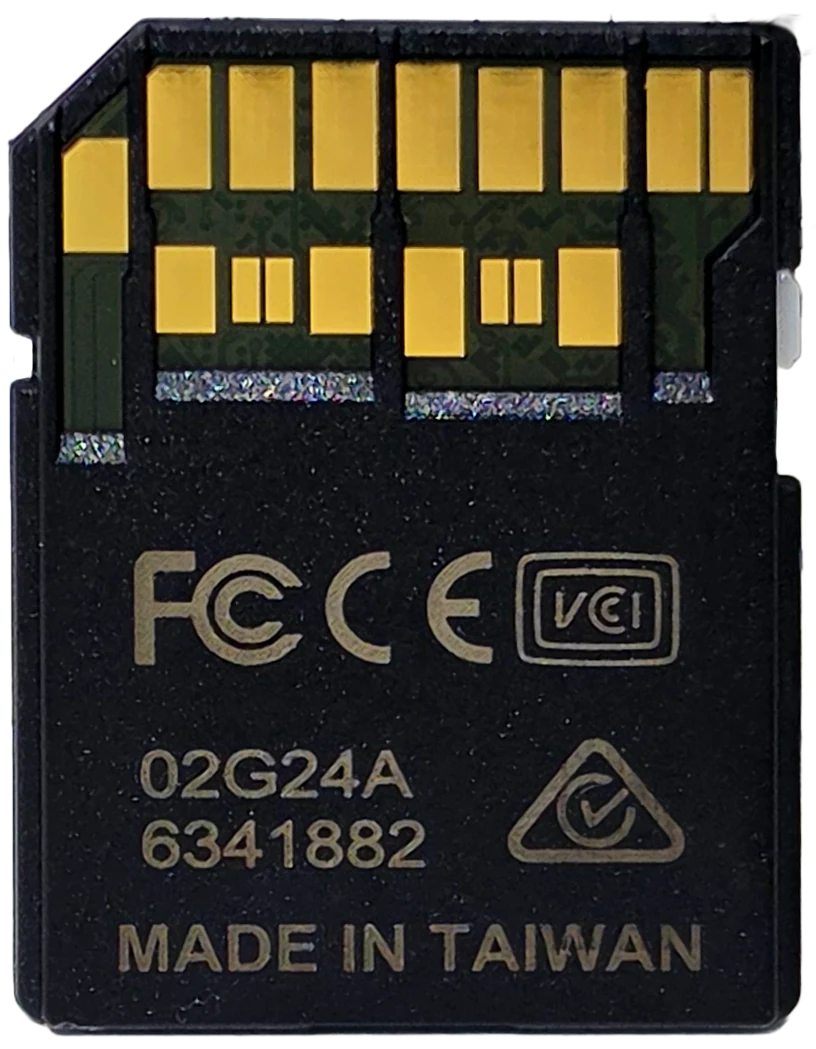
Then it gets worse for the expensive card. On small scattered files, the kind a camera writes when it updates a file table or a computer writes when it copies a folder of sidecars, the UHS-I Samsung through that same UHS-I host managed 9.23 MB/s read and 5.87 MB/s write. The UHS-II ProGrade managed 4.15 and 2.47. That is 2.2x and 2.4x in favour of the card that costs less and holds four times as much. Random performance is a property of the controller and the flash, and the UHS-II badge says nothing about either.
In a UHS-II camera the write gap is about 17 percent, not 3x
Give the UHS-II card the interface it was built for and it does get faster, but the size of the jump is the part that surprised me. The bus ratings suggest an enormous gap: UHS-I's standard mode tops out near 104 MB/s, UHS-II's full duplex mode near 312. That is very close to exactly 3x, and it is the number the packaging is built around.
On sustained writing, the thing a camera does while it is recording, the ProGrade on its UHS-II host held 104.0 MB/s steady state against the Samsung's 89.0 on a plain UHS-I host. That is 17%. Measured as a single sequential write pass rather than five minutes of recording, the same comparison comes out at 21.6%, 108.4 against 89.2. Whichever of those you prefer, it is a fifth, not a multiple.
The explanation is not mysterious and it is worth understanding before you spend money. The bus really is about 3x wider. The flash behind it is not 3x faster at accepting writes. Once the card's own write path becomes the bottleneck, a wider road in front of it stops mattering, and on every card here the write path became the bottleneck well before the bus did. You can see it in the same table: the UHS-II bus delivers its full 3x on reads, where there is no flash programming to wait for, and almost none of it on writes.
The bus is three times wider. The writing is seventeen percent faster.
But 17 percent crosses a class boundary, and that matters more than the percentage
Here is the strongest pro UHS-II fact I have measured, and any honest version of this article has to carry it. A video speed class is a floor, not an average: V60 promises the worst ten seconds of a sustained write will never fall below 60 MB/s, V90 promises 90. One dip under the floor is a dropped frame or a stopped clip, which is why cameras list a minimum card class for their highest bitrate modes.
Across a five minute sustained write, the ProGrade on its UHS-II host had a worst ten second window of 102.8 MB/s. It holds V90, against the V60 printed on its own face. The Samsung, on the plain UHS-I host a camera would give it, had a worst ten second window of 88.7 MB/s. It holds V60, and misses V90 by 1.3 MB/s.
So the 17% is not just 17%. It lands on the far side of a line the camera menu actually knows about. If a body needs V90 to unlock a recording mode, no UHS-I card is going to get you there, however good it is, and the Samsung missing by 1.3 MB/s is about as close as that argument gets. That is a real reason to buy UHS-II, and it is a much better reason than the one on the box.
Where the class boundary actually falls
UHS-II's biggest win is not recording, it is getting the card empty again
Reads have no flash programming to wait for, so this is where the wider bus finally shows up in full. On the same UHS-II reader, the ProGrade read at 296.9 MB/s against the Samsung's 169.8. That is 1.75x, and it is the largest genuine advantage UHS-II posted anywhere in this test. Against the same Samsung on a plain UHS-I reader, 96.3 MB/s, it is 3.1x, which is the bus rating showing up almost exactly as advertised.
Put that in minutes, because minutes are what you actually feel. Emptying a full 128 GB card at 296.9 MB/s takes about seven minutes. At 169.8 it takes about twelve and a half. At 96.3 it takes twenty two. Do that twice a day and the interface has bought you back roughly an hour a week.
One important caveat, and it cuts against my own argument here: the reader matters at least as much as the card for this number. When I benchmarked the reader itself against my backup, the same card read 3.1x faster purely because of which box it was plugged into. If offload speed is what you are buying UHS-II for, buy the reader first. It is the cheaper half of the pair and it moves the number further.
How long to empty one full 128 GB card
Why the fastest write in this whole test came from the cheap UHS-I card
Look back at the table and one number does not fit the story: the Samsung wrote 137.3 MB/s on the UHS-II reader, faster than either UHS-II card managed. My first draft of this article had a thesis built on it, something like the cheap UHS-I card out-writes both UHS-II cards. It is bench true and it is camera false, and it took a second look at Samsung's own product page to catch it.
Samsung's page qualifies the headline: up to 200 and 130 MB/s when using Samsung USB readers. That condition is doing an enormous amount of work. Getting past about 104 MB/s on a UHS-I card requires a proprietary fast mode, usually called DDR200, which is not part of the SD specification. It has to exist in the card and in the host, and the ProGrade reader happens to speak a compatible version of it. A UHS-I card rated 205 MB/s shows how far that gap can stretch: it read 168.4 MB/s on a reader that speaks DDR200, and would sit near 96 on one that does not. My analyzer flagged the card's 169.8 MB/s read as sitting within 5% of the DDR200 ceiling on its own, without being told what was in the slot.
A camera does not have that. A camera gives a UHS-I card the standard UHS-I bus, and on that bus this card writes 89.2. So 137.3 is a real measurement of a real thing, and it predicts nothing whatsoever about what happens while you are shooting. That is the single most misleading number in this article, and versions of it appear in card reviews constantly, quoted without the reader that produced them.
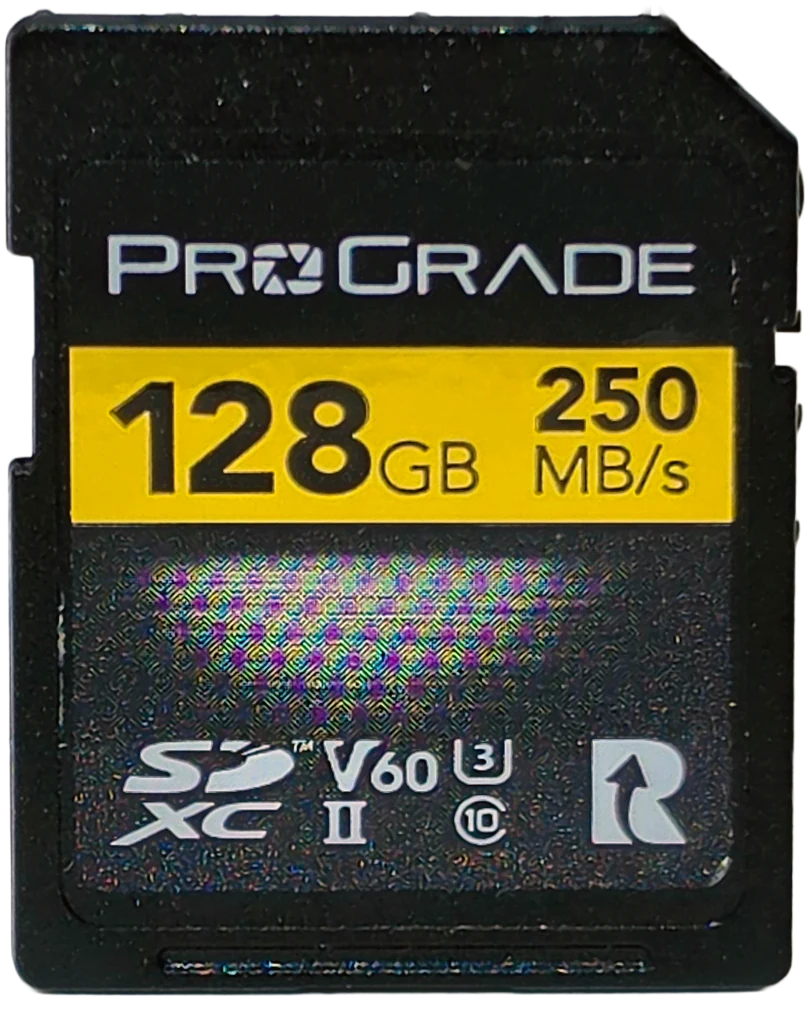
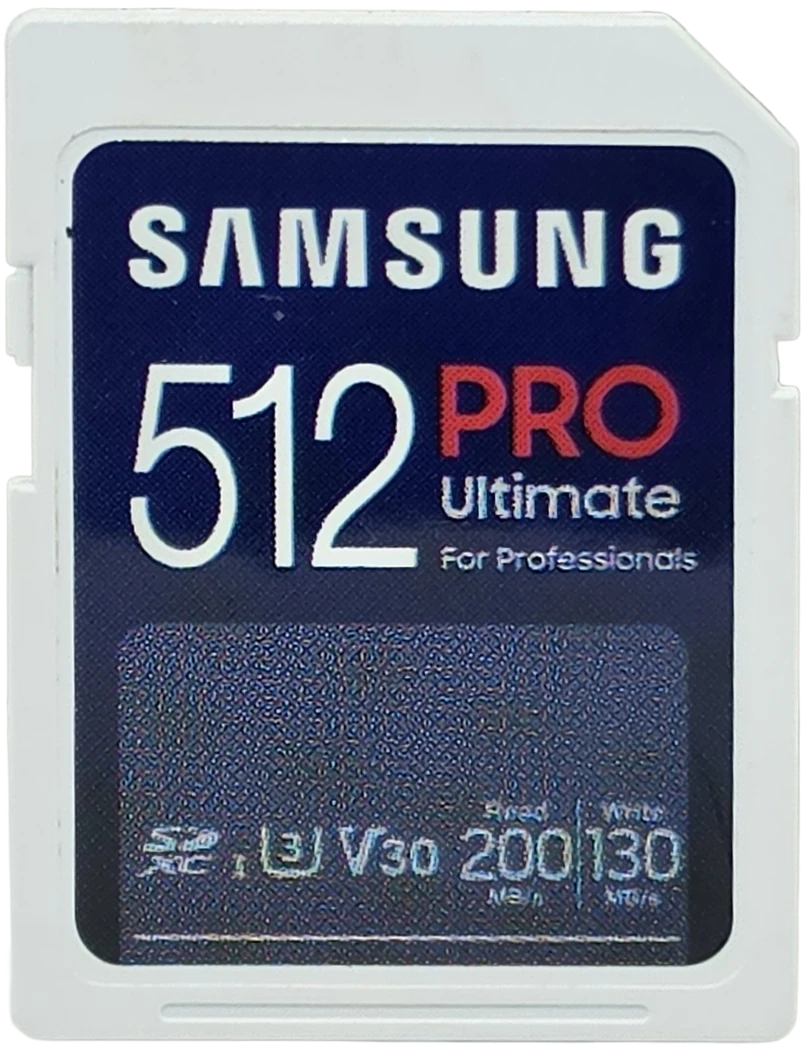
What this test cannot tell you. There is no in-camera measurement here and none is possible on this bench, which reads and writes cards through USB card readers only. The Transcend row is a stand-in for a camera, not a camera: it is a plain UHS-I host that does not speak any fast mode, which is the property a camera slot shares with it. It may not share every other property. Where I say "in a camera" below, read it as "on a plain UHS-I bus", because that is what I actually measured.
Both UHS-II cards here are V60, and a V90 card would change the verdict
This matters enough that leaving it out would make the article dishonest. The two UHS-II cards on my bench are V60 class, which is the tier most people actually buy, and it is where the 17% figure comes from. UHS-II also has a top tier: V90 cards, which are specified to sustain 90 MB/s at their worst and are typically sold on write speeds above 200 MB/s. I do not own one, so I did not test one.
A V90 UHS-II card would not be 17% ahead of a good UHS-I card. It would win outright, and it would win on the number this article says UHS-II mostly does not win on. So the claim here is scoped: against V60 class UHS-II, a good UHS-I card is closer than the price gap suggests, and in a UHS-I body it is level. Extend that to all of UHS-II and you would be overclaiming, which is exactly the mistake the marketing makes in the other direction.
Worth noting where the money went, too. At time of testing, in August 2026, all three of these cards cost roughly the same. The UHS-I card is four times the capacity, and it won the write test on the bus a camera would give it. Same money, four times the card.
How to actually decide, in about thirty seconds
Everything above collapses into one question, and it is a question about your camera rather than about any card.
UHS-I slot most bodies
- Buy the best UHS-I card you can, and buy capacity with the difference.
- A UHS-II card here measured 0.7% slower on writes and 2.2x slower on small random files.
- You are paying for a second row of contacts the slot cannot reach.
- Look at sustained write and video class, not the big number on the front.
UHS-II slot professional tier
- UHS-II is worth it, mostly for offload and for the video class.
- 17% more sustained write, and V90 instead of V60, which some recording modes require.
- 1.75x faster to empty, which is the part you will feel every single day.
- Buy a UHS-II reader at the same time, or most of that advantage stays in the card.
Disclosure: I bought all three of these cards and both readers myself; nobody sent me anything and nobody saw this article before it went up. This post contains affiliate links. As an Amazon Associate I earn from qualifying purchases, at no extra cost to you. Affiliate links like these and my YouTube channel are what keep the site running.
I am not going to tell you which of these to buy, because the right answer is a property of your camera and not of the cards. All three are good, all three were bought at retail, and all three are linked below with what each one is actually for. Whichever one fits, get that one.
ProGrade SDXC UHS-II V60 128GB
The one that held V90 in a UHS-II host, a full class above its badge. Buy it if your body has a UHS-II slot and you want the class headroom and the fast offload. It came up 17% short of its own 130 MB/s write claim, which is in the full review.
Check price on Amazon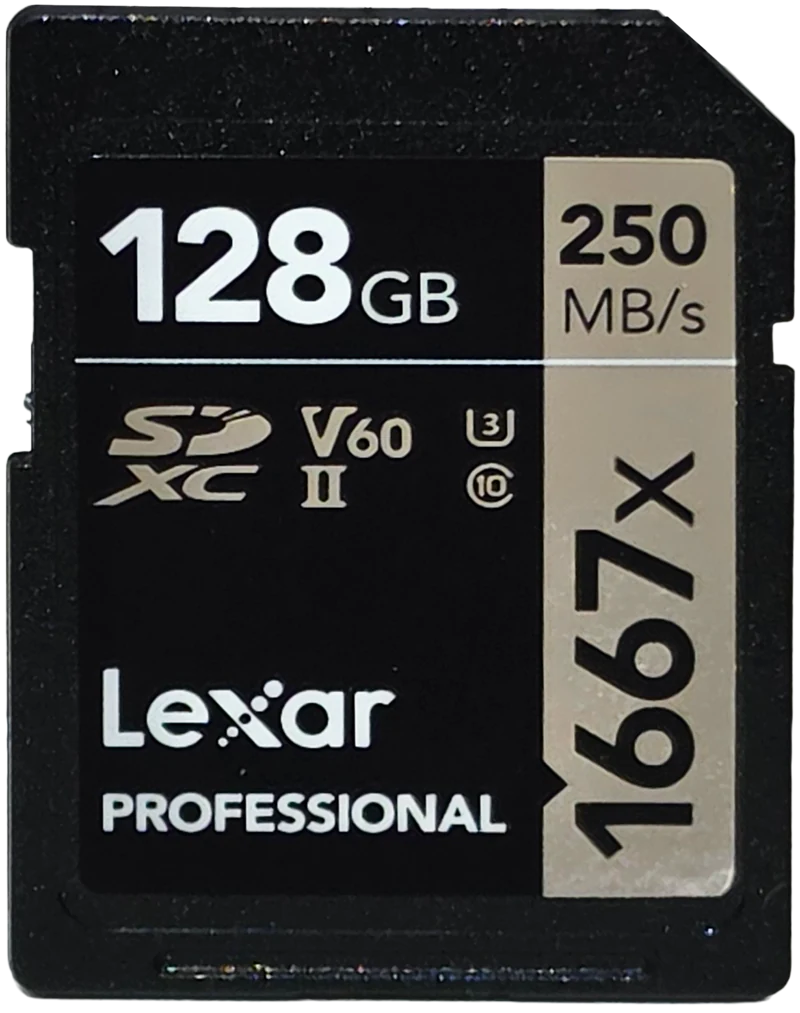
Lexar Professional 1667x 128GB
The same class and the same 250 MB/s read claim, and the only card here that met its own write claim, at 119.3 against 120. It also sustained the fastest worst ten seconds of the two UHS-II cards, and it carries a limited lifetime warranty.
Check price on Amazon
Samsung PRO Ultimate 512GB
The pick if your camera slot is UHS-I, where it matched both UHS-II cards and beat them on random files. It beat its own 130 MB/s write claim. Note the exact part I tested has been discontinued, so this listing is the current same-line 512GB card, sold with a reader.
Check price on Amazon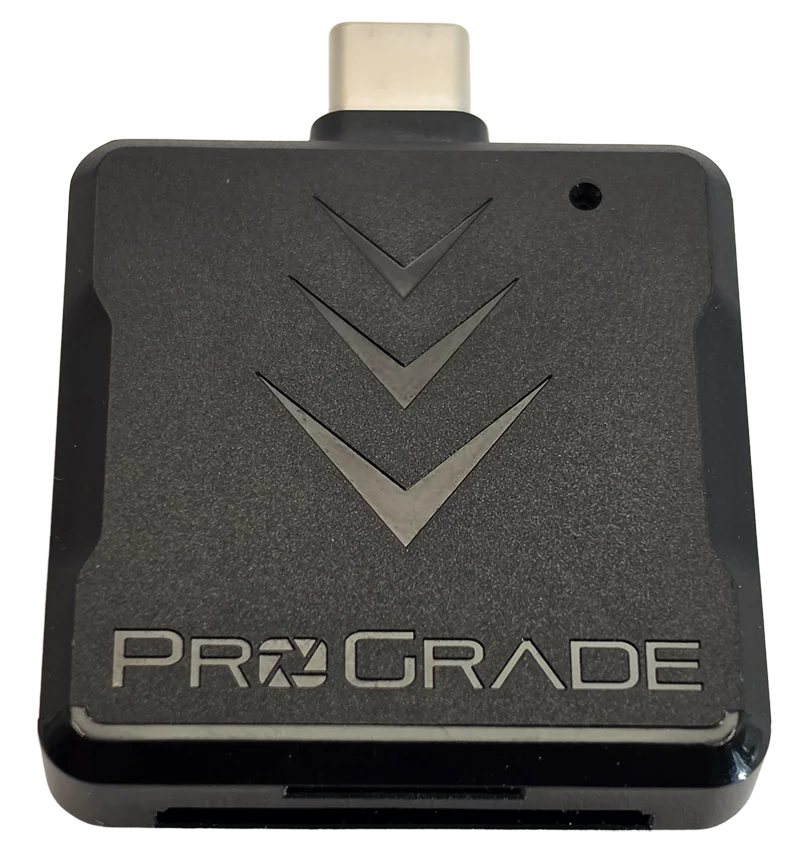
ProGrade PGM0.5 dual-slot UHS-II card reader
This is the one recommendation I will make outright, because it is the only part of the chain that helped every card I put through it. On a UHS-II card it read 3.1 times faster than my old reader. And if you only ever use UHS-I cards it still earns its place: it speaks the UHS-I fast mode, which took the Samsung from 96.3 to 169.8 MB/s, a 76% gain on a card most readers cap at the standard ceiling. It is the cheaper half of the pair and it moves the number further. My full review of it, including the one thing it does not do.
Frequently Asked Questions
Do I need a UHS-II SD card?
Only if your camera has a UHS-II slot. In a UHS-I slot I measured a UHS-II card at 88.5 MB/s write against a good UHS-I card's 89.2, which is a tie, and it was 2.2x slower on small random files. In a UHS-II slot the UHS-II card sustained about 17% more write speed and reached video class V90 where the UHS-I card reached V60.
Will a UHS-II card work in a UHS-I camera?
Yes. UHS-II cards are backward compatible and will work in any SD slot. They simply fall back to the single row of contacts that UHS-I uses, and from that point they perform like a UHS-I card. Nothing breaks, you just do not get the speed you paid for.
How do I know if my camera has a UHS-II slot?
Check the camera's specification sheet for the words UHS-II next to the SD card slot, and check each slot separately. Dual-slot bodies frequently give UHS-II to slot one and UHS-I to slot two. You cannot tell by looking at the camera, because the extra contacts are inside the slot.
Is UHS-II three times faster than UHS-I?
The bus is roughly three times wider, and reads do show it: 296.9 MB/s against 96.3 on the same reader. Writes do not, because the card's flash becomes the bottleneck long before the bus does. On sustained writing I measured about a 17% advantage, not 3x.
Why does my UHS-I card benchmark faster than 104 MB/s?
Because your card reader is using a proprietary fast mode, usually called DDR200, which is not part of the SD standard. It has to be supported by both the card and the host. My UHS-I test card read 169.8 MB/s on a reader that speaks it and 96.3 MB/s on one that does not. Cameras do not speak it, so the higher figure never appears while you are shooting.
Is a UHS-II card worth it just for faster offloading?
It helps, but the reader matters more. A full 128 GB card takes about seven minutes to read at 296.9 MB/s and twenty two minutes at 96.3. Swapping to a UHS-II reader alone made the same card 3.1x faster in a separate test, so if offload speed is the goal, upgrade the reader before the card.
The bottom line on UHS-II
A year ago I said a good UHS-I card works nearly as well, and the measurements say I was right for the wrong reason. I thought the gap was small. It is not small, it is conditional, and the condition is the slot. In a UHS-I body a UHS-II card is worth nothing at all, and slightly negative once you count random performance and the capacity you did not buy. In a UHS-II body it is worth a fifth on sustained write, a whole video class, and nearly double on offload. Those are two different answers to what people ask as one question, which is why the argument never settles.
My own conclusion, for what it is worth: my R7 has two UHS-II slots, so my UHS-II cards do get their second row of pins, and I am in the half of this article where they are worth owning. What they actually buy me is the 17 percent, the class headroom, and a much shorter wait at the desk. What they do not buy me is anything resembling the gap between 250 and 130 on the two card faces, and I would have guessed higher than 17 percent before I ran it. One warning if you shop by pin count: a second row of contacts does not always mean UHS-II. microSD Express cards have one too, and it carries PCIe rather than UHS-II signalling, so the two cannot talk to each other at all. I found that out testing a Samsung P9 Express in a UHS-II reader, where it dropped all the way back to 89.7 MB/s.
So the advice splits. If your camera is UHS-I, put the money into capacity and into a decent reader instead, and revisit this when you upgrade the body. If it is UHS-II, buy the card, but buy it for the offload speed and the video class rather than for the number on the front. And if you find a V90 UHS-II card in my results one day, read that article before you take this one as the last word: the honest scope of everything above is V60 class UHS-II, because that is what I had.