
Your card reader is probably the slowest part of your setup
One card, three hosts, three different video speed classes. Four tiers of reader, measured on my own bench, and on one card the better reader returned 1.01x.
Prefer to watch?
No video for this one yet, but I cover dashcams, storage, and the gear around them on the channel. Subscribe to catch the next bench run the moment it goes up.
The short version
Your reader sets the ceiling, and there are four of them, not one. On a plain UHS-I card a better reader was worth 1.01x, which is nothing. On a card that speaks the UHS-I fast mode it was worth 1.76x and 1.88x on the two I could test. On a UHS-II card, 3.13x. On an SD Express card, 6.65x. The card has to agree to each of those tiers, nothing on either box tells you whether it does, and the most expensive mistake in the whole set is free to fix: a SanDisk Extreme 512GB read 41.58 MB/s in a USB 2.0 port and 95.73 MB/s in a USB 3 port, on the same reader, seventy minutes apart. That is a whole video speed class lost to a socket.
Verdict: check the port, then the reader, then the cardWho should spend anything at all
- YesAnyone who empties big cards regularly, and anyone whose card measures above about 145 MB/s on any hostA card in that group is being held back by an ordinary reader. On the two I measured both ways, moving to a reader that speaks the fast mode was worth 1.76x and 1.88x on reads.
- NoAnyone whose card reads about 96 MB/s no matter what it is plugged intoThat is the standard UHS-I ceiling and it is the card's decision, not the reader's. Nine of the seventeen UHS-I results on my bench sit there, and the one I put through both readers did not move.
This is an offload upgrade, not a recording upgrade. No camera or dash cam I am aware of speaks the fast reader mode, so a better reader makes cards empty faster and changes nothing about what the camera can record.
The usual advice about card readers is wrong often enough to be dangerous
The version you will read everywhere is: buy a faster reader, get faster transfers. I can disprove that with one line from my own corpus. A SanDisk High Endurance 128GB read 96.09 MB/s in a basic UHS-I reader and 96.78 MB/s in a dual-slot UHS-II one. That is 1.01x. Same card, confirmed by volume serial, same bench, and the upgrade bought a rounding error. That card is unit A of three I own under one model code, and a sibling reads 174.94 on the same slot, which is the card's doing rather than the reader's and has its own article.
I can also prove the opposite, just as cleanly. A ProGrade SDXC V60 read 95.00 MB/s in that same basic reader and 296.91 MB/s in the better one. Same two readers. 3.13x.
Both are true, because a transfer speed is not a property of the card. It is a property of the slowest link in a chain that runs USB port, reader, card, and the chain only runs at a given tier if every link agrees to it. There are four tiers on my bench, every one measured on real hardware, and nothing printed on either box tells you which pair you own.
Every figure below names the host it came from and the run file it came out of, because on this question an unattributed speed is a wrong speed. This post sits alongside CKBench, the running index of every device on the bench, and it is the host-side companion to do you need a UHS-II SD card and what the speed class badges actually promise.
Disclosure: Every reader here I bought myself, and every card was either bought at retail or came bundled with dash cam hardware I bought. Nothing was supplied by a manufacturer for review, and nobody reviewed this post before it went up. Every number is reproducible from the run files named under each panel. This post contains affiliate links. As an Amazon Associate I earn from qualifying purchases, at no extra cost to you. Affiliate links like these and my YouTube channel are what keep the site running.
Why my write numbers read lower than other reviews. Every write here is committed to the card and confirmed before the clock stops, the way a camera actually writes, so my figures land below burst benchmarks like CrystalDiskMark that measure a few seconds of the card's RAM buffer. That rule, and the decimal MB/s and binary MiB conventions used throughout, are set out on the how we test and score page.
What a better reader is actually worth
I bought a faster reader and nothing happened
Start with the result that should stop you spending money, because it is the one nobody leads with.
The SanDisk High Endurance 128GB is an ordinary, well-made, widely sold dash cam card. I ran the same physical unit, confirmed by volume serial, through both of my readers. Through a basic Transcend TS-RDF5 it read 96.09 MB/s and wrote 89.35 MB/s. Through the ProGrade PGM0.5, a dual-slot UHS-II reader, it read 96.78 MB/s and wrote 89.70 MB/s.
That is 1.007x on reads and 1.004x on writes. Both differences are smaller than the spread between passes within a single run. For this card, on this bench, the two readers are the same reader.
This is not a defect. It is a card that runs the standard UHS-I signalling mode and nothing else, which is what the overwhelming majority of memory cards do. Nine of the seventeen UHS-I results in my corpus sit in that group. If your card is one of them, no reader on earth will make it faster, and any review that tells you otherwise did not measure your card.
Check which USB port your reader is in before you spend anything
I found this one by accident, and it is the largest loss in the entire corpus.
On a normal Thursday evening I set out to re-measure a SanDisk Extreme 512GB through the backup reader. The run came back at 41.58 MB/s read and 40.84 MB/s write. That is a card that had read 180.31 MB/s three days earlier. My first thought was that the card had died.
It had not. The reader was in a USB 2.0 port. I moved it to a USB 3 port and ran it again, same card, same reader, same evening, seventy minutes apart. It read 95.73 MB/s.
| SanDisk Extreme 512GB, Transcend TS-RDF5 | USB 2.0 port | USB 3 port | Cost of the port |
|---|---|---|---|
| Sequential read | 41.58 MB/s | 95.73 MB/s | 2.30x |
| Sequential write | 40.84 MB/s | 88.33 MB/s | 2.16x |
| Sustained write, worst ten seconds | 40.27 MB/s | 86.30 MB/s | 2.14x |
| Video speed class held | V30 | V60 | One full grade |
| Random 4K read | 1528 IOPS | 1724 IOPS | 1.13x |
| Random 4K write | 709 IOPS | 717 IOPS | 1.01x |
Both runs are the same physical card, the same reader unit and the same settle procedure, so the only variable is the socket. Nothing about the card changed and one class of its badge did.
The bottom two rows are the useful part, and they are the diagnostic you can run yourself. A bandwidth ceiling squeezes big sequential transfers and leaves small scattered ones almost untouched, because small operations spend their time waiting rather than moving bytes. Sequential fell by 2.30x. Random 4K read moved 1.13x and random 4K write moved 1.01x. A card that is actually failing does not behave like that: it drags both down together.
The 1.0 ratio tell. On the USB 2.0 run the card read 41.58 and wrote 40.84, a ratio of 1.018. Flash reads several times faster than it writes, so any device whose read and write land on top of each other is being held by something upstream of the flash. That same signature is what cracked the ImageMate counterfeit investigation, where every figure in a run sat inside a 1.07x band. When reads and writes agree that closely, stop blaming the card.
My own test software flagged it before I worked it out, printing a plain warning that the 41.6 MB/s read was within 5% of the practical USB 2.0 ceiling and that the reader might be the limiter rather than the card. Front-panel ports, unpowered hubs, keyboard passthrough ports and older laptop sockets are all places a USB 2.0 link hides. This fix costs nothing and it is worth more than any reader in this post.
Why does my SD card only read 96 MB/s?
Because that is what the SD standard's fastest widely implemented UHS-I mode delivers in practice. The mode is called SDR104 and its theoretical figure is about 104 MB/s. Real hardware loses a slice of that to protocol overhead, and on my bench the practical ceiling lands at 96 to 97 MB/s with remarkable consistency: 96.73, 96.77, 96.78, 96.80, 96.85 across five different cards from four different brands. Those are not five cards that happen to be similar. That is five cards all hitting the same wall.
What sits above the wall is a vendor extension usually sold as DDR200. It is worth being precise here, because the marketing is not: DDR200 is not part of the SD specification. It is a proprietary fast mode that a card controller and a reader controller can agree to use between themselves, on the same single row of contacts a normal UHS-I card already has. It is also not the same thing as the older DDR50 mode, and it has nothing to do with UHS-II, which adds a physical second row of pins.
Two consequences follow, and both of them matter more than the speed itself. The first is that both ends have to speak it, so a DDR200 card in a plain reader is just a UHS-I card. Two readers that both speak it can still disagree by a wide margin: the Amazon Basics 128GB read 169 MB/s and wrote 157 on my ProGrade PGM0.5, then 206 and 189 on a SanDisk QuickFlow, the same card on the same day. The second is that no camera or dash cam I am aware of implements it, so this is strictly an offload feature. Your card will not record faster because you bought a better reader.
There is one more consequence that trips people up when they are hunting counterfeits: a UHS-I card can legitimately exceed the 104 MB/s SDR104 ceiling. Reading fast is not evidence of UHS-II, and it is not evidence of a fake either. I have measured a genuine mainstream retail card at 180.31 MB/s on a single row of pins.
Cards are bimodal. There is no partial credit.
Nothing in my corpus reads between 97 and 145 MB/s
Put every UHS-I card I have ever measured on one axis, all of them on the same ProGrade reader so the host is not a variable, and something odd shows up. Seventeen units. Nine of them land between 78.34 and 96.85 MB/s. Eight of them land between 145.46 and 180.31 MB/s. The 48.61 MB/s in between is completely empty.
That gap is the whole argument in one picture. There is no gradual scale of card speed on a UHS-I bus. A card either negotiates the vendor fast mode with your reader or it does not, and the answer is binary. Buying a "slightly faster" card does not exist as an option here; you either cross the gap or you do not.
Two footnotes on that chart, because they matter. The counterfeit SanDisk ImageMate sits in the fast group at 145.46 MB/s, which is worth remembering if you are trying to spot a fake: reading fast proves nothing about authenticity. And the fastest card in the group, a SanDisk Extreme 512GB at 180.31 MB/s, is a perfectly ordinary retail microSD with one row of contacts.
One card, three hosts, three video speed classes
Here is the cleanest demonstration on the bench, and it needs only one card.
The SanDisk Extreme 512GB has been through three different hosts, verified as the same physical unit by volume serial each time, and each run used the same settle procedure so the sustained figures are directly comparable. Each step up changes exactly one thing.
Step one to step two changes the socket and nothing else: same reader, same card, seventy minutes apart. Step two to step three changes the reader and nothing else: both on USB 3. The card sat still while its badge moved twice.
The badge is not a property of the card
What a fast-mode reader is worth on a card that can use it
Strip the port question away and put two cards that both speak the fast mode through both readers on a USB 3 port. This is the tier that carries the buying advice, and it now rests on two independent cards rather than one.
| Card | Transcend TS-RDF5 | ProGrade PGM0.5 | Read gain | Write gain |
|---|---|---|---|---|
| Samsung PRO Ultimate 512GB | 96.27 / 89.15 MB/s | 169.81 / 137.34 MB/s | 1.76x | 1.54x |
| SanDisk Extreme 512GB | 95.73 / 88.33 MB/s | 180.31 / 135.82 MB/s | 1.88x | 1.54x |
Two different brands, one full-size SD and one microSD, tested eighteen days apart, and the write gain lands on 1.54x both times. The read gain differs because the two cards implement the fast mode at slightly different speeds, which is itself worth knowing: crossing the gap does not put every card at the same place.
One honest limit on the read figures. The Extreme's 180.31 MB/s is flat to within 0.6 MB/s across every read in that run, from a 64 MiB canary to a full 511.8 GB verify pass, which rules out the flash as the limiter but does not tell me whether the ceiling belongs to the card or to the reader. A third reader is on order specifically to answer that.
Update, 29 August 2026: that reader landed, and the ceiling was the reader's. The same Extreme reads 193.28 MB/s on a SanDisk QuickFlow against 180.31 here, and a SanDisk Ultra reaches 203.47 there against 180.74 here, so about 181 MB/s is this reader's own microSD limit rather than any card's. The gain figures in this section are therefore floors on what the fast mode is worth, not ceilings. The four-host comparison, and which reader I would actually buy for each use case, is now its own post: which SD card reader should you buy. A second host settles faults as well as ceilings: a used SanDisk High Endurance 512GB that stalled for 3.6 seconds in this reader stalled for 3.3 in the QuickFlow, which is what made it the card's fault rather than this reader's.
Three cards, one label, and the card gets a vote too
The reader is only half the pair. Here is the other half, and it is the finding that changed how I write every review on this site.
I own three SanDisk High Endurance 128GB cards. Same model code, same UPC, bought as ordinary retail stock. All three went through the same slot of the same ProGrade reader, all three settled cleanly, and here is what they did.
| SanDisk High Endurance 128GB | Read | Write | Worst ten seconds | Video speed class |
|---|---|---|---|---|
| Unit A | 96.78 MB/s | 89.70 MB/s | 87.98 MB/s | V60 |
| Unit C | 96.77 MB/s | 89.70 MB/s | 87.98 MB/s | V60 |
| Unit B | 174.94 MB/s | 107.62 MB/s | 100.77 MB/s | V90 |
Units A and C agree to 0.01 MB/s on read and to the decimal on both write and worst ten seconds, which is about as clean a reproducibility result as this bench has produced. Unit B reads 81% faster than either of them. It speaks the vendor fast mode and they do not, and there is no way to tell which one is in the blister pack.
Read speed is not a property of a model number. It is a property of the unit in your hand.
That is why every read figure on this site names both the reader and the specific unit it came from. A review that says "the SanDisk High Endurance reads 96.8 MB/s" and a review that says it reads 174.9 MB/s can both be correct, and both are useless to you without the attribution. The full three-unit comparison, including what separates them, gets its own writeup.
The reader changes your card's V rating, and that is the real trap
A speed number is arguable. A badge is a promise with a floor under it, and the floor is what a camera checks before it lets you record. Across the corpus I have four host-driven class changes on file, every one of them from a pair of runs with settled starts so they are directly comparable.
| Card | Slower host | Faster host | Class change |
|---|---|---|---|
| SanDisk Extreme 512GB | 40.27 MB/s Transcend, USB 2.0 | 127.61 MB/s ProGrade | V30 to V90 |
| SanDisk Extreme 512GB | 86.30 MB/s Transcend, USB 3 | 127.61 MB/s ProGrade | V60 to V90 |
| Samsung PRO Ultimate 512GB | 88.71 MB/s Transcend | 133.06 MB/s ProGrade | V60 to V90 |
| Samsung P9 Express 256GB | 87.03 MB/s ProGrade | 161.27 MB/s Selore Express | V60 to V90 |
Every figure in that table is the worst ten seconds of a five minute committed write, which is exactly how the V class is defined. Three different cards, three different reader pairs, and not one of them holds the same grade on both hosts.
The practical version: a card that holds V90 on my bench and V60 in your camera was never a V90 card in your hands. The badge on the plastic is a claim about the card in a host that can keep up with it. If you want the definitions rather than the failure modes, they are in SD card speed classes explained.
Above the fast mode: what UHS-II and SD Express are worth
The two upper tiers are real buses rather than vendor agreements, and both need matching hardware at each end.
UHS-II adds a second physical row of contacts. On a ProGrade SDXC V60 128GB it took reads from 95.00 MB/s on the UHS-I reader to 296.91 MB/s on the UHS-II one, which is 3.13x. Writes went from 88.52 to 108.42 MB/s, only 1.22x, because on writes the flash runs out of road long before the bus does. That asymmetry is the single most misunderstood thing about UHS-II, and it is covered properly in do you need a UHS-II SD card.
SD Express stops pretending and runs PCIe over the card's second row. A Samsung P9 Express 256GB read 89.68 MB/s through the ProGrade and 596.73 MB/s through a Selore microSD Express reader, which is 6.65x, the largest host-driven gain in the corpus. Writes went 87.74 to 212.87 MB/s, 2.43x.
And then the reversal, which is my favourite result in this whole post. Through the ProGrade, the fastest card I own reads 89.68 MB/s. That is slower than a Botslab dash cam card that came free in a box at 95.97, and slower than the FitcamX bundled card at 92.94. An SD Express card in a reader that does not speak SD Express falls back to plain UHS-I and loses to the cheapest thing on the bench. The best card in the world is worth nothing in the wrong host, and that is the entire thesis of this post stated as a single embarrassing number.
One measurement I am deliberately not making. Temperatures are not comparable across these readers. A card sits at a different depth in each one, so the thermal camera is looking at a different thing each time, and my own protocol had to withdraw a published conclusion once for exactly that reason. Every heat figure on this site is tied to one reader, and this post makes no cross-reader heat claims at all.
Small scattered files are a different question entirely
Everything above is sequential: big files, moved end to end. If you run software off a card, boot a Raspberry Pi from it, or keep a photo catalogue on it, the number that governs your day is random 4K, and it does not follow the same rules at all. It is also the figure that moves most when only the host changes: one card measured on two readers held its sustained write to within 0.06% while its random 4K read moved 24.45%.
| Card | Slower host, read / write IOPS | Faster host, read / write IOPS | Change |
|---|---|---|---|
| SanDisk High Endurance, Unit A | 1602 / 955 | 1549 / 1030 | -3.3% / +7.9% |
| SanDisk Extreme 512GB | 1724 / 717 | 1796 / 745 | +4.2% / +3.8% |
| Samsung PRO Ultimate 512GB | 2255 / 1432 | 2466 / 1822 | +9.4% / +27.2% |
| ProGrade SDXC V60 128GB | 1014 / 603 | 2087 / 1102 | +105.8% / +82.7% |
| Samsung P9 Express 256GB | 1487 / 1506 | 5530 / 9134 | +272% / +506% |
Read the Extreme row against its own sequential result and the point lands hard. That card gained 1.88x on sequential reads from the better reader, and 1.04x on small scattered reads. The vendor fast mode is a bandwidth feature. It widens the pipe and it does almost nothing for the time each individual small operation takes.
The two genuine bus upgrades behave completely differently. The V60 card doubled its random 4K read on UHS-II, which in latency terms is 0.99 milliseconds per operation through UHS-I against 0.48 through UHS-II. The P9 Express, on a host that speaks its bus, went up by a factor of six on reads and by six again on writes.
So the buying rule splits. If you copy big files off cards, a fast-mode UHS-I reader is a real upgrade. If you run things from the card, only a genuine bus upgrade helps, and no amount of DDR200 will do it. I want to be careful about how hard I state that: it rests on one unit per card, and the V60's low starting figure is partly the card's own doing rather than the host's. Call it a strong pattern rather than a settled law.
The thirty-second self-check, before you buy anything
You do not need my bench for this. Copy one large file, ten gigabytes or more so the card's cache cannot hide the answer, off the card and watch the transfer rate once it settles.
You are on a USB 2.0 port. This is the free fix and the biggest single win available to you. Move the reader to a blue or labelled USB 3 socket on the back of the machine, not a front panel header or an unpowered hub, and measure again. On my bench that move alone was worth 2.30x and a full video speed class.
That is standard UHS-I signalling and it is the card's ceiling, not the reader's. Nine of my seventeen UHS-I units live here permanently. No reader will move this number. Save your money, or replace the card if you actually need more.
Your card speaks the vendor fast mode. If it only hits that figure in one of your readers, the other one is costing you between 1.76x and 1.88x every time you use it, and a reader is the cheapest upgrade in this entire hobby.
One caveat on doing this at home: Windows Explorer reports a burst figure that includes the operating system's cache, so use a large file and read the number after it has settled rather than the peak it flashes in the first second.
So which card reader should you actually buy?
The short answer is below. The long one, with a branch for each use case and a fourth host that did not exist when this post went up, is in which SD card reader should you buy.
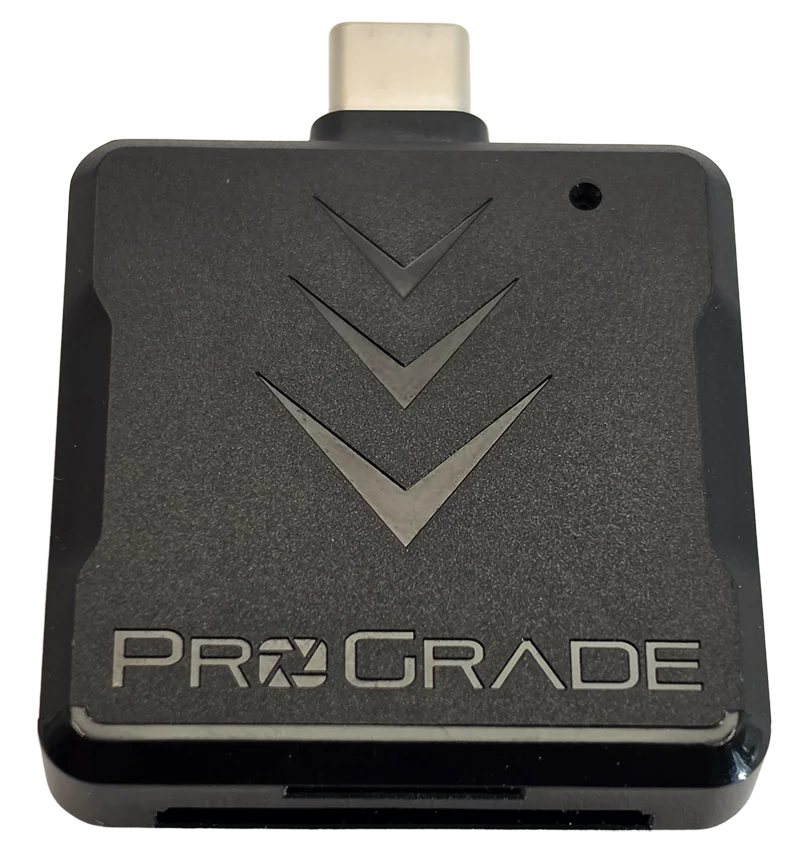
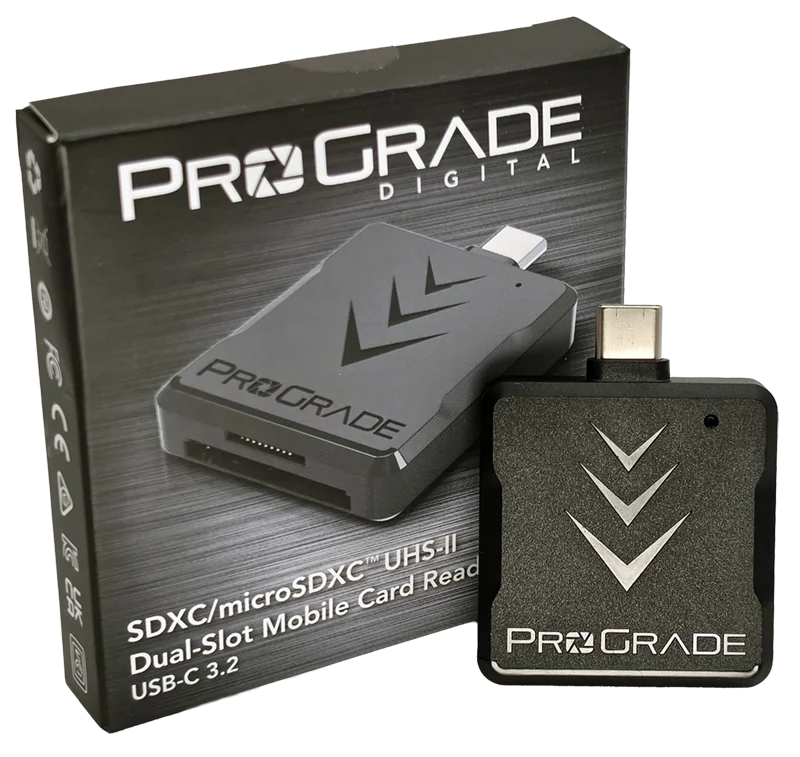
The reader behind every number here is the ProGrade PGM0.5, and it has its own full review with the failure modes included: the ProGrade PGM0.5 reader review. The short version is that it is UHS-II on both slots, it reaches the vendor fast mode on UHS-I cards, and it produced every fast figure in this post. It also has one caveat worth carrying over before you buy it for the wrong reason: across 330 seconds of testing with both slots loaded, there were zero seconds where both slots moved data at the same time. The second slot is sequential convenience, not a parallel lane.
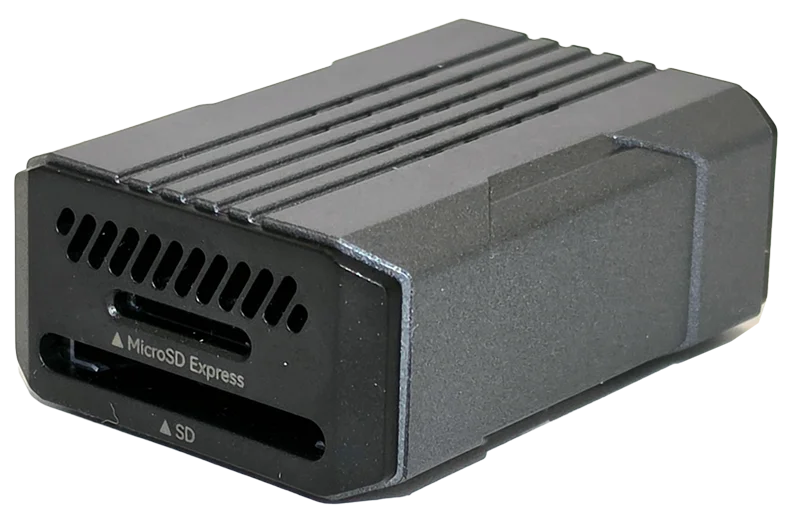
If you own an SD Express card, none of the above reaches it. That needs a reader with a PCIe path, and the one I have measured is the Selore microSD Express reader used for the P9 Express runs. I am naming it because it is the only tier-3 host I own and it produced 596.73 MB/s, but I have not reviewed it, it is a single unit, and I have no long-term data on it. Treat that as a pointer, not a recommendation with a bench behind it.
Frequently asked questions
Does a card reader affect SD card speed?
Yes, and by a factor of anywhere from 1.01x to 6.65x depending on the card. On a plain UHS-I card I measured 96.09 MB/s in a basic reader and 96.78 MB/s in a UHS-II one, which is no difference at all. On a UHS-II card the same two readers gave 95.00 MB/s and 296.91 MB/s. The reader sets a ceiling and the card decides how much of it you can use.
Why does my SD card only read 40 MB/s?
Almost certainly a USB 2.0 port, and it is free to fix. I measured a SanDisk Extreme 512GB at 41.58 MB/s in a USB 2.0 port and 95.73 MB/s in a USB 3 port, using the same reader and the same card seventy minutes apart. The giveaway is that read and write speeds land on top of each other, 41.58 against 40.84 in my case, because flash normally reads several times faster than it writes.
Why does my SD card only read 95 MB/s?
That is the practical ceiling of standard UHS-I signalling, and it is where most cards live. Five different cards from four brands landed between 96.73 and 96.85 MB/s on my bench, all on the same reader. If your card reads about 96 MB/s in more than one host, that is the card's own limit and no reader will lift it.
What is DDR200 and is it part of the SD standard?
No. DDR200 is a vendor extension, not part of the SD specification. It lets a card controller and a reader controller agree to run faster than SDR104 over the ordinary single row of UHS-I contacts. Both ends have to support it, and it is unrelated to UHS-II, which adds a second physical row of pins. It is also not the same thing as the older DDR50 mode, despite the similar name.
Will a faster card reader speed up my camera or dash cam?
No. A reader only affects getting footage off the card. No camera or dash cam I am aware of implements the vendor fast mode, so recording performance is unchanged. This is an offload upgrade and nothing else.
How can I tell whether my card supports the fast reader mode?
You cannot tell from the packaging, and you often cannot tell from the model number either. I own three SanDisk High Endurance 128GB cards with the same model code, and two read 96.8 MB/s while the third reads 174.9 MB/s. The only reliable method is to measure: copy a large file off the card in a reader you know is capable, and see whether it clears about 145 MB/s.
Is a UHS-II reader worth buying for a UHS-I card?
Only if that particular card speaks the vendor fast mode. On the two cards of mine that do, the upgrade was worth 1.76x and 1.88x on reads and 1.54x on writes. On a card that does not, it was worth 1.01x, which is nothing. Measure before you buy.
Can a card reader change my card's V30 or V90 rating?
On the bench, yes, and this is the trap. I have four host-driven class changes on file, including one card that held V30 through a USB 2.0 port, V60 through a USB 3 port on the same reader, and V90 on a better reader. The video speed class describes a card in a host that can keep up with it, so a card that holds V90 in my reader and V60 in your camera was never a V90 card in your hands.
Check the port, then the reader, then the card
Four tiers, four different answers, and the order you check them in is the order of how much they cost. The USB port is free and was worth 2.30x. The reader is cheap and was worth up to 1.88x on a card that could use it, or 1.01x on one that could not. The card is the expensive part and it is the only one you cannot change your mind about after the fact.
What I would not do is buy a reader on the strength of a number on its box. Nothing printed on either box tells you which pair you have, and the only two cards in my corpus that look identical on the outside differ by 81% on reads. Measure first. It takes thirty seconds and it is the only thing here that is actually reliable.
Every card behind these figures has its own writeup in CKBench, and the method, including why my write numbers read lower than everyone else's, is on the how we test and score page.